https://github.com/so1der/mesh_usb_keyboard
Using old USB keyboard to communicate with Meshtastic devices
https://github.com/so1der/mesh_usb_keyboard
arduino keyboard meshtastic
Last synced: about 2 months ago
JSON representation
Using old USB keyboard to communicate with Meshtastic devices
- Host: GitHub
- URL: https://github.com/so1der/mesh_usb_keyboard
- Owner: so1der
- License: gpl-3.0
- Created: 2024-12-06T12:47:23.000Z (over 1 year ago)
- Default Branch: main
- Last Pushed: 2024-12-06T13:56:28.000Z (over 1 year ago)
- Last Synced: 2025-06-03T06:05:05.965Z (about 1 year ago)
- Topics: arduino, keyboard, meshtastic
- Language: C++
- Homepage:
- Size: 658 KB
- Stars: 3
- Watchers: 1
- Forks: 0
- Open Issues: 0
-
Metadata Files:
- Readme: README.md
- License: LICENSE
Awesome Lists containing this project
README
# Using old USB keyboard to communicate with Meshtastic devices
With this project You can use simple membrane keyboard to input and send messages via Your Meshtastic Node!
Old membrane keyboards can not only work via USB protocol, but also via PS/2 protocol. PS/2 protocol is very simple, thats why almost any microcontroller can work with them.
For this project You need:
- Arduino Nano
- Logic Level Shifter
- x2 10 kOhm resistors
- Old USB keyboard
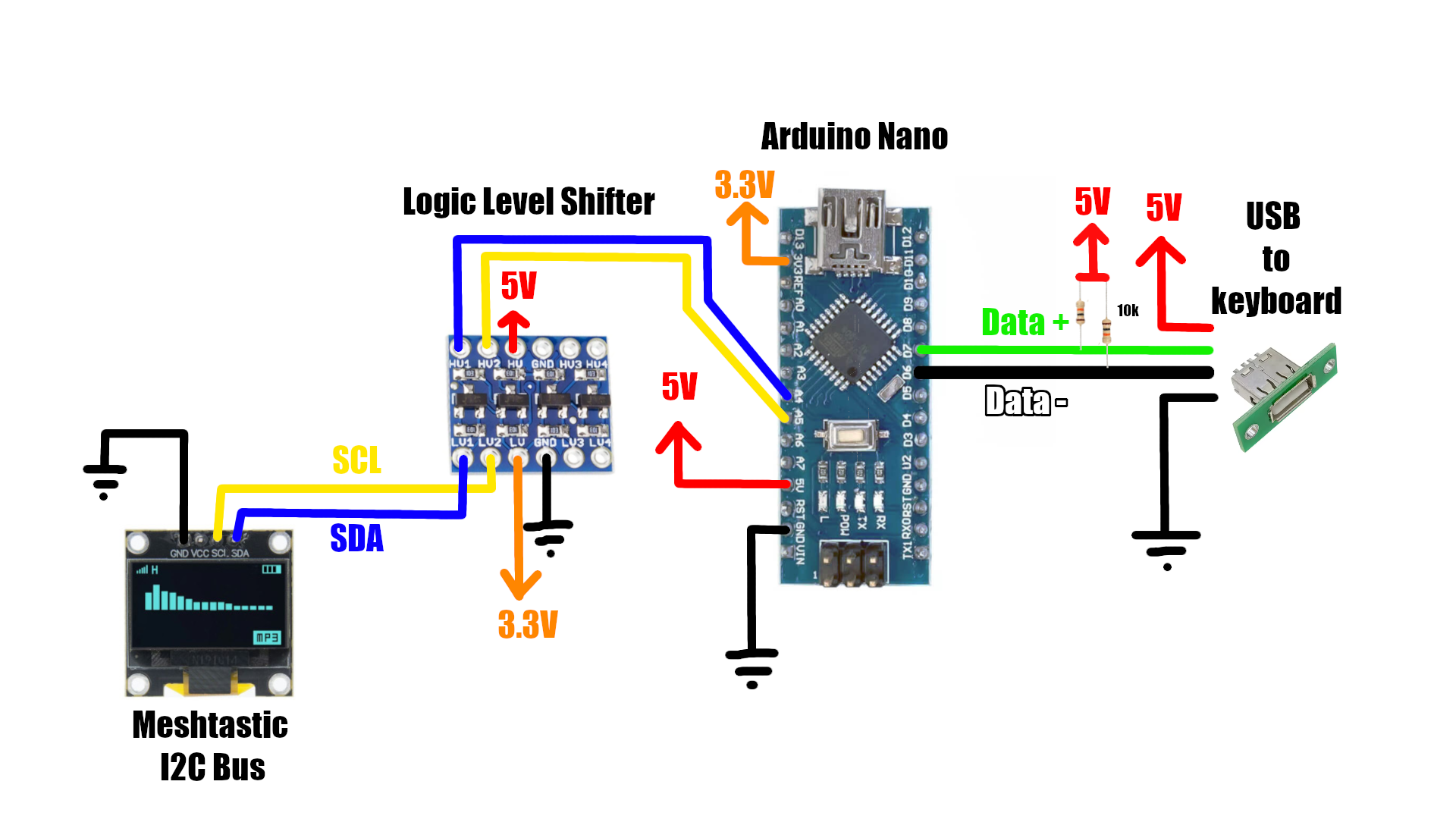
Logic level shifter needed because Arduino and keyboard use 5V, while ESP32 inside Meshtastic uses 3.3V. Resistors are needed to pull USB Data lines to +5V.
Connect everything according to schematic. You can use the same pins that Node OLED screen uses, since its I2C, serial bus. Now - use PlatformIO to flash arduino (open folder `USB_Keyboard` as a PlatformIO project)
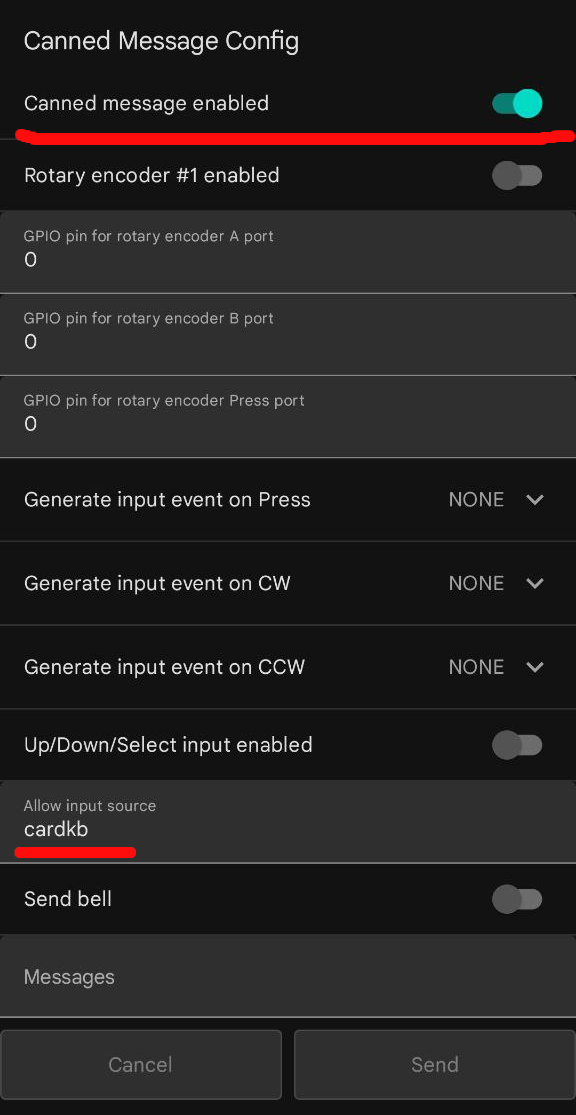
After that - open Node settings, go to `Canned Message`, enable them, and type `cardkb` into `Allow input source` field.
This particular method is relaying on existing keyboard implemented in Meshtastic - cardkb, so we dont need to modify Meshtastic Source Code.
**While creating this project, I used next sources:**
- [CardKB Source Code from M5Stack](https://github.com/m5stack/M5-ProductExampleCodes/blob/master/Unit/CARDKB/firmware_328p/CardKeyBoard/CardKeyBoard.ino)
- [Article about using USB keyboard with Arduino, from Doctor Volt](https://www.hackster.io/michalin70/connect-a-usb-keyboard-with-an-arduino-50c077)
Cons of this method:
- Cant use some keys (Shift, Caps Lock, etc)
- Slow typing speed (Maybe related to the Meshtastic Source Code)