https://github.com/soft-collection/wificlockesp32s3matrix
Small WiFi clock based on ESP32-S3 Matrix board. Shows Time, Date, Local Weather and News.
https://github.com/soft-collection/wificlockesp32s3matrix
clock date esp32-s3 esp32-s3-matrix local time weather wifi wificlock
Last synced: 9 months ago
JSON representation
Small WiFi clock based on ESP32-S3 Matrix board. Shows Time, Date, Local Weather and News.
- Host: GitHub
- URL: https://github.com/soft-collection/wificlockesp32s3matrix
- Owner: Soft-Collection
- Created: 2025-01-04T15:04:45.000Z (over 1 year ago)
- Default Branch: master
- Last Pushed: 2025-02-06T14:04:32.000Z (over 1 year ago)
- Last Synced: 2025-02-26T10:18:43.869Z (over 1 year ago)
- Topics: clock, date, esp32-s3, esp32-s3-matrix, local, time, weather, wifi, wificlock
- Language: C++
- Homepage: https://www.soft-collection.com
- Size: 94.7 KB
- Stars: 0
- Watchers: 1
- Forks: 0
- Open Issues: 0
-
Metadata Files:
- Readme: README.md
Awesome Lists containing this project
README
[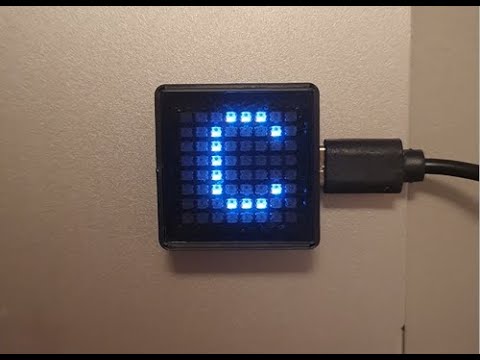](https://youtu.be/gyAnZwDX77I "WiFi Clock ESP32-S3 Matrix")
# WiFi Clock ESP32-S3 Matrix
Small WiFi Clock based on ESP32-S3 Matrix board.
Shows Time, Date, Local Weather and News.
## Parts
| Qty | Product | Description |
| --- | ---- |---------------------------|
|1 | [ESP32-S3 Matrix](https://www.aliexpress.com/item/1005006997616303.html?spm=a2g0o.best.moretolove.18.23a12c25H9U6di&pdp_npi=4%40dis%21ILS%21%E2%82%AA45.24%21%E2%82%AA41.81%21%21%21%21%21%40213ba0c517360067943534845e2d02%2112000038992334785%21btf%21%21%21&_gl=1*19va6ew*_gcl_aw*R0NMLjE3MzU5OTQxODMuQ2p3S0NBaUExZU83QmhBVEVpd0FtMEVlLUdtMFl5U1o0Q1RiV2pZVDFmTGQ5cDllZXktc1ZWaFRMMnJlRHRMam9kaXdyUEY4TWxZN1Rob0NxSHNRQXZEX0J3RQ..*_gcl_dc*R0NMLjE3MzU5OTQxODMuQ2p3S0NBaUExZU83QmhBVEVpd0FtMEVlLUdtMFl5U1o0Q1RiV2pZVDFmTGQ5cDllZXktc1ZWaFRMMnJlRHRMam9kaXdyUEY4TWxZN1Rob0NxSHNRQXZEX0J3RQ..*_gcl_au*MTUxMjMzMjUyNC4xNzMwNTUxNTU3*_ga*MTY3ODkxNjExNC4xNzEwMDEwMzU5*_ga_VED1YSGNC7*MTczNjAwNjc5NC4xMDguMC4xNzM2MDA2Nzk0LjYwLjAuMA..) | Main board |
## Notes
You can run commands on the device using the Arduino IDE **Serial Monitor**.
1. Use **help** command to get description of all commands.
2. Use **get** command to get all data in JSON format.
3. Use **reset** command to reset all data to its dafault values.
4. Enter the edited JSON string you have got using **get** command.
5. See your [Time Zone](https://github.com/esp8266/Arduino/blob/master/cores/esp8266/TZ.h)
6. Validate your [JSON String](https://jsonlint.com)
7. If you want to see News, you must get Newsapi.org [API Key](https://newsapi.org)
The **get** command returns the following string in JSON format:
{"tz":"EST5EDT,M3.2.0,M11.1.0","matrix_pin":"14","color":"000000","stations":[{"ssid":"your_ssid1","psk":"your_password1"},{"ssid":"your_ssid2","psk":"your_password2"},{"ssid":"your_ssid3","psk":"your_password3"}],"news_api_key": "your_newsapi.org_api_key","newspaper":"fox-news","show_time":"true","show_date":"true","show_weather":"true","show_news":"true"}
Copy this string to Notepad end edit it:
1. Set your [Time Zone](https://github.com/esp8266/Arduino/blob/master/cores/esp8266/TZ.h)
2. Set Matrix Pin (14 by dafault)
3. Set Color (000000 by dafault). Use 6 hexadecimal digits 2 for Red value, 2 for Green value and 2 for Blue value. Use 000000 for default colors.
4. Set few SSIDs and Passwords. (Not always 3, but up to 5. May be 1 or 2.)
5. Set Newsapi.org [API Key](https://newsapi.org)
6. Set Newspaper name.
7. Set true/false values for what to show: Time, Date, Local Weather, News
When You have done, just **copy** the edited string and **paste** it in **Serial Monitor** where you typed **get** command and press **enter**