https://github.com/soitora/plexanisync-mapping-assistant
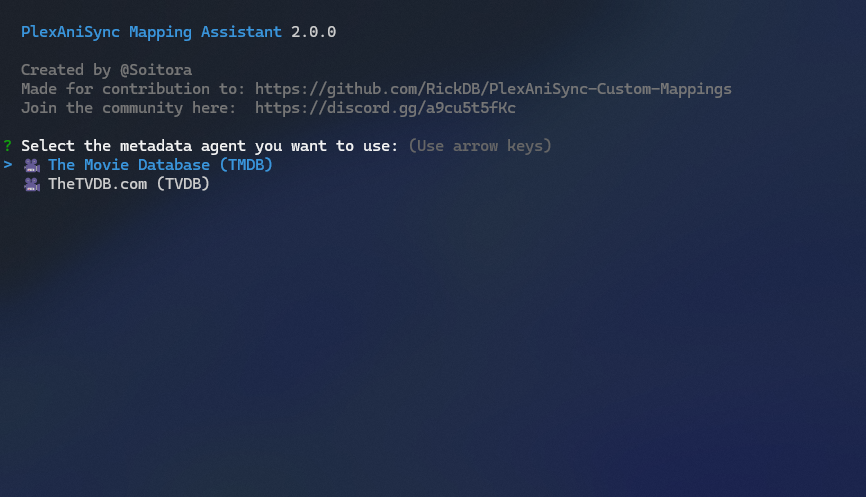
TheMovieDB/TheTVDB Mapping Assistant for PlexAniSync, specifically, for contribution to the custom mappings project.
https://github.com/soitora/plexanisync-mapping-assistant
Last synced: about 1 year ago
JSON representation
TheMovieDB/TheTVDB Mapping Assistant for PlexAniSync, specifically, for contribution to the custom mappings project.
- Host: GitHub
- URL: https://github.com/soitora/plexanisync-mapping-assistant
- Owner: Soitora
- License: mpl-2.0
- Created: 2023-04-07T08:32:31.000Z (about 3 years ago)
- Default Branch: main
- Last Pushed: 2024-10-29T20:25:08.000Z (over 1 year ago)
- Last Synced: 2024-10-29T22:48:14.579Z (over 1 year ago)
- Language: JavaScript
- Homepage:
- Size: 346 KB
- Stars: 9
- Watchers: 2
- Forks: 1
- Open Issues: 6
-
Metadata Files:
- Readme: README.md
- License: LICENSE
Awesome Lists containing this project
README

# [PlexAniSync](https://github.com/RickDB/PlexAniSync/) Mapping Assistant
TheMovieDB/TheTVDB Mapping Assistant for [PlexAniSync](https://github.com/RickDB/PlexAniSync/), specifically, for contribution to the [custom mappings](https://github.com/RickDB/PlexAniSync-Custom-Mappings) project.
Also check out [Plex GUID Grabber](https://github.com/Soitora/Plex-GUID-Grabber/) to grab the show GUID easily, requires something that can run userscript in your browser, i.e. **Violentmonkey** / **Tampermonkey**.

### Repositories
[](https://github.com/RickDB/PlexAniSync/)
[](https://github.com/RickDB/PlexAniSync-Custom-Mappings/)
[](https://github.com/Soitora/Plex-GUID-Grabber/)
## Quick Start
### docker
1) Copy/Rename [default.yaml.example](docker/default.yaml.example) to `default.yaml`
2) Update `default.yaml` as needed.
3) Copy/Rename [.env.example](docker/.env.example) to `.env`
4) Update `.env` as needed.
5) Use provided [docker-compose.yml](docker/docker-compose.yml)
6) Start app with `docker compose run plexanisync-mapping-assistant`
* **NOTE: If you bring the container up with `docker compose up` you will be unable to interact with the terminal app**
## Guide
### Step 1: Prerequisites
Make sure you have `Node.js` and `npm` installed on your machine.
If not, you can download and install them from [Node.js official website](https://nodejs.org/).
### Step 2: Clone the Repository
Clone the repository to your local machine using the following command:
```bash
git clone https://github.com/Soitora/PlexAniSync-Mapping-Assistant.git
```
### Step 3: Navigate to Project Directory
Change into the project directory:
```bash
cd PlexAniSync-Mapping-Assistant
```
### Step 4: Install Dependencies
Run the following command to install project dependencies:
```bash
npm install
```
### Step 5: Create .env file
Copy the provided `.env.example` file to a new file named `.env`:
```bash
cp .env.example .env
```
### Step 6: Edit .env File
Open the `.env` file in a text editor and fill in the environment variables with appropriate values.
> [!NOTE]
>- You do not need both `TMDB_APIKEY` and `TVDB_APIKEY` to run this, only one is required at minimum.
>- You do not need to tweak/add `DUMMY_QUERY` unless that doesn't work for you.
>- Both `PLEX_TOKEN` and `PLEX_API` is also optional, but highly recommended for `guid` in the output.
### Step 7: Configuration
You can copy `config/default.yaml.example` as `config/default.yaml` to use custom settings.
Read [here](https://github.com/node-config/node-config/wiki/Configuration-Files) for more regarding configuration files.
#### Settings:
- `preferMetadata`
- Possible values: `tmdb`, `tvdb`
- Type: `string`
- `preferMedia`
- Possible values: `tv`, `movie`
- Type: `string`
- `copyResults`
- Possible values: `true`, `false`
- Type: `boolean`
- `saveResults`
- Possible values: `true`, `false`
- Type: `boolean`
- `dualOutput` (requires `saveResults` being `true` in prompt)
- Possible values: `true`, `false`
- Type: `boolean`
- `inputFilePath`
- A valid path to a TXT input file, see the README example.
- Type: `string`
- `outputFilePath`
- A valid path for the output YAML files, see the README example.
- Type: `string`
#### Default config:
```yaml
userConfig:
preferMetadata: "tmdb"
preferMedia: "tv"
copyResults: true
saveResults: false
dualOutput: true
inputFilePath: "batch/input.txt"
outputFilePath: "batch/output/"
```
#### Examples:
##### Changing metadata agent
This is useful if you for example only want to use TVDB, and maybe always save results to a file as well, then you can change
```yaml
userConfig:
preferMetadata: "tvdb"
saveResults: true
```
##### Changing output paths
This is useful if you for example you want the processed files to be output to a folder on your Desktop
```yaml
userConfig:
inputFilePath: "C:/Users/USER/Desktop/Scraper/input.txt"
outputFilePath: "C:/Users/USER/Desktop/Scraper/"
```
### Step 8: Run the Assistant
You can now run the mapping assistant using the following command:
```bash
npm run assistant
```
### Auto-scraping (Optional)
If you would prefer to input a large number of IDs, and have the program output a file for you, you can do it using this script.
Make sure that you fill `batch\input.txt` with a newline-seperated list of IDs.
```bash
npm run auto
```
### Debugging (Optional)
If you need to debug and test towards API directly, you can use the following command:
```bash
npm run debug
```
### Testing (Optional)
To run tests to make sure the API is spitting out the correct information, use the following command:
```bash
npm test
```
## Scripts
- `assistant`: Runs the assistant script
- `debug`: Runs the debug script to see raw outputs of APIs
## Issues
If you have any issues, please open a new issue in the [Issues](https://github.com/Soitora/PlexAniSync-Mapping-Assistant/issues) section of this repository.
### Credits
Thank you to all the people who have contributed!

## License
Copyright © 2023 Soitora
This Source Code Form is subject to the terms of the Mozilla Public
License, v. 2.0. If a copy of the MPL was not distributed with this
file, You can obtain one at http://mozilla.org/MPL/2.0/.