https://github.com/solide-project/soride
⚡Lightweight web based Stellar Soroban Contract IDE
https://github.com/solide-project/soride
ide smart-contracts soroban stellar xlm
Last synced: 11 months ago
JSON representation
⚡Lightweight web based Stellar Soroban Contract IDE
- Host: GitHub
- URL: https://github.com/solide-project/soride
- Owner: solide-project
- Created: 2025-03-19T09:48:04.000Z (over 1 year ago)
- Default Branch: master
- Last Pushed: 2025-03-22T10:07:14.000Z (over 1 year ago)
- Last Synced: 2025-03-22T11:20:02.715Z (over 1 year ago)
- Topics: ide, smart-contracts, soroban, stellar, xlm
- Language: TypeScript
- Homepage: https://soroban.solide0x.tech/
- Size: 1.07 MB
- Stars: 0
- Watchers: 0
- Forks: 0
- Open Issues: 0
-
Metadata Files:
- Readme: README.md
Awesome Lists containing this project
README
Soride
Advanced Smart Contract IDE for Soroban
A streamlined and intuitive integrated development environment tailored for developing, compiling, and deploying Soroban smart contracts directly from the browser.
## About Soride
Soride is a browser-based Integrated Development Environment (IDE) designed specifically for Soroban smart contract development on the Stellar blockchain. The goal of Soride is to simplify the process of writing, compiling, deploying, and interacting with Soroban contracts without requiring complex local setups and being able to use Soride not just an development tool, but an onboarding tool for better access to Soroban and Stellar blockchain, whilst being able to use Soride to educate and creating a learning environment for everyone.
### Creating, Compiling, and Deploying a Contract
Soride simplifies Soroban smart contract development by allowing users to load contracts directly from GitHub. For example, to work with the token contract from the Soroban example repository, users can navigate to the contract’s root directory and prepend the Soride URL to the GitHub path.
```bash
https://github.com/stellar/soroban-examples/tree/main/token
```
To load this contract in Soride, simply use the following URL:
```
https://soroban.polearn.xyz/?url=https://github.com/stellar/soroban-examples/tree/main/token
```
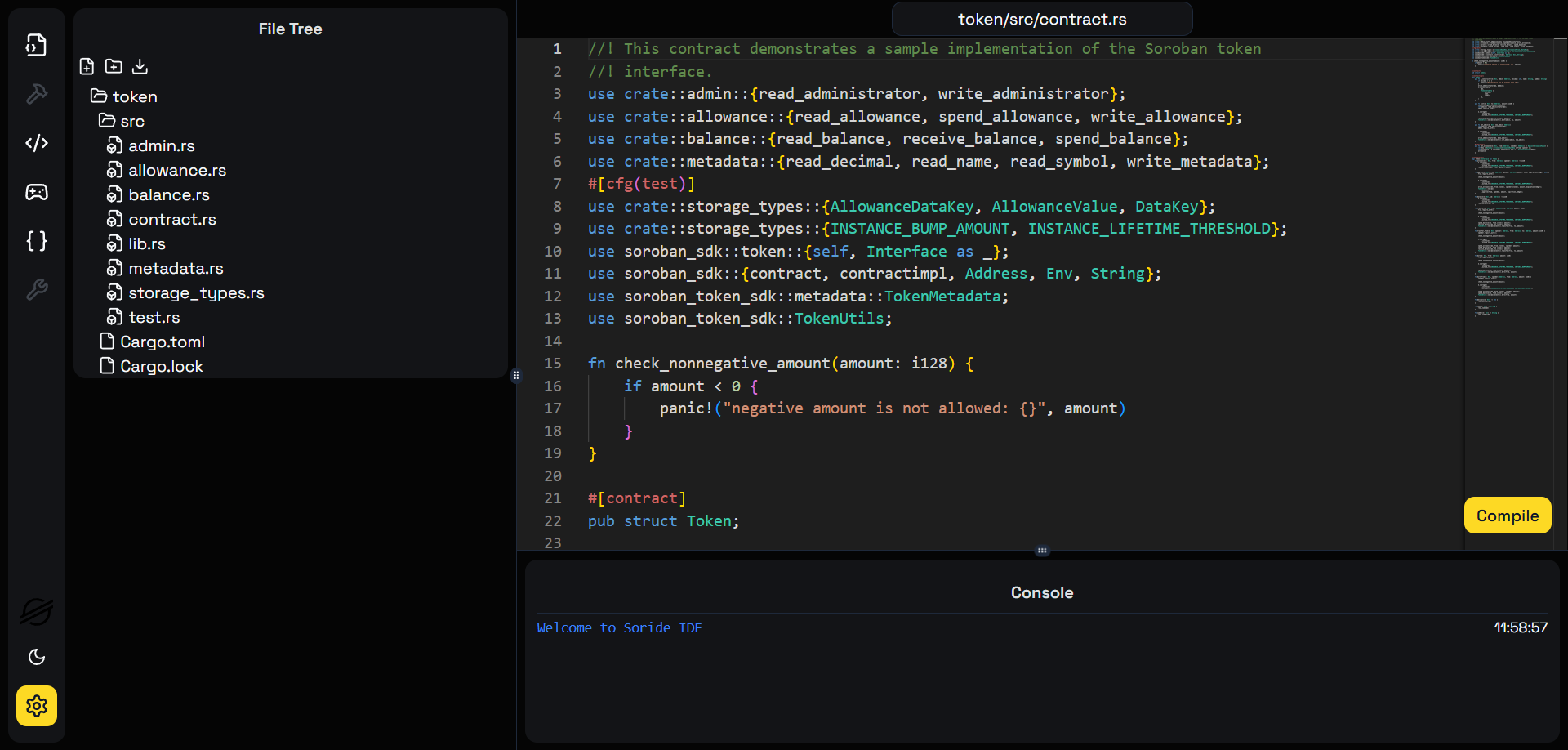
Once loaded, the contract can be compiled and deployed seamlessly. In Soroban, deploying a contract requires first uploading the WASM to the Stellar blockchain to generate a WASM Hash, which is necessary for contract deployment.
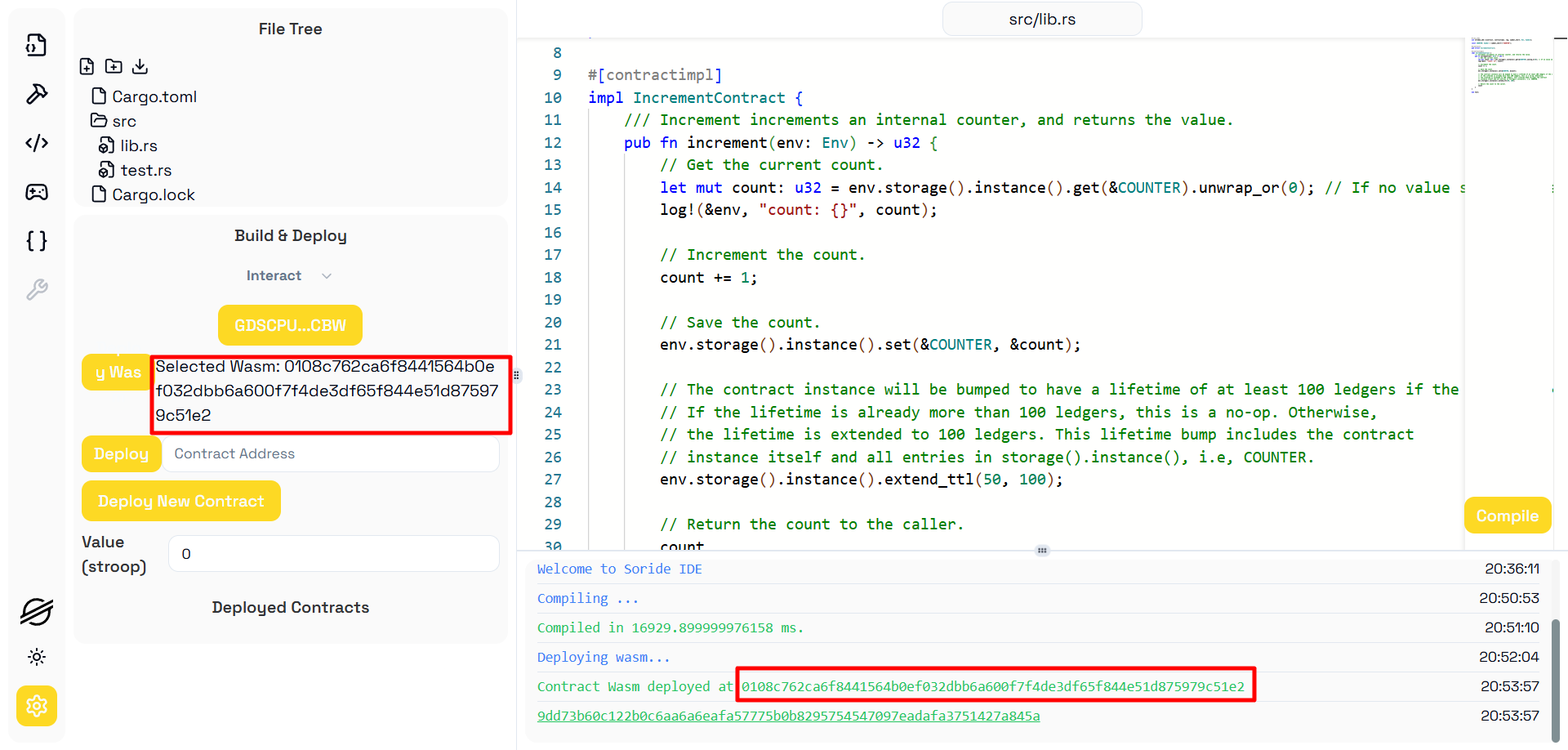
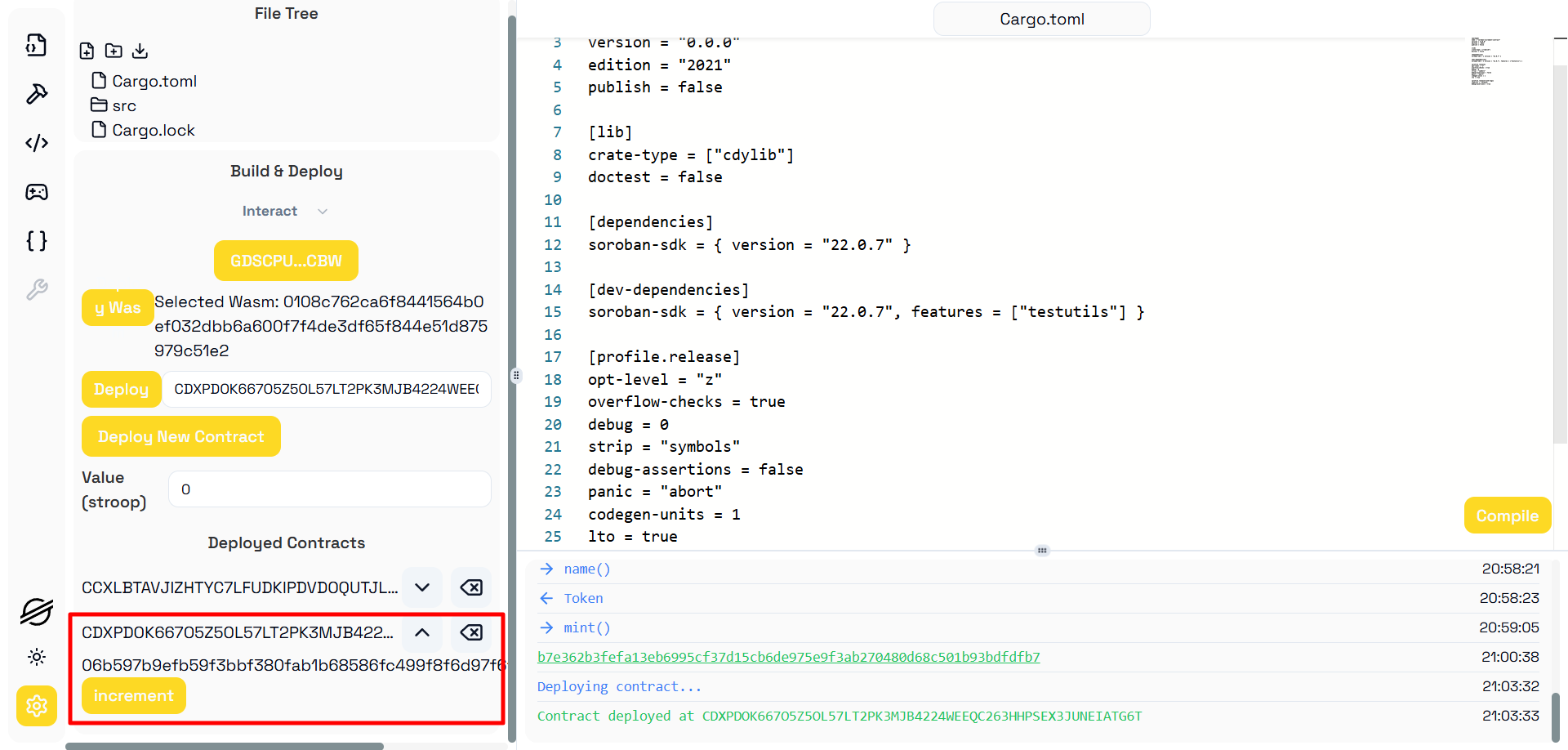
To deploy a contract, simply click "Deploy New Contract", which allows you to deploy a new instance from the compiled WASM.
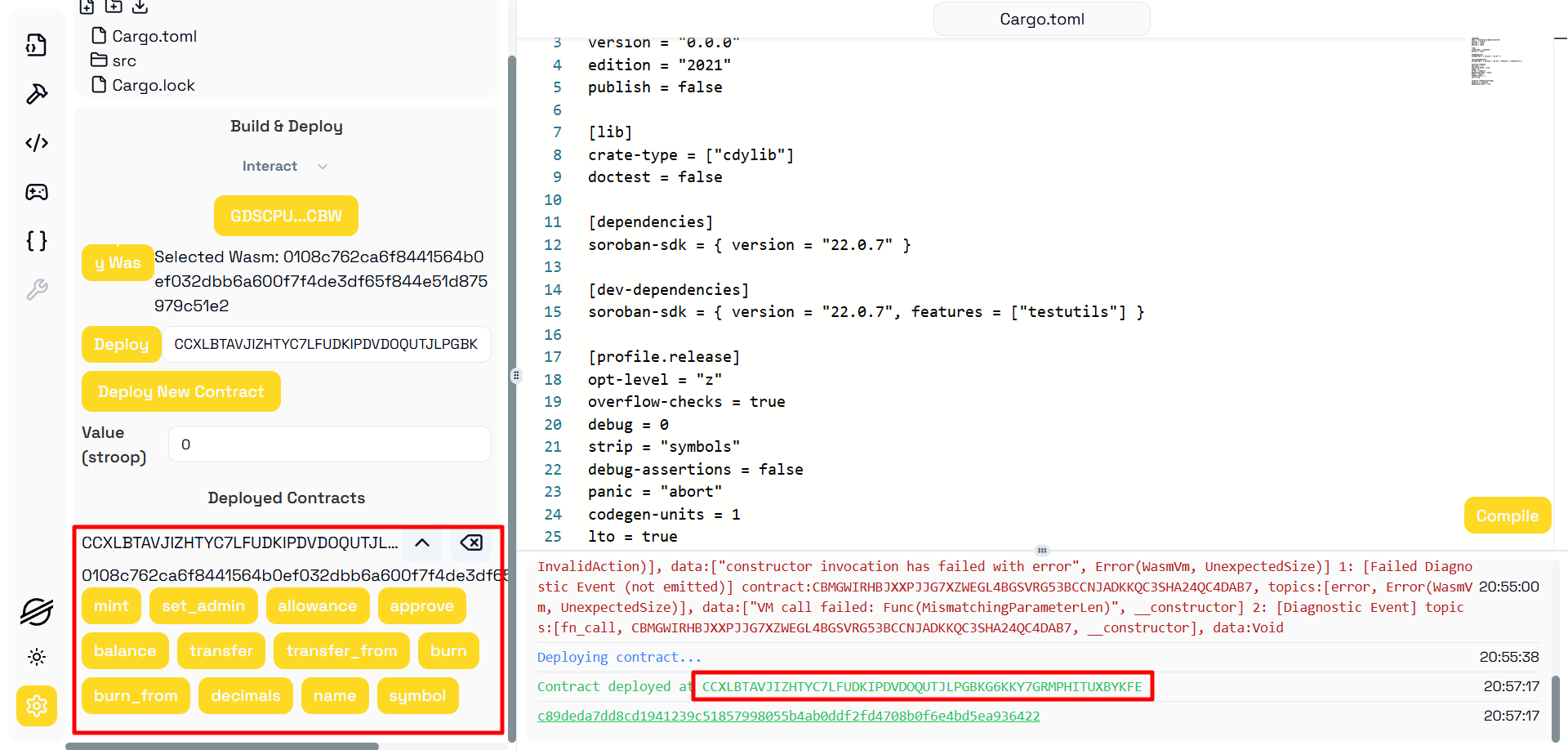
Additionally, users can deploy and interact with existing contracts on both Stellar's testnet and mainnet, enabling seamless contract exploration and execution.
### Contract Interaction
Interacting with Soroban contracts in Soride is straightforward. After loading a contract, users can view all available methods. By selecting a method, a popup appears, allowing users to fill in the required parameters for execution.
Users have two interaction options:
- Call – Typically used for view methods to retrieve contract data without modifying the state.
- Send – Used for methods that invoke state changes in the contract.
All contract interactions that require wallet authorization are handled through **Freighter**, Stellar's browser wallet extension.
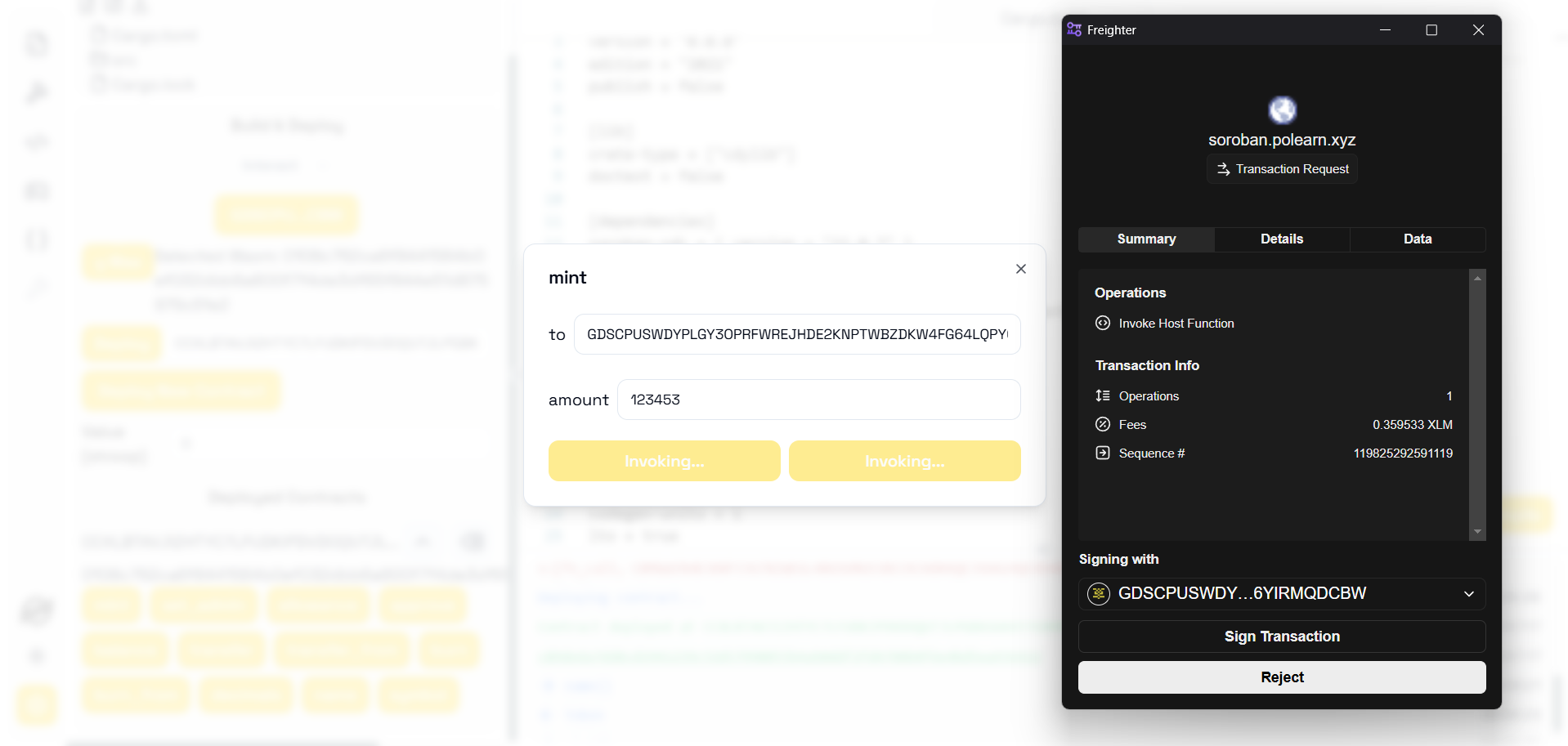
For all user interactions, **Stellar Expert** serves as the blockchain explorer, providing transaction details and verification.
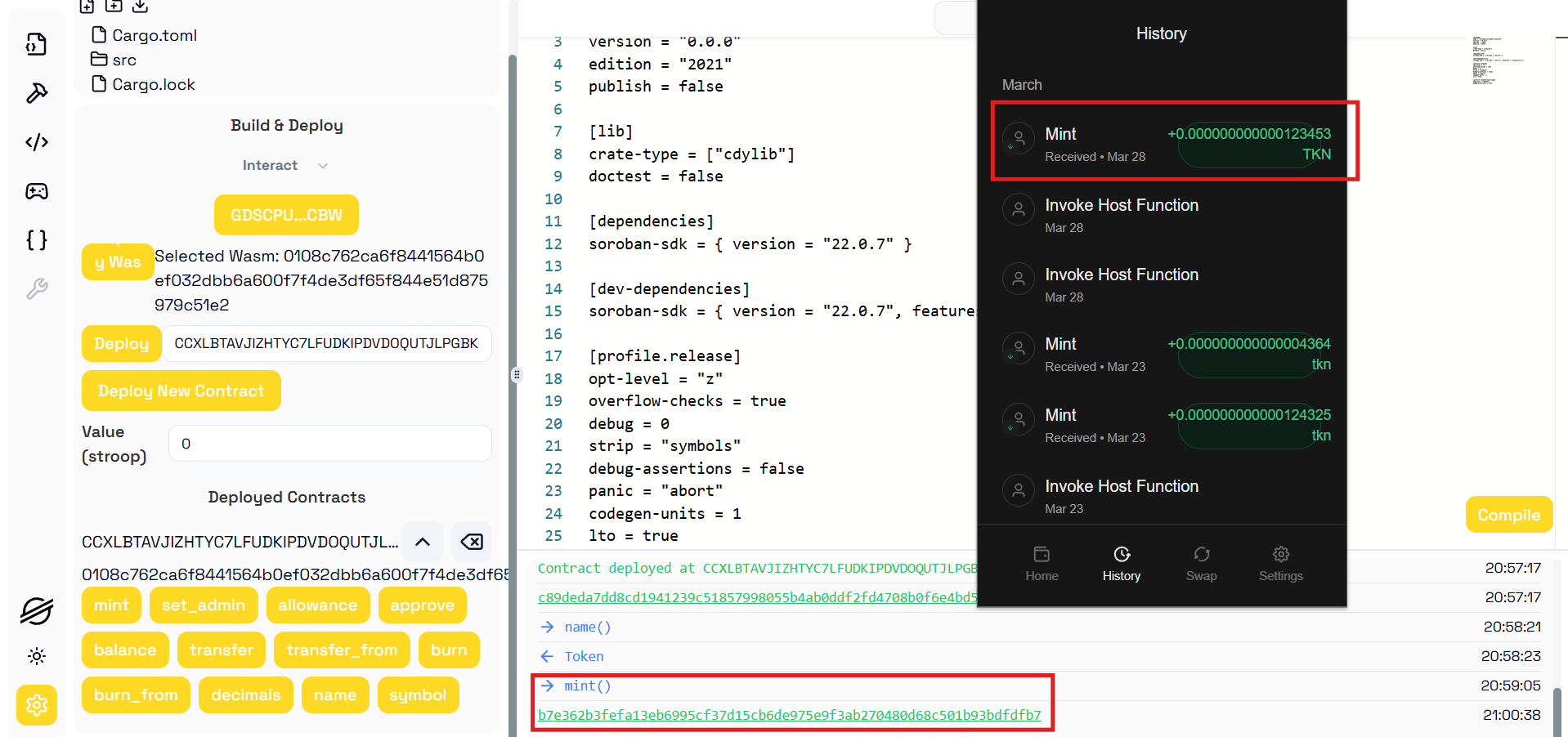
*Invoking a contract method using send (mint)*
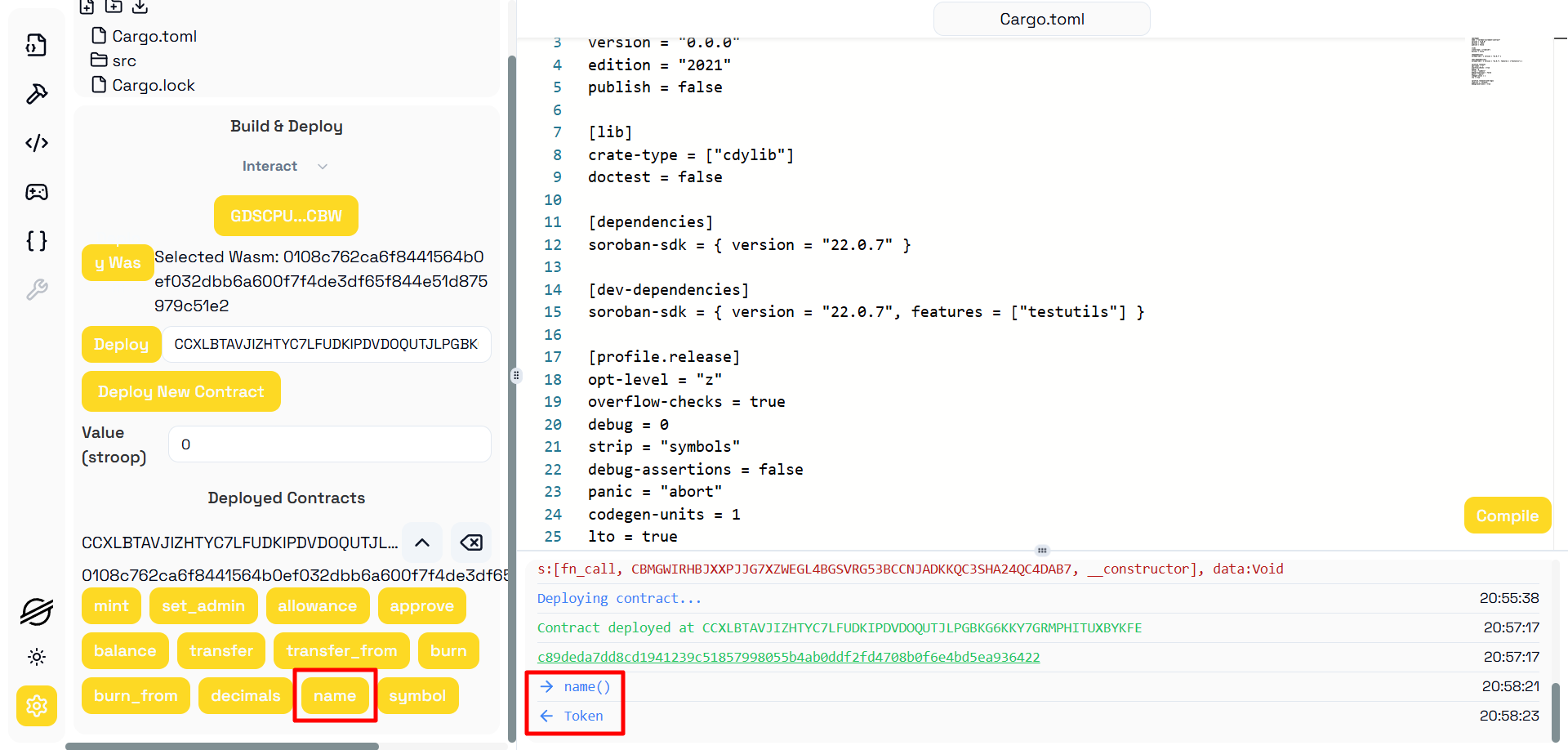
*Getting a contract state using call (name)*
### Utility
As an IDE, Soride is designed to provide a comprehensive suite of tools to support Soroban smart contract development on the Stellar blockchain. To enhance the developer experience, the IDE includes various utilities that simplify contract interactions and streamline development workflows. Currently, Soride offers an ABI tool for extracting and analyzing contract interfaces, as well as a unit conversion tool to assist with on-chain value calculations. These utilities ensure that developers can efficiently interact with and test their Soroban contracts. Additional features and tools will be introduced in future updates following the hackathon to further expand Soride’s capabilities.
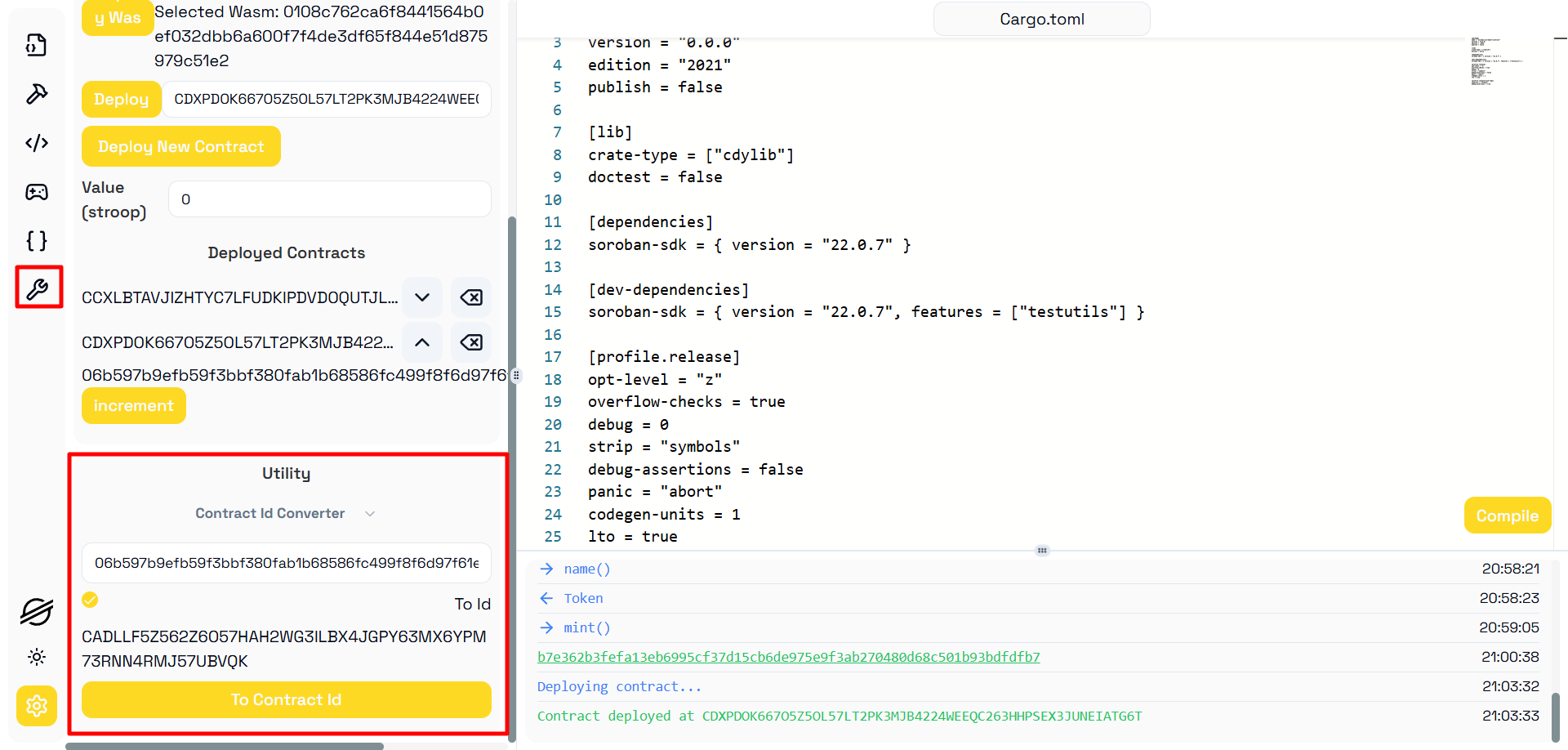
*Contract Id to Contract Hash Converter*
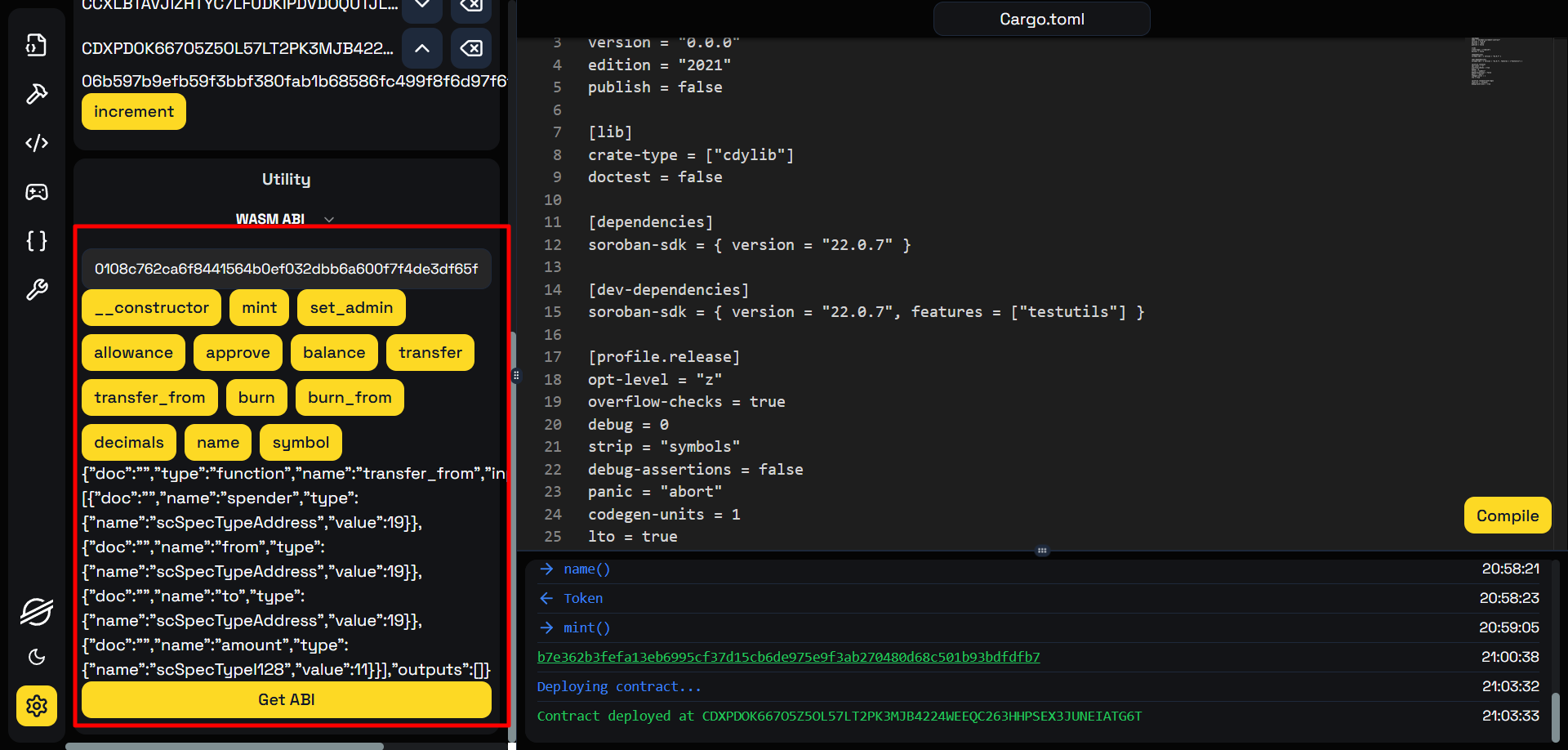
*Contract Hash to Contract ABI*
## What’s next? How do you plan on continuing to work on the project?
We're working on making Soride even better by adding more tools like ABI utilities, unit conversion, and a transaction decoder, while also speeding up the compilation process for faster builds and making it easier to load verified contracts directly into the IDE. In the future, we plan to introduce a contract marketplace, creating a hub where developers can explore, deploy, and interact with Soroban contracts all in one place.
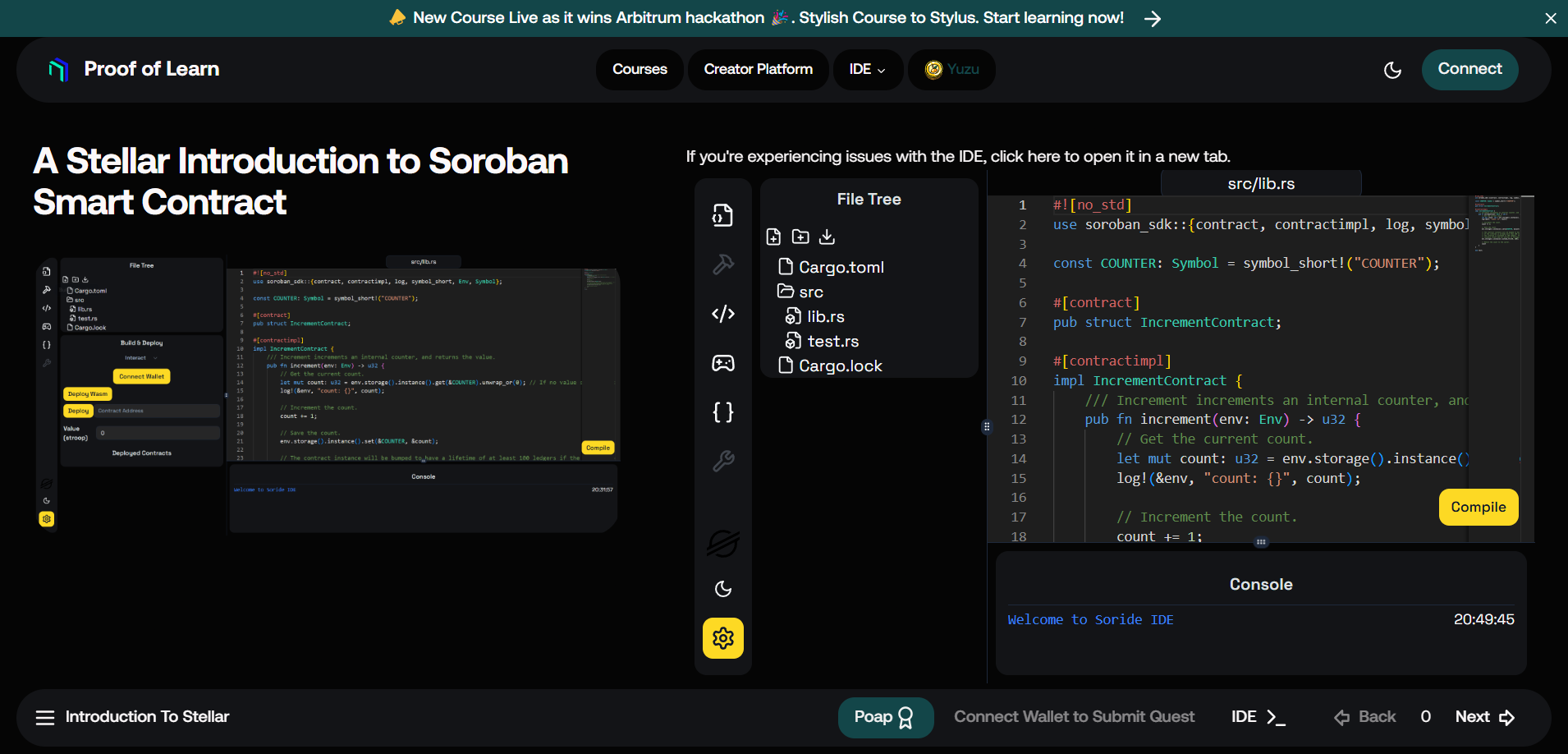
Beyond development, Soride will be integrated into our educational platform, enabling interactive courses, gamified learning, and developer challenges to onboard users into Soroban.

Through this we aim to make smart contract development more inclusive and better access for education, ensuring Soride becomes both a powerful IDE and an engaging learning hub for the Stellar ecosystem. Currently, a base for the course is in the [testnet platform](https://edu-test.polearn.xyz/q/polearn/soroban-stellar-smart-contract), but we will be actively creating after the hackathon and using rewards to give back to the community and incentive for completing and learning from the course.
---
## Documentation
To start using Soride, visit our [Documentation (COMING SOON)](https://docs.polearn.xyz/docs/ide/soride)
## Getting Started
To run Soride locally, follow these steps:
### Clone the Repository
First, clone the Soride repository to your local machine using Git:
```bash
git clone https://github.com/solide-project/soride
```
### Install Dependencies
Navigate into the cloned repository directory and install the required npm packages:
```bash
cd soride
bun install
```
### Install Backend Compiler
Next, install brew and stellar cli and all the backend dependency for interacting with Stellar
```bash
# Install brew
/bin/bash -c "$(curl -fsSL https://raw.githubusercontent.com/Homebrew/install/HEAD/install.sh)"
# Add to bash
echo >> ~/.bashrc
echo 'eval "$(/home/linuxbrew/.linuxbrew/bin/brew shellenv)"' >> ~/.bashrc
eval "$(/home/linuxbrew/.linuxbrew/bin/brew shellenv)"
# Install stellar cli
brew install stellar-cli
```
### Setup Rustup
Make sure to change the `settings.toml` in the `~/.rustup`
```
"~/soride" = "1.81.0-x86_64-unknown-linux-gnu"
```
### Configure Environment Variables
Create a `.env.local` file in the root directory of the project and use the following template to fill in the required variables:
```
PROJECT_PATH=
GITHUB_API_KEY=
```
### Running Soride
After configuring the environment variables, start the Soride IDE:
```bash
bun run start
```
This command will launch the Soride IDE in your default web browser.
## Contribution Guidelines
We welcome contributions from the community to enhance Soride further. If you have suggestions, bug reports, or want to contribute code, please follow our [Contribution Guidelines](link-to-contribution-guidelines).
## Community and Support
Join the Soride community for discussions, support, and collaboration. Visit our [Discord channel (Coming Soon)](#) to connect with fellow developers and enthusiasts.
## License
Soride is released under the [MIT License](link-to-license). Feel free to use, modify, and distribute Soride for your projects.
---
Note: Soride is a community-driven project aimed at fostering openness, collaboration, and innovation in the blockchain development domain. Your feedback and contributions are highly valued. Let's build the future of smart contract development together!
Support us by starring this Repository and following us on [X](https://twitter.com/0xProofofLearn)! 😊