https://github.com/somnathkar000/ai-chatbot
The Chat Bot Application is a powerful and interactive chat bot that harnesses the capabilities of AI and real-time communication. It offers intelligent conversation features and ensures a seamless user experience.
https://github.com/somnathkar000/ai-chatbot
mongodb mui nodejs open-ai reactjs socket-io
Last synced: 3 months ago
JSON representation
The Chat Bot Application is a powerful and interactive chat bot that harnesses the capabilities of AI and real-time communication. It offers intelligent conversation features and ensures a seamless user experience.
- Host: GitHub
- URL: https://github.com/somnathkar000/ai-chatbot
- Owner: SomnathKar000
- Created: 2023-05-11T17:12:36.000Z (about 3 years ago)
- Default Branch: main
- Last Pushed: 2024-01-14T16:56:26.000Z (over 2 years ago)
- Last Synced: 2025-10-30T05:52:55.149Z (8 months ago)
- Topics: mongodb, mui, nodejs, open-ai, reactjs, socket-io
- Language: JavaScript
- Homepage: https://ai-chatbot-xi.vercel.app
- Size: 2.01 MB
- Stars: 0
- Watchers: 1
- Forks: 0
- Open Issues: 0
-
Metadata Files:
- Readme: README.md
Awesome Lists containing this project
README
# Chat Bot Application
The Chat Bot Application is a robust and interactive chat bot built using various technologies. It leverages the power of AI and real-time communication to provide intelligent conversation capabilities and a seamless user experience.
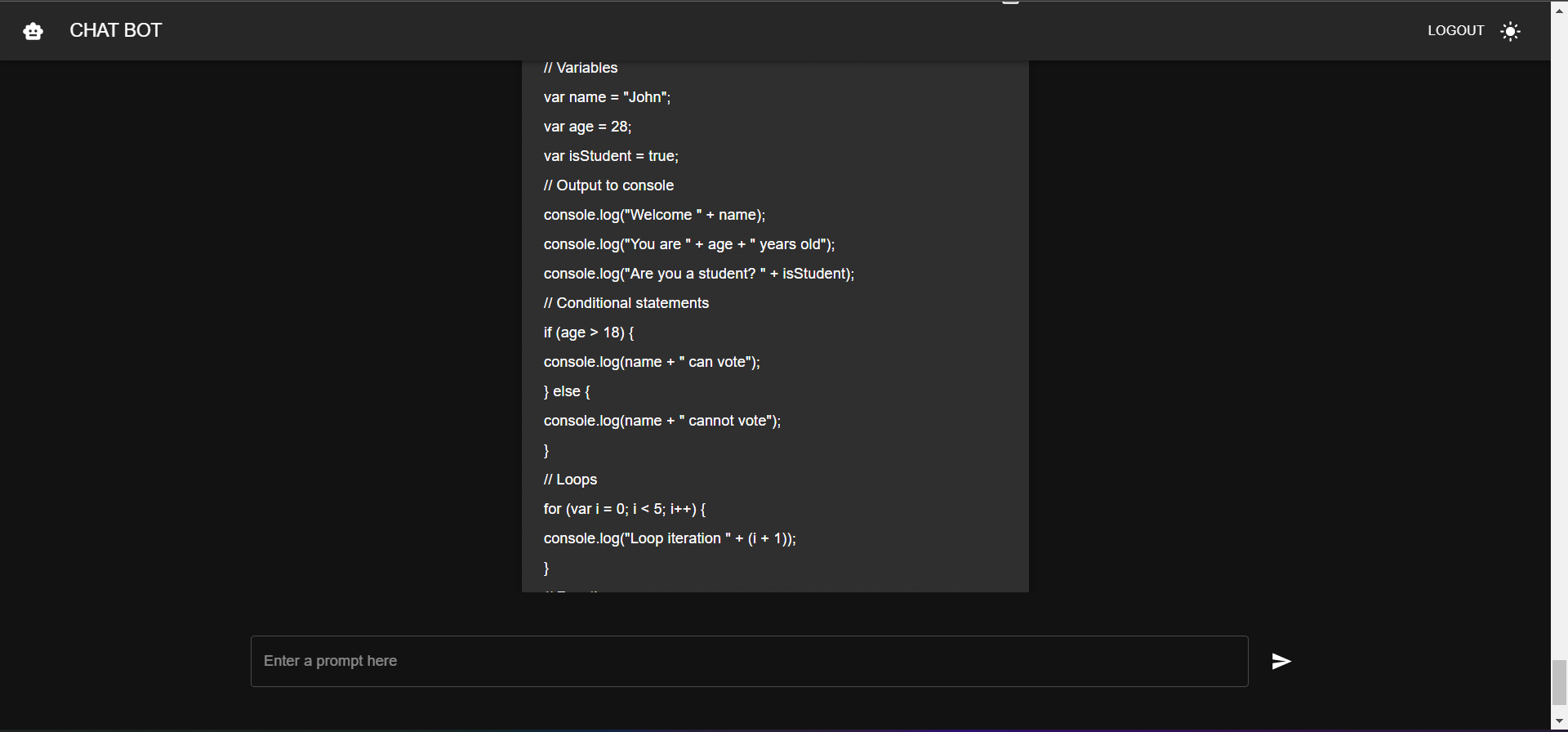
## Chat-Bot page
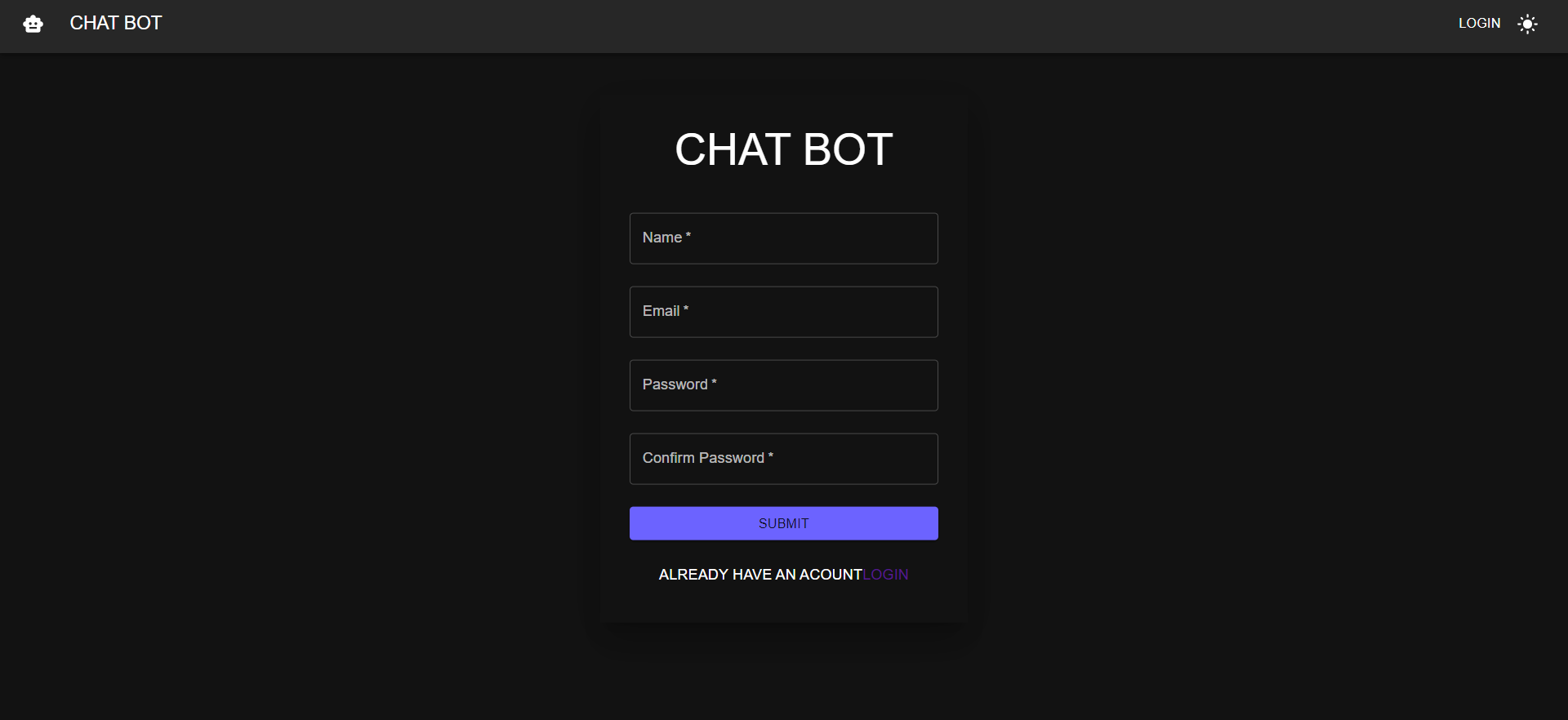
## Sign-up page
## Login page

## Key Features
- Intelligent conversation capabilities powered by the OpenAI API
- Real-time communication using Socket.IO for instant message delivery
- MongoDB database for efficient storage and retrieval of user messages and chat history
- RESTful APIs built with Express.js for handling HTTP requests
- React frontend for building dynamic and responsive user interfaces
- Material-UI for a modern and polished visual design
- Secure user authentication and authorization using jsonwebtoken and bcryptjs
## Installation
1. Clone the repository: `git clone https://github.com/SomnathKar000/AI-Chatbot.git`
2. Navigate to the project directory: `cd chat-bot-application`
3. Install dependencies: `npm install`
4. Change the directory to the backend folder: `cd backend`
5. Install the backend dependencies: `npm install`
6. Return to the previous directory: `cd ..`
## Environment Variables
1. Create an `.env` file in the root directory of the project.
2. Define the following environment variables in the `.env` file:
- `DB_URL=` : The MongoDB URL for connecting to the database.
- `JWT_SECRET_KEY=` : The secret key used for authentication.
- `OPENAI_API_KEY=`
## Usage
1. Start the backend server: `npm start` (from the project backend directory)
2. Start the frontend server: `npm start` (from the project root directory)
3. Open the application in your browser: `http://localhost:3000`
## Contributing
Contributions are welcome! If you have any suggestions, bug reports, or feature requests, please open an issue or submit a pull request.
## Contact
For more information or questions, feel free to reach out:
- Email: somnathkar2023@gmail.com
- LinkedIn: [Somnath Kar](https://www.linkedin.com/in/somnath-kar-aa73aa1a3)
- GitHub: [SomnathKar000](https://github.com/SomnathKar000)