https://github.com/soonland/vscode-optidev-themes
Retro Windows Themes
https://github.com/soonland/vscode-optidev-themes
retro theme ui vscode vscode-theme vscode-themes windows
Last synced: 3 months ago
JSON representation
Retro Windows Themes
- Host: GitHub
- URL: https://github.com/soonland/vscode-optidev-themes
- Owner: soonland
- License: mit
- Created: 2024-05-25T13:17:32.000Z (about 2 years ago)
- Default Branch: main
- Last Pushed: 2026-03-19T22:22:56.000Z (4 months ago)
- Last Synced: 2026-03-20T13:29:03.309Z (4 months ago)
- Topics: retro, theme, ui, vscode, vscode-theme, vscode-themes, windows
- Homepage: https://marketplace.visualstudio.com/items?itemName=soonland.vscode-optidev-themes
- Size: 26.4 MB
- Stars: 4
- Watchers: 1
- Forks: 0
- Open Issues: 0
-
Metadata Files:
- Readme: README.md
- Changelog: CHANGELOG.md
- License: LICENSE
Awesome Lists containing this project
README
# 🎨 Retro Windows Themes
## Overview
Retro Windows Themes is a comprehensive collection of Visual Studio Code themes that bring the nostalgic look and feel of classic Windows operating systems to your modern development environment. Experience the evolution of Windows UI design, from Windows 3.1 to Windows 7, right in your code editor!
## ✨ Features
- **Authentic Experience:** Meticulously crafted themes that replicate the iconic looks of classic Windows interfaces
- **Multiple Eras:** Choose from various Windows versions spanning multiple decades
- **Enhanced Readability:** Optimized color schemes for comfortable long coding sessions
- **Rich Customization:** Fine-tuned syntax highlighting for modern development
- **Markdown Support:** Enhanced styling for documentation and note-taking
## 🎯 Themes Collection
### Modern Era
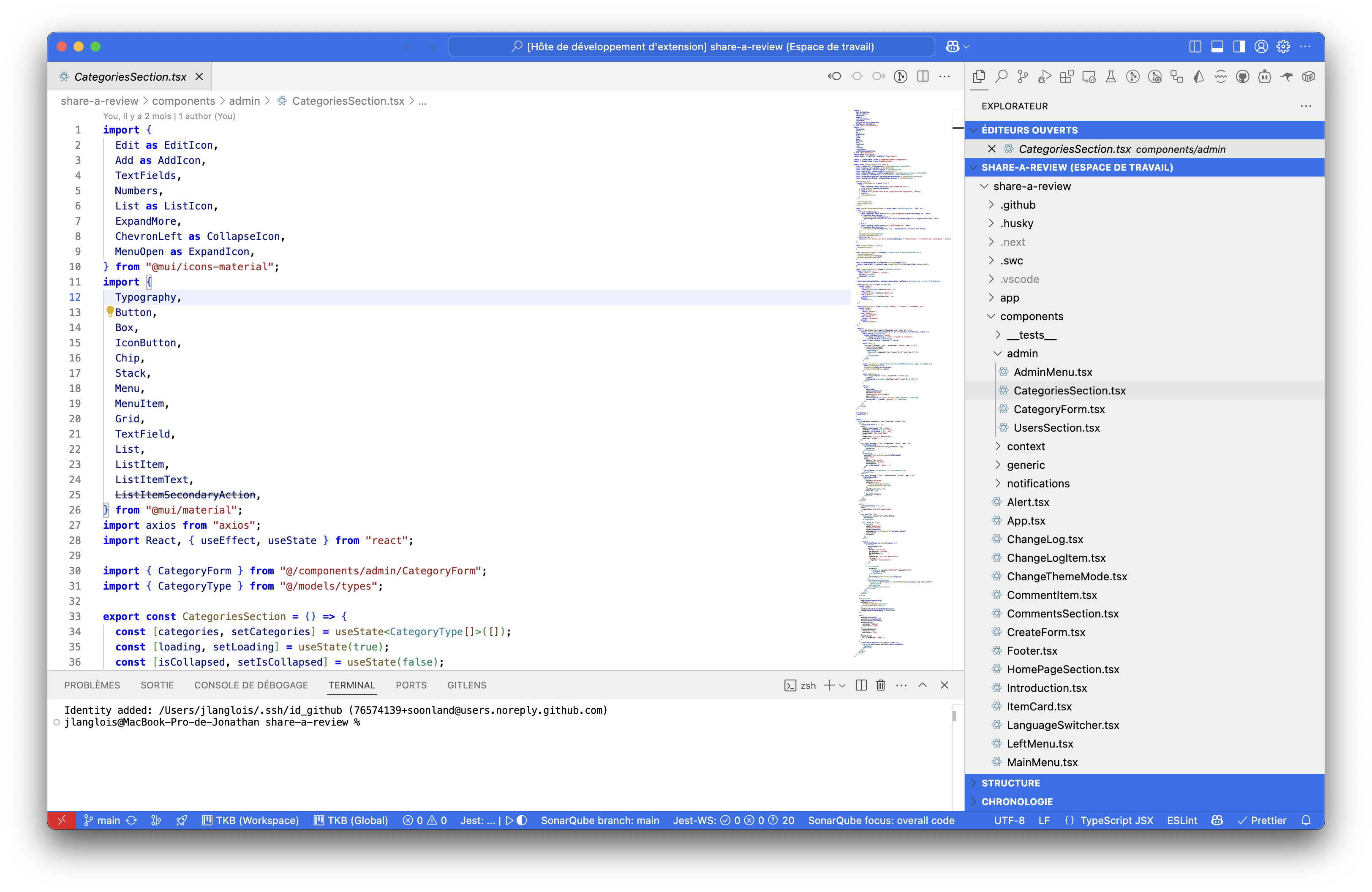
- **Windows 7 Aero** 🌟: Experience the sleek Aero Glass effect with modern flourishes
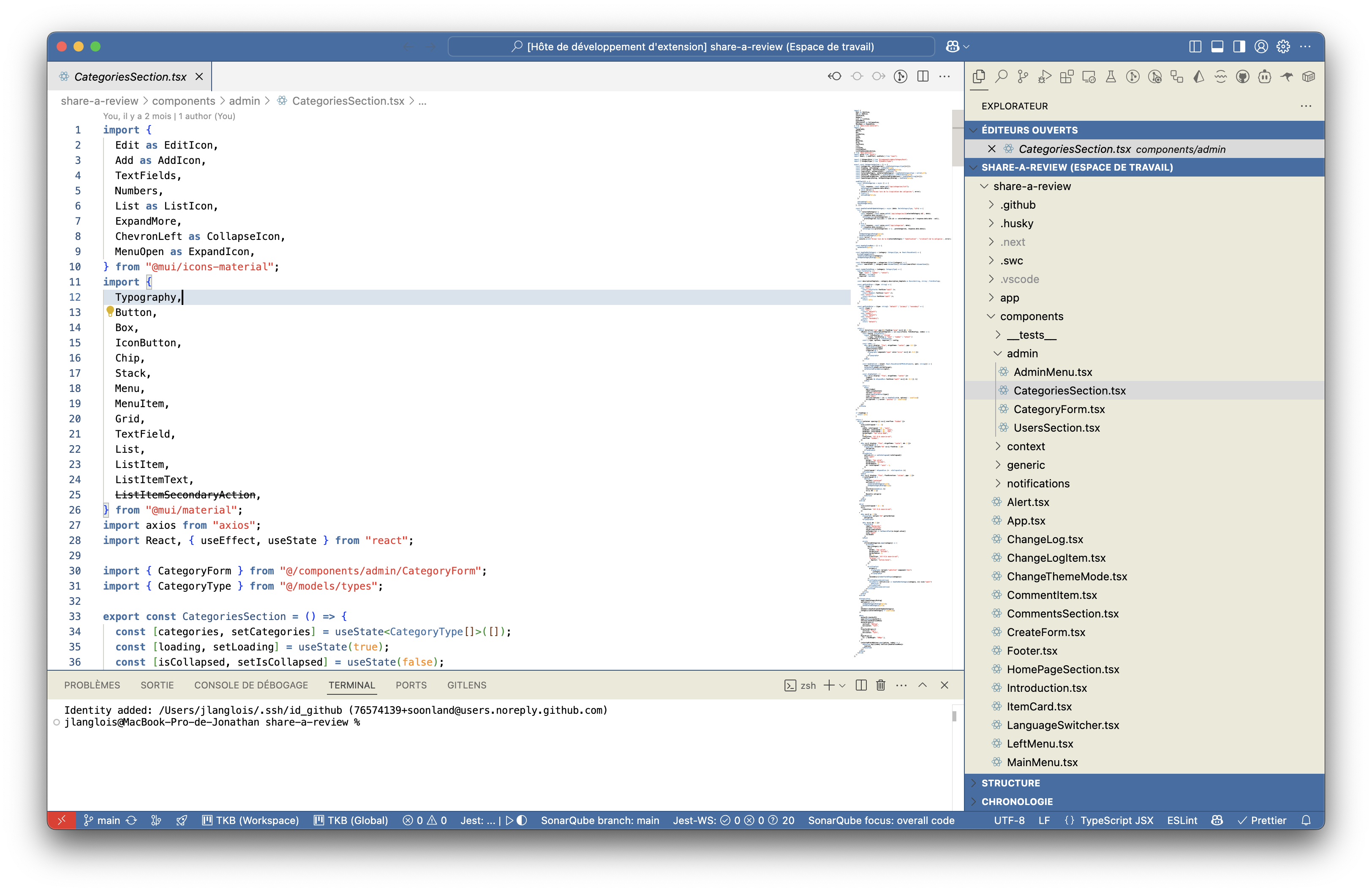
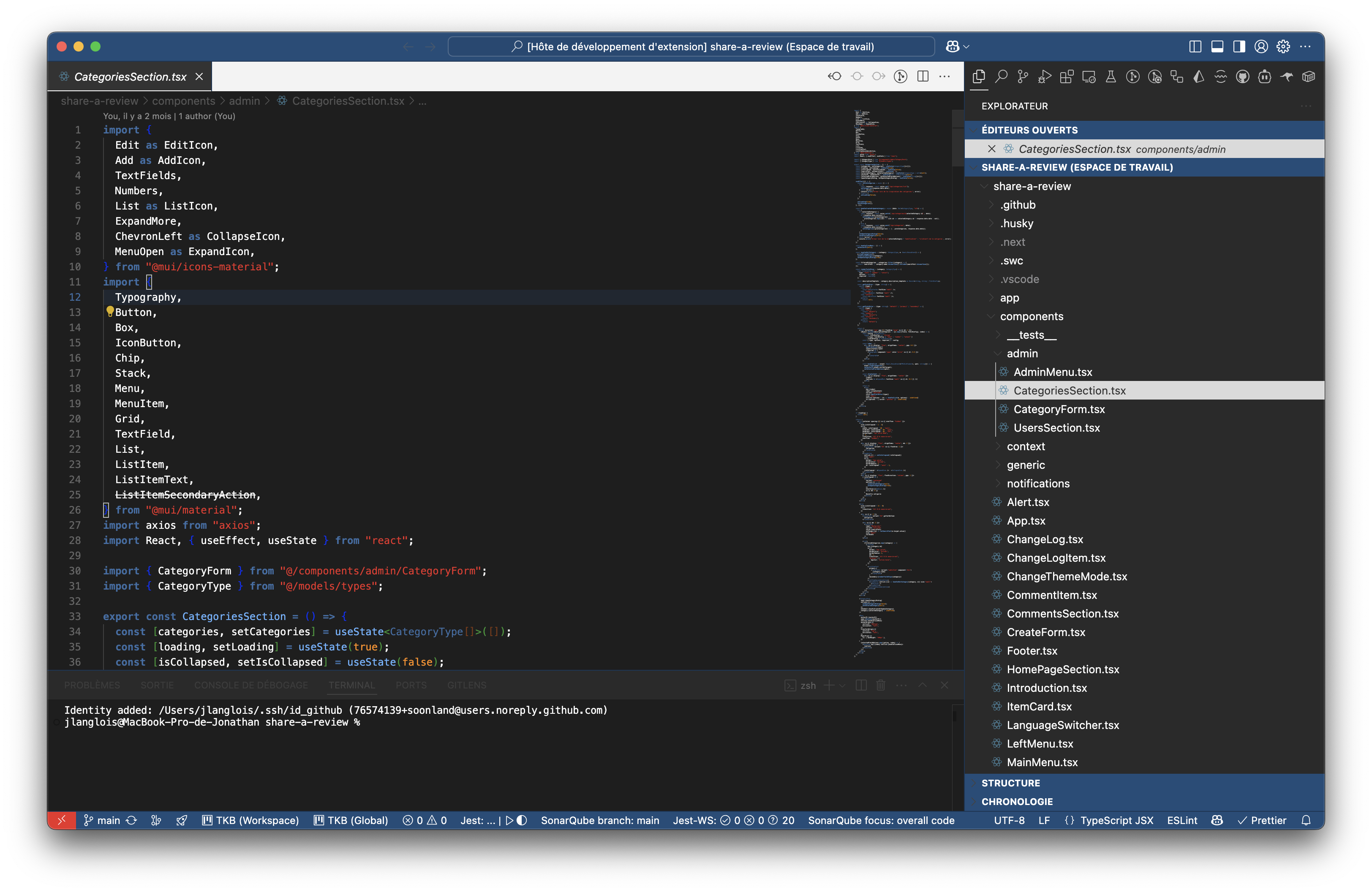
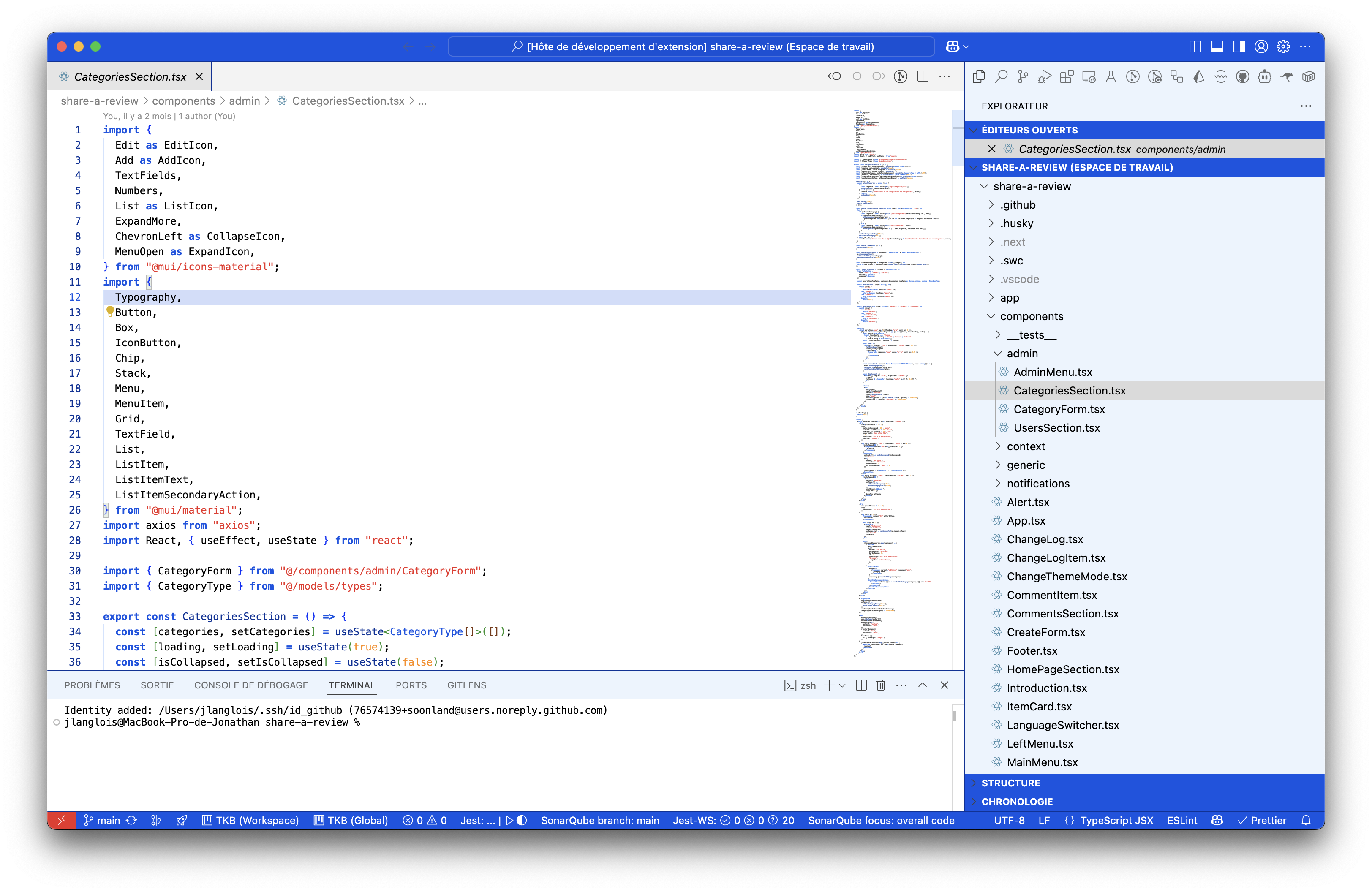
- **Windows XP Collection** 🎨:
- **XP Light**: The classic Luna theme experience
- **XP Dark**: Perfect for night-time coding
- **XP Blue**: The iconic default XP look
### Classic Era
- **Windows ME** 💿: Authentic Windows Millennium Edition styling
- **Windows 98** 🖥️: The classic 90s interface
- **Windows 98 Variants** 🎨:
- **Eggplant**: Rich purple tones with sage accents
- **Desert**: Warm sandy browns and tans
- **Rainy Day**: Soft blue-gray tones for cloudy days
- **Windows 3.1** 🎮: Experience the original 16-bit aesthetic
## 🚀 Installation
Install directly from the [Visual Studio Code Marketplace](https://marketplace.visualstudio.com/items?itemName=soonland.vscode-optidev-themes):
1. Launch VS Code
2. Press `Ctrl+P` / `Cmd+P`
3. Run: `ext install soonland.vscode-optidev-themes`
Or manually:
1. Open VS Code
2. `Ctrl+Shift+X` / `Cmd+Shift+X` for Extensions
3. Search "Retro Windows Themes"
4. Install and reload
5. `Ctrl+K Ctrl+T` / `Cmd+K Cmd+T` to select theme
## 🖼️ Theme Previews
### Windows 7
### Windows XP Collection
### Windows ME
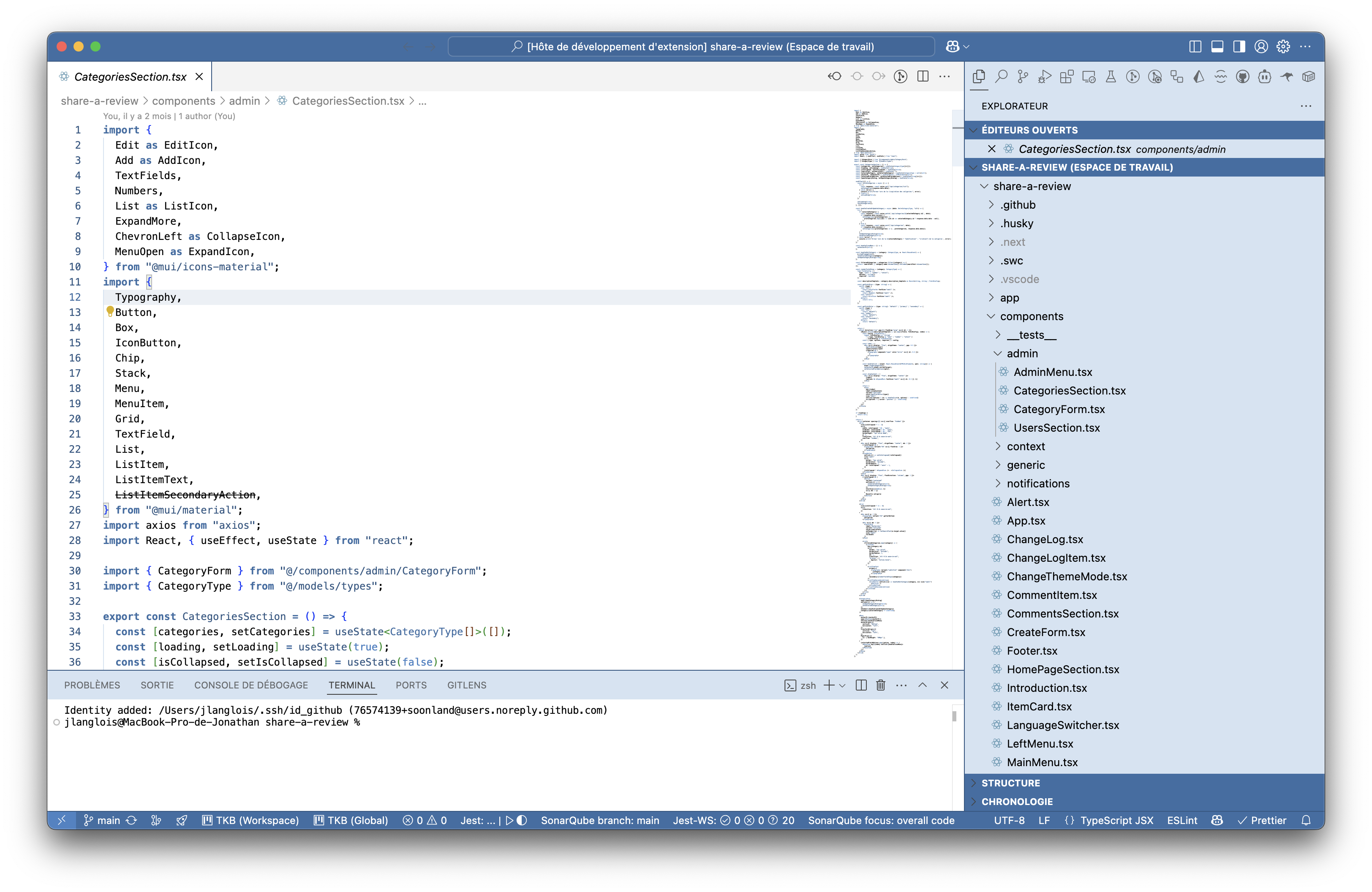
### Windows 98
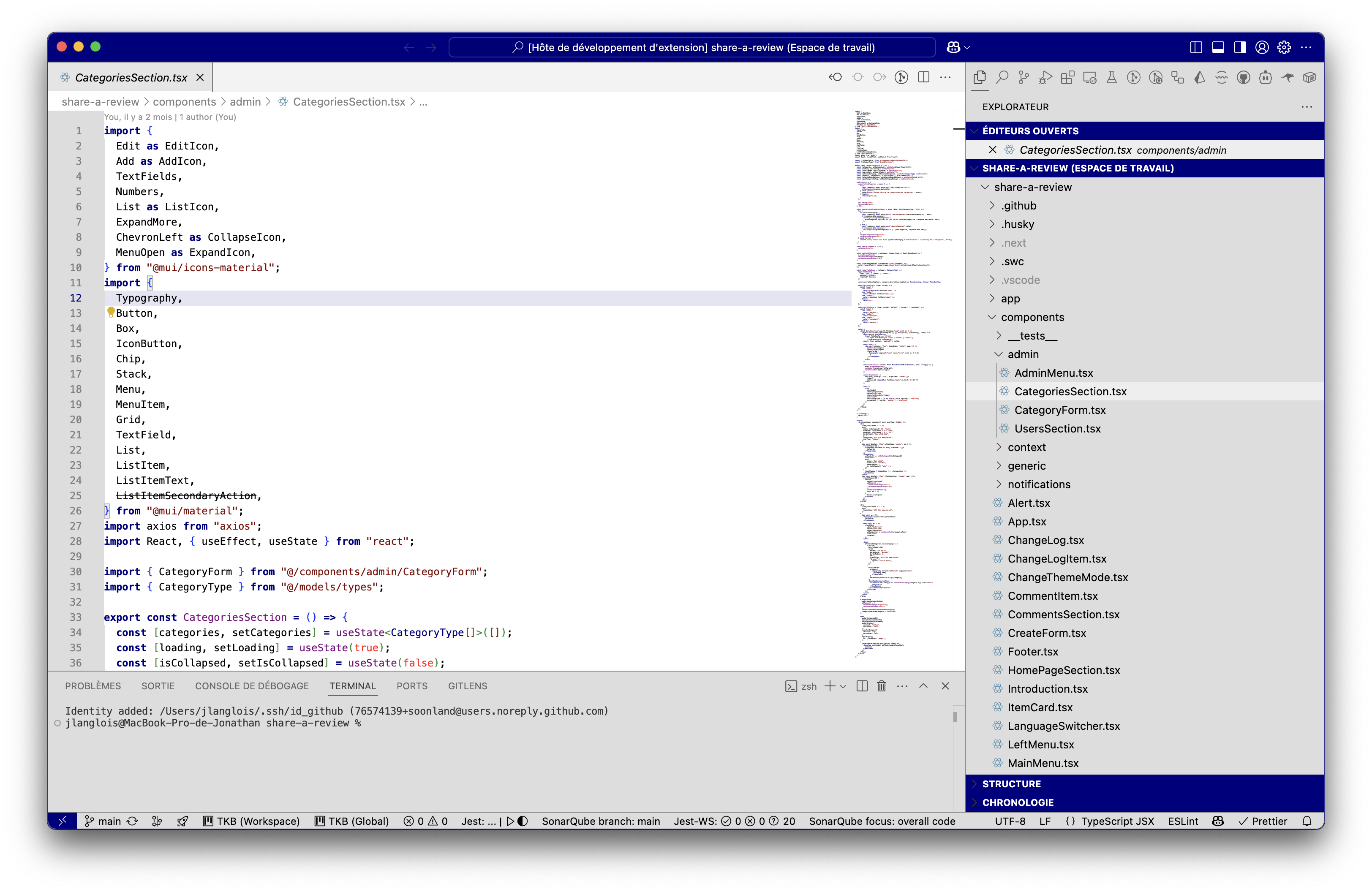
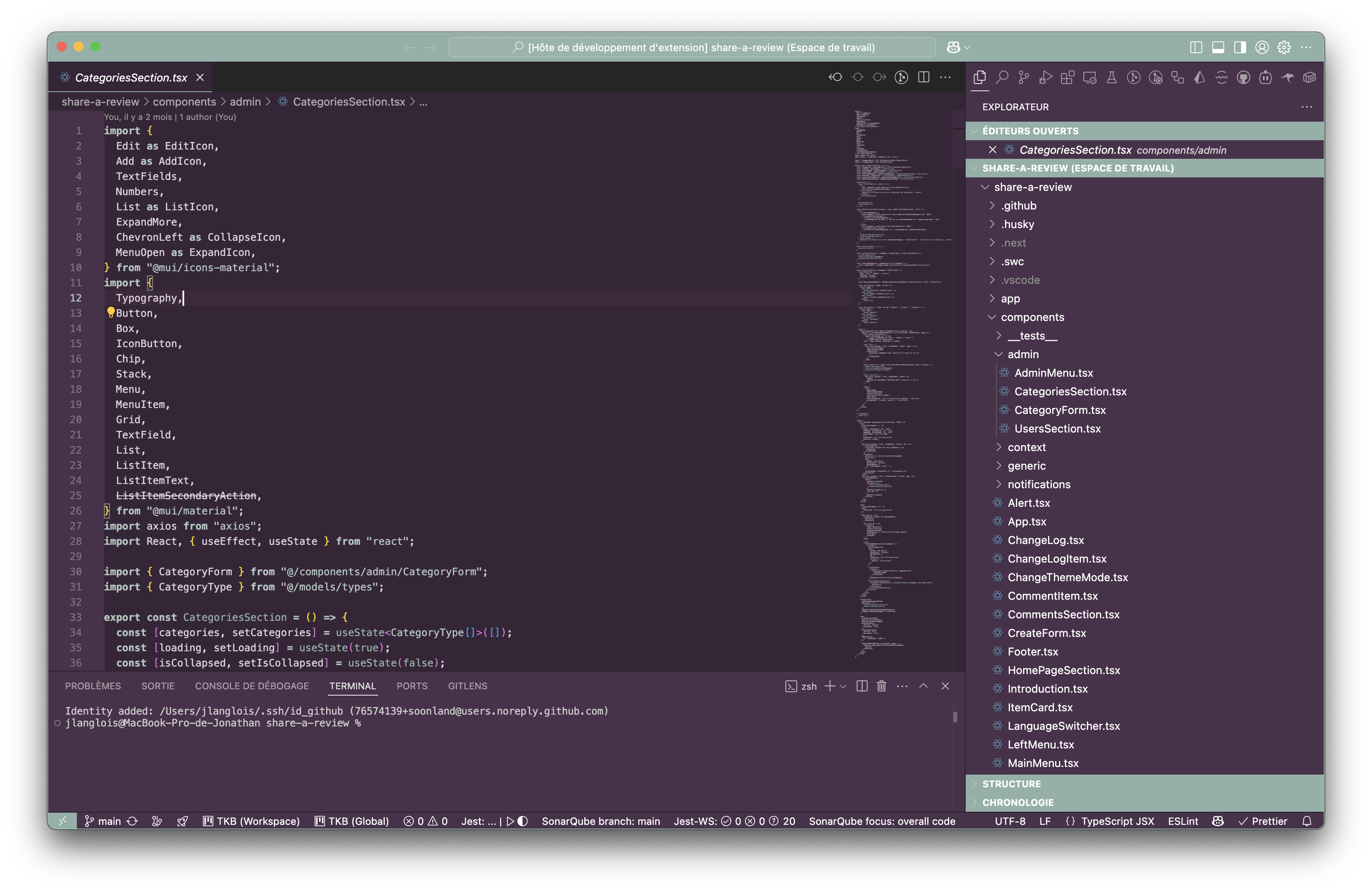
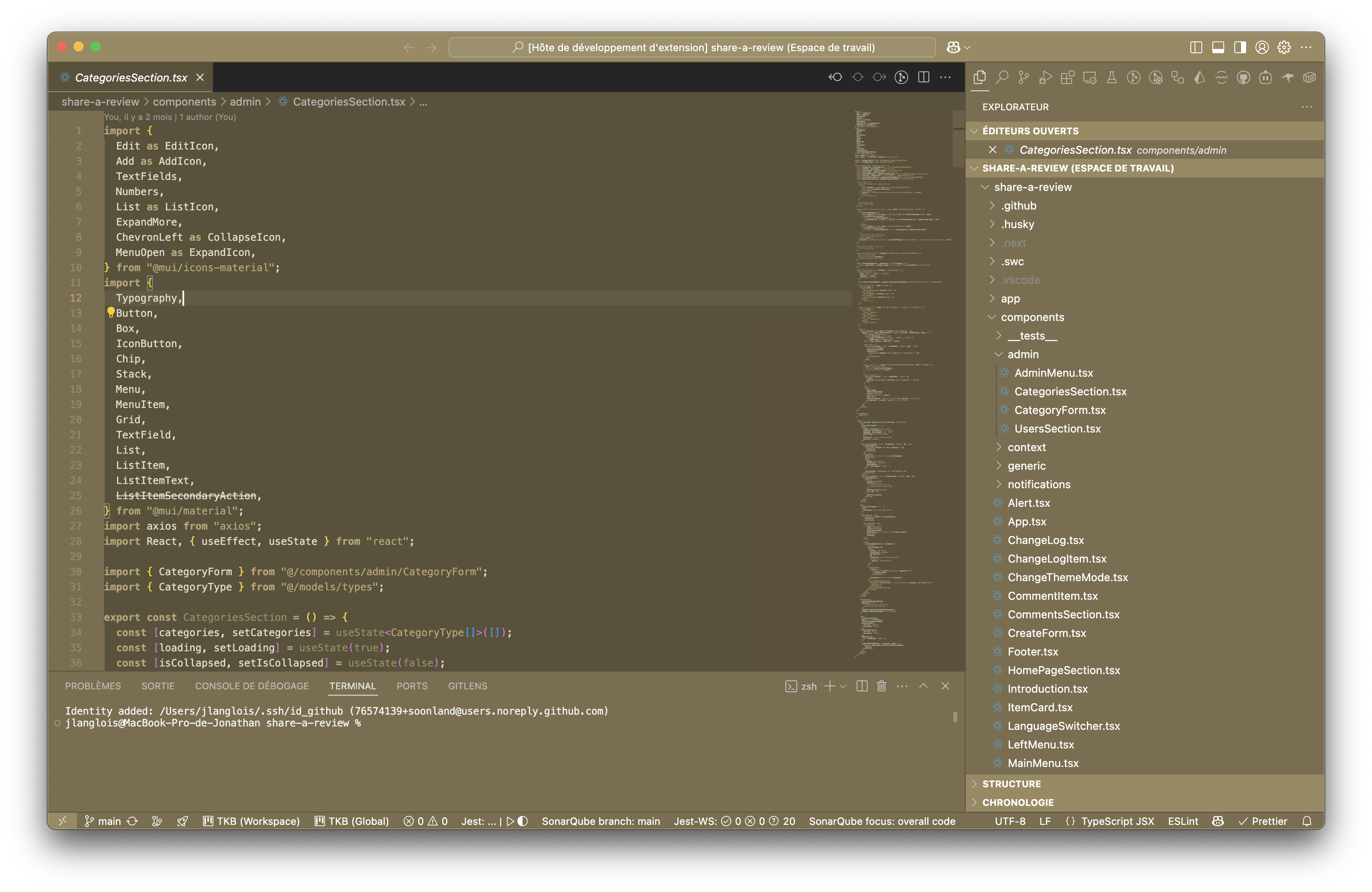
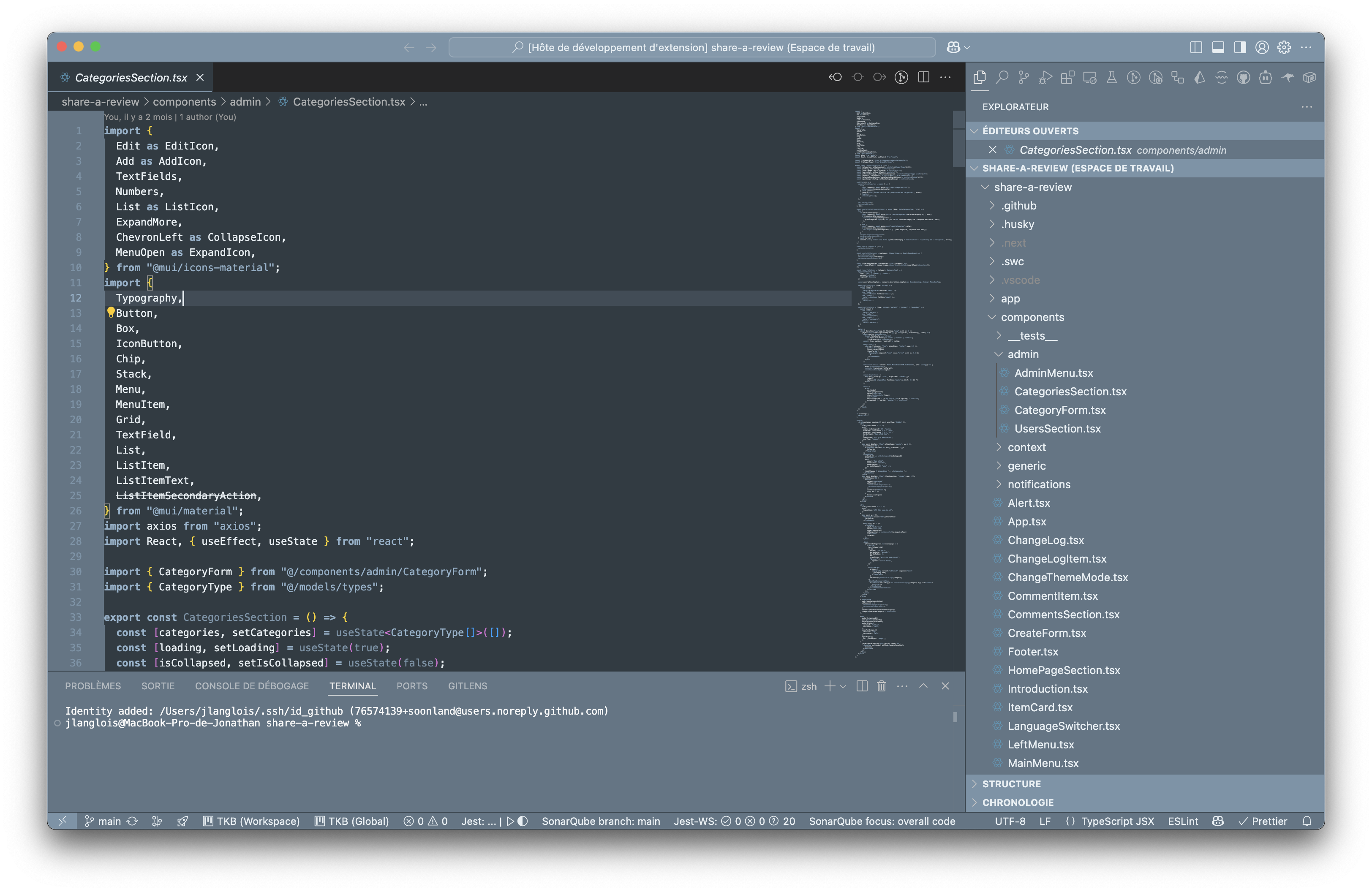
### Windows 3.1
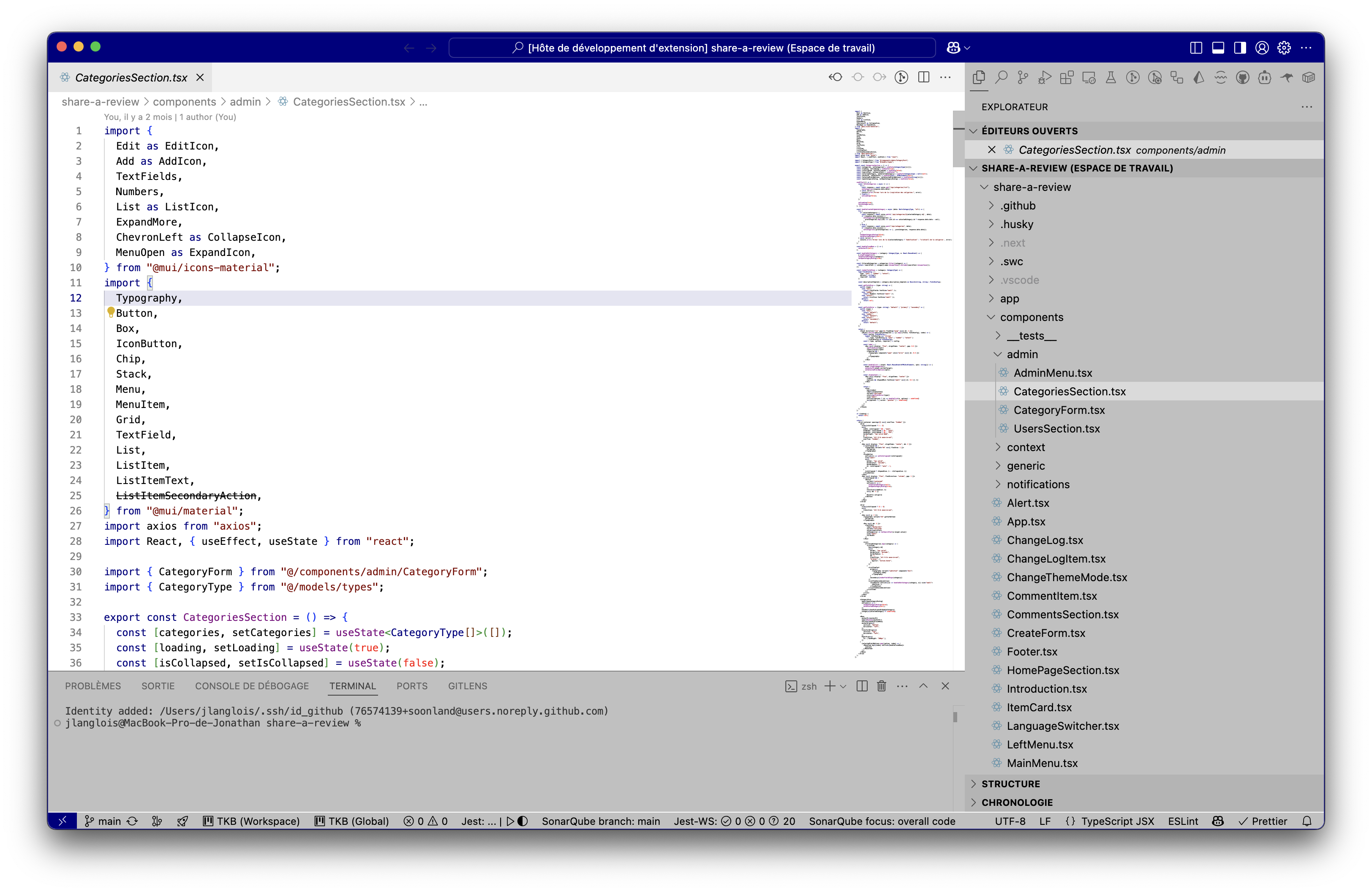
## 🛠️ Customization
Each theme is carefully crafted to provide an authentic experience while maintaining excellent readability for modern development. Key features include:
- Optimized syntax highlighting for popular languages
- Enhanced Markdown support
- Distinctive active/inactive states
- Clear selection and focus indicators
- Improved contrast ratios
## 🤝 Contributing
Your contributions are welcome! Feel free to:
- Report issues
- Suggest improvements
- Submit pull requests
- Request new Windows-era themes
Visit our [GitHub repository](https://github.com/soonland/vscode-optidev-themes) to contribute.
## 📝 License
This extension is licensed under the [MIT License](LICENSE).
## 🔄 Recent Updates
See our [CHANGELOG](CHANGELOG.md) for detailed update history and latest improvements to all themes.