https://github.com/soptikha2/archlinux-dotfiles
Archlinux i3 dotfiles
https://github.com/soptikha2/archlinux-dotfiles
archlinux i3 i3-gaps i3lock polybar rice unixporn
Last synced: 11 months ago
JSON representation
Archlinux i3 dotfiles
- Host: GitHub
- URL: https://github.com/soptikha2/archlinux-dotfiles
- Owner: SoptikHa2
- Created: 2019-03-10T16:30:43.000Z (over 7 years ago)
- Default Branch: master
- Last Pushed: 2023-01-23T14:06:14.000Z (over 3 years ago)
- Last Synced: 2025-04-09T20:45:17.486Z (about 1 year ago)
- Topics: archlinux, i3, i3-gaps, i3lock, polybar, rice, unixporn
- Language: Vim Script
- Homepage: https://soptik.tech/
- Size: 18.7 MB
- Stars: 4
- Watchers: 1
- Forks: 0
- Open Issues: 0
-
Metadata Files:
- Readme: README.md
Awesome Lists containing this project
README
# archlinux-dotfiles
Archlinux i3 dotfiles
## Setup
See xorg conf. Setup keyboard with `localectl set-x11-keymap us,cz pc105 ,qwerty compose:lwin,caps:swapescape,grp:ctrl_alt_toggle`. See `kbd(4)` and `xkeyboard-config(7)`.
## Useful hotkeys
|Key combo|Effect|
|---|---|
|``|Acts as capslock|
|``|Acts as escape|
|``|Opens rofi - start/switch programs|
|``|Kills currently focused program|
|``|Opens wireless menu in rofi: switch wifi/ethernet, connect to VPN|
|``|Opens monitor setup menu in rofi: switch between monitors, or combine them together in multiple ways|
|``|Switch keyboards (currently: US and Czech Qwerty)|
|``|Enter gaming mode - most hotkeys are disabled (incl. window/workspace i3 hotkeys) (except kill, fullscreen, and exit gaming mode)|
|``|Exit gaming mode|
|``|Toggle fullscreen on currently focused window|
|``|Switch to i3 workspace 1,2..10|
|``|Start terminal emulator|
|``|Start terminal emulator as scratchpad|
|``|Exit i3|
|``|Move window focus|
|``|Move windows|
|``|Take a screenshot and save it into `~/data/Pictures`|
|``|Take a screenshot and save it into clipboard|
|``|Take a screenshot of current window and save it into `~/data/Pictures`|
|``|Take a screenshot of current window and save it into clipboard|
|``|Dismiss notification|
|``|Show dismissed notification|
|``|Toggle floating window|
|``|Toggle between current workspace and empty workspace|
|``|Focus Firefox|
|``|Focus latest Alacritty|
|``|Focus Discord|
|``|Focus Caprine|
|``|Focus Thunderbird|
## Useful aliases and functions
|Alias\|Function|Real command\|Description|
|---|---|
|`please`|`sudo`|
|`ga`|`git add`|
|`gc`|`git commit`|
|`gs`|`git status`|
|`gd`|`git diff`|
|`gds`|`git diff --staged` (works on files that were `ga`'ed)|
|`gaa`|`git add -u` (adds all tracked modified files)|
|`enclip`|Encrypt text to recipient via GPG and save to clipboard|
|`declip`|Decrypt PGP message saved in clipboard|
## Tips & tricks
|Trick|Description|
|---|---|
| FF config: `full-screen-api.ignore-widgets = true` | Fullscreen videos are not really fullscreen, but are borderless intead. See first screenshot, but it's quite nice feature. |
## Useful cli tools
- [awk](https://tildes.net/~comp/f1a/awk_by_example) - linked awesome tutorial, I wrote md-\>html converter in it.
- [fselect](https://github.com/jhspetersson/fselect) - find files (and do magic with them) with sql-like queries
- [dust](https://github.com/bootandy/dust) - du replacement, shows where did all your disk space go
- [fd](https://github.com/sharkdp/fd) - find replacement that is user friendly
- [pazi](https://github.com/euank/pazi) - quick movement across most-visited directories ([z](https://github.com/rupa/z) replacement)
- [bb](https://github.com/epilys/bb) (BigBrother) - htop alternative
## Vim workflow
### Html snippets
After creating new html file, one can type `html` in order to have basic html structure - head, body, links to css/js/favicon, meta tags - setup.
After typing `<`, one can press tab so the closing tag will autocomplete.
### LaTeX snippets
Pressing `\ll` turns autocompilation on/off. After file is saved, changes will be automatically compiled and pdf viewer (`mupdf`) will be updated.
After creating new tex file, one can type `article` which fills in latex preamble with basic declarations.
`begin` autofills begin block.
`fm` and `dm` (without tab) creates math blocks.
`{number}/` or `//` creates a `\frac` block.
Typing `name-of-figure` launches inkscape which let's user draw the figure, which is automagically compiled into latex document. [`inkscape-figures watch`](https://github.com/gillescastel/inkscape-figures) has to be launched beforehand.
Existing figures can be edited by pressing `` in normal mode and selecting one via rofi.
### Nonstandard or uncommon keybindings
- Visual select lines and press `zf` to create foldable section. Use `za` to toggle it and `zd` to delete it.
- When a folder is opened, file browser NerdTree is opened, which doesn't close when one opens files. This way it works like Solution Browser in VS. This can be toggled with `\n`.
- When hovering over a symbol, `` sometimes - when CTAGs are generated - navigates user to definition. The same can be achieved with `\j` without the need for ctags.
- `` and `` switches between multiple open buffers. `` closes current buffer.
- `` compiles and runs current code. Only works in Rust so far.
## Screenshots
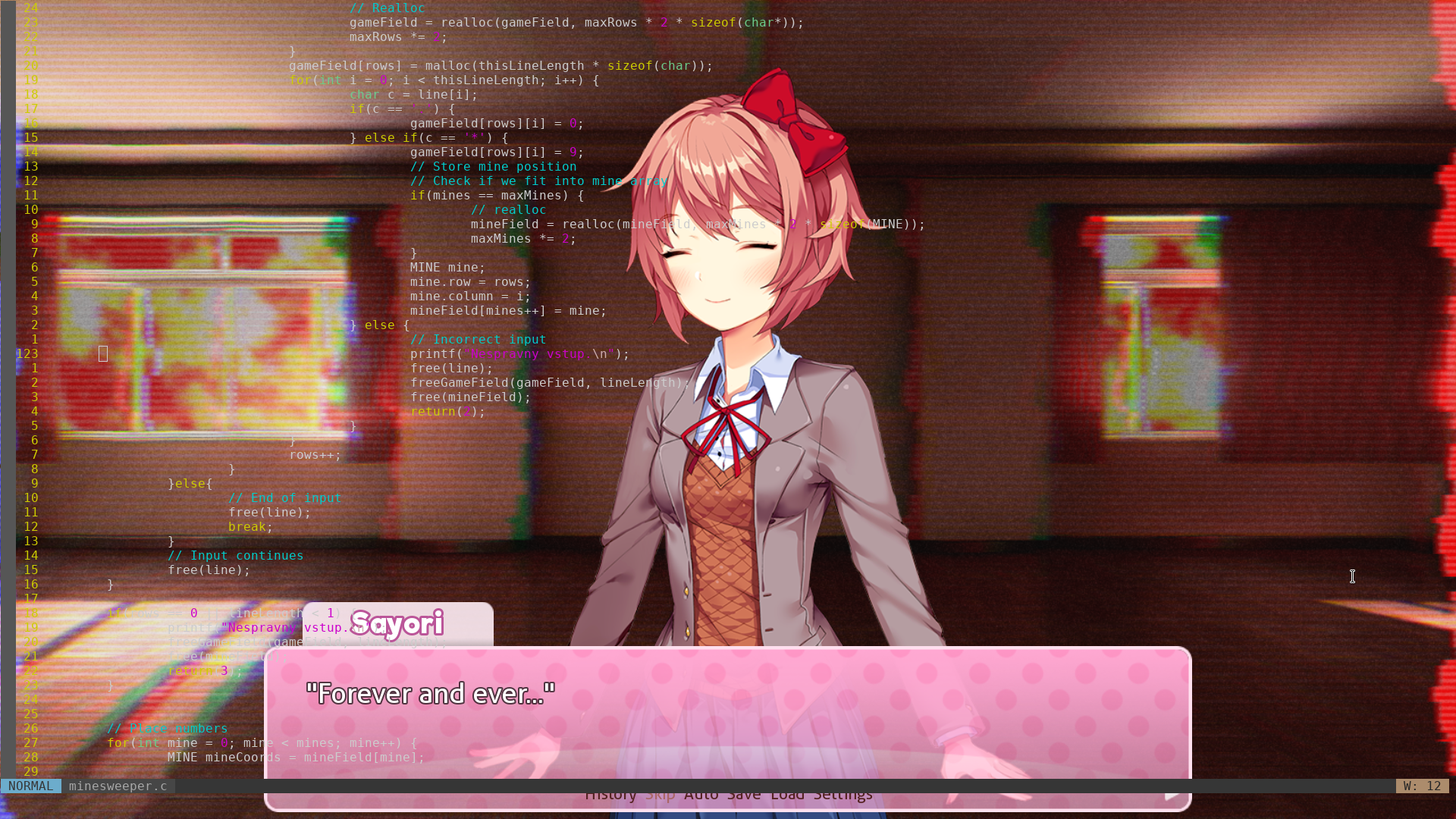
Borderless fullscreen video in Firefox (!, not via youtubedl)
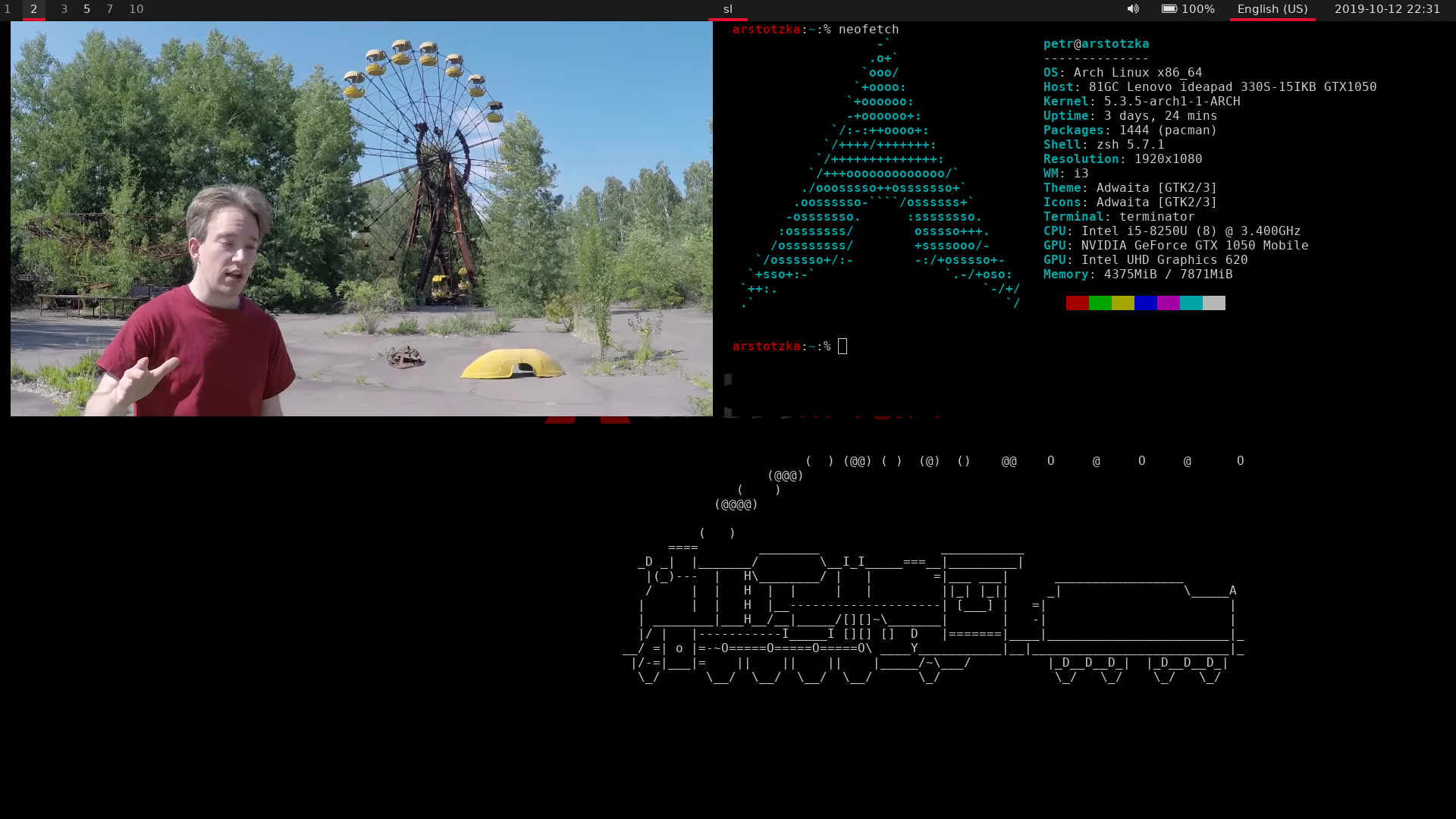
Neofetch and firefox (the tree style tabs window shrinks when I don't have mouse over it):

Locked with i3lock and custom image:

## Firefox about:config
|Configuration|Value|Explanation|
|---|---|---|
|devtools.debugger.remote-enabled|true|Useful for userchrome.css live changing (``)|
|devtools.theme|dark||
|media.navigator.enabled|false||
|media.peerconnection.enabled|false||
|network.trr.mode|2|[see this](https://daniel.haxx.se/blog/2018/06/03/inside-firefoxs-doh-engine/)|
|privacy.resistFingerprinting|true||
|privacy.spoof\_english|2||
|privacy.trackingprotection.enabled|true||
|privacy.userContext.enabled|true||
|devtools.chrome.enabled|true|Enable userChrome.css and userContent.css|
|toolkit.legacyUserProfileCustomizations.stylesheets|true|Enable userChrome.css and userContent.css|
|full-screen-api.warning.timeout|0|Disable fullscreen warning|
|layers.acceleration.force-enabled|true|OpenGL OMTC (see Firefox/Tweaks AW)|
|gfx.webrender.all|true|Enable Servo WebRender instead of Gecko. Unstable!|
|browser.sessionstore.resume\_from\_crash|false|Don't restore after caching. Disabling this saves write (opened urls, cookies, history, form data) to disk every 15 seconds.|
|browser.in-content.dark-mode|true||
|ui.systemUsesDarkTheme|1|You may need to create new key|
### Enable RAM cache
Instead of saving cache to disk, save it to RAM instead. It's faster and it doesn't hurt my SSD so much. See [AW](https://wiki.archlinux.org/index.php/Firefox/Tweaks#Turn_off_the_disk_cache).
|Configuration|Value|Explanation|
|---|---|---|
|browser.cache.disk.enable|false||
|browser.cache.memory.enable|true||
|browser.cache.memory.capacity|-1|Maximum memory, in KB, used. Use `-1` for auto detection.|