https://github.com/soumya9832/airtune
AirTune is an innovative Android app enabling touch-free device control using intuitive gestures.
https://github.com/soumya9832/airtune
android camerax deep-learning jetpack-compose kotlin mediapipe tensorflow
Last synced: 3 months ago
JSON representation
AirTune is an innovative Android app enabling touch-free device control using intuitive gestures.
- Host: GitHub
- URL: https://github.com/soumya9832/airtune
- Owner: soumya9832
- Created: 2025-06-23T09:29:24.000Z (about 1 year ago)
- Default Branch: main
- Last Pushed: 2025-09-03T06:15:44.000Z (10 months ago)
- Last Synced: 2025-09-03T08:21:00.765Z (10 months ago)
- Topics: android, camerax, deep-learning, jetpack-compose, kotlin, mediapipe, tensorflow
- Language: Java
- Homepage: https://sites.google.com/view/airtune-v1
- Size: 12 MB
- Stars: 0
- Watchers: 0
- Forks: 0
- Open Issues: 0
-
Metadata Files:
- Readme: README.md
Awesome Lists containing this project
README
# Hi, I'm Soumya! 👋
## 🚀 About Me
I'm a full stack Android developer...
## 🛠 Skills
Android, Kotlin, Java, Jetpack Compose, Spring Boot, AWS, Docker, MySQL

## Screenshots
# AirTune
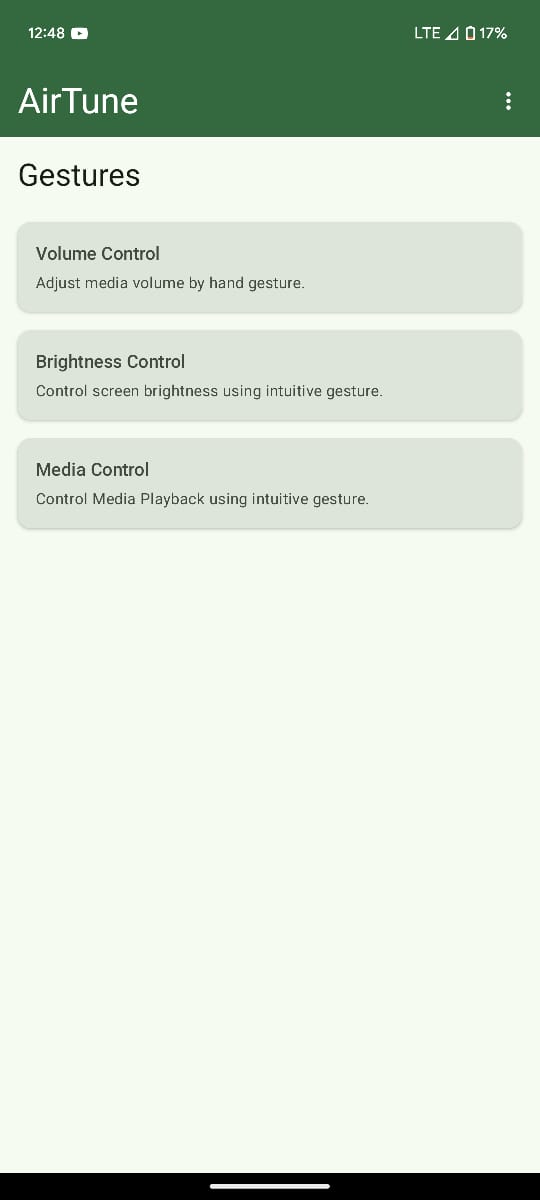
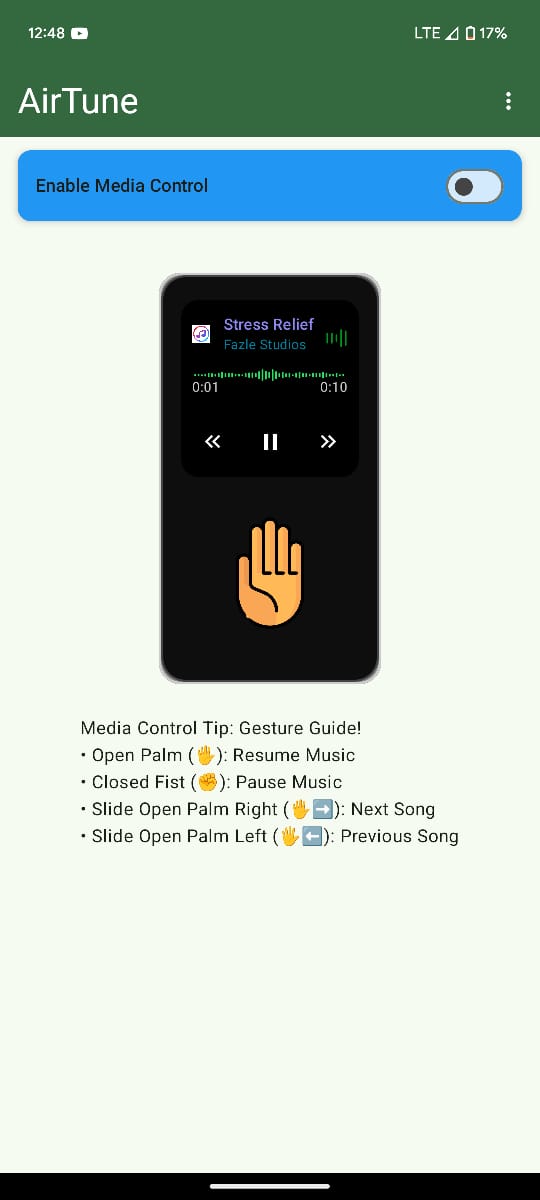
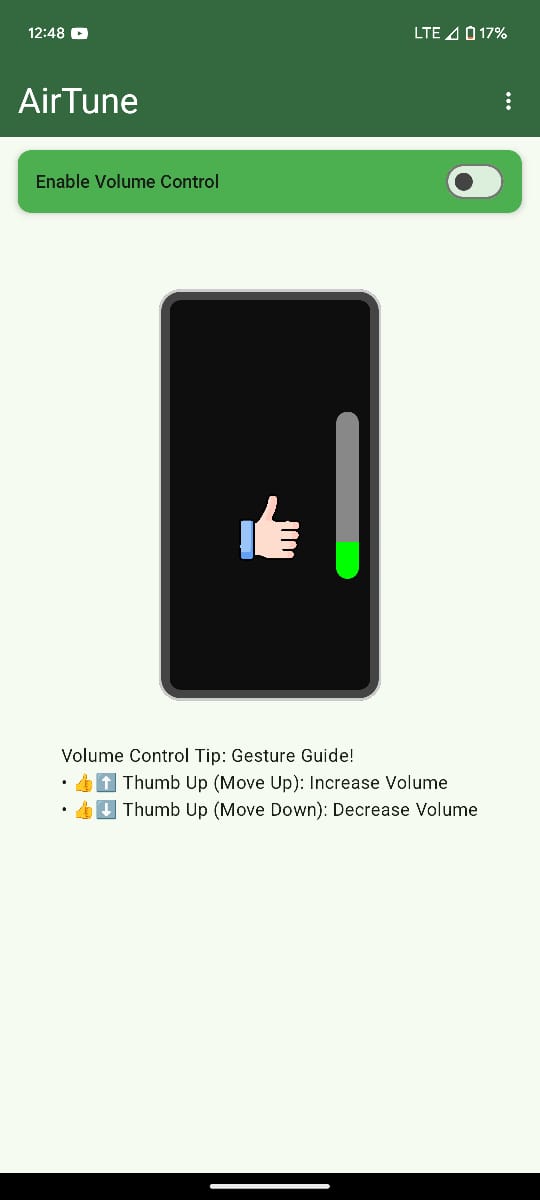
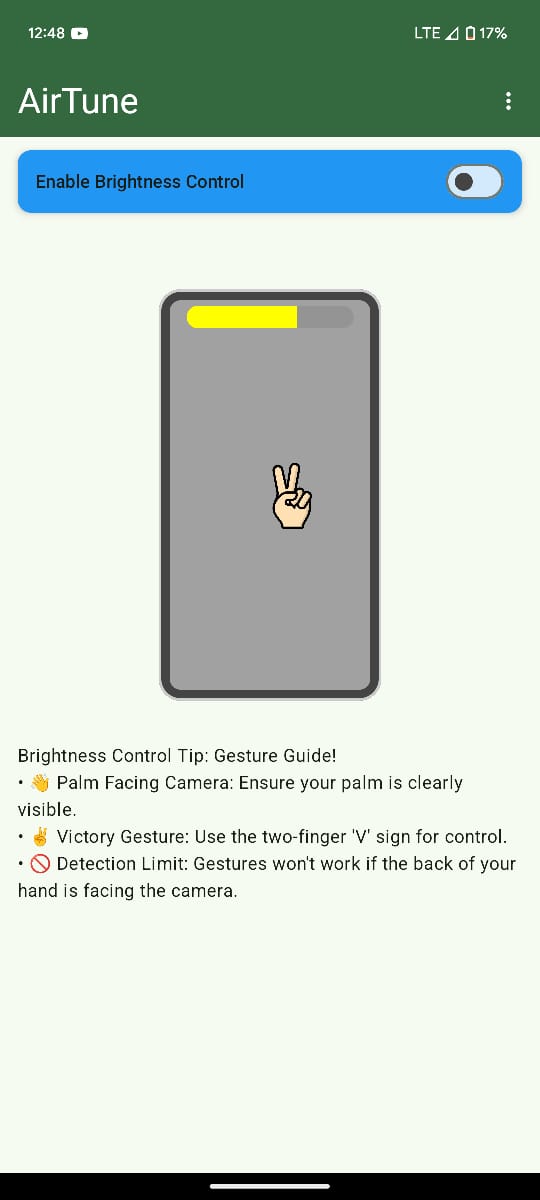
AirTune is an innovative Android application that enables users to control their device's media playback, screen brightness, and volume through intuitive, hands-free gestures. It's designed for anyone seeking a more convenient, hygienic, or touch-free way to interact with their smartphone, especially when their hands are occupied, dirty, or simply not free to touch the screen.
## Features
- ### Hands-free Media Control (Play, pause, skip tracks with gestures)
- ### Intuitive Brightness Adjustment (Control screen brightness without touching)
- ### Precise Volume Management (Adjust device volume using gestures)
- ### Seamless Background Operation (Works even when app is not in foreground or screen is off)
- ### Responsive Gesture Recognition (Utilizes advanced recognition for quick commands)
## Run Locally
Clone the project
```bash
git clone https://github.com/soumya9832/AirTune.git
```
Go to the project directory
```bash
cd AirTune
```
#### Open and Run in Android Studio
### 1. Open Project:
- Launch Android Studio.
- Select "Open an existing Android Studio project" (or "File" > "Open...").
- Navigate to and select the AirTune folder you just cloned.
### 2. Gradle Sync:
- Android Studio will automatically start a Gradle sync to download all necessary dependencies and set up the project. Wait for this process to complete. If it doesn't start automatically, look for a "Sync Project with Gradle Files" icon (often a refresh button with a Gradle elephant icon) in the toolbar.
### 3. Run the App:
- Connect an Android device to your computer (ensure Wireless / USB debugging is enabled on the device).
- OR, select an Android Emulator from the device dropdown in Android Studio's toolbar.
- Click the "Run" button (green play icon) in the toolbar.
## Tech Stack
**Android:** Kotlin, Jetpack Compose, MVVM
**Model:** TensorFlow, MediaPipe
## 🔗 Links
[](https://katherineoelsner.com/)
[](https://www.linkedin.com/)
[](https://x.com/Soumyadip0303/)
[](https://www.instagram.com/soumya_030303)
## Support
For support, email dassoumyadip95933@gmail.com or join our Slack channel.
## Installation
Install AirTune from Play Store.
[Download APK](https://drive.google.com/file/d/1_YLxkHqEnhprjOf22mrAAxWZ-5xD_4kT/view?usp=sharing)
## Feedback
If you have any feedback, please reach out to us at dassoumyadip9593@gmail.com
## Contributing
Contributions are always welcome!
Please adhere to this project's `code of conduct`.
### How to Contribute (Pull Request Flow)
1. **Fork** this repository to your own GitHub account.
2. **Clone** your forked repository to your local machine:
```bash
git clone https://github.com/soumya9832/AirTune.git
```
3. **Create a new branch** for your feature or bug fix:
```bash
git checkout -b feature/your-feature-name
```
(Choose a descriptive name like `feature/add-dark-mode` or `fix/crash-on-startup`)
4. **Make your changes** in your new branch.
5. **Commit your changes** with clear, concise messages describing what you did:
```bash
git add .
git commit -m "feat: Add dark mode toggle"
# or "fix: Resolve crash on media playback"
```
6. **Push your new branch** to your forked repository on GitHub:
```bash
git push origin feature/your-feature-name
```
7. **Open a Pull Request (PR):**
* Go to your forked repository on GitHub.
* You'll usually see a prominent button or message suggesting you create a Pull Request from your pushed branch.
* Follow the prompts, describe your changes clearly, and submit the PR.
We appreciate your contributions!
## Authors
- [@soumya](https://www.github.com/soumya9832)