https://github.com/souravsuvarna/picinteract
An Image Enabled Interrogation. This Streamlit application enables users to inquire about an uploaded image, receiving responses from a conversational AI agent. Powered by the OpenAI GPT-3.5 Turbo model, the agent generates answers based on both the provided image and user input.
https://github.com/souravsuvarna/picinteract
ai artificial-intelligence chatbot machine-learning python streamlit
Last synced: about 2 months ago
JSON representation
An Image Enabled Interrogation. This Streamlit application enables users to inquire about an uploaded image, receiving responses from a conversational AI agent. Powered by the OpenAI GPT-3.5 Turbo model, the agent generates answers based on both the provided image and user input.
- Host: GitHub
- URL: https://github.com/souravsuvarna/picinteract
- Owner: souravsuvarna
- Created: 2023-12-15T08:26:58.000Z (over 2 years ago)
- Default Branch: main
- Last Pushed: 2023-12-22T16:25:41.000Z (over 2 years ago)
- Last Synced: 2025-02-23T16:53:13.798Z (over 1 year ago)
- Topics: ai, artificial-intelligence, chatbot, machine-learning, python, streamlit
- Language: Python
- Homepage:
- Size: 7.81 KB
- Stars: 0
- Watchers: 1
- Forks: 0
- Open Issues: 0
-
Metadata Files:
- Readme: README.md
Awesome Lists containing this project
README
# PicInteract - An Image Enabled Interrogation
This Streamlit application enables users to inquire about an uploaded image, receiving responses from a conversational AI agent. Powered by the OpenAI GPT-3.5 Turbo model, the agent generates answers based on both the provided image and user input.
## Installation
1. Clone the repository:
git clone https://github.com/your-username/PicInteract.git
2. Change to the project directory:
cd PicInteract
3. Install the required dependencies:
pip install -r requirements.txt
4. Obtain an **OpenAI API key**. You can sign up for an API key at [OpenAI](https://platform.openai.com).
5. Replace the placeholder API key in the main.py file with your actual OpenAI API key:
llm = ChatOpenAI(
openai_api_key='YOUR_API_KEY_HERE',
temperature=0,
model_name="gpt-3.5-turbo"
)
6. Run the Streamlit application:
streamlit run main.py
7. Open your web browser and go to http://localhost:8501 to access the application.
## Usage
1. Upload an image by clicking the file upload button.
2. The uploaded image will be displayed.
3. Enter a question about the image in the text input field.
4. The conversational AI agent will generate a response based on the provided question and image.
5. The response will be displayed below the question input.
## Tools
The application utilizes the following custom tools:
- **ImageCaptionTool**: Generates a textual caption for the uploaded image.
- **ObjectDetectionTool**: Performs object detection on the uploaded image and identifies the objects present.
## Screenshots
[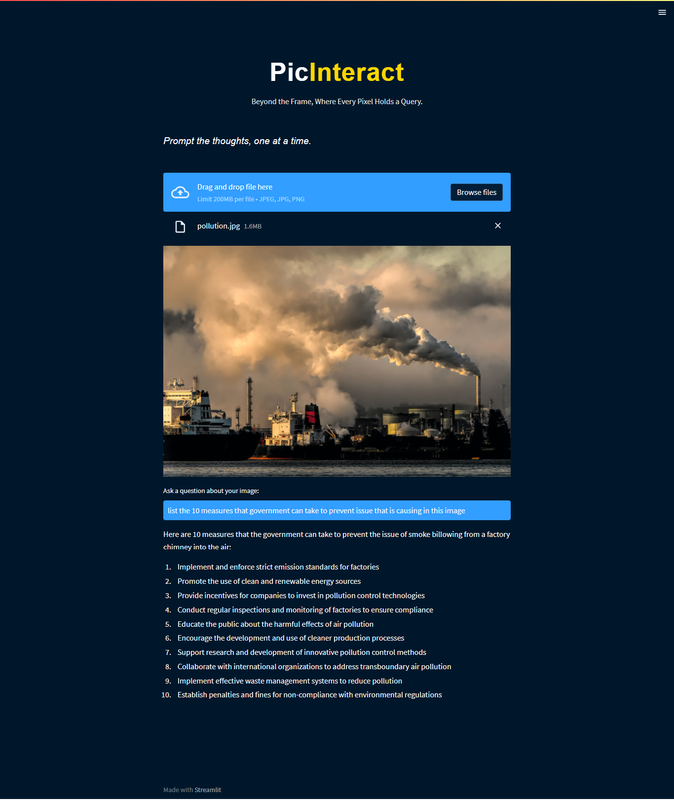](https://postimg.cc/Cn50Trb2)
[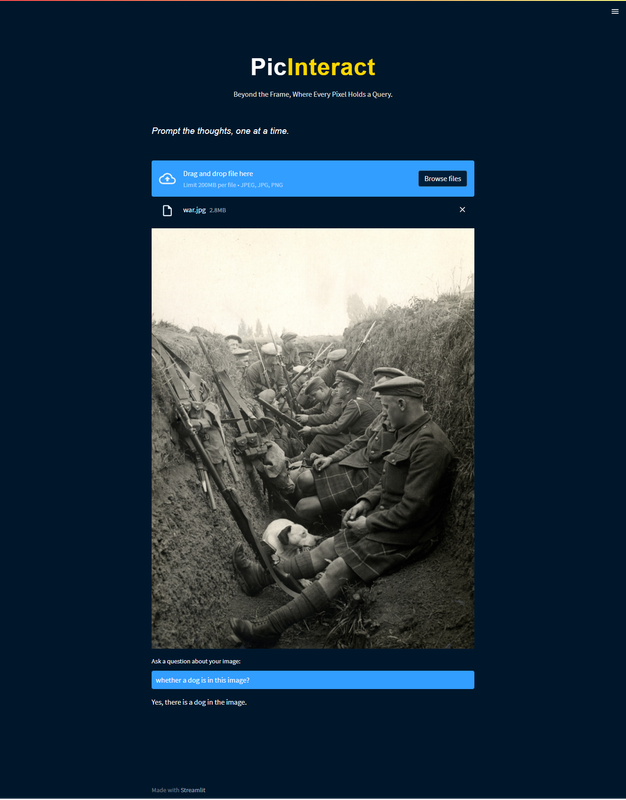](https://postimg.cc/hXkVXHj9)
## Authors
- [@SriPrada Upadya](https://github.com/sriprada346)
## Reference
[](https://github.com/computervisioneng)