https://github.com/spacerace/x86-pong
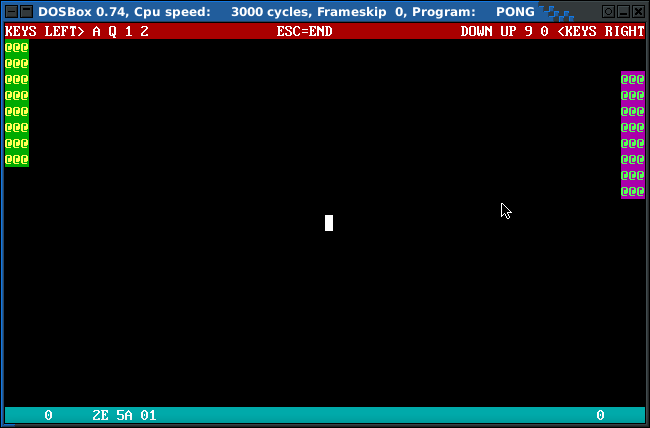
A pong game that runs on bare metal PCs or DOS (so called "PC-BOOTER")
https://github.com/spacerace/x86-pong
bare-metal bcc dev86 pc-booter pong pong-game x86
Last synced: 8 months ago
JSON representation
A pong game that runs on bare metal PCs or DOS (so called "PC-BOOTER")
- Host: GitHub
- URL: https://github.com/spacerace/x86-pong
- Owner: spacerace
- Created: 2017-08-18T23:15:46.000Z (almost 9 years ago)
- Default Branch: master
- Last Pushed: 2018-09-29T10:07:10.000Z (almost 8 years ago)
- Last Synced: 2024-01-30T07:05:09.391Z (over 2 years ago)
- Topics: bare-metal, bcc, dev86, pc-booter, pong, pong-game, x86
- Language: C
- Homepage:
- Size: 38.1 KB
- Stars: 8
- Watchers: 3
- Forks: 0
- Open Issues: 0
-
Metadata Files:
- Readme: README.md
Awesome Lists containing this project
- awesome-dos - x86 pong - Text-mode Pong clone written in C. Runs as PC-Booter game and under DOS. (Source code / Open source DOS games)
README
# x86 pong
This is a text-mode pong game, written in C without using any operating system
or standard-library.
It will run on bare metal hardware but also under DOS and DOS emulators.
There are floppy loaders around, that load com files directly. One of these was
used to create floppy.img. You can boot any PC with it and run pong without
os or even a hard disk.
It uses bcc/dev86 as compiler and all IO (keyboard, video) is done via
BIOS-interrupts and inline assembler. See source code for details, it's
quite easy...
# Running it
On linux-systems you can use my makefile for starting either qemu or dosbox:
```
$ make qemu
$ make dosbox
```
If you don't have 'em installed, here's how to do that on debian (ubuntu):
```
$ apt-get install dosbox qemu
```
# Building it
You'll only need "dev86 / bcc" and "make"
```
$ apt-get install bcc make
```
There are different target for make:
- all
- copy_to_floppy
- dosbox
- qemu
all builds x86-pong.
copy_to_floppy updates the pc-booter floppy image with the current pong.com.
dosbox starts dosbox with my provided dosbox.conf
qemu starts qemu-system-i386 with the pc-booter-image
# PC-Booter image
Here's the home of the bootloader on the floppy image:
https://github.com/alexfru/BootProg
# License
GPL-v2