https://github.com/spacether/keyboardlayout
A python library to display different keyboards
https://github.com/spacether/keyboardlayout
Last synced: over 1 year ago
JSON representation
A python library to display different keyboards
- Host: GitHub
- URL: https://github.com/spacether/keyboardlayout
- Owner: spacether
- License: mit
- Created: 2020-11-27T15:23:11.000Z (over 5 years ago)
- Default Branch: master
- Last Pushed: 2021-12-11T00:54:18.000Z (over 4 years ago)
- Last Synced: 2025-03-25T19:38:00.241Z (over 1 year ago)
- Language: Python
- Size: 694 KB
- Stars: 10
- Watchers: 2
- Forks: 5
- Open Issues: 0
-
Metadata Files:
- Readme: README.md
- Changelog: CHANGELOG.md
- Funding: .github/FUNDING.yml
- License: LICENSE
Awesome Lists containing this project
README
# keyboardlayout
A python library to display different keyboards.
Works with pygame or tkinter.
If you need to show your users a graphic that shows a specific keyboard layout or a portion of a keyboard, this is the library for you.
## Features:
- shows a keyboard to the user
- keyboard layouts
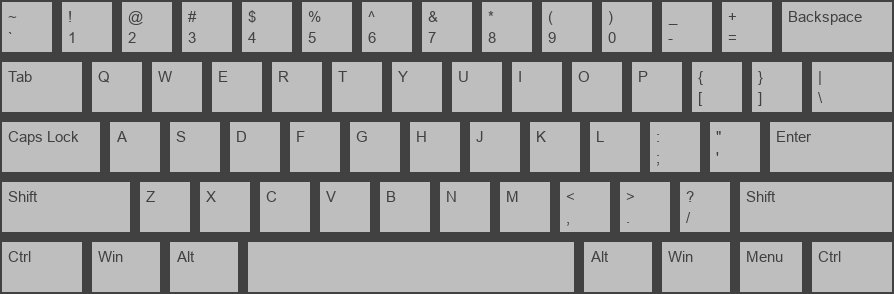
- qwerty
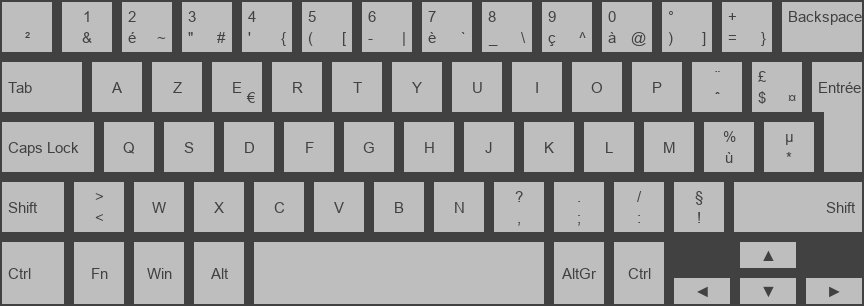
- azerty laptop
- graphics backends
- pygame (uses sprite groups)
- tkinter (uses frames + labels)
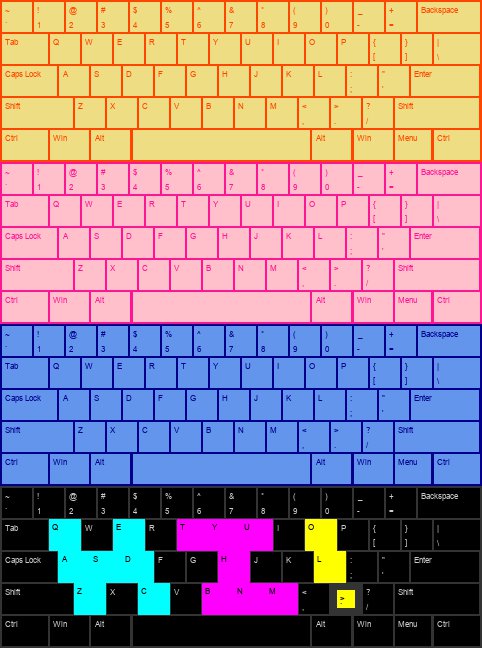
- customize the keyboard with sizes, colors, key margin, padding, font, location, etc
- update a specific key with `update_key`
- can update key images when keys are pressed
## Changelog
https://github.com/spacether/keyboardlayout/tree/master/CHANGELOG.md
## Documentation
https://spacether.github.io/keyboardlayout/
## Examples
#### qwerty with colors
#### qwerty
#### azerty laptop
## Installation
Make sure that you are using Python3
```
pip install keyboardlayout
```
## Samples
- [pygame, qwerty](https://github.com/spacether/keyboardlayout/tree/master/samples/pygame_qwerty.py)
- [pygame, pressed keys](https://github.com/spacether/keyboardlayout/tree/master/samples/pygame_pressed_keys.py)
- [tkinter, qwerty](https://github.com/spacether/keyboardlayout/tree/master/samples/tkinter_qwerty.py)
- [tkinter, pressed keys](https://github.com/spacether/keyboardlayout/tree/master/samples/tkinter_pressed_keys.py)
## Usage
### tkinter example
```
import tkinter as tk
import tkinter.font as tkf
import keyboardlayout as kl
import keyboardlayout.tkinter as klt
layout_name = kl.LayoutName.QWERTY
key_size = 60
grey = '#bebebe'
dark_grey = '#414141'
keyboard_info = kl.KeyboardInfo(
position=(0, 0),
padding=2,
color=dark_grey
)
window = tk.Tk()
window.resizable(False, False)
key_info = kl.KeyInfo(
margin=10,
color=grey,
txt_color=dark_grey,
txt_font=tkf.Font(family='Arial', size=key_size//4),
txt_padding=(key_size//6, key_size//10)
)
letter_key_size = (key_size, key_size) # width, height
keyboard_layout = klt.KeyboardLayout(
layout_name,
keyboard_info,
letter_key_size,
key_info,
master=window
)
window.mainloop()
```
## Local Installation
```
# make and activate virtual env
python3 -m venv venv
source venv/bin/activate
# if you want to edit the program and have the library use your edits
make develop
# to install separately in your virtual environment
make install
```
## Test
```
make test
```