https://github.com/spaciouscoder78/javascript-for-beginners
A javascript tutorial for beginners
https://github.com/spaciouscoder78/javascript-for-beginners
Last synced: 9 months ago
JSON representation
A javascript tutorial for beginners
- Host: GitHub
- URL: https://github.com/spaciouscoder78/javascript-for-beginners
- Owner: SpaciousCoder78
- Created: 2022-06-20T13:48:03.000Z (about 4 years ago)
- Default Branch: main
- Last Pushed: 2022-08-06T09:08:34.000Z (almost 4 years ago)
- Last Synced: 2025-02-16T22:35:00.142Z (over 1 year ago)
- Language: JavaScript
- Size: 109 KB
- Stars: 0
- Watchers: 2
- Forks: 1
- Open Issues: 0
-
Metadata Files:
- Readme: README.md
Awesome Lists containing this project
README
# javascript-for-beginners
A javascript tutorial for beginners
# Contents
- [Introduction](https://github.com/SpaciousCoder78/javascript-for-beginners/blob/main/README.md#introduction) [](url)
- [Hello World Program](https://github.com/SpaciousCoder78/javascript-for-beginners#creating-a-hello-world-program) [](url)
- [Comments](https://github.com/SpaciousCoder78/javascript-for-beginners#comments) [](url)
- [Variables](https://github.com/SpaciousCoder78/javascript-for-beginners#variables) [](url)
- [Constants](https://github.com/SpaciousCoder78/javascript-for-beginners/blob/main/README.md#constants) [](url)
- [String Indexing](https://github.com/SpaciousCoder78/javascript-for-beginners/blob/main/README.md#string-indexing) [](url)
- [String Methods](https://github.com/SpaciousCoder78/javascript-for-beginners/blob/main/README.md#string-methods) [](url)
- [String Concatentation](https://github.com/SpaciousCoder78/javascript-for-beginners/blob/main/README.md#string-concatenation) [](url)
- [If else condition](https://github.com/SpaciousCoder78/javascript-for-beginners/blob/main/README.md#if-else-condition) [](url)
- [Nested if condition](https://github.com/SpaciousCoder78/javascript-for-beginners/blob/main/README.md#nested-if-condition) [](url)
- [Else if condition](https://github.com/SpaciousCoder78/javascript-for-beginners/blob/main/README.md#nested-if-condition) [](url)
- [Switch Statement](https://github.com/SpaciousCoder78/javascript-for-beginners/tree/main#switch-statement) [](url)
- [While loop](https://github.com/SpaciousCoder78/javascript-for-beginners/tree/main#while-loop) [](url)
- [For loop](https://github.com/SpaciousCoder78/javascript-for-beginners/tree/main#for-loop) [](url)
- [Break statement](https://github.com/SpaciousCoder78/javascript-for-beginners/tree/main#break-statement) [](url)
- [Continue statement](https://github.com/SpaciousCoder78/javascript-for-beginners/tree/main#continue-statement) [](url)
- [Do while loop](https://github.com/SpaciousCoder78/javascript-for-beginners/tree/main#do-while-loop) [](url)
- [Arrays](https://github.com/SpaciousCoder78/javascript-for-beginners/blob/main/README.md#arrays) [](url)
# Introduction
Javascript is a client side high level, just in time compiled programming language which is widely used on the internet alongside HTML and CSS.
Almost every modern browser can natively run Javascript.
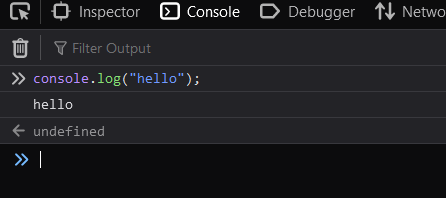
You can run javascript code in your browser’s console.
You can access your browser’s console by hitting the F12 key.
## Writing javascript code within HTML code
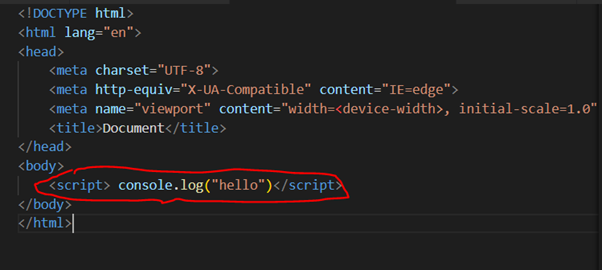
You can write javascript code within your HTML code by using tag. All the javascript code goes within the tags.
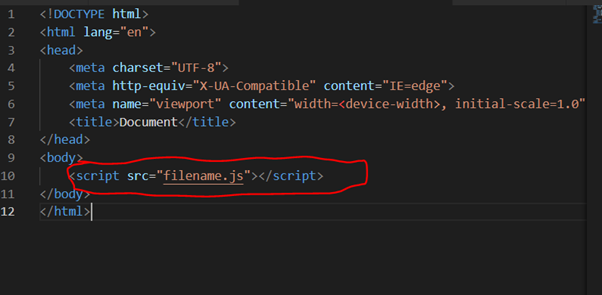
Or you can create a separate .js file and link it in your HTML code.
# Creating a hello world program
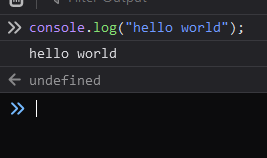
Just like in python, the length of hello world program in javascript is just one line.
# Comments
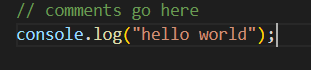
Comments are used for documentation purposes and are not executed when the program runs.
In Javascript you can add comments using //
# Variables
Variables can store some information and the stored information can be changed at a later time
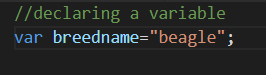
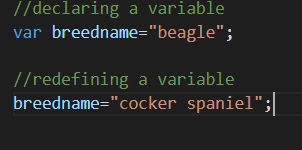
## Declaring a variable
We can declare a variable by typing “var variablename=value;”
We can also use 'let' instead of var
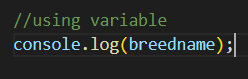
## Using a variable
We can use a variable anywhere by mentioning it.
## Changing value of a variable
We can change the value of a variable by redefining it. We do not have to mention var while redefining a variable.
## Rules for naming a variable
We need to follow certain rules while naming variables. Not following the rules will get us some errors.
Rules:
- Variable cannot start with a number(eg. 1value)
- We can use only underscore(_) or dollarsign($) in the beginning of a variable name
- We cannot use spaces while naming variables
# Constants
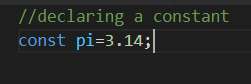
Constants, unlike variables, have a fixed value, which means that the value of a constant cannot be changed.
## Declaring a constant
We have to use 'const' before defining a constant
# String Indexing
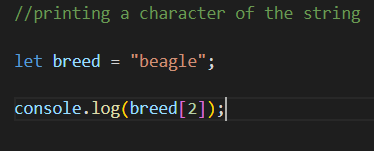
When we declare a string, we can access individual characters of the string using index numbers. Index numbers start from zero.

## Printing a character of the string
We can print a character of the string using "variablename[indexnumber]"
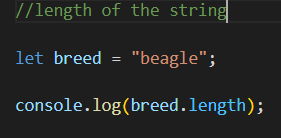
## Length of the string
We can find the length of the string using "variablename.length"
## Last Index of a string
We can find the last index of a string using "variablename.length-1"

# String Methods
When dealing with strings, we can use methods like trim(), toUpperCase(), toLowercase() and string slicing.
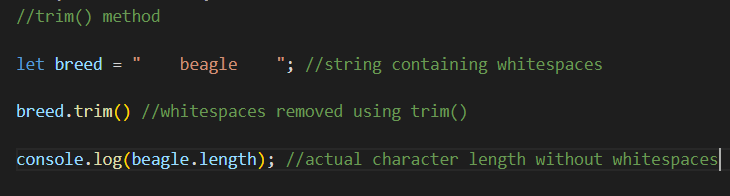
## trim() method
This method is used to remove whitespaces in a string
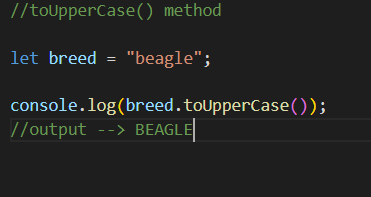
## toUpperCase() Method
This method changes the text in the string to uppercase
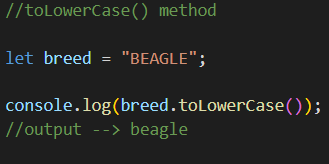
## toLowerCase() Method
This method changes the text in the string to lowercase
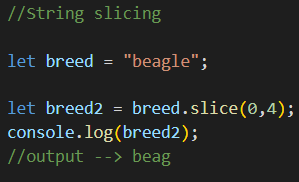
## String Slicing
We can slice a string by mentioning parameters using slice() function
## typeof operator
We can use typeof operator to find the datatype of a variable

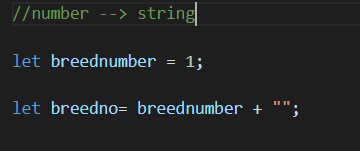
## Converting number to string
We can convert a number to string by concatenating it with ""
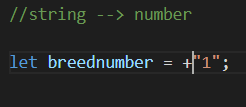
## Converting string to number
We can convert a string to number by adding a plus sign before the string
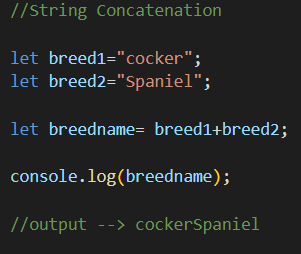
# String Concatenation
We can concatenate (add) two strings by using the plus(+) sign between the two strings
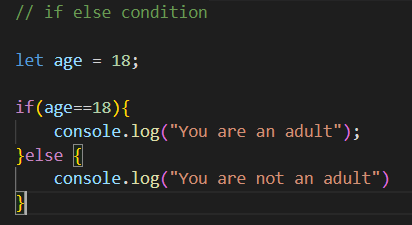
# If else condition
We can use if else condition using relational operators like >, <, =, ==, != etc

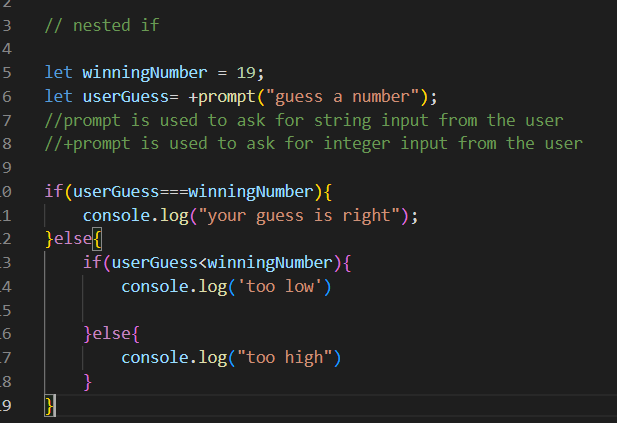
# Nested if condition
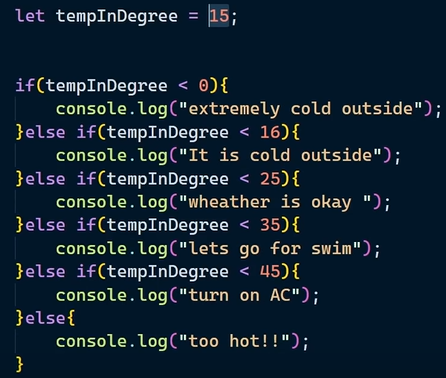
# Else if condition
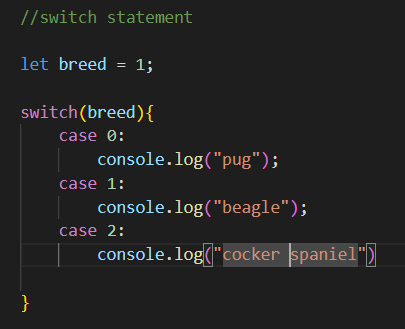
# Switch Statement
Switch statement can be used instead of nested if else statements
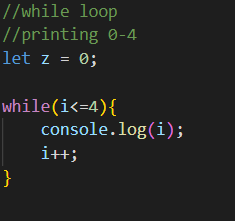
# While loop
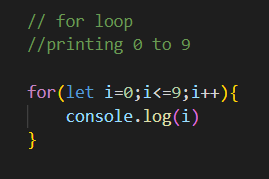
# For loop
# Break statement
Break statement ends the loop if the break statement's condition gets satisfied

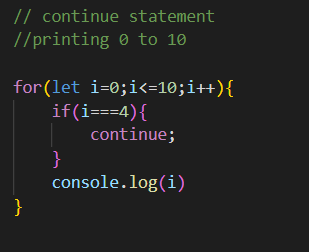
# Continue statement
Continue statement continues the loop if the condition gets satisfied
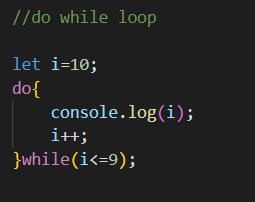
# Do while loop
This loop executes the code block once and continues doing so if the while loop condition is satisfied
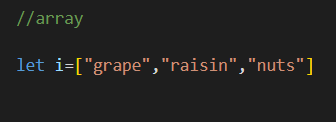
# Arrays
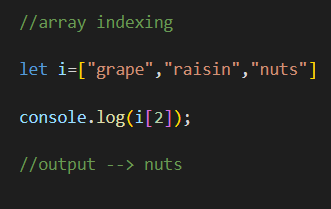
Arrays are a type of objects that store multiple values in a single variable
## Array Indexing
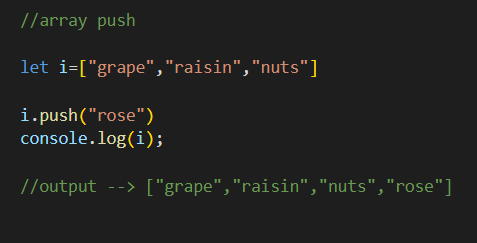
## Array push
Push() can be used to insert another value into the array
## Array pop
pop() can be used to delete the last element in the array

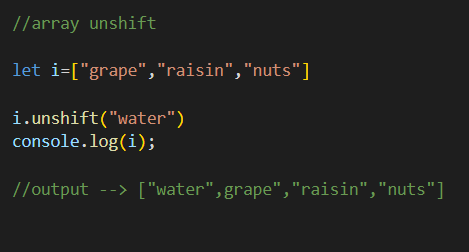
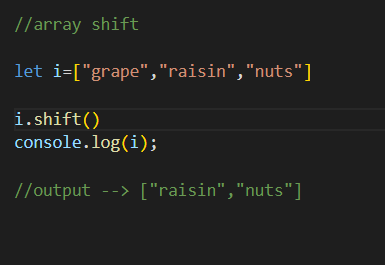
## Array Shift and unshift
Unshift pushes the element in the beginning of array where as shift removes the first element of the array
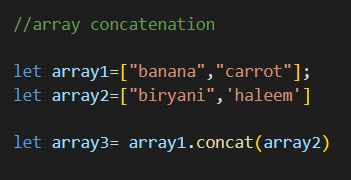
## Array concatenation
We can use concat() to concatenate arrays
## Array slicing
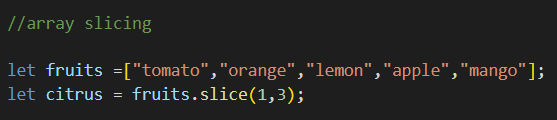
We can use slice() to return selected elements in an array as new array