https://github.com/sped0n/zv6
A complete reimplementation of xv6 (RISC-V) in Zig.
https://github.com/sped0n/zv6
kernel operating-system riscv xv6 xv6-riscv zig
Last synced: 11 months ago
JSON representation
A complete reimplementation of xv6 (RISC-V) in Zig.
- Host: GitHub
- URL: https://github.com/sped0n/zv6
- Owner: Sped0n
- License: mit
- Created: 2025-02-15T16:29:34.000Z (over 1 year ago)
- Default Branch: main
- Last Pushed: 2025-07-13T14:14:22.000Z (11 months ago)
- Last Synced: 2025-07-13T14:18:29.933Z (11 months ago)
- Topics: kernel, operating-system, riscv, xv6, xv6-riscv, zig
- Language: Zig
- Homepage:
- Size: 354 KB
- Stars: 1
- Watchers: 1
- Forks: 0
- Open Issues: 0
-
Metadata Files:
- Readme: README.md
- License: LICENSE
Awesome Lists containing this project
README
# zv6
A **_complete_** reimplementation of [xv6 (RISC-V)](https://github.com/mit-pdos/xv6-riscv) in Zig.
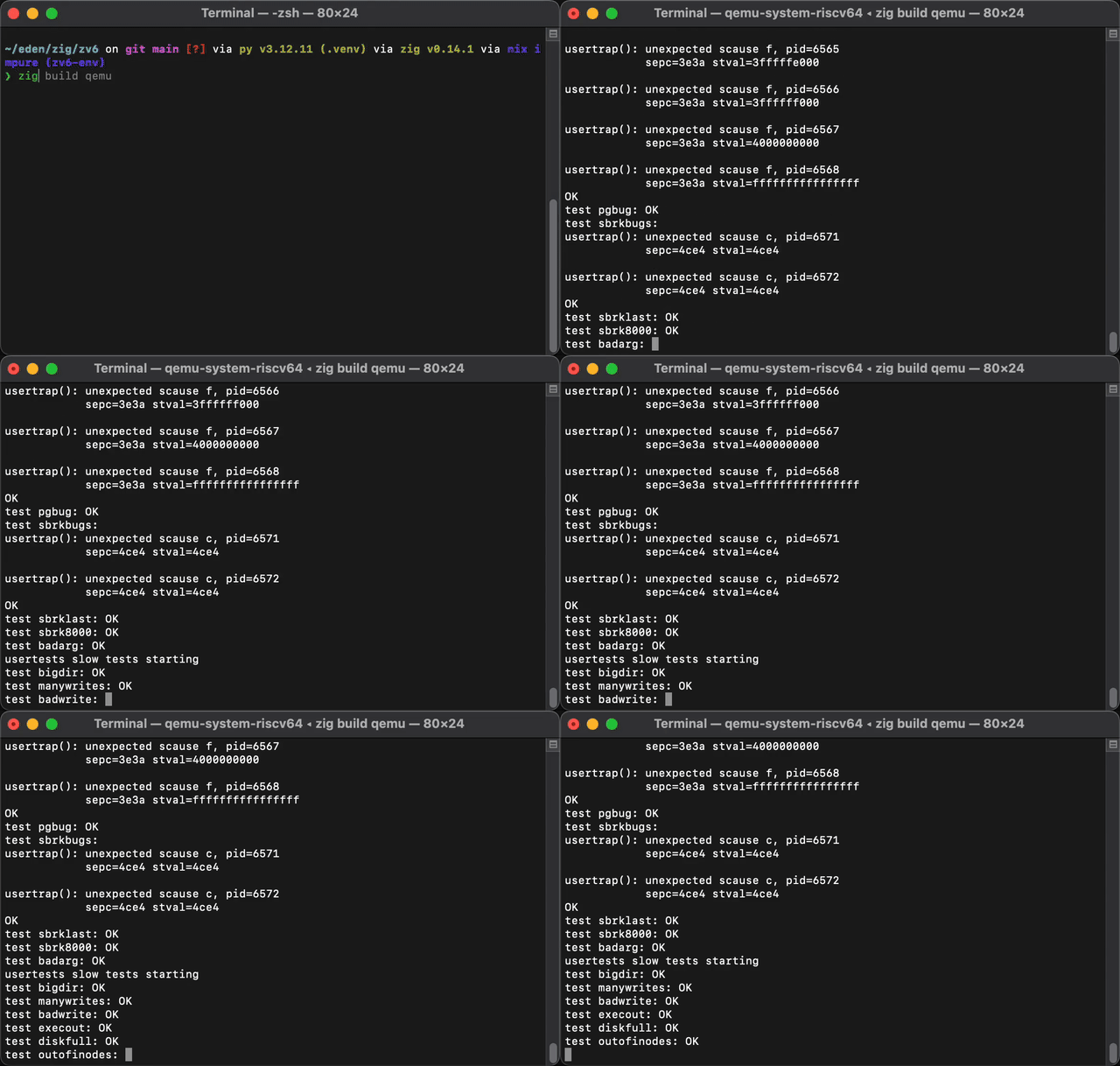
> The above video is at 10× speed.
## Features
- Kernel written in pure Zig.
- On par performance with the original C version, even slightly faster (~5s for usertests on my laptop).
- One build system (`build.zig`) for everything (kernel, userland, tools).
- Pass **_all_** userland test (`forktest`, `stressfs`, `grind` and `usertests`).
## Usage
All commands assume you are in the project root.
### Prerequisites
- Zig 0.14
- QEMU
- Perl
- LLDB (optional, for debugging)
### Build
Build everything (mkfs, all user‐programs, fs.img, initcode, and the kernel):
```
zig build
```
To see all of the available build steps:
```
zig build --help
```
To rebuild the kernel (or any other single step) you can invoke it by name:
```
zig build mkfs # compile the mkfs tool
zig build user # compile all user programs
zig build image # regenerate fs.img (depends on mkfs + user)
zig build initcode # generate the initcode binary
zig build kernel # compile the kernel
```
If you just want to recompile the kernel & skip recreating your disk image:
```
zig build kernel -Dkeep-fsimg
```
### Run
Start QEMU, boot the kernel, mount `fs.img` over virtio:
```
zig build qemu
```
You should see the xv6-ish boot output and land in the shell.
### Debug
Launch QEMU suspended with a GDB stub on TCP port 3333:
```
zig build qemu-gdb
```
In another terminal, start your LLDB and connect:
```
$ lldb zig-out/kernel/kernel --local-lldbinit
(lldb) gdb-remote localhost:3333
(lldb) c
```
### Trace
Run QEMU with instruction tracing enabled; output goes to `qemu_debug.log`:
```
zig build qemu-trace
```
You can then inspect `qemu_debug.log` for guest errors, instruction dumps, etc.
## Credits
- https://github.com/mit-pdos/xv6-riscv
- https://github.com/skyzh/core-os-riscv
- https://xiayingp.gitbook.io/build_a_os
- https://github.com/tzx/nOSering
- https://github.com/saza-ku/xv6-zig
- https://github.com/candrewlee14/xv6-riscv-zig