https://github.com/spikehd/asciivert
Convert images and videos to ascii art!
https://github.com/spikehd/asciivert
ascii ascii-art ffmpeg image-processing javascript video-processing
Last synced: 9 months ago
JSON representation
Convert images and videos to ascii art!
- Host: GitHub
- URL: https://github.com/spikehd/asciivert
- Owner: SpikeHD
- License: gpl-3.0
- Created: 2020-07-17T00:49:25.000Z (about 6 years ago)
- Default Branch: master
- Last Pushed: 2023-03-09T16:06:46.000Z (over 3 years ago)
- Last Synced: 2025-02-02T05:03:15.380Z (over 1 year ago)
- Topics: ascii, ascii-art, ffmpeg, image-processing, javascript, video-processing
- Language: JavaScript
- Homepage: https://asciivert.art/
- Size: 352 KB
- Stars: 5
- Watchers: 0
- Forks: 0
- Open Issues: 6
-
Metadata Files:
- Readme: README.md
- License: LICENSE
Awesome Lists containing this project
README
# AsciiVert - Convert images and videos to ASCII art!
https://asciivert.art/
## Goals
* Public website [Kinda WIP]
* Public API [Done]
* CLI version [Done]
## Setup
The website poses some retrictions that, if you use the CLI version as an alternative, you can bypass and create larger images and longer videos from.
## Requirements
* [Node.JS](https://nodejs.org/en/) (v12 should be fine)
* ffmpeg ([Win](https://windowsloop.com/install-ffmpeg-windows-10/), [Linux](https://www.ostechnix.com/install-ffmpeg-linux/), [Mac](https://sites.duke.edu/ddmc/2013/12/30/install-ffmpeg-on-a-mac/))
* I don't own a Mac, so if the instructions are wrong... figure it out yourself I guess
## Setting up the project
To setup the base of the project, just run `npm install` in the main project directory.
To start up the api/website, run `node ascii --api`.
To use the CLI version, see below.
# Using the CLI tool
## Flags (all have 1-letter aliases)
* `--in` - File to be input, required (file will be treated as an image if no framerate is provided)
* `--out` - File to be output, required
* `--resolution` - Resolution to output file, required (NOTE: Resolution is *symbol* resolution, ***not*** image resolution)
* `--framerate` - Framerate to export video as, required
## Other
* `--api` - No argument, starts the site/API service
Examples of potential commands:
`node ascii --in [path]/image.jpg --out [path]/converted.jpg --resolution 1920x1080`
`node ascii -i [path]/video.mp4 -o [path]/converted.mp4 -r 800x600 --framerate 15`
`node ascii --api`
# Using the API
There are currently four endpoints, `/image`, `/video`, `/mini` and `/file`.
## /image
To use the `/image` endpoint, you must send a `form-data` POST request with an image attached in the `files` field, and a resolution to convert to.
Example:

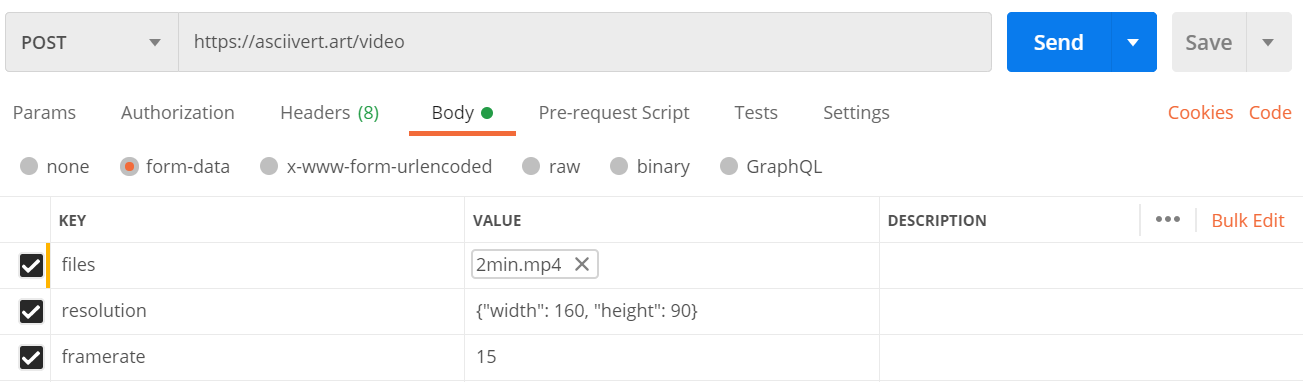
## /video
To use the `/video` endpoint, you must send a `form-data` POST request with a video file in the `files` field, a resolution, and a framerate.
Example:
## /mini
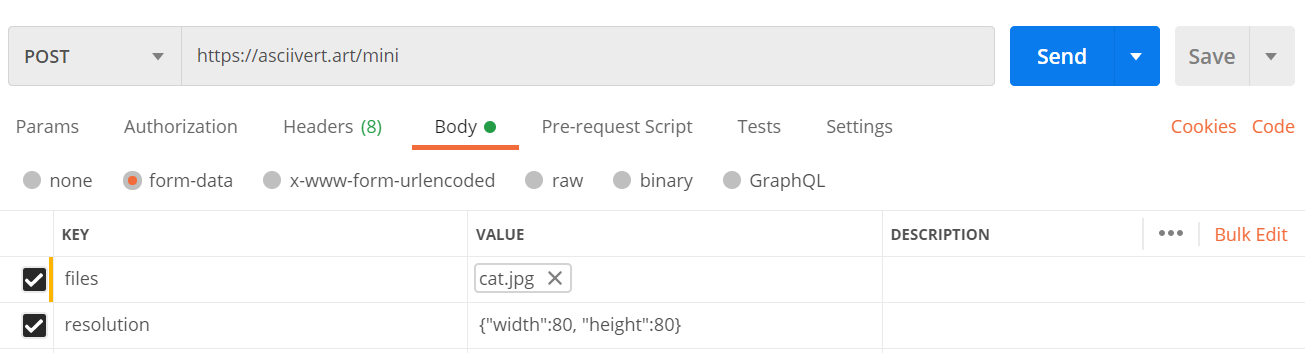
Using the `/mini` endpoint is similar to the `/image` endpoint in that you only need to supply an image and resolution, but the resolution limit is smaller and it returns raw text instead.
Example:
## /file
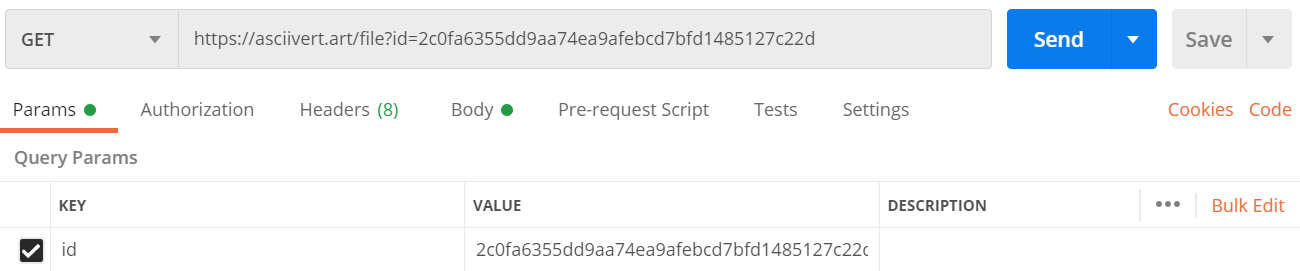
When using the `/image` or `/video` endpoints, the request will immediately return a file ID. While the file may not be ready immediately, when it is, you can GET the `/file` endpoint with a `id` URI parameter (eg. `/file?id=1234`).
Example: