https://github.com/spree/spree_backend
Spree 4 Admin Dashboard
https://github.com/spree/spree_backend
Last synced: over 1 year ago
JSON representation
Spree 4 Admin Dashboard
- Host: GitHub
- URL: https://github.com/spree/spree_backend
- Owner: spree
- License: bsd-3-clause
- Created: 2021-09-22T06:07:03.000Z (almost 5 years ago)
- Default Branch: main
- Last Pushed: 2024-08-20T16:15:55.000Z (almost 2 years ago)
- Last Synced: 2025-03-28T05:12:14.522Z (over 1 year ago)
- Language: Ruby
- Homepage:
- Size: 107 MB
- Stars: 35
- Watchers: 9
- Forks: 58
- Open Issues: 30
-
Metadata Files:
- Readme: README.md
- Contributing: .github/CONTRIBUTING.md
- License: license.md
- Code of conduct: CODE_OF_CONDUCT.md
- Security: SECURITY.md
Awesome Lists containing this project
README
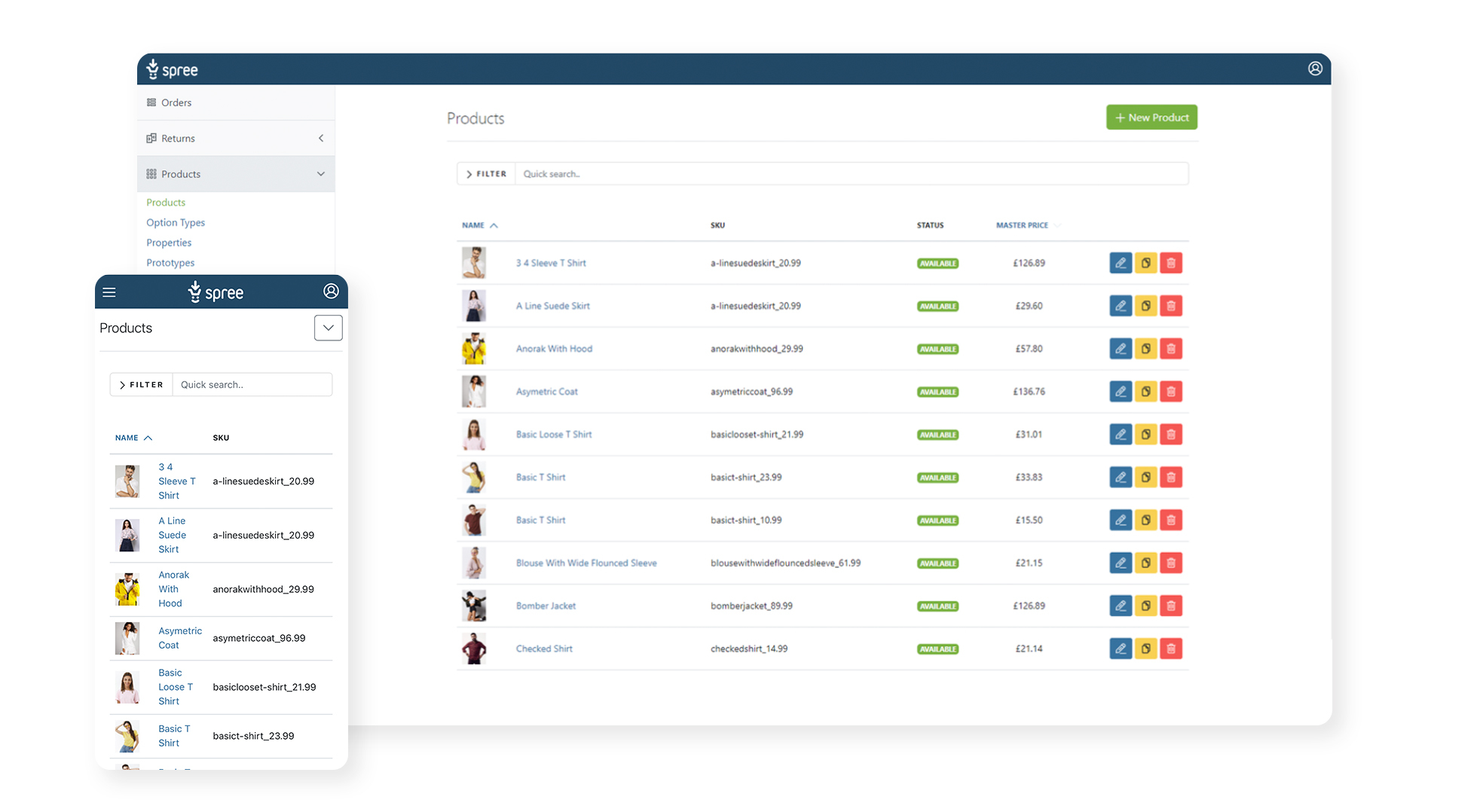
# Spree Admin Dashboard
This is the default Spree Admin Dashboard.
## Developed by
[](https://getvendo.com?utm_source=spree_backend_github)
> All-in-one platform for all your Marketplace and B2B eCommerce needs. [Start your 30-day free trial](https://e98esoirr8c.typeform.com/contactvendo?typeform-source=spree_backend_github)
## Key Features
* Mobile-first - works great on any device!
* Manage Product Catalog, Orders, Customers, Returns, Shipments and all other eCommerce crucial activities
* Multi-Store support out of the box
* Built-in CMS for Pages and Navigation
* Easily add 3rd party integrations such as Payments, Tax calculation services and Shipping couriers
* Easy customization to suit your needs
* Modern tech-stack based on [Hotwire](https://hotwired.dev/) (Stimulus & Turbo)
## Demo
Fire up your own instance in the cloud:
[](https://heroku.com/deploy?template=https://github.com/spree/spree_starter)

Default credentials:
* login: `spree@example.com`
* password: `spree123`
## Installation
Spree Admin Dashboard is bundled with [Spree Starter](https://github.com/spree/spree_starter) and we recommend following [Spree Getting Started guide](https://docs.spreecommerce.org/getting-started/installation).
You can also [add Spree and Admin Dashboard to an existing Ruby on Rails application](https://docs.spreecommerce.org/advanced/existing_app_tutorial) as well.
## Documentation
* [Developer Documentation](https://docs.spreecommerce.org/)
## Contributing
Spree Admin Dashboard is an open source project and we love contributions in any form - pull requests, issues, feature ideas!
Please review the [Spree Contributing Guide](https://docs.spreecommerce.org/developer/contributing/quickstart)
### Local setup
1. Fork it!
2. Clone the repository
3. Create test application:
```bash
cd spree_backend
bundle install
bundle exec rake test_app
```
### Running tests
Entire test suite (this can take some time!)
```bash
bundle exec rspec
```
Single test file:
```bash
bundle exec rspec spec/features/admin/users_spec.rb
```
[ChromeDriver](https://chromedriver.chromium.org/) is required for feature tests. On MacOS you can install it by running:
```bash
brew install chromedriver
```
## License
Spree Admin Dashboard is released under the [New BSD License](https://github.com/spree/spree_backend/blob/main/license.md).
[spark]:https://sparksolutions.co?utm_source=github