https://github.com/springmeyer/mapnik-mongo
mapnik datasource plugin for reading geodata from mongodb
https://github.com/springmeyer/mapnik-mongo
Last synced: about 1 year ago
JSON representation
mapnik datasource plugin for reading geodata from mongodb
- Host: GitHub
- URL: https://github.com/springmeyer/mapnik-mongo
- Owner: springmeyer
- License: lgpl-2.1
- Created: 2011-07-23T02:44:58.000Z (almost 15 years ago)
- Default Branch: master
- Last Pushed: 2013-09-22T21:31:11.000Z (almost 13 years ago)
- Last Synced: 2025-03-26T14:12:17.181Z (over 1 year ago)
- Language: C++
- Homepage:
- Size: 1.55 MB
- Stars: 20
- Watchers: 5
- Forks: 9
- Open Issues: 4
-
Metadata Files:
- Readme: README.md
- License: COPYING
Awesome Lists containing this project
README
# MongoDB input plugin for Mapnik
This is a connector to MongoDB data in the form of a Mapnik C++ plugin.
MongoDB supports spatial indexig on a sphere for a Points, a LineStrings and a Polygons since version 2.4.
# Usage
Input plugin accepts the following parameters:
* host -- (optional) hostname to connect MongoDB [default: "localhost"]
* port -- (optional) port to connect [default: 27017]
* dbname -- (optional) database name to use [default: "gis"]
* collection -- (required) collection to use
Example in XML:
mongodb
polygons
Records in the database should have a "geometry" property with GeoJSON geometry (only Point, LineString and Polygon are supported), and a "properties" property, which contains an information about feature.
Example:
{
geometry: {
type: "LineString",
coordinates: [ [ lng1, lat1 ], [ lng2, lat2 ], ... ]
},
properties: {
name: "Long Hard Road",
id: 32167,
...
}
}
CAUTION: notice the Longitude, Latitude order.
# Demo
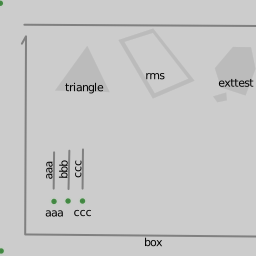
Render result for [test/test.js](https://github.com/hamer/mapnik-mongo/blob/master/test/test.js), source shape files in QGis [screenshot](https://raw.github.com/hamer/mapnik-mongo/master/test/qgis_shp_screenshot.png):
# Setup
1) Install MongoDB with C++ driver (libmongoclient)
Recommended to install from https://github.com/mongodb/mongo.git
git clone https://github.com/mongodb/mongo.git
cd mongo
git checkout r2.4.6
scons --full install
2) Start MongoDB
In another terminal:
mkdir db
cd db
mongod --dbpath .
3) Prepare test environment (optional)
The tests are written in Node.js v0.10.x for Mapnik v2.2.x.
cd test/
npm install mongodb mapnik
4) Import a shapefiles to the database
In another terminal:
node import.js
5) Run test.js
node test.js