https://github.com/srinivasa-dev/wheel_slider
Wheel Slider allows you to scroll through with a wheel like look, which have a bunch of customization.
https://github.com/srinivasa-dev/wheel_slider
android app application cross-platform flutter flutter-apps hacktoberfest ios library open-source package plugin slider web wheel wheel-slider windows
Last synced: over 1 year ago
JSON representation
Wheel Slider allows you to scroll through with a wheel like look, which have a bunch of customization.
- Host: GitHub
- URL: https://github.com/srinivasa-dev/wheel_slider
- Owner: srinivasa-dev
- License: mit
- Created: 2022-05-25T07:47:26.000Z (about 4 years ago)
- Default Branch: master
- Last Pushed: 2024-12-16T13:25:01.000Z (over 1 year ago)
- Last Synced: 2025-04-15T07:08:58.597Z (over 1 year ago)
- Topics: android, app, application, cross-platform, flutter, flutter-apps, hacktoberfest, ios, library, open-source, package, plugin, slider, web, wheel, wheel-slider, windows
- Language: Dart
- Homepage: https://pub.dev/packages/wheel_slider
- Size: 154 KB
- Stars: 18
- Watchers: 2
- Forks: 18
- Open Issues: 3
-
Metadata Files:
- Readme: README.md
- Changelog: CHANGELOG.md
- License: LICENSE
Awesome Lists containing this project
README
# Wheel Slider
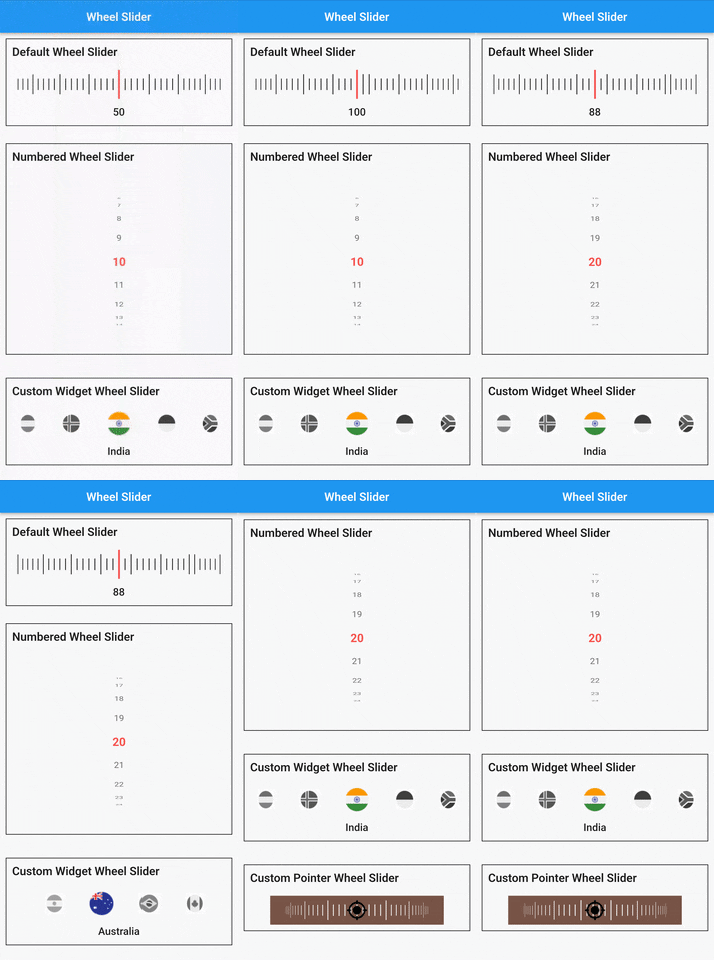
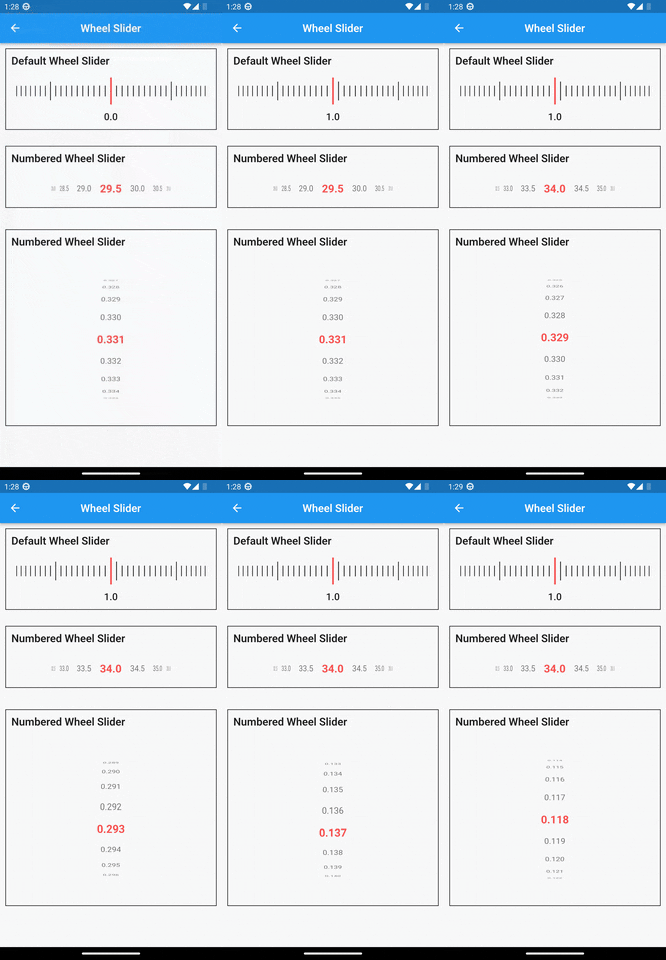
A versatile and highly customizable slider widget for Flutter, with a wheel-like scrolling appearance.
[](https://pub.dev/packages/wheel_slider) [](https://choosealicense.com/licenses/mit/)
> Built on top of [`wheel_chooser`](https://pub.dev/packages/wheel_chooser) for an enhanced experience.
## ✨ Features
- **🔢 Number Display**: Show numbers instead of simple lines.
- **↔↕ Scroll Orientation**: Horizontal and vertical scrolling options.
- **📳 Haptic Feedback**: Vibrates during scroll for a tactile experience.
- **🔧 Custom Widgets**: Fully customizable items and pointers.
- **🖼️ Background Support**: Add a widget as the slider's background.
- **🎨 Styling Options**: Easily customize line and pointer colors.
## 🚀 Getting Started
### Installation
Add the following to your `pubspec.yaml` under `dependencies`:
```yaml
dependencies:
wheel_slider:
```
#### Import
```dart
import 'package:wheel_slider/wheel_slider.dart';
```
### Android Permissions
Add the vibration permission to your `AndroidManifest.xml` file:
```xml
```
### IOS Compatibility
Supports vibration with duration and pattern on CoreHaptics devices. On older devices, the pattern is emulated with 500ms long vibrations.
## 📖 Usage
To use __Line Slider__:
```dart
WheelSlider(
totalCount: _totalCount,
initValue: _initValue,
onValueChanged: (val) {
setState(() {
_currentValue = val;
});
},
hapticFeedbackType: HapticFeedbackType.vibrate,
),
```
To use __Line Slider__ with displaying double value:
```dart
WheelSlider(
interval: 0.5, // this field is used to show decimal/double values
totalCount: _totalCount,
initValue: _initValue,
onValueChanged: (val) {
setState(() {
_currentValue = val;
});
},
hapticFeedbackType: HapticFeedbackType.vibrate,
),
```
To use __Number Slider__:
```dart
WheelSlider.number(
perspective: 0.01,
totalCount: _nTotalCount,
initValue: _nInitValue,
unSelectedNumberStyle: const TextStyle(
fontSize: 12.0,
color: Colors.black54,
),
currentIndex: _nCurrentValue,
onValueChanged: (val) {
setState(() {
_nCurrentValue = val;
});
},
hapticFeedbackType: HapticFeedbackType.heavyImpact,
),
```
To use __Number Slider__ with displaying double value:
```dart
WheelSlider.number(
interval: 0.5, // this field is used to show decimal/double values
perspective: 0.01,
totalCount: _nTotalCount,
initValue: _nInitValue,
unSelectedNumberStyle: const TextStyle(
fontSize: 12.0,
color: Colors.black54,
),
currentIndex: _nCurrentValue,
onValueChanged: (val) {
setState(() {
_nCurrentValue = val;
});
},
hapticFeedbackType: HapticFeedbackType.heavyImpact,
),
```
To use __Custom Widget Slider__:
```dart
WheelSlider.customWidget(
totalCount: 12,
initValue: 5,
isInfinite: false,
scrollPhysics: const BouncingScrollPhysics(),
children: List.generate(12, (index) => const Center(
child: FlutterLogo(
size: 100,
),
)),
onValueChanged: (val) {
setState(() {
_cCurrentValue = val;
});
},
hapticFeedbackType: HapticFeedbackType.vibrate,
showPointer: false,
itemSize: 80,
),
```
#### 🛠️ Properties
* `controller` - A `FixedExtentScrollController` that allows you to manage and control the scroll position of the slider.
* `interval` - To display decimal values. By default it is set to 1, when changed `totalCount` also to be updated accordingly.
* `currentIndex` - Gets the current value as you scroll the Number Slider.
* `perspective` - Change the way you want the slider to look from a flat to a wheel like shape and the value must be <= 0.01.
* `squeeze` - Adjust the spacing between each item in the slider.
* `isVibrate` - To turn on/off vibration while scrolling.
* `hapticFeedbackType` - Allows you to change the vibration type.
* `itemSize` - Size of each item in the slider.
* `background` - Use any widget to add as a background to the slider.
* `allowPointerTappable`:
* When this is set to `false` scroll functionality won't work for the occupied region.
* When using customPointer with GestureDetector/InkWell, set it to `false` to enable gestures.
* When using default pointer set it to default state i.e `true`.