https://github.com/sssvip/simple-file-server
Transfer and browse files as simple as possiable via HTTP. Supported Windows, Linux, Mac OS...(Support QRCode output)
https://github.com/sssvip/simple-file-server
browsing-files file file-server file-tool golang http-file-server linux server support-qrcode transfer
Last synced: 4 months ago
JSON representation
Transfer and browse files as simple as possiable via HTTP. Supported Windows, Linux, Mac OS...(Support QRCode output)
- Host: GitHub
- URL: https://github.com/sssvip/simple-file-server
- Owner: sssvip
- Created: 2018-01-11T08:31:23.000Z (over 8 years ago)
- Default Branch: master
- Last Pushed: 2020-05-12T03:00:49.000Z (about 6 years ago)
- Last Synced: 2024-06-20T17:42:04.762Z (about 2 years ago)
- Topics: browsing-files, file, file-server, file-tool, golang, http-file-server, linux, server, support-qrcode, transfer
- Language: Go
- Homepage:
- Size: 476 KB
- Stars: 50
- Watchers: 4
- Forks: 5
- Open Issues: 0
-
Metadata Files:
- Readme: README.md
Awesome Lists containing this project
README
# Simple-file-server
Transfer and browse files as simple as possiable via HTTP. Supported Windows, Linux, Mac Os... (Support QRCode output,mobile phone get file more simply)
通过HTTP方式,简单的文件传输(下载)和浏览工具。目前支持Windows, Linux, Mac等操作系统。(支持输出二维码,方便手机直接扫码获取文件)
# Preview
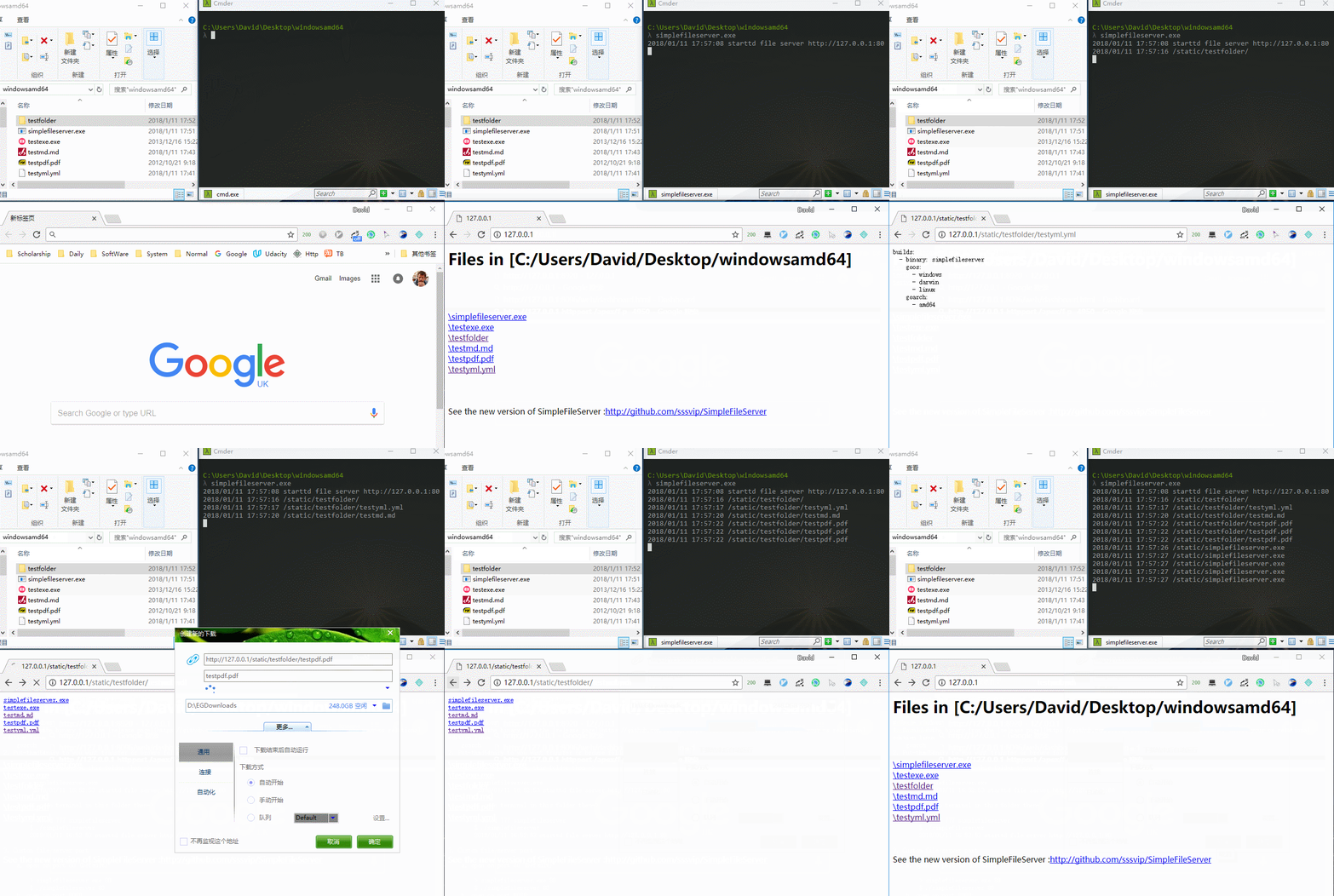
# Fast Start
1. Linux
$ wget http://down.dxscx.com/simple-file-server_current_linux_amd64.tar.gz
$ tar -xzvf -xvsimple-file-server_current_linux_amd64.tar.gz
$ chmod 777 simplefileserver
$ sudo ./simplefileserver
2. Windows
> http://down.dxscx.com/simplefileserver.exe download it by your download tool
> simplefileserver.exe
or
> put the binary simplefileserver.exe to you want share folder then double click.
> 你可以将simplefileserver.exe放在你想分享文件的文件夹(例如放在桌面),直接双击simplefileserver.exe及可分享文件,
# Usage
1. Download the binary from the [release page](https://github.com/sssvip/simple-file-server/releases), choose your os relational edition
国内加速便捷下载地址: [Windows](http://down.dxscx.com/simple-file-server_current_windows_amd64.tar.gz) [Linux](http://down.dxscx.com/simple-file-server_current_linux_amd64.tar.gz) [Mac](http://down.dxscx.com/simple-file-server_current_darwin_amd64.tar.gz)
2. Put the binary to you want transfer or browse folder
windonws: open cmd in this folder then ->
> simplefileserver.exe
> 2018/01/11 16:52:53 starttd file server http://127.0.0.1:80
linux: open terminal in this folder then->
$ chmod 777 simplefileserver
$ ./simplefileserver
2018/01/11 16:52:53 starttd file server http://127.0.0.1:80
3. [Option] Custom file server port
a. open on port 80 (Default):
> simplefileserver.exe 80
$ ./simplefileserver 80
b. open on port 8080:
> simplefileserver.exe 8080
$ ./simplefileserver 8080
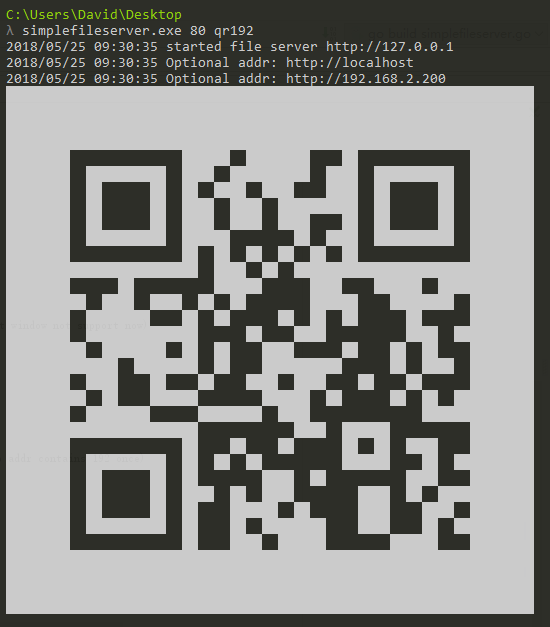
4. [New Feature] Show the url qrcode in the terminal. (Windows default window not support now)
a. output all local ip addr qrcode:
> simplefileserver.exe 80 qr
$ ./simplefileserver 80 qr
b. output local ip addr qrcode with filter key (eg: just output ip addr contains 192 once)
> simplefileserver.exe 80 qr192
$ ./simplefileserver 80 qr192
# other
code need more readable, pull request, please.
代码为初学golang时编写,确实有很多可读性的优化,设计和使用也存在不规范,防止用户依赖原特性使用,保证兼容式更新,在不影响原功能输出情况下,欢迎pr.