https://github.com/stabldev/hackerrank-react-test-form-validation
https://github.com/stabldev/hackerrank-react-test-form-validation
Last synced: about 1 year ago
JSON representation
- Host: GitHub
- URL: https://github.com/stabldev/hackerrank-react-test-form-validation
- Owner: stabldev
- Created: 2025-04-13T11:33:26.000Z (about 1 year ago)
- Default Branch: main
- Last Pushed: 2025-04-13T11:34:45.000Z (about 1 year ago)
- Last Synced: 2025-06-16T01:41:32.920Z (about 1 year ago)
- Language: JavaScript
- Size: 173 KB
- Stars: 0
- Watchers: 1
- Forks: 0
- Open Issues: 0
-
Metadata Files:
- Readme: README.md
Awesome Lists containing this project
README
# Product Validation
## Environment
- React Version: 18.2.0
- Node Version: v18 (LTS)
- Default Port: 8000
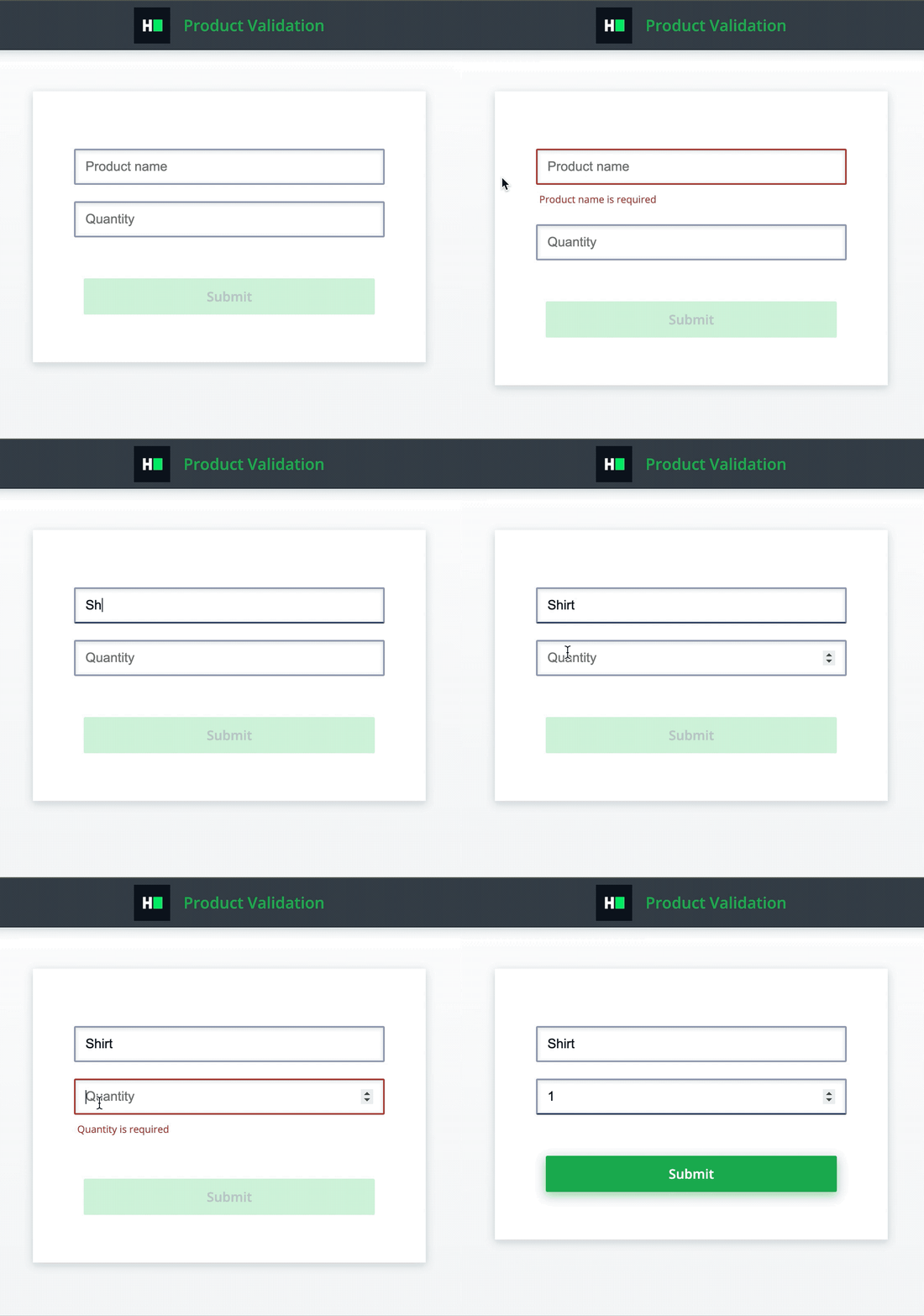
## Application Demo:
## Functionality Requirements
The component should perform the following validations for a product form:
- The Product name input field should pass the following validations. In case of error, the appropriate message should be shown in `
`. This `` tag should be rendered only when field is not valid. Hence, on app load it should not be rendered.
- The field is required.
- For this error show the message `Product name is required`.
- The Quantity input field should pass following validations. In case of error, the appropriate message should be shown in `
`. This `` tag should be rendered only when field is not valid. Hence, on app load it should not be rendered.
- The field is required.
- For this error show the message `Quantity is required`.
- When fields are invalid, the submit button should be disabled. Hence, initially, the button is disabled.
- Validations are triggered when input fields are touched for the first time.
- When all fields are valid and touched, the submit button should be enabled.
- To achieve same interface as shown in demo, when validation fails, add class `error` to inputs. Please note that this is not a requirement and only for CSS purpose. Tests do not test this.
## Testing Requirements
The following data-testid attributes are required in the component for the tests to pass:
- The product name input: `name-input`
- The quantity input: `quantity-input`
- The submit button: `submit-button`
- The container having the error message for:
- the product name input field: `name-input-error`
- the quantity input field: `quantity-input-error`
## Project Specifications
**Read Only Files**
- src/App.test.js
**Commands**
- run:
```bash
npm start
```
- install:
```bash
npm install
```
- test:
```bash
npm test
```