https://github.com/stackgl/gl-buffer
WebGL buffer wrapper
https://github.com/stackgl/gl-buffer
Last synced: about 1 year ago
JSON representation
WebGL buffer wrapper
- Host: GitHub
- URL: https://github.com/stackgl/gl-buffer
- Owner: stackgl
- License: mit
- Created: 2013-06-19T15:53:50.000Z (about 13 years ago)
- Default Branch: master
- Last Pushed: 2015-06-11T05:39:54.000Z (about 11 years ago)
- Last Synced: 2025-04-14T19:06:39.142Z (about 1 year ago)
- Language: JavaScript
- Homepage: http://stack.gl/gl-buffer
- Size: 494 KB
- Stars: 23
- Watchers: 11
- Forks: 6
- Open Issues: 2
-
Metadata Files:
- Readme: README.md
- License: LICENSE
Awesome Lists containing this project
README
gl-buffer
=========
A wrapper for WebGL buffer objects.
# Example
[View this demo in your browser](http://stack.gl/gl-buffer)
```javascript
var shell = require("gl-now")()
var glslify = require("glslify")
var createBuffer = require("gl-buffer")
var createShader = glslify({
vertex: "\
attribute vec2 position;\
varying vec2 uv;\
void main() {\
gl_Position = vec4(position, 0.0, 1.0);\
uv = position.xy;\
}",
fragment: "\
precision highp float;\
uniform float tick;\
varying vec2 uv;\
void main() {\
gl_FragColor = vec4(0.5*(uv+1.0), 0.5*(cos(tick)+1.0), 1.0);\
}",
inline: true
})
var buffer, shader
shell.on("gl-init", function() {
var gl = shell.gl
//Create buffer
buffer = createBuffer(gl, [-1, 0, 0,-1, 1, 1])
//Create shader
shader = createShader(gl)
shader.attributes.position.location = 0
})
shell.on("gl-render", function(t) {
var gl = shell.gl
shader.bind()
buffer.bind()
shader.attributes.position.pointer()
shader.uniforms.tick = Date.now() / 1000.0
gl.drawArrays(gl.TRIANGLES, 0, 3)
})
```
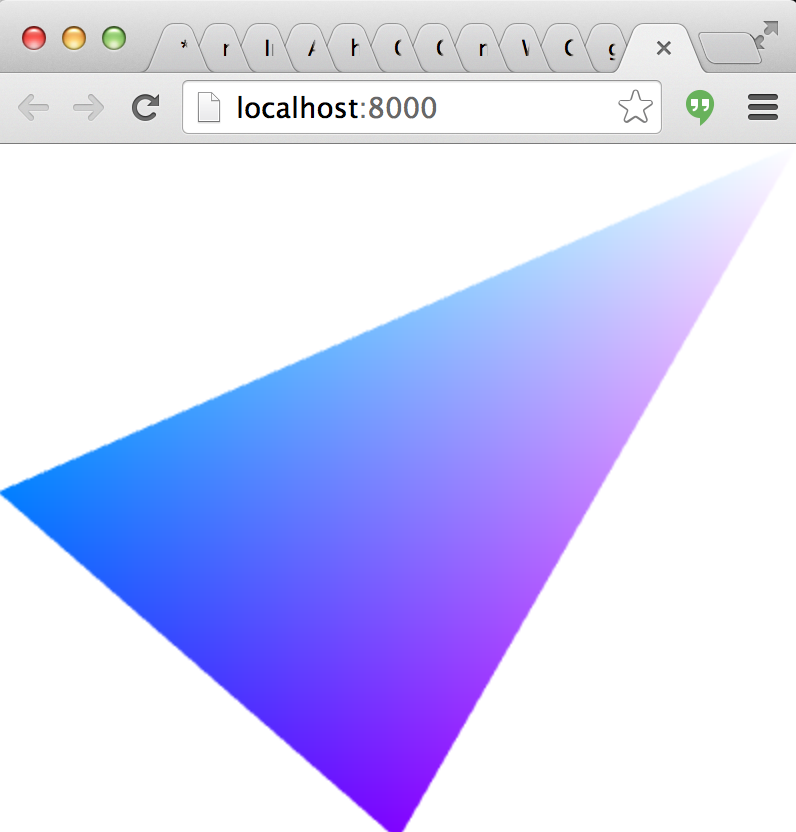
Output:
# Install
npm install gl-buffer
# API
```javascript
var createBuffer = require("gl-buffer")
```
## Constructor
The constructor for a GL buffer works as follows:
### `var buffer = createBuffer(gl[, data, type, usage])`
* `gl` is a WebGL context
* `data` is either an integer, an array, a typed array, an array buffer or an ndarray representing the data of the buffer. Default is `0`
* `type` is an optional parameter specifying the type of the webgl buffer. Default is `gl.ARRAY_BUFFER`.
* `usage` is an optional parameter representing the intended usage for the buffer (in the WebGL sense). It is not clear this does anything in current WebGL implementations. Default `gl.DYNAMIC_DRAW`
## Properties
### `buffer.gl`
A reference to the buffer's WebGL context
### `buffer.handle`
A handle to the underlying WebGLBuffer object
### `buffer.type`
The type of the buffer (either `gl.ARRAY_BUFFER` or `gl.ELEMENT_ARRAY_BUFFER`)
### `buffer.length`
The size of the buffer in bytes
### `buffer.usage`
The internal WebGL usage for the buffer.
## Methods
### `buffer.bind()`
Binds the buffer to the appropriate target. Equivalent to `gl.bindBuffer( ... )`
### `buffer.dispose()`
Deletes the buffer releasing all associated resources. Equivalent to `gl.deleteBuffer(...)`
### `buffer.update(data[, offset])`
Updates the data in the buffer. There are two basic modes to this function. In the first, it calls `gl.bufferSubData` to update a portion of the buffer in place, and in the second it calls `gl.bufferData` to completely resize the buffer.
* `data` the new data to add to the buffer. This follows the same semantics as in the constructor.
* `offset` the offset **in bytes** to copy data into the buffer from *or* if unspecified then the buffer is resized by calling `gl.bufferData` instead of `gl.bufferSubData`. Default `0`.
## Credits
(c) 2013-2014 Mikola Lysenko. MIT License