https://github.com/stackgl/gl-texture2d
WebGL texture wrapper
https://github.com/stackgl/gl-texture2d
Last synced: 11 months ago
JSON representation
WebGL texture wrapper
- Host: GitHub
- URL: https://github.com/stackgl/gl-texture2d
- Owner: stackgl
- License: mit
- Created: 2013-06-12T21:59:53.000Z (about 13 years ago)
- Default Branch: master
- Last Pushed: 2016-11-21T19:29:26.000Z (over 9 years ago)
- Last Synced: 2025-07-28T08:25:07.823Z (11 months ago)
- Language: JavaScript
- Homepage: http://stack.gl/gl-texture2d/
- Size: 4.32 MB
- Stars: 57
- Watchers: 10
- Forks: 10
- Open Issues: 4
-
Metadata Files:
- Readme: README.md
- License: LICENSE
Awesome Lists containing this project
README
gl-texture2d
============
WebGL texture object wrapper
# Example
[Try it in your browser right now](http://stackgl.github.io/gl-texture2d/)
```javascript
var shell = require("gl-now")()
var createShader = require("gl-shader")
var createTexture = require("gl-texture2d")
var drawTriangle = require("a-big-triangle")
var baboon = require("baboon-image")
var glslify = require("glslify")
var createShader = glslify({
vertex:"\
attribute vec2 position;\
varying vec2 texCoord;\
void main() {\
gl_Position = vec4(position, 0, 1);\
texCoord = vec2(0.0,1.0)+vec2(0.5,-0.5) * (position + 1.0);\
}",
fragment: "\
precision highp float;\
uniform sampler2D texture;\
varying vec2 texCoord;\
void main() {\
gl_FragColor = texture2D(texture, texCoord);\
}",
inline: true
})
var shader, texture
shell.on("gl-init", function() {
var gl = shell.gl
//Create texture
texture = createTexture(gl, baboon)
//Create shader
shader = createShader(gl)
shader.attributes.position.location = 0
})
shell.on("gl-render", function() {
//Draw it
shader.bind()
shader.uniforms.texture = texture.bind()
drawTriangle(shell.gl)
})
```
Here is what it should look like:
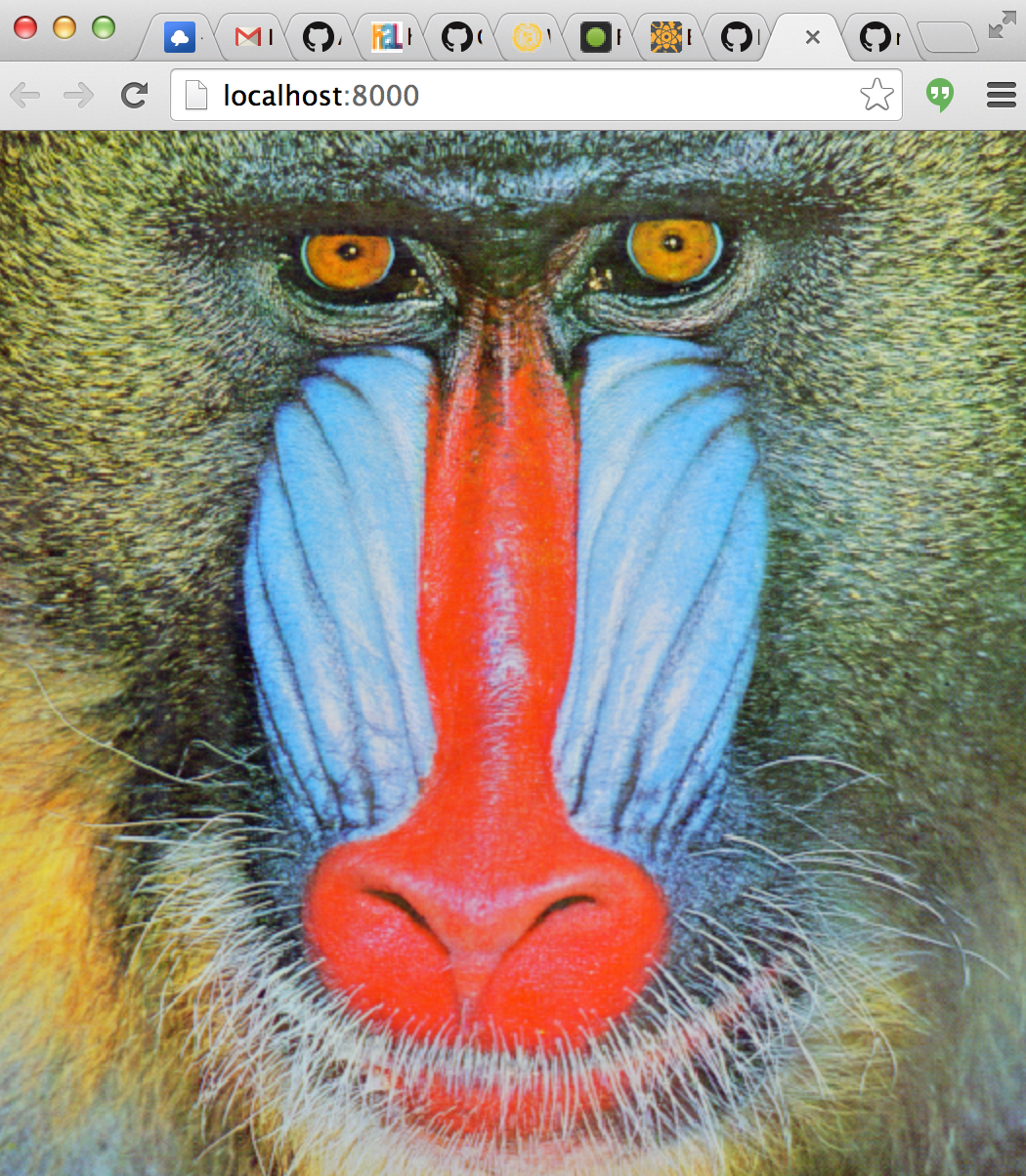
# Install
npm install gl-texture2d
# API
```javascript
var createTexture = require("gl-texture2d")
```
## Constructor
There are three basic usage patterns for `createTexture`:
### `var tex = createTexture(gl, shape[, format, type])`
Creates an unitialized texture with the given dimensions and format
* `shape` is a length 2 array representing the `[width, height]` of the texture
* `format` (optional) is the format of the texture (default `gl.RGBA`)
* `type` is the type of texture (default `gl.UNSIGNED_BYTE`)
### `var tex = createTexture(gl, domElement[, format, type])`
Creates a texture from the given data source. Where `domElement` is one of the following items:
* An `ImageData` object
* An `HTMLCanvas` object
* An `HTMLImage` object
* An `HTMLVideo` object
And `format` is an OpenGL data format or defaults to `gl.RGBA` and `type` is the storage type which defaults to `gl.UNSIGNED_BYTE`
### `var tex = createTexture(gl, rawObject[, format, type])`
Creates a texture from the given raw element. `rawObject` is a DOM-like element that have a `raw`, `width` and `height` fields. `raw` is a value that directly get passed to `texImage2D` / `texSubImage2D`.
This allows to support non-DOM implementation of WebGL like gl-headless.
### `var tex = createTexture(gl, array)`
Creates a texture from an [ndarray](https://github.com/mikolalysenko/ndarray). The rules for selecting the format and type depend on the shape of the ndarray. The type of the texture is inferred according to the following rules. Let:
* `dtype = ndarray.dtype(array)`
* `shape = array.shape`
Then the rules for `type` and `format` are defined according to the following table:
| `dtype` | `shape` | `format` | `type` |
| ------------ |:----------:|:---------------:|:----------------------:|
| `float*` | [w,h] | LUMINANCE | FLOAT |
| `float*` | [w,h,1] | ALPHA | FLOAT |
| `float*` | [w,h,2] | LUMINANCE_ALPHA | FLOAT |
| `float*` | [w,h,3] | RGB | FLOAT |
| `float*` | [w,h,4] | RGBA | FLOAT |
| `(u)int*` | [w,h] | LUMINANCE | UNSIGNED_BYTE |
| `(u)int*` | [w,h,1] | ALPHA | UNSIGNED_BYTE |
| `(u)int*` | [w,h,2] | LUMINANCE_ALPHA | UNSIGNED_BYTE |
| `(u)int*` | [w,h,3] | RGB | UNSIGNED_BYTE |
| `(u)int*` | [w,h,4] | RGBA | UNSIGNED_BYTE |
Other combinations of shape and dtype are invalid and throw an error.
## Texture Methods
### `tex.bind([texUnit])`
Binds the texture for use. Basically a short cut for:
```javascript
gl.activeTexture(gl.TEXTURE0 + texUnit)
gl.bindTexture(gl.TEXTURE_2D, this.handle)
```
If `texUnit` is not specified then the active texture is not changed.
**Returns** The texture unit the texture is bound to.
### `tex.dispose()`
Destroys the texture object and releases all of its resources. Under the hood this is equivalent to:
```javascript
gl.deleteTexture(this.handle)
```
### `tex.setPixels(data[, offset, mipLevel])`
Unpacks `data` into a subregion of the texture. As before in the constructor `data` can be either an `ndarray`, `HTMLCanvas`, `HTMLImage`, `HTMLVideo` or a `rawObject`. If `data` is an ndarray it must have a compatible format with the initial array layout.
* `offset` is a length 2 array representing the offset into which the pixels will be written in `[x,y]`. (Default: `[0,0]`)
* `mipLevel` is the mip level to write to. (Default `0`)
If `data` is an `ndarray` the same rules as in the constructor are followed for converting the type of the buffer.
### `tex.generateMipmap()`
Generates mipmaps for the texture. This will fail if the texture dimensions are not a power of two.
## Texture Properties
#### `tex.shape`
An array representing the dimensions of the texture in `[width, height]`. Writing to this value will resize the texture and invalidate its contents. For example, to resize the texture `tex` to the shape `[newWidth, newHeight]` you can do:
```javascript
tex.shape = [newWidth, newHeight]
```
#### `tex.wrap`
Texture wrap around behavior for x/y of the texture. Used to set/get `[gl.TEXTURE_WRAP_T, gl.TEXTURE_WRAP_S]`. Defaults to `[gl.CLAMP_TO_EDGE, gl.CLAMP_TO_EDGE]`. To update this value, write to it with a vector. For example,
```javascript
tex.wrap = [gl.MIRRORED_REPEAT, gl.REPEAT]
```
Or you can update it with a single value to set the wrap mode for both axes:
```javascript
tex.wrap = gl.REPEAT
```
#### `tex.magFilter`
Magnification filter. Used to set/get `gl.TEXTURE_MAG_FILTER`. Defaults to `gl.NEAREST`
#### `tex.minFilter`
Minification filter. Used to set/get `gl.TEXTURE_MIN_FILTER`. Defaults to `gl.NEAREST`
#### `tex.mipSamples`
The number of anisotropic filtering samples to use. This requires `EXT_texture_filter_anisotropic` to have any effect. High values will improve mipmap quality, but decrease performance.
## Internals
#### `tex.gl`
A reference to the WebGL context of the texture.
#### `tex.handle`
A handle to the underlying texture object.
#### `tex.format`
The internal format of the texture.
#### `tex.type`
The internal data type of the texture.
# Credits
(c) 2013-2014 Mikola Lysenko. MIT License