https://github.com/stanleygomes/moses-cli
📖 Thou shalt not break production
https://github.com/stanleygomes/moses-cli
cli gitlab nodejs
Last synced: 26 days ago
JSON representation
📖 Thou shalt not break production
- Host: GitHub
- URL: https://github.com/stanleygomes/moses-cli
- Owner: stanleygomes
- License: mit
- Created: 2026-04-02T20:10:44.000Z (3 months ago)
- Default Branch: master
- Last Pushed: 2026-05-20T03:35:17.000Z (about 1 month ago)
- Last Synced: 2026-05-20T06:55:05.541Z (about 1 month ago)
- Topics: cli, gitlab, nodejs
- Language: TypeScript
- Homepage: https://npmjs.com/package/moses-cli
- Size: 1.44 MB
- Stars: 4
- Watchers: 0
- Forks: 0
- Open Issues: 1
-
Metadata Files:
- Readme: README.md
- Changelog: CHANGELOG.md
- License: LICENSE
Awesome Lists containing this project
README
# moses-cli
CLI buddy to help you with code review of GitLab Merge Requests, by using AI tools like GitHub Copilot CLI and Gemini CLI.
[](https://www.npmjs.com/package/@moses-cli/core)
[](https://nodejs.org/)
[](LICENSE)
## Installation
Install the npm package
```bash
npm install -g moses-cli
```
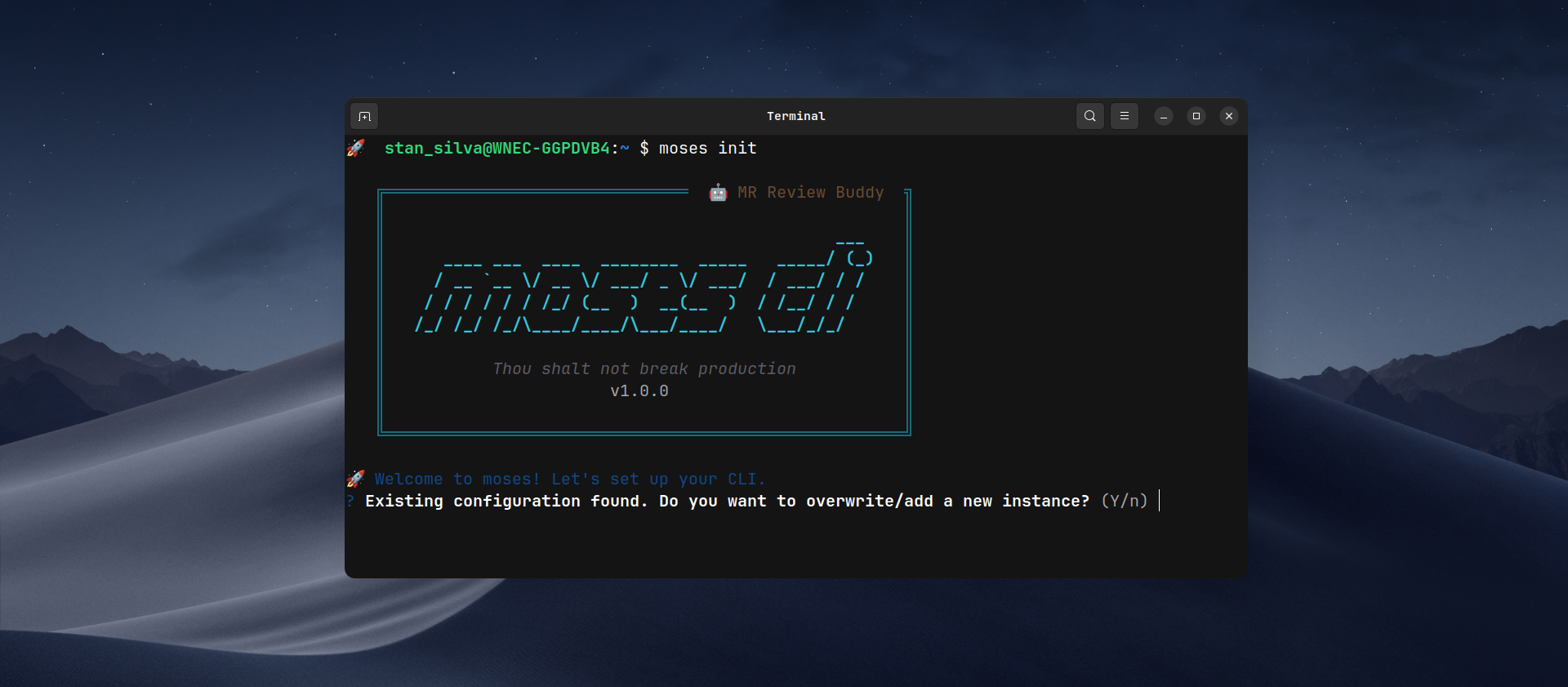
## Initial Setup
```bash
moses init
```
The command:
1. Configures GitLab instance (cloud or self-hosted)
2. Validates token via `/api/v4/user` API
3. Selects AI tool
4. Saves config in `~/.moses-cli/config.json` with mode `600`
## Usage
The primary way to use Moses is by validating a Merge Request:
```bash
moses validate https://gitlab.your-domain.com/group/project/-/merge_requests/123
```
### Available Commands
| Command | Description |
| :---------------------------- | :------------------------------------------------------------ |
| `moses init` | Interactive initial setup (GitLab instances, AI tools, etc.) |
| `moses validate ` | Fetches and analyzes a Merge Request, providing AI feedback |
| `moses gitlab list` | Lists all your configured GitLab instances |
| `moses gitlab default` | Switches the active default GitLab instance |
| `moses config feedback-style` | Updates the AI's feedback tone (friendly, pragmatic, etc.) |
| `moses config diff-limit` | Changes the maximum allowed line changes in a single diff |
| `moses config skills` | Opens your global skills folder to manage review instructions |
| `moses config reset` | Wipes all local configurations and starts fresh |
To see more details and options for any command, run:
```bash
moses help
```
or for a specific command:
```bash
moses validate --help
```
Flow:
1. Parses MR URL
2. Fetches MR data + diffs + commits from GitLab API
3. **Smart Repository Lookup**: Detects if your current directory matches the project or offers to **clone/download** the repository for deeper context
4. **Context Gathering**:
- **Skill Selection**: Allows you to choose a custom instruction file from `~/.moses-cli/skills/` to guide the AI analysis
- **Internal Repository Context**: Scans the repository for project-specific instructions (e.g., `copilot-instructions.md`, `README.md`)
5. Concatenates all context + optional prompt + MR diff and sends to configured AI tool
6. Displays response in real-time
### Why moses?
Like Moses guiding his people to the promised land, moses validates every merge request, ensuring your most precious asset, your code, reaches production safely.
- **Fast analysis**: Fetches diffs directly from GitLab API
- **Multi-AI**: Focus on support for GitHub Copilot CLI and Gemini CLI
- **Smart Context**: Combines global rules with your project's internal documentation
- **Comprehensive**: Generates structured markdown with stats, commits, and diffs
## Features
- Interactive setup with token validation
- Support for multiple GitLab instances (gitlab.com + self-hosted)
- Automatic validation of AI tool installation
- Real-time streaming of AI analysis
- Configurable feedback style (friendly, pragmatic, offensive)
- Configurable diff changes limit with safe interruption
- **Internal repository context**: Automatically scans for `copilot-instructions.md`, `.github/copilot-instructions.md`, `claude.md`, `.clauderc`, and `README.md` to feed the AI with project-specific rules.
- **Auto-repository cloning**: Detects if you're outside the project and offers to download it to extract internal context.
- **Interactive Skills**: Prompt-based selection of custom instruction sets.
- Optional extra prompt context and manual instruction-file selection.
- Elegant error handling with contextual messages
## For local development
```bash
pnpm install
pnpm build
node dist/bin/moses.js
```
### Quality scripts
```bash
pnpm run check
```
## Supported AI Tools
| Tool | CLI | Installation |
| ----------------- | --------- | ----------------------------------- |
| GitHub Copilot | `copilot` | `npm install -g @github/copilot` |
| Google Gemini CLI | `gemini` | `npm install -g @google/gemini-cli` |
These two CLIs are the ones currently tested in this project.
Want to help? Contributions to support **Claude Code** and **Codex CLI** are very welcome.
## How to Contribute
1. Fork the project
2. Create a branch for your feature (`git checkout -b feature/AmazingFeature`)
3. Commit your changes (`git commit -m 'Add some AmazingFeature'`)
4. Push to the branch (`git push origin feature/AmazingFeature`)
5. Open a Pull Request
## License
This project is licensed under the MIT License. See the `LICENSE` file for details.