https://github.com/statamic-rad-pack/mailchimp
Mailchimp integration for Statamic
https://github.com/statamic-rad-pack/mailchimp
mailchimp statamic-addon
Last synced: 4 months ago
JSON representation
Mailchimp integration for Statamic
- Host: GitHub
- URL: https://github.com/statamic-rad-pack/mailchimp
- Owner: statamic-rad-pack
- License: mit
- Created: 2016-07-29T21:28:26.000Z (about 10 years ago)
- Default Branch: main
- Last Pushed: 2026-04-01T02:00:31.000Z (4 months ago)
- Last Synced: 2026-04-03T02:23:41.219Z (4 months ago)
- Topics: mailchimp, statamic-addon
- Language: PHP
- Homepage: https://statamic.com/addons/rad-pack/mailchimp
- Size: 1.04 MB
- Stars: 18
- Watchers: 2
- Forks: 14
- Open Issues: 2
-
Metadata Files:
- Readme: README.md
- Changelog: CHANGELOG.md
- License: LICENSE
Awesome Lists containing this project
README
# Manage Mailchimp newsletters in Statamic
[](https://github.com/statamic-rad-pack/mailchimp/releases)
This package provides an easy way to integrate MailChimp with Statamic forms and user registrations.
## Requirements
* PHP 8.2+
* Statamic v6
## Installation
You can install this package via composer using:
```bash
composer require statamic-rad-pack/mailchimp
```
The package will automatically register itself.
## Configuration
Set your Mailchimp API Key in your `.env` file. You can get it from: [https://admin.mailchimp.com/account/api-key-popup/](https://admin.mailchimp.com/account/api/) and create a new key.
```yaml
MAILCHIMP_API_KEY=your-key-here
```
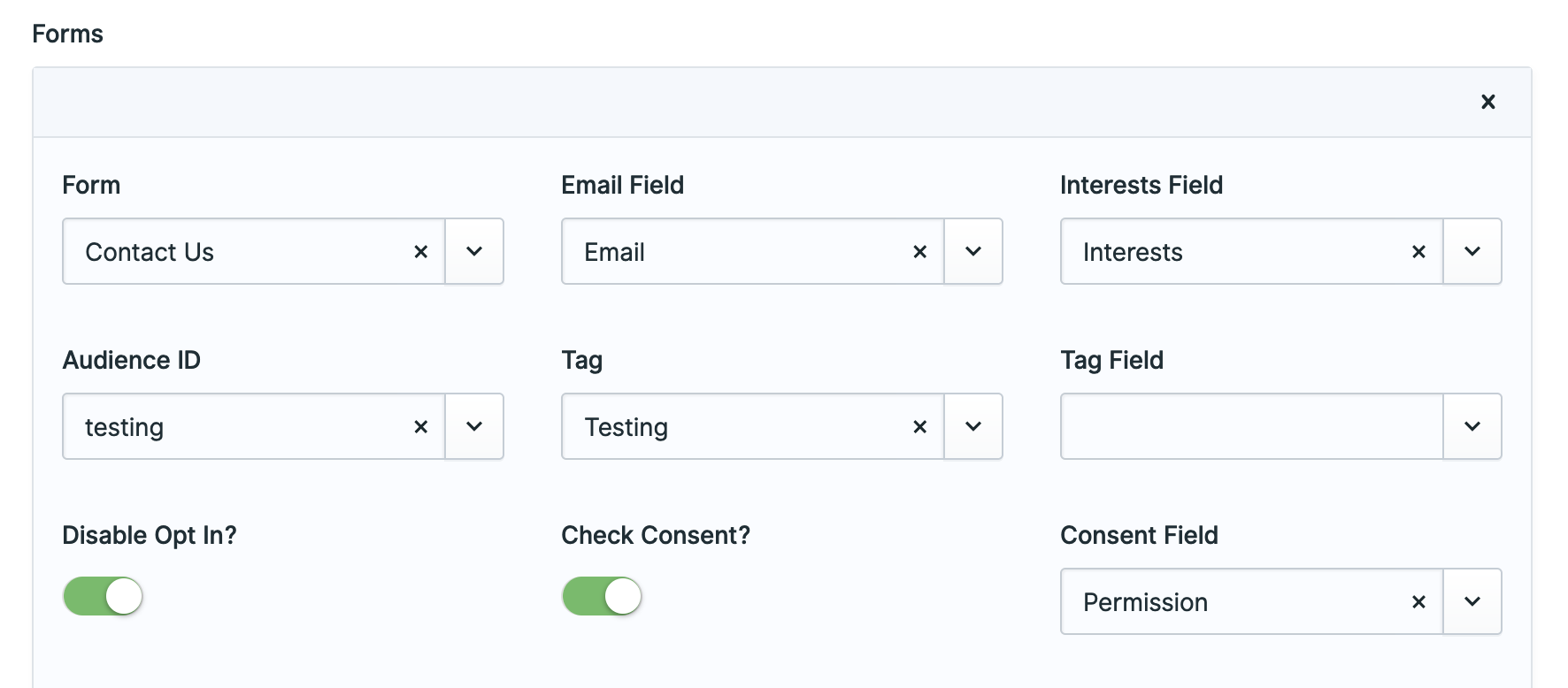
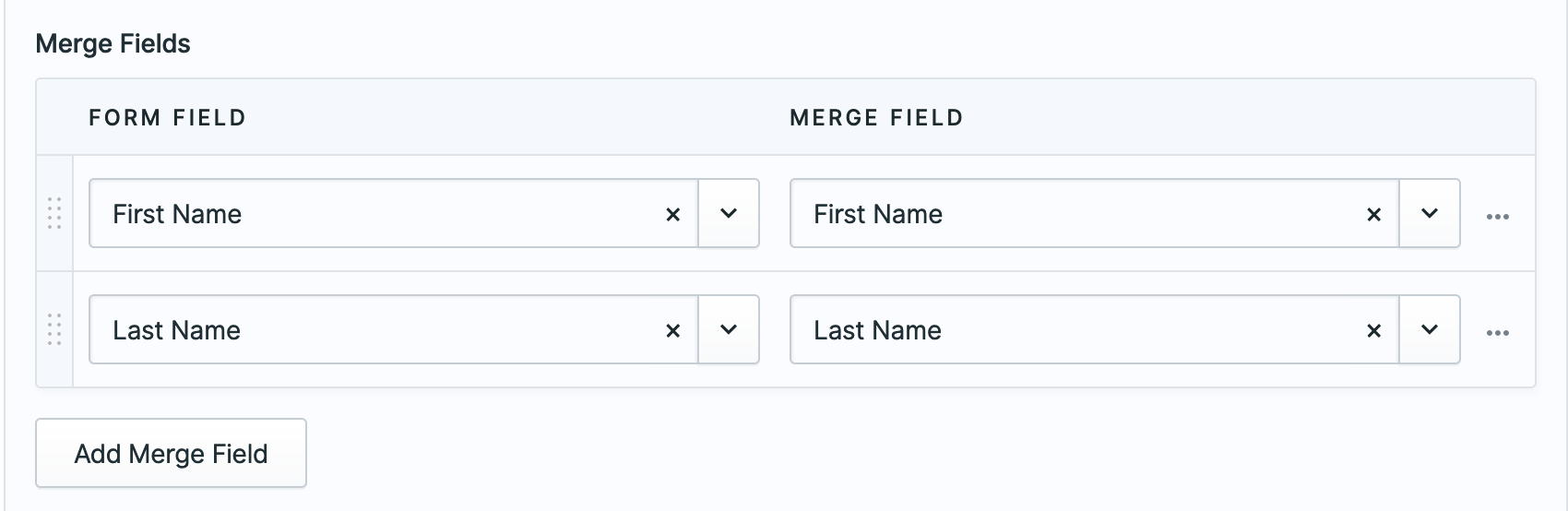
Configure Mailchimp in the Control Panel
## Usage
Create your Statamic [forms](https://statamic.dev/forms#content) as usual. When editing the form you'll see a "Mailchimp Integration" section where you can configure if and how that form integrates with your Mailchimp account.
Don't forget to add the consent field to your blueprint.
You can also manage if new users are added a list using the dedicated settings view in the control panel.
### Interests
You will need to know the `id`s of the interests in order to add them to your form:
``` html
Interests
```
To get those IDs, first run `php artisan mailchimp:groups your_form_handle` to get the group ids. Then run `php artisan mailchimp:interests your_form_handle the_group_id` to get the list of interests and their ID. Use those ids in your template (example above).
The interests field in your form blueprint should end up looking something like this (assuming you use the default `interests` as your fields' handle:
``` yaml
-
handle: interests
field:
options:
e25a8f41d6: 'Interest group 1'
cd1g2413a2: 'Interest group 2'
1b1a842842: 'Interest group 3'
type: checkboxes
```
### Marketing Permissions
To work with Mailchimp's [Marketing Permissions](https://mailchimp.com/help/collect-consent-with-gdpr-forms/) you need to do a few things:
1. Get your permissions and ids by running `php artisan mailchimp:permissions {form-handle}` for each of the forms that are in Mailchimp. For example, mine look like:
```
❯ php please mailchimp:permissions contact_us
+-------------------------------+------------+
| Marketing Permission | ID |
+-------------------------------+------------+
| Email | 2d904xxxxx |
| Customized Online Advertising | 3560exxxxx |
+-------------------------------+------------+
```
2. Add those Mailchimp's config
3. Add the form field that will have those permissions
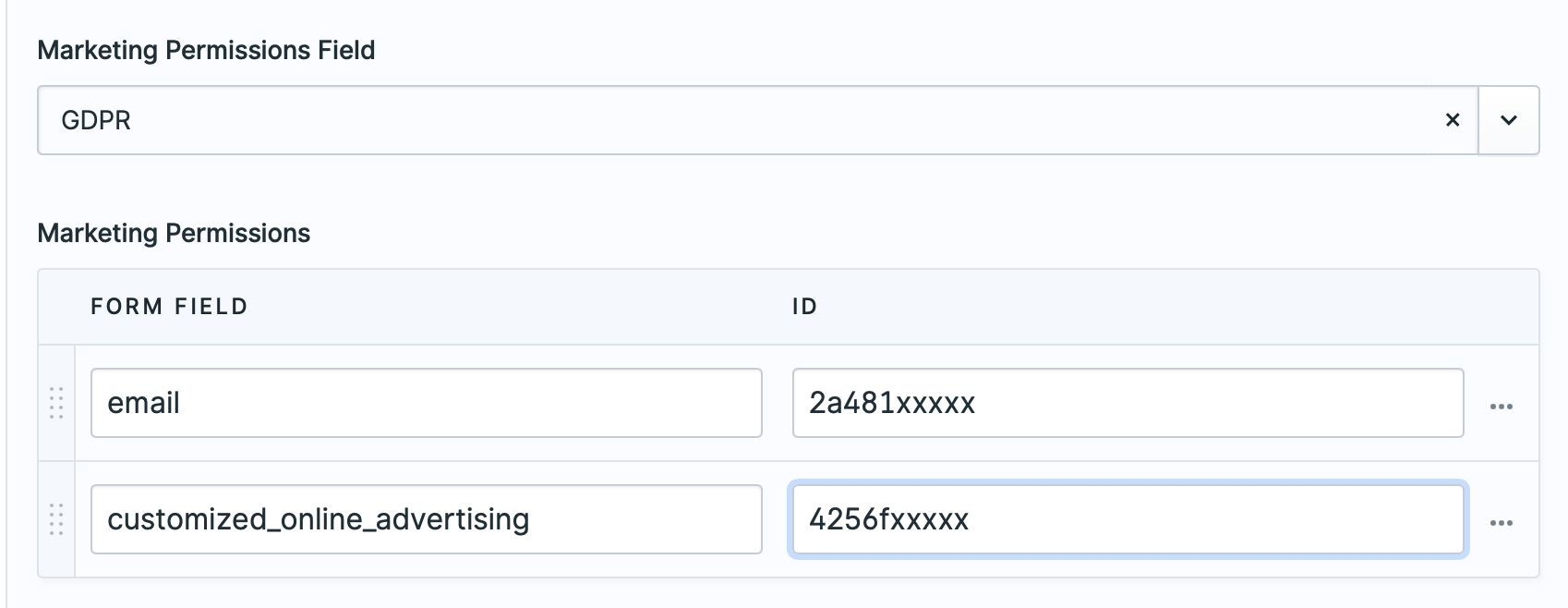.
Then in your form, have fields like this:
```
GDPR
Email
Online
```
Don't forget to add the `gdpr` field to your form's blueprint.
### Data storage
Any user related settings are stored by default in `resources/mailchimp.yaml`.
If you want to change this or use a different data store, you can bind `\StatamicRadPack\Mailchimp\UserConfig::class` in your app service provider. You should modify the `getSavedSettings`, `save`, and `exists` methods according to your requirements.
## Testing
Run the tests with:
```bash
vendor/bin/phpunit
```
### Changelog
Please see [CHANGELOG](CHANGELOG.md) for more information what has changed recently.
## Contributing
Please see [CONTRIBUTING](CONTRIBUTING.md) for details.
## Security
Please see [SECURITY](SECURITY.md) for details.