https://github.com/statico/smui
https://github.com/statico/smui
Last synced: 3 months ago
JSON representation
- Host: GitHub
- URL: https://github.com/statico/smui
- Owner: statico
- License: unlicense
- Created: 2026-02-17T22:19:35.000Z (4 months ago)
- Default Branch: main
- Last Pushed: 2026-02-18T07:52:22.000Z (4 months ago)
- Last Synced: 2026-02-18T10:24:32.229Z (4 months ago)
- Language: CSS
- Homepage: https://smui-statico2000.vercel.app
- Size: 732 KB
- Stars: 0
- Watchers: 0
- Forks: 0
- Open Issues: 0
-
Metadata Files:
- Readme: README.md
- License: LICENSE
Awesome Lists containing this project
README
# smui // spacemolt ui
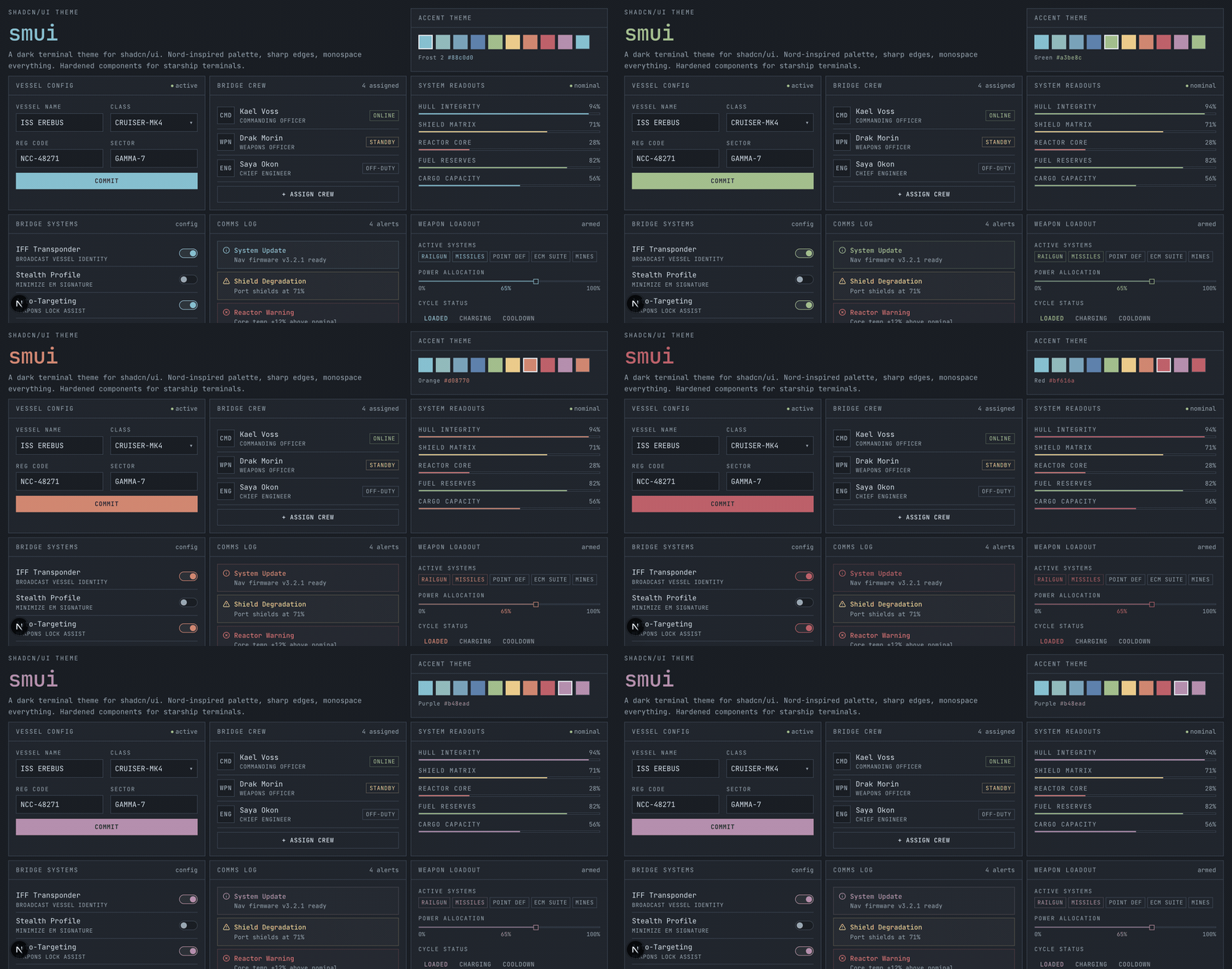
A terminal-aesthetic theme for [shadcn/ui](https://ui.shadcn.com). Nord-inspired colors, JetBrains Mono everywhere, zero border radius. Light and dark modes with full contrast-adjusted palettes.
**For documentation and examples, see [https://smui.statico.io](https://smui.statico.io)**
[](https://smui.statico.io)
## Install
```bash
npx shadcn add https://smui.statico.io/r/spacemolt-theme.json
```
Or copy the [CSS variables](src/globals.css) directly into your project.
**Using a coding agent?** Tell it to read [https://smui.statico.io/skill.md](https://smui.statico.io/skill.md) to get started.
For full installation instructions, component examples, and the design guide, visit the website:
**[smui.statico.io](https://smui.statico.io)**
## What you get
- All shadcn/ui CSS variables mapped to a Nord-inspired palette
- Light mode (Snow Storm) and dark mode (Polar Night) with contrast-adjusted colors
- `--primary` = frost blue accent (dark: `#88c0d0`, light: `#4c6d94`)
- Four-level surface hierarchy (`surface-0` through `surface-3`)
- Five chart colors from the frost/aurora palette
- Sidebar variables pre-configured
- `0rem` border radius (sharp edges)
- JetBrains Mono as the default sans font
- Runtime accent color switching
- Theme switcher with `next-themes` integration
## Files
```
AESTHETIC.md # Complete design system reference
registry/spacemolt-theme.json # shadcn registry theme (install with npx shadcn add)
src/globals.css # Reference CSS with all variables
scripts/take-screenshots.mjs # Playwright + ffmpeg screenshot GIF generator
demo/ # Next.js demo app at smui.statico.io
```
## Generating the screenshot GIF
```bash
brew install ffmpeg
npx playwright install chromium
cd demo && npm run dev # start dev server on port 3000
node scripts/take-screenshots.mjs [port] # default port 3000
```
The script screenshots `/screenshot?accent=HEX` for five accent colors, combines them with ffmpeg, and saves `demo/public/screenshot.gif`. Target ~1MB max (currently ~182KB).
## License
[Unlicense](LICENSE) (public domain)
---
Coded with [Claude Code](https://claude.ai/code)