https://github.com/statnmap/test
test fork but source
https://github.com/statnmap/test
Last synced: 3 months ago
JSON representation
test fork but source
- Host: GitHub
- URL: https://github.com/statnmap/test
- Owner: statnmap
- License: mit
- Created: 2019-04-27T19:08:50.000Z (about 7 years ago)
- Default Branch: master
- Last Pushed: 2019-04-27T19:16:41.000Z (about 7 years ago)
- Last Synced: 2025-03-17T15:59:26.177Z (over 1 year ago)
- Language: HTML
- Size: 4.25 MB
- Stars: 0
- Watchers: 1
- Forks: 0
- Open Issues: 0
-
Metadata Files:
- Readme: README.md
- Contributing: .github/CONTRIBUTING.md
- License: LICENSE.md
- Code of conduct: .github/CODE_OF_CONDUCT.md
Awesome Lists containing this project
README
# Hugo Future Imperfect
Future Imperfect is a responsive theme tailored for blogging. The name is of no
coincidence, because it is a port of [HTML5 UP's theme](http://html5up.net/future-imperfect)
by the same name. In addition to the original features, there are more features
that have been added for you to utilize.
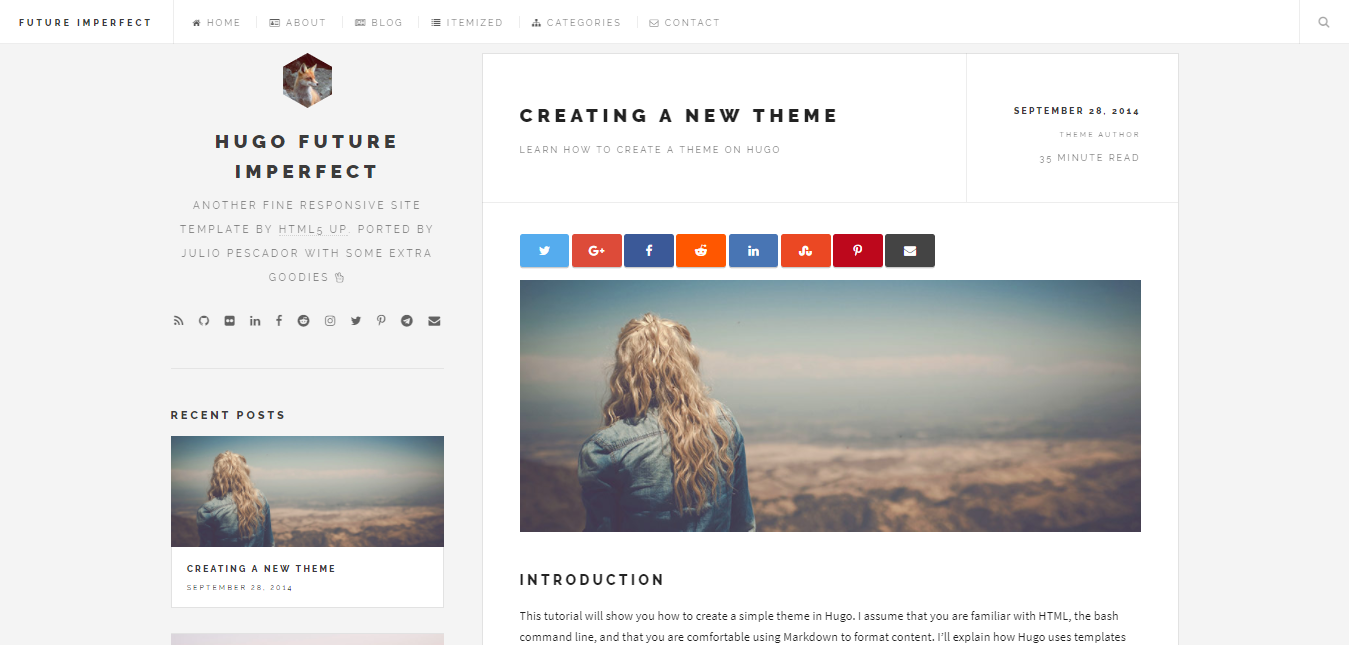
Check out this [site](https://themes.gohugo.io/theme/future-imperfect/) if you are
interested in seeing a live example.
## Table of Contents
- [Table of Contents](#table-of-contents)
- [Getting Started](#getting-started)
- [exampleSite](#examplesite)
- [config.toml](#configtoml)
- [Hugo's Built-In Server](#hugos-built-in-server)
- [Hugo's website SEO](#hugos-website-seo)
- [Shortcodes](#shortcodes)
- [fancybox](#fancybox)
- [img-post](#img-post)
- [img-fit](#img-fit)
- [url-link](#url-link)
- [About the Author](#about-the-author)
- [License](#license)
## Getting Started
Run the following commands in your Hugo site directory:
```
mkdir themes
cd themes
git clone https://github.com/jpescador/hugo-future-imperfect.git
```
You will then have access to the theme at _themes/hugo-future-imperfect_ from within
your project folder.
### exampleSite
Within the hugo-future-imperfect folder, there will be a folder in this theme called
_exampleSite_. The structure of the folder will look like this:
```
exampleSite
├── config.toml
├── staticman.yml
├── content
| ├── about
| | └── _index.md
| ├── blog
| │ ├── creating-a-new-theme.md
| │ ├── goisforlovers.md
| │ ├── hugoisforlovers.md
| │ └── migrate-from-jekyll.md
| ├── contact
| │ └── _index.md
| └── itemized
| ├── item1.md
| ├── item2.md
| ├── item3.md
| └── item4.md
├── data
│ └── comments
│ └── .gitkeep
└── static
├── css
│ └── add-on.css
├── img
| ├── 2014
| | ├── 04
| | | ├── pic02.jpg
| | | └── pic03.jpg
| | └── 09
| | └── pic01.jpg
| └── main
| └── logo.jpg
└── js
└── add-on.js
```
Copy _config.toml_ from _exampleSite_ to the root directory of your Hugo site.
If you want static comments hosted by [Staticman](https://staticman.net/), also
copy the _staticman.yml_.
### config.toml
This file is the main sorce of customization within the theme. Each parameter has
a comment included to explain its functionality. Typical usage of _true_ means to
turn a function on, while _false_ means to turn a function off.
This file consists of six main sections. The first section contains the site wide
parameters innate to Hugo. The second section, _[params]_, contains site wide
parameter that are custom to the _hugo-future-imperfect_ theme. The third section,
_[params.staticman]_ controls how staticman comments interact with your repository.
The fourth section, _[params.intro]_ and _[params.postAmount]_, control aspects
of the sidebar. The fifth section, _[[menu.main]]_, sets the navigation menu items.
Lastly, the sixth section, _[social]_, allows you to easily link to, and include,
various social platforms.
### Hugo's Built-In Server
Run the following command to start a local server and to view a live version of
the website:
```
hugo server
```
You will then be able to view your live website at [localhost:1313](http://localhost:1313).
### Hugo's website SEO
This theme support SEO elements for your website.
It was adapted and integrated thanks to the following guide:
[https://keithpblog.org/post/hugo-website-seo/](https://keithpblog.org/post/hugo-website-seo/)
If you wish to enable SEO on this theme, follow these instructions:
1. To include the following parameters in your _config.toml_
```
# .config.toml
...
enableRobotsTXT = true
canonifyURLs = true
# and if you think your md file names or locations might change:
[permalinks]
post = "/blog/:title/"
...
```
2. Add your website to Google Search Console:
- Login to the [Google Search Console](https://www.google.com/webmasters/tools/home)
- Add your website as property
- Add the html page as required by google to verify ownership
- Submit the sitemap (/sitemap.xml) for indexing
- Wait
3. Add your website to Bing
- Login to the [Bing Webmaster Console](https://www.bing.com/toolbox/webmaster/)
- Add your site, details and verify
- From the 3 option, we recommend adding the xml file to you website
## Shortcodes
In addition to the native [Hugo shortcodes](https://gohugo.io/extras/shortcodes/),
the theme also includes the following codes that I hope you find useful:
fancybox, img-post, img-fit, and url-link.
### fancybox
[Fancybox](http://fancyapps.com/fancybox/3/) is a jQuery lightbox script for displaying images, videos and more. It is touch
enabled, responsive and fully customizable. The commands are shown below:
**Named**
```
{{< fancybox path="path" file="file" caption="caption" gallery="gallery" >}}
```
**Positional**
```
{{< fancybox "path" "file" "caption" "gallery" >}}
```
Please refer to _layouts/shortcodes/fancybox.html_ for more details on the function.
Credit: [pacollins]
---
### img-post
Add an image which can be aligned center, left, or right. The commands are shown
below:
**Named**
```
{{< img-post path="date" file="filename.jpg" alt="Alt Text" type="left" >}}
```
**Positional**
```
{{< img-post "title" "filename.jpg" "Alt Text" "left" >}}
```
Please refer to _layouts/shortcodes/img-post.html_ for more details on the function.
Credit: [jpescador]
---
### img-fit
Insert multiple images with the ability to create a gallery if needed. The command
is shown below:
**Positional Only**
```
{{< img-fit
"4u" "filename1.jpg" "Alt text 1"
"4u" "filename2.jpg" "Alt text 2"
"4u$" "filename3.jpg" "Alt text 3"
"date" >}}
```
Please refer to _layouts/shortcodes/img-fit.html_ for more details on the function.
Credit: [jpescador]
---
### url-link
Create a hyperlink and set a target value for the link. The default value is
`_blank`. The command is shown below:
**Positional Only**
```
{{< url-link "title" "www.link.com" "target">}}
```
Please refer to _layouts/shortcodes/url-link.html_ for more details on the function.
Credit: [jpescador]
## About the Author
Hugo Future Imperfect was ported by [Julio Pescador](https://jpescador.com). Extra
features implemented by the [project contributors](https://github.com/jpescador/hugo-future-imperfect/graphs/contributors).
Send Julio Pescador a tweet [@julio_pescador](https://twitter.com/julio_pescador),
if you like the theme and are using it for your own personal use.
## License
This theme is released under the MIT license. Please read the [license](https://github.com/jpescador/hugo-future-imperfect/blob/master/LICENSE.md) for more information.
[jpescador]: https://github.com/jpescador
[pacollins]: https://github.com/pacollins