https://github.com/steelydylan/terminal-demo
A component to show terminal demo
https://github.com/steelydylan/terminal-demo
Last synced: 4 months ago
JSON representation
A component to show terminal demo
- Host: GitHub
- URL: https://github.com/steelydylan/terminal-demo
- Owner: steelydylan
- License: mit
- Created: 2026-02-19T12:50:18.000Z (4 months ago)
- Default Branch: main
- Last Pushed: 2026-02-19T15:05:21.000Z (4 months ago)
- Last Synced: 2026-02-19T17:24:49.090Z (4 months ago)
- Language: TypeScript
- Size: 82 KB
- Stars: 0
- Watchers: 0
- Forks: 0
- Open Issues: 0
-
Metadata Files:
- Readme: README.md
- License: LICENSE
Awesome Lists containing this project
README
# terminal-demo
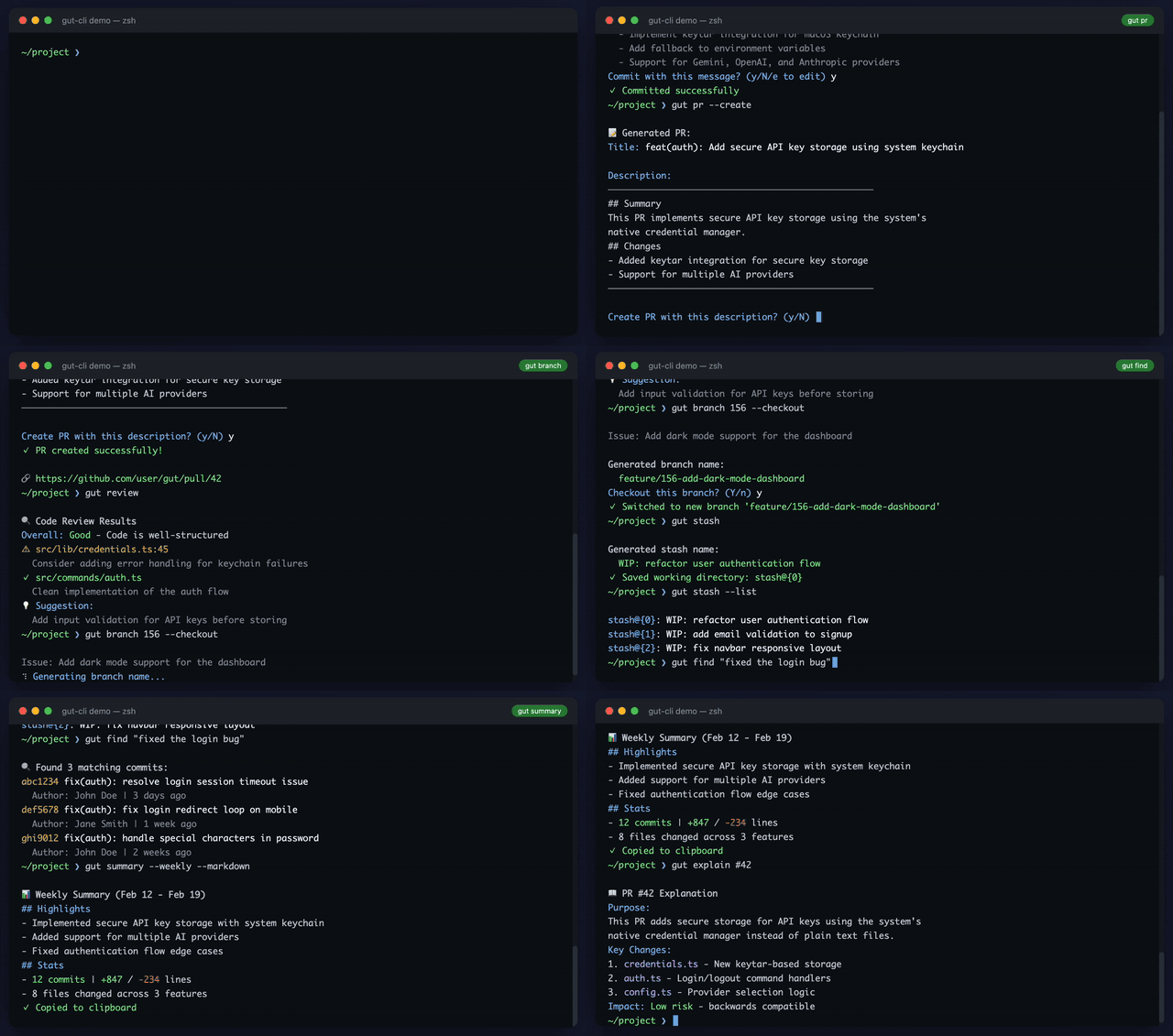
Animated terminal demo component for showcasing CLI tools. Perfect for landing pages, documentation, and product demos.
## Features
- Realistic terminal typing animation
- Multiple scenarios support
- Customizable themes (dark/light)
- macOS-style window chrome
- Spinner animations
- Color-coded output
- External playback control
- React component with ref support
- TypeScript support
- Zero dependencies (vanilla JS)
## Installation
```bash
npm install terminal-demo
```
## Usage
### Vanilla JavaScript
```js
import { TerminalDemo } from 'terminal-demo'
import 'terminal-demo/style.css'
const scenarios = [
{
name: 'hello',
description: 'Hello world example',
steps: [
{ type: 'prompt' },
{ type: 'command', text: 'echo "Hello, World!"', delay: 60 },
{ type: 'output', text: 'Hello, World!' },
{ type: 'wait', ms: 1000 },
]
}
]
const demo = new TerminalDemo(document.getElementById('terminal'), {
title: 'my-cli — zsh',
scenarios,
theme: 'dark',
windowStyle: 'macos',
})
// Control playback with your own buttons
document.getElementById('play-btn').onclick = () => demo.play()
document.getElementById('reset-btn').onclick = () => demo.reset()
// Play a specific scenario
document.getElementById('scenario-1').onclick = () => demo.playScenario(0)
```
### React
```tsx
import { useRef } from 'react'
import { TerminalDemoComponent, TerminalDemoRef } from 'terminal-demo/react'
import 'terminal-demo/style.css'
function App() {
const demoRef = useRef(null)
const scenarios = [
{
name: 'hello',
steps: [
{ type: 'prompt' },
{ type: 'command', text: 'echo "Hello!"', delay: 60 },
{ type: 'output', text: 'Hello!' },
]
}
]
return (
demoRef.current?.play()}>Play All
demoRef.current?.playScenario(0)}>Play Scenario 1
demoRef.current?.reset()}>Reset
)
}
```
## Text Format (Easy Scenario Creation)
Writing scenarios in JSON is tedious. Use the simple text format instead:
```js
import { parseScenarioText } from 'terminal-demo'
const text = `
# my-cli install
Install the CLI tool
---
$ npm install my-cli
[spinner:1500] Installing...
> [green]✓ Installed successfully[/green]
# my-cli usage
Basic usage example
---
$ my-cli hello
[wait:400]
> [green]Hello, World![/green]
[spinner:2000] Processing...
? Continue? (y/N)
: y
> Done!
`
const scenarios = parseScenarioText(text)
// Now use with TerminalDemo
```
### Text Format Syntax
| Syntax | Description | Example |
|--------|-------------|---------|
| `# name` | New scenario with name | `# my-cli demo` |
| `---` | Show prompt | `---` |
| `$ command` | Type command (delay: 60ms) | `$ npm install` |
| `$[delay:N] command` | Type command with custom delay | `$[delay:30] npm install` |
| `> text` | Output line | `> [green]Success![/green]` |
| `[spinner:ms] text` | Loading spinner | `[spinner:1500] Loading...` |
| `[wait:ms]` | Pause | `[wait:500]` |
| `? text` | Question prompt | `? Continue? (y/N)` |
| `: text` | User answer | `: y` |
The first line after `# name` (if not a command) becomes the scenario description.
### Convert Back to Text
```js
import { stringifyScenarios } from 'terminal-demo'
const text = stringifyScenarios(scenarios)
console.log(text)
```
## Step Types
| Type | Description | Properties |
|------|-------------|------------|
| `prompt` | Show command prompt | - |
| `command` | Type a command | `text`, `delay?` (ms per char, default: 60) |
| `output` | Display output line | `text`, `className?` |
| `spinner` | Show loading spinner | `text`, `duration` (ms) |
| `wait` | Pause execution | `ms` |
| `question` | Show interactive question | `text` |
| `answer` | Show user's answer | `text` |
## Text Formatting
Use color tags in output text:
```js
{ type: 'output', text: '[green]Success![/green]' }
{ type: 'output', text: '[red]Error:[/red] Something went wrong' }
{ type: 'output', text: '[bold]Important[/bold] message' }
{ type: 'output', text: '[cyan]Info:[/cyan] [gray]Some details[/gray]' }
```
Available tags: `gray`, `green`, `cyan`, `yellow`, `red`, `purple`, `white`, `bold`
## Options
| Option | Type | Default | Description |
|--------|------|---------|-------------|
| `title` | `string` | `'Terminal Demo'` | Window title |
| `promptText` | `string` | `'~'` | Prompt directory |
| `promptSymbol` | `string` | `'❯'` | Prompt symbol |
| `scenarios` | `Scenario[]` | required | Array of scenarios |
| `theme` | `'dark' \| 'light' \| Theme` | `'dark'` | Color theme |
| `windowStyle` | `'macos'` | `'macos'` | Window chrome style |
| `autoPlay` | `boolean` | `false` | Start playing on mount |
| `loop` | `boolean` | `false` | Loop playback |
| `speed` | `number` | `1` | Playback speed multiplier |
| `onComplete` | `() => void` | - | Callback when playback ends |
| `onScenarioChange` | `(index, scenario) => void` | - | Callback when scenario changes |
## Controller Methods
| Method | Description |
|--------|-------------|
| `play()` | Play all scenarios |
| `playScenario(index)` | Play a specific scenario by index |
| `stop()` | Stop current playback |
| `reset()` | Reset to initial state |
| `isPlaying()` | Check if currently playing |
| `destroy()` | Cleanup and remove |
## Custom Themes
```js
const tokyoNight = {
background: '#1a1b26',
foreground: '#a9b1d6',
headerBackground: '#24283b',
cursor: '#7aa2f7',
prompt: '#565f89',
buttonClose: '#f7768e',
buttonMinimize: '#e0af68',
buttonMaximize: '#9ece6a',
gray: '#565f89',
green: '#9ece6a',
cyan: '#7dcfff',
yellow: '#e0af68',
red: '#f7768e',
purple: '#bb9af7',
white: '#c0caf5',
}
new TerminalDemo(element, {
scenarios,
theme: tokyoNight,
})
```
## CDN Usage
No build step required! Use with [esm.sh](https://esm.sh) and import maps:
```html
{
"imports": {
"terminal-demo": "https://esm.sh/terminal-demo"
}
}
body { padding: 40px; background: #1a1a2e; }
.controls { margin-top: 16px; display: flex; gap: 8px; justify-content: center; }
.controls button { padding: 8px 16px; border-radius: 4px; cursor: pointer; }
Play All
Reset
import { TerminalDemo } from 'terminal-demo'
const scenarios = [
{
name: 'install',
steps: [
{ type: 'prompt' },
{ type: 'command', text: 'npm install my-cli', delay: 50 },
{ type: 'spinner', text: 'Installing...', duration: 1500 },
{ type: 'output', text: '[green]✓ Installed successfully[/green]' },
]
},
{
name: 'run',
steps: [
{ type: 'prompt' },
{ type: 'command', text: 'my-cli --help', delay: 50 },
{ type: 'output', text: '[bold]my-cli[/bold] - A CLI tool' },
{ type: 'output', text: '' },
{ type: 'output', text: '[cyan]Commands:[/cyan]' },
{ type: 'output', text: ' init Initialize project' },
{ type: 'output', text: ' build Build for production' },
]
}
]
const demo = new TerminalDemo(document.getElementById('demo'), {
title: 'my-cli — zsh',
scenarios,
})
// Wire up controls
document.getElementById('play').onclick = () => demo.play()
document.getElementById('reset').onclick = () => demo.reset()
// Create scenario buttons
const scenariosEl = document.getElementById('scenarios')
scenarios.forEach((s, i) => {
const btn = document.createElement('button')
btn.textContent = s.name
btn.onclick = () => demo.playScenario(i)
scenariosEl.appendChild(btn)
})
```
## License
MIT