https://github.com/stefanasandei/orion
Orion is an open-source AI native self-learning platform. Write your content, query it using a agents, access your knowledge base.
https://github.com/stefanasandei/orion
agent agent-based ai llm rag research-tool second-brain self-learning svelte sveltekit turborepo typescript
Last synced: about 2 months ago
JSON representation
Orion is an open-source AI native self-learning platform. Write your content, query it using a agents, access your knowledge base.
- Host: GitHub
- URL: https://github.com/stefanasandei/orion
- Owner: stefanasandei
- License: gpl-3.0
- Created: 2024-12-26T20:48:43.000Z (over 1 year ago)
- Default Branch: main
- Last Pushed: 2025-07-28T12:32:31.000Z (11 months ago)
- Last Synced: 2025-07-28T14:34:34.980Z (11 months ago)
- Topics: agent, agent-based, ai, llm, rag, research-tool, second-brain, self-learning, svelte, sveltekit, turborepo, typescript
- Language: Svelte
- Homepage: https://orion.asandei.com
- Size: 2.6 MB
- Stars: 1
- Watchers: 1
- Forks: 0
- Open Issues: 0
-
Metadata Files:
- Readme: README.md
- License: LICENSE
Awesome Lists containing this project
README

accelerating self-learning | website 
> **(RO) InfoEducatie:**
>
> Documentatia pentru concurs este disponibila [aici](https://ishortn.ink/orion-docs
). Pentru rulat local sunt instructiuni folosind Docker sau fara, website-ul este de asemenea deployed pe https://orion.asandei.com. Restul readme-ului prezinta si structura proiectului in mare.
# Purpose
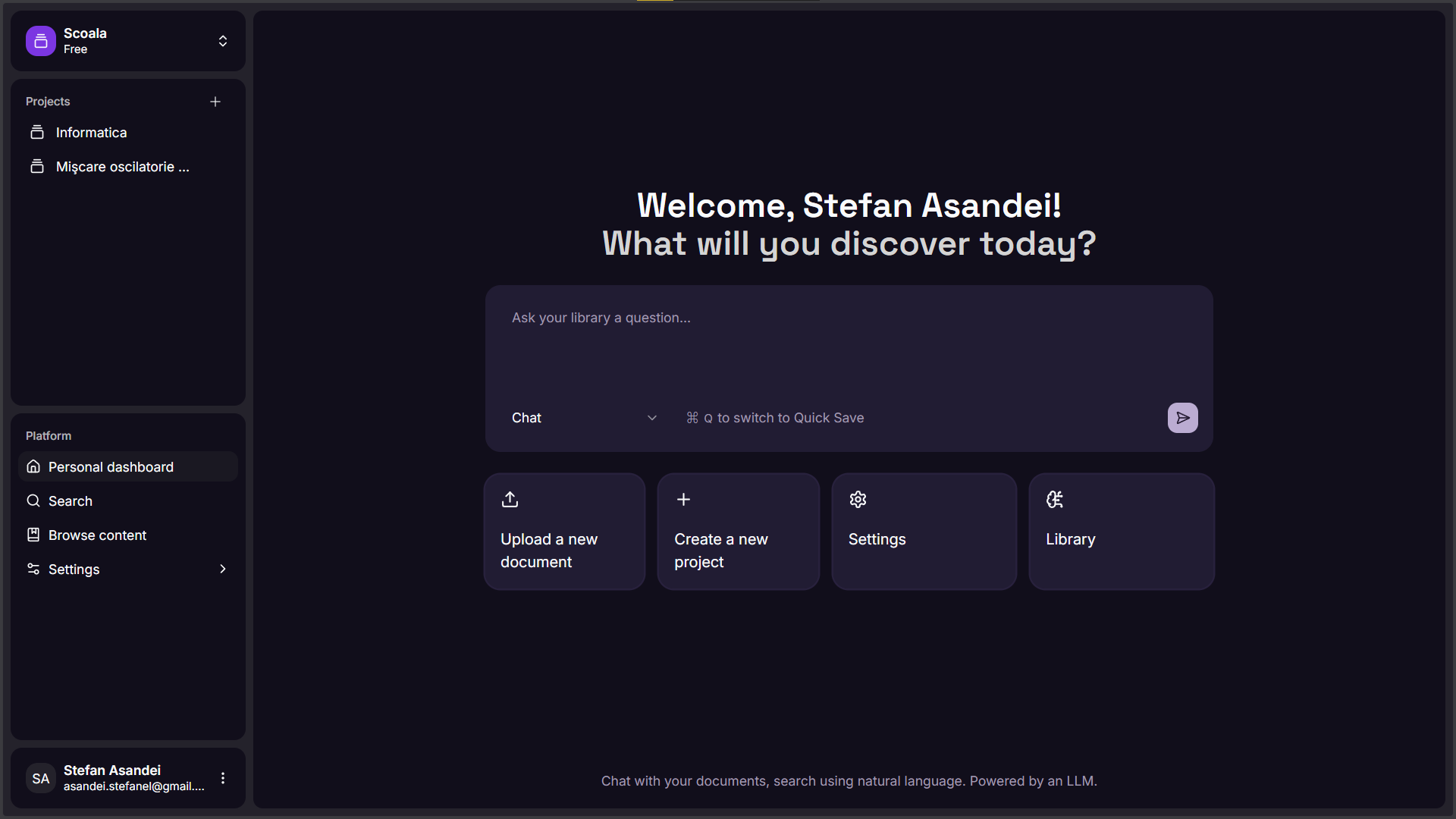
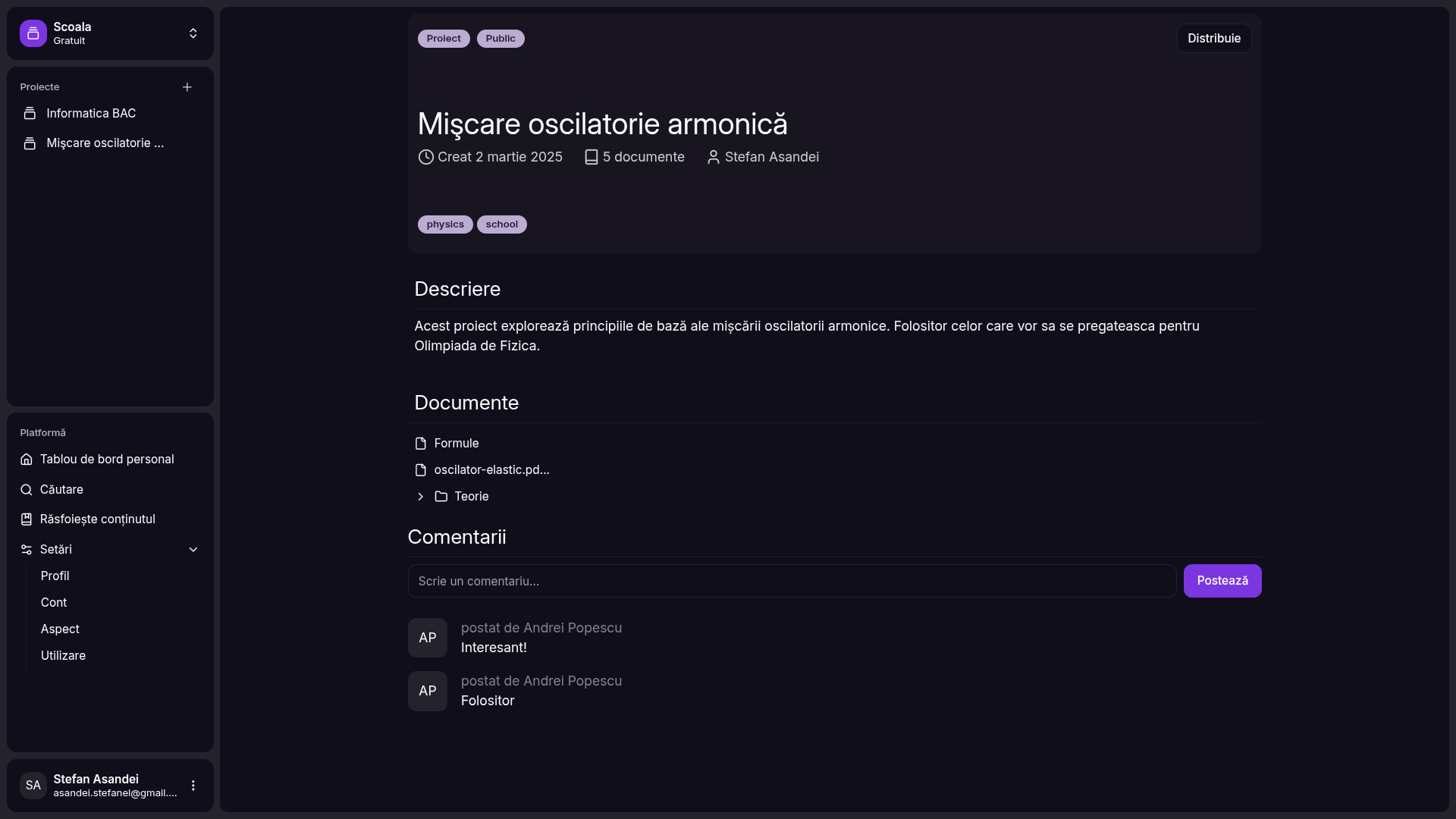
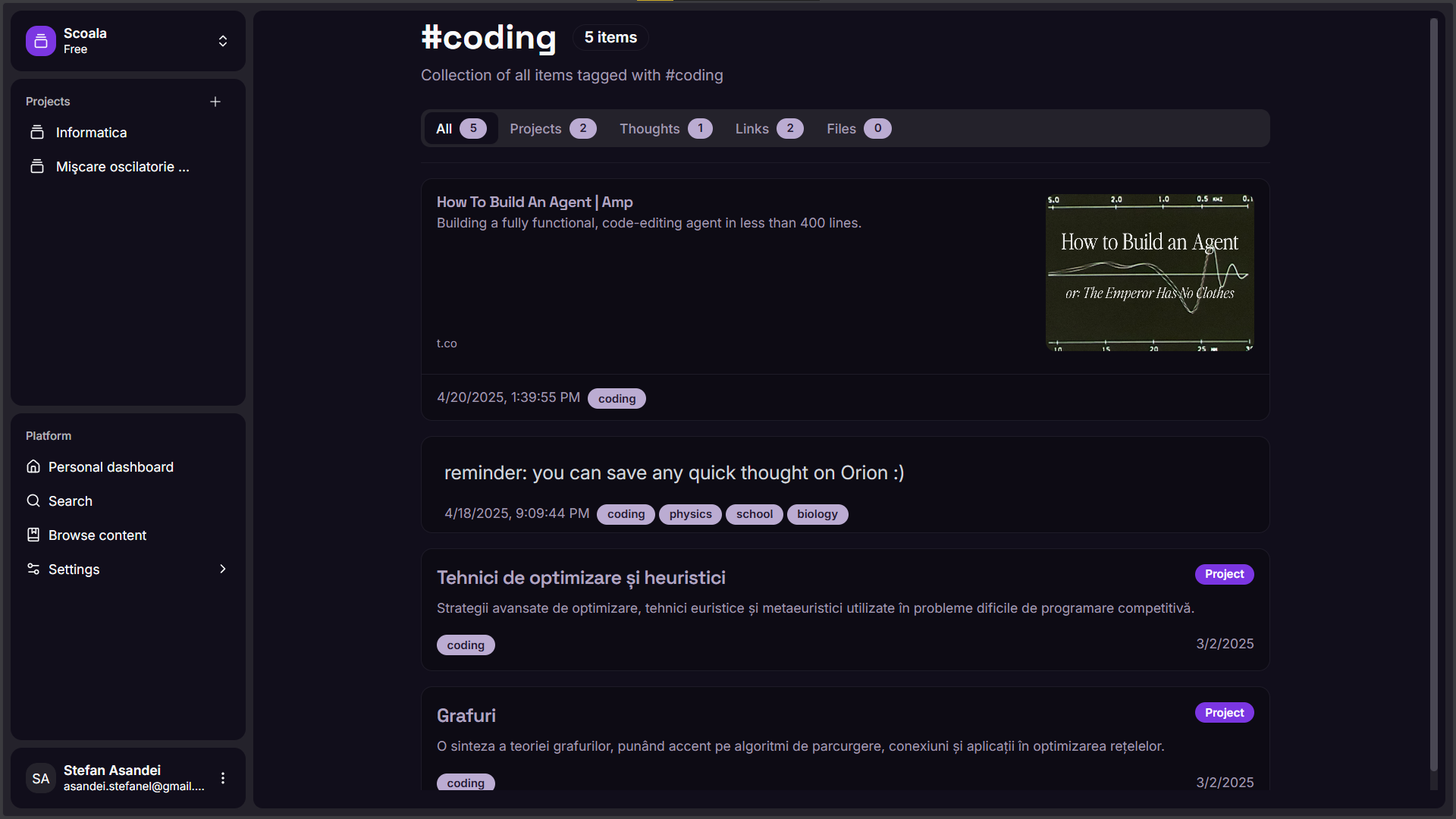
Orion is a mix of multiple apps, such as Notion, ChatGPT and any todo app. It's a hub for learning where you can organize your content and query it using AI agents, meaning you can use natural language to quickly find anything. You can quickly save any thought (text, image, pdf documents or links) to your library and they will be available in your knowledge base.
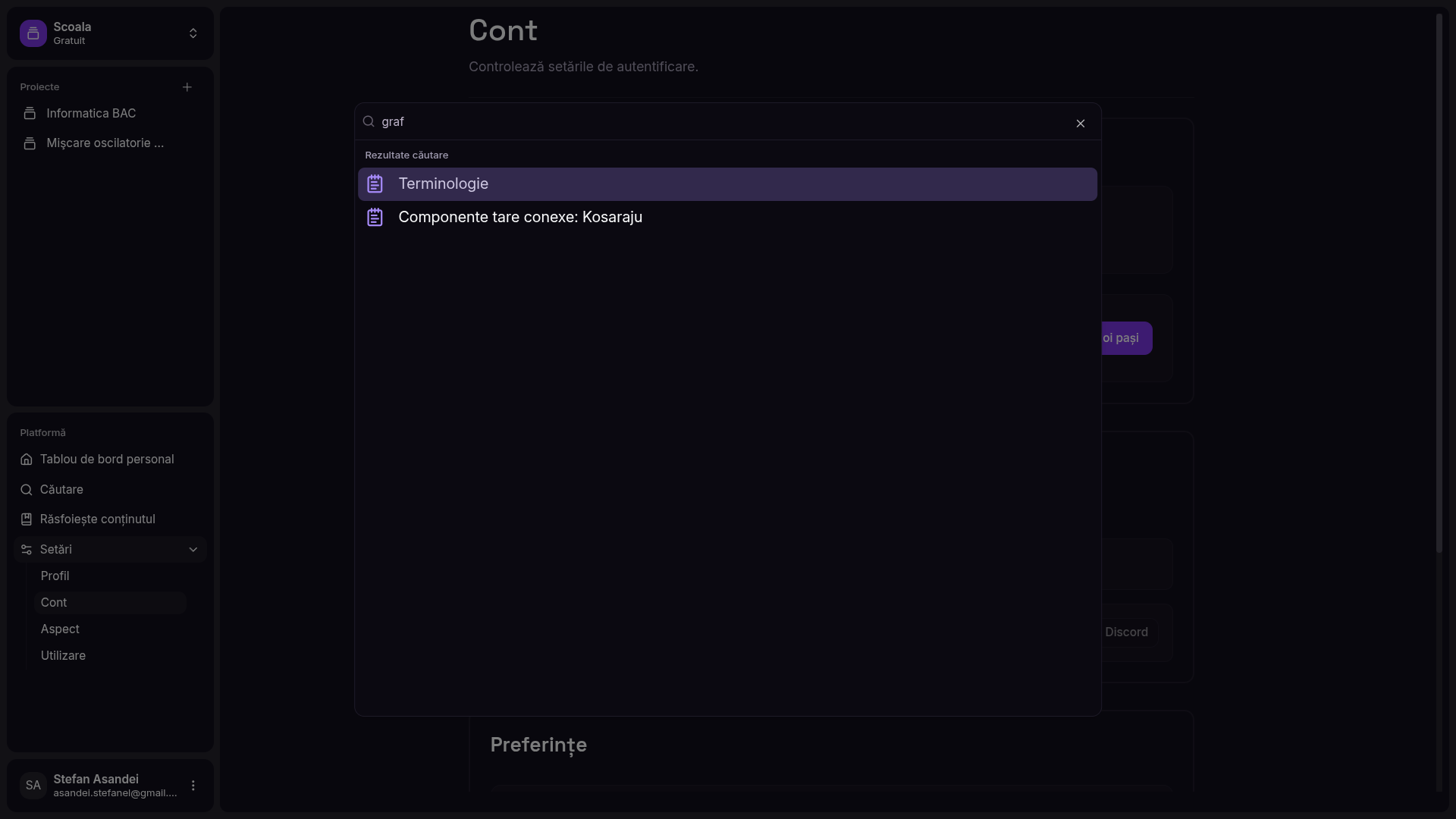
Please click on any image to open it in a new tab!
# Usage
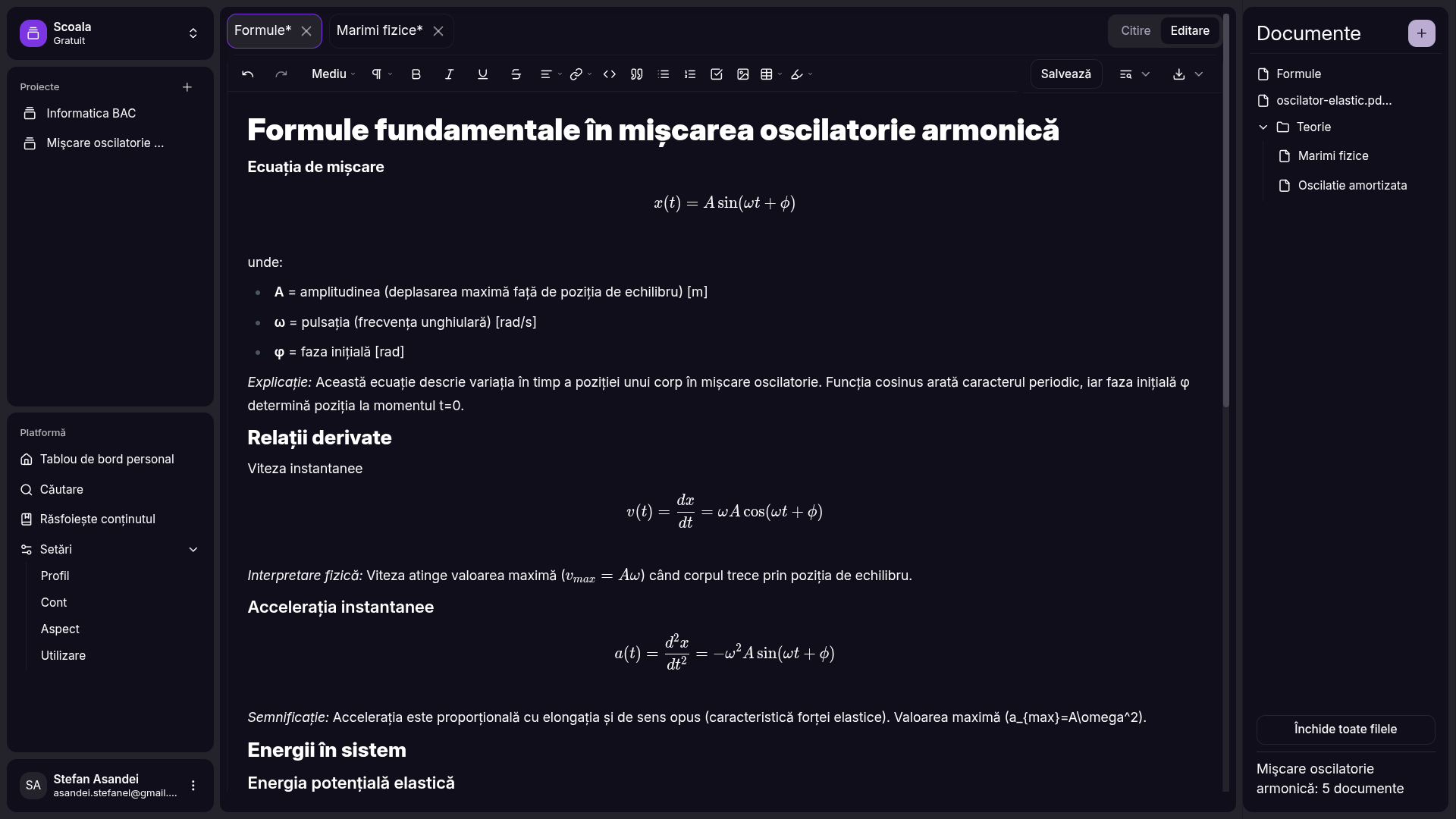
Orion is organized in workspaces, which hold multiple projects. You can organize documents in projects using directories or tags. A user has a knowledge base - which contains "quick thoughts" (texts, images, code snippets, PDFs) or documents. You can query the knowledge base using the dashboard, or from any page using the universal search (Search in the sidebar or CTRL + K).
To get started, create a workspace during the onboarding. Create a project from the sidebar, you can write the documents using the rich text editor. Add short notes from the dashboard, and you can also use the chat interface from the dashboard.
To chat with a PDF, choose it from your library or from a project and click the chat. Choose suggested questions or write your own.
# Local deployment
Before any of the steps, make sure you have filled in `./apps/web/.env` with the API keys. The `IS_PRODUCTION` variable determines if the app should use Ollama for LLMs (won't work in docker, only for local dev) or OpenRouter.
Also make sure you have changed the `packages/api/src/enabled-ai.ts` file to your user id (you can find it in the db studio, after the sign up). Otherwise the AI features will be down - the rest of the app does work without AI (to reduce costs, while billing is a work in progress).
## Database setup
For the database, it's easiest to just use Neon, with the **pgvector** extension enabled. Because they have a special driver with websockets, it's harder to also make everything work with a normal postgresql local db. You have to add the database connection URL to `./apps/web/.env` and `./packages/db/.env`.
1. Enable the pgvector extension in Neon (run `CREATE EXTENSION IF NOT EXISTS vector;` in console)
2. Run `db:push` to setup the schema
3. Run `db:seed` to add some initial data (default user account: email & password are `asandei.stefanel@gmail.com`)
## Docker
1. Build the image
```
docker build -t orion .
```
2. Run a container
```
docker run -p 4173:4173 orion
```
The app should be running on http://localhost:4173
## Development server
1. Fill in `./apps/web/.env`, following `./apps/web/.env.example`.
2. Install dependencies for the monorepo (can use `npm` instead, but `pnpm` should save save):
```
pnpm install
```
3. Run the development server
```
pnpm dev
```
Other useful commands are `test:unit` (run unit tests), `db:studio` (start drizzle studio, view database state), `db:push` (apply database migrations to the remote db).
# Resources
Directory structure:
```
.
├── apps
│ └── web
# SvelteKit app: frontend & backend
├── LICENSE
├── node_modules
├── package.json
├── packages
│ ├── agent
# Utility functions for LLM agents
│ ├── api
# tRPC procedures for the backend
│ ├── auth
# Utility functions for core auth
│ ├── config
│ ├── core
│ └── db
# Database schema declaration
├── pnpm-lock.yaml
├── pnpm-workspace.yaml
├── README.md
├── tests
│ ├── e2e
│ └── unit
# Unit tests
└── turbo.json
```
Third party services used:
- Neon: hosted postgresql database
- GitHub: oauth
- Upstash: hosted redis database
- Google Recaptcha
- Resend: hosted email server
- Uploadthing: hosted (free) storage service
- Cohere: good embeddings model (used for vector search)
- OpenRouter: API for LLMs
- Exa: web search API
Tech stack: Turborepo, SvelteKit, tRPC, Drizzle, PostgreSQL, Redis, Tailwind.
The project can be used locally completly for ***free***. All 3rd party services have good free tiers, and for the LLMs you can use Ollama or *free* models from OpenRouter (given they support tool calls and they're not down).
# License
Orion is open source and available under the [GPL v3](./LICENSE) license.
Copyright 2025 [Asandei Stefan-Alexandru](https://asandei.com) & Ciobanu Andrei-Mihai. All rights reserved.