https://github.com/stemkoski/three.py
Python 3D library.
https://github.com/stemkoski/three.py
Last synced: about 1 year ago
JSON representation
Python 3D library.
- Host: GitHub
- URL: https://github.com/stemkoski/three.py
- Owner: stemkoski
- License: mit
- Created: 2019-04-04T12:11:59.000Z (about 7 years ago)
- Default Branch: master
- Last Pushed: 2023-01-19T02:16:26.000Z (over 3 years ago)
- Last Synced: 2024-05-21T01:01:20.218Z (about 2 years ago)
- Language: Python
- Size: 5.71 MB
- Stars: 110
- Watchers: 9
- Forks: 23
- Open Issues: 5
-
Metadata Files:
- Readme: README.md
- License: LICENSE
Awesome Lists containing this project
README
three.py
========
#### Python 3D library ####
The aim of this project is to create an easy to use 3D library for Python.
This project was inspired by [Three.js](https://threejs.org/), and attempts to follow the effective and reliable class structure from that project whenever possible.
Three.py was originally designed for educational purposes, and rendering efficiency and optimization will occasionally be sacrificed for simplicity and clarity.
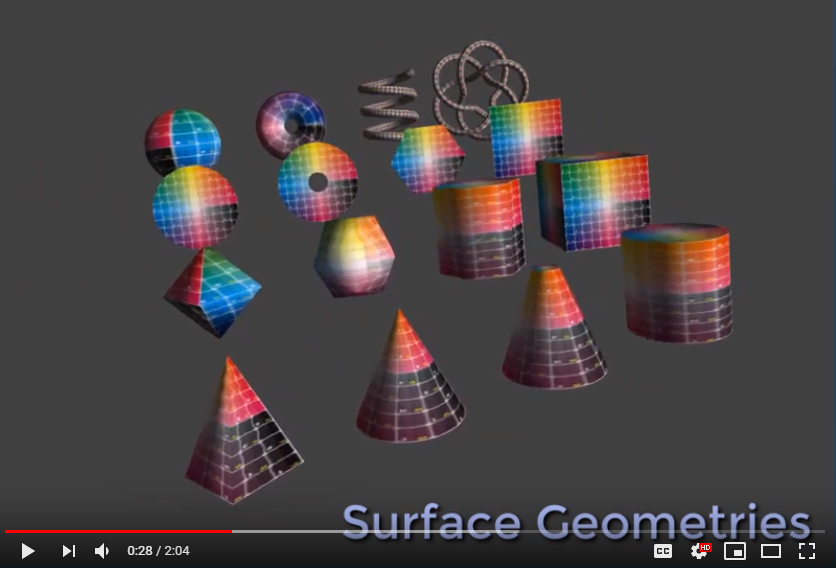
To see what the Three.py library is capable of, see the [list of examples](https://github.com/stemkoski/three.py/wiki/Examples) or watch the [sample projects video](https://www.youtube.com/watch?v=vs6LdP6pWKI).
[](https://www.youtube.com/watch?v=vs6LdP6pWKI)
This project was initially developed by Lee Stemkoski and Michael Pascale.
This project uses the MIT license.
### Usage ###
Three.py uses the Python libraries [PyGame](https://www.pygame.org/), [PyOpenGL](http://pyopengl.sourceforge.net/), and [NumPy](http://www.numpy.org/).
The following code creates a scene, a camera, ambient and directional lights, and adds a light blue cube to the scene. It animates (spins) the cube, and allows the user to move the camera with first-person controls.
```python
from core import *
from cameras import *
from lights import *
from geometry import *
from material import *
class TestCube(Base):
def initialize(self):
self.setWindowTitle('Cube')
self.setWindowSize(800,600)
self.renderer = Renderer()
self.renderer.setViewportSize(800,600)
self.renderer.setClearColor(0.25,0.25,0.25)
self.scene = Scene()
self.camera = PerspectiveCamera()
self.camera.transform.setPosition(0, 1, 7)
self.camera.transform.lookAt(0, 0, 0)
self.cameraControls = FirstPersonController(self.input, self.camera)
self.scene.add( AmbientLight(strength=0.25) )
self.scene.add( DirectionalLight(direction=[-1,-1,-1]) )
self.cube = Mesh( BoxGeometry(), SurfaceLightMaterial(color=[0.5,0.5,1.0]) )
self.scene.add(self.cube)
def update(self):
self.cameraControls.update()
if self.input.resize():
size = self.input.getWindowSize()
self.camera.setAspectRatio( size["width"]/size["height"] )
self.renderer.setViewportSize(size["width"], size["height"])
self.cube.transform.rotateX(0.02, Matrix.LOCAL)
self.cube.transform.rotateY(0.03, Matrix.LOCAL)
self.renderer.render(self.scene, self.camera)
# instantiate and run the program
TestCube().run()
```
In case you are having difficulties related to versions of the dependencies (PyGame, PyOpenGL, NumPy), a [pipenv](https://docs.pipenv.org/en/latest/) pipfile is provided to set up a [virtualenv](https://virtualenv.pypa.io/en/latest/).
It can be used as follows:
```bash
pip install pipenv
pipenv install
pipenv shell
cd three.py
python TestAnimatedDayNight.py
```