https://github.com/stepzen-dev/stepzen-supabase
An example Supabase application connected to StepZen's @rest directive through PostgREST
https://github.com/stepzen-dev/stepzen-supabase
Last synced: 3 months ago
JSON representation
An example Supabase application connected to StepZen's @rest directive through PostgREST
- Host: GitHub
- URL: https://github.com/stepzen-dev/stepzen-supabase
- Owner: stepzen-dev
- Created: 2021-09-14T22:20:44.000Z (over 4 years ago)
- Default Branch: main
- Last Pushed: 2021-09-15T01:58:56.000Z (over 4 years ago)
- Last Synced: 2025-10-13T14:39:26.779Z (8 months ago)
- Size: 4.88 KB
- Stars: 1
- Watchers: 2
- Forks: 0
- Open Issues: 0
-
Metadata Files:
- Readme: README.md
Awesome Lists containing this project
README
# StepZen + Supabase
An example Supabase application connected to StepZen's `@rest` directive through PostgREST.
## Outline
* [Setup StepZen Project](#setup-stepzen-project)
* `config.yaml`
* [Setup Supabase Project](#setup-supabase-project)
* Create a New Table
* Create an Authors Table
* Create an Author
* [Types and Queries](#types-and-queries)
* `author.graphql`
* Deploy StepZen Endpoint
* Run a test query on StepZen
* [Mutations](#mutations)
* Create a Books Table
* `POST` book
* `GET` books
* `book.graphql`
* Run a test mutation on StepZen
## Setup StepZen Project
Create a `config.yaml` file with the provided `sample.config.yaml`.
```bash
mv sample.config.yaml config.yaml
```
### `config.yaml`
```yaml
configurationset:
- configuration:
name: supabase_config
apikey: xxxx
```
## Setup Supabase Project
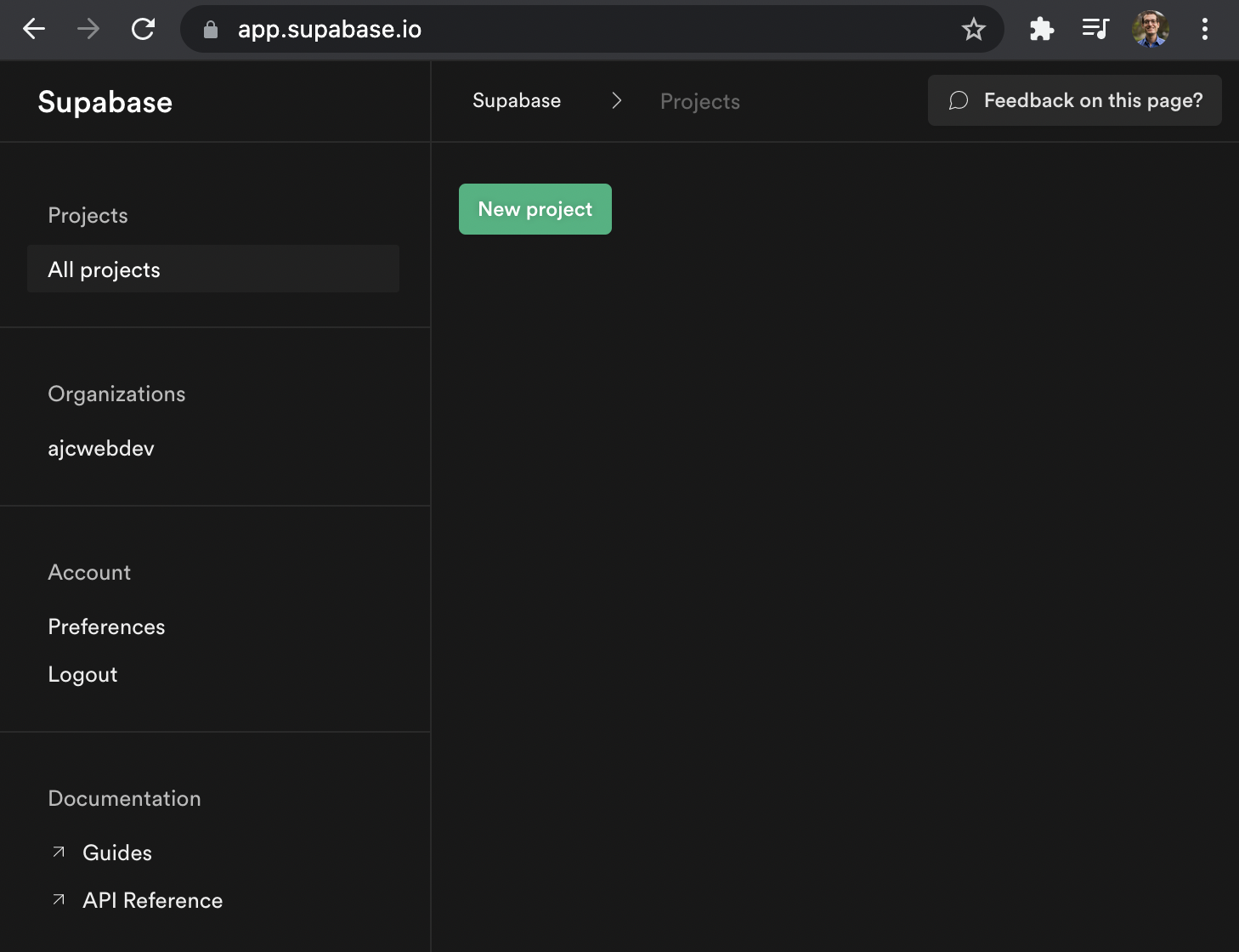
Select new project.
After the project has been created, scroll down to see instructions for connecting to your database.

Copy the URL in the Config section and add `/rest/v1/` to get your PostgREST endpoint. Copy the anon public key and replace it with `xxxx` in the following curl command.
```bash
curl --request GET \
--url 'https://xxxx.supabase.co/rest/v1/' \
--header "apikey: xxxx"
```
This will introspect your endpoint and tell you about the specification.
```json
{
"swagger":"2.0",
"info":{
"title":"PostgREST API",
"version":"8.0.0",
"description":"standard public schema"
},
"host":"0.0.0.0:3000",
"basePath":"/",
"schemes":[
"http"
],
"consumes":[
"application/json",
"application/vnd.pgrst.object+json",
"text/csv"
],
"produces":[
"application/json",
"application/vnd.pgrst.object+json",
"text/csv"
],
"paths":{
"/":{
"get":{
"tags":[
"Introspection"
],
"summary":"OpenAPI description (this document)",
"produces":[
"application/openapi+json",
"application/json"
],
"responses":{
"200":{
"description":"OK"
}
}
}
}
},
"parameters":{
"preferParams":{...},
"preferReturn":{...},
"preferCount":{...},
"select":{...},
"on_conflict":{...},
"order":{...},
"range":{...},
"rangeUnit":{...},
"offset":{...},
"limit":{...}
},
"externalDocs":{
"description":"PostgREST Documentation",
"url":"https://postgrest.org/en/v8.0/api.html"
}
}
```
### Create a New Table
Click "Create a new table" in the Table Editor.

### Create an Authors Table
Add a `name` column with a `text` type.

```bash
curl --request GET \
--url 'https://xxxx.supabase.co/rest/v1/authors' \
--header "apikey: xxxx"
```
You will receive an empty array:
```json
[]
```
### Create an Author
Click "Insert row" and create an author.

Run the previous curl command again.
```bash
curl --request GET \
--url 'https://xxxx.supabase.co/rest/v1/authors' \
--header "apikey: xxxx"
```
This time you will receive an author object.
```json
[
{
"id":1,
"created_at":"2021-09-14T22:59:33+00:00",
"updated_at":"2021-09-14T22:59:33+00:00",
"name":"person1"
}
]
```
## Types and Queries
### `author.graphql`
`Author` type with types for `id`, `name`, `created_at`, and `updated_at`.
```graphql
# schema/author.graphql
type Author {
id: ID!
name: String!
created_at: DateTime!
updated_at: DateTime!
}
```
The `authors` query returns an array of `Author` objects.
```graphql
# schema/author.graphql
type Query {
authors: [Author]
@rest(
endpoint: "https://xxxx.supabase.co/rest/v1/authors",
configuration: "supabase_config",
headers: [{ name: "apikey" value: "$apikey" }]
)
}
```
### Deploy StepZen Endpoint
```bash
stepzen start
```
### Run a test query on StepZen
Open [localhost:5000/api/stepzen-supabase](https://localhost:5000/api/stepzen-supabase) and run the following query.
```graphql
query AUTHORS_QUERY {
authors {
id
name
created_at
updated_at
}
}
```

## Mutations
### Create a Books Table
Create `books` table on Supabase with the same schema as the `authors` table.
### `POST` book
Create a `book` with a curl POST request.
```bash
curl --request POST \
--url "https://xxxx.supabase.co/rest/v1/books" \
--header "apikey: xxxx" \
--header 'content-type: application/json' \
--data '{ "name": "curl-book-test" }'
```
### `GET` books
Return the `curl-book-test` book.
```bash
curl --request GET \
--url 'https://xxxx.supabase.co/rest/v1/books' \
--header "apikey: xxxx"
```
```json
[
{
"id":1,
"created_at":"2021-09-14T23:10:39.831747+00:00",
"updated_at":"2021-09-14T23:10:39.831747+00:00",
"name":"curl-book-test"
}
]
```
### `book.graphql`
`Book` type with types for `id`, `name`, `created_at`, and `updated_at`.
```graphql
# schema/book.graphql
type Book {
id: ID!
name: String!
created_at: DateTime!
updated_at: DateTime!
}
```
The `books` query returns an array of `Book` objects.
```graphql
# schema/book.graphql
type Query {
books: [Book]
@rest(
endpoint: "https://xxxx.supabase.co/rest/v1/books",
configuration: "supabase_config",
headers: [{ name: "apikey" value: "$apikey" }]
)
}
```
The `createBook` mutation takes the `name` of a book as an argument.
```graphql
# schema/book.graphql
type Mutation {
createBook(name: String!): Book
@rest(
endpoint: "https://xxxx.supabase.co/rest/v1/books"
configuration: "supabase_config"
headers: [{ name: "apikey" value: "$apikey" }]
method: POST
postbody: "{\"name\": \"{{.Get \"name\"}}\"}"
)
}
```
### Run a test mutation on StepZen
Create a book with a GraphQL mutation.
```graphql
mutation CREATE_BOOK {
createBook(name: "stepzen-book-test") {
id
name
created_at
updated_at
}
}
```
Return all the books.
```graphql
query BOOKS_QUERY {
books {
id
name
created_at
updated_at
}
}
```
