https://github.com/stevegilham/altcode.dixon
FxCop rule extensions and related
https://github.com/stevegilham/altcode.dixon
Last synced: 22 days ago
JSON representation
FxCop rule extensions and related
- Host: GitHub
- URL: https://github.com/stevegilham/altcode.dixon
- Owner: SteveGilham
- License: mit
- Created: 2020-03-11T12:57:16.000Z (over 6 years ago)
- Default Branch: master
- Last Pushed: 2023-12-18T07:56:43.000Z (over 2 years ago)
- Last Synced: 2025-01-16T00:57:38.505Z (over 1 year ago)
- Language: C#
- Size: 267 KB
- Stars: 0
- Watchers: 1
- Forks: 1
- Open Issues: 0
-
Metadata Files:
- Readme: README.md
- License: LICENSE
Awesome Lists containing this project
README
# altcode.dixon
FxCop v18 (Visual Studio 2026) rule extensions and related code. A project named for that well known police constable of yesteryear. Intended for use with F#, since we don't have Roslyn analyzers there.
## Features
### FxCop for `netstandard2.0`
An executable, `DixonCmd.exe` that injects a `netstandard2.0` compatible platform definition into the `FxCopCmd` process and launches an analysis session.
### FxCop extra rules
* `JustifySuppressionRule` (`Dixon.Design#DX0001`), the "Hello, World!" of FxCop rules. A port of the well travelled example rule to ensure that `SuppressMessage` attributes include a justification. See e.g. http://www.binarycoder.net/fxcop/html/ex_specifysuppressmessagejustification.html
* `ReraiseCorrectlyRule` (`Dixon.Design#DX0002`) : only `throw` an exception you've just created
## Never mind the fluff -- How do I use this?
The package contains a subfolder `tools` which contains everything, including a further subfolder `Rules` containing just the rules assembly.
* Copy FxCop from under Visual Studio to some (`.gitignore`d as required) location within your project.
* Copy the Dixon NuGet package `tools` folder into the same directory as above (or just the `Rules` subfolder into the `Rules` subfolder if `netstandard2.0` support isn't relevant; or omit the `Rules` subfolder if those are not wanted)
* Copy the `FxCopCmd.exe.config` to `DixonCmd.exe.config` if `netstandard2.0` support is desired.
* You may need to copy the `FSharp.Core.dll` assembly from `tools` anyway if you're not an a machine with F# development -- do this if there's an obvious failure to load because it's not there.
Now for framework assemblies use `FxCopCmd.exe` as before from the new location, where it will pick up the Dixon rules. For `netstandard2.0` assemblies, use `DixonCmd.exe /platform=` e.g. `DixonCmd.exe "/plat:C:\Program Files\dotnet\sdk\6.0.101\ref"`
### Finding the Dixon parts
I've used a dummy `.csproj` to install tooling packages that aren't `dotnet tool` items (things like unit test console runners for .net Framework, or PowerShell modules such as Pester) to a non-cache location using `dotnet restore --packages`
Your build script can parse the `.csproj` as XML to find the version under the `altcode.dixon` folder
### Finding the FxCop tool
It's at `%ProgramFiles\Microsoft Visual Studio\2022\\Team Tools\Static Analysis Tools\FxCop` or
`%ProgramFiles(x86)\Microsoft Visual Studio\2019\\Team Tools\Static Analysis Tools\FxCop`; to automate the process in your build scripts, it's simplest to use the `BlackFox.VsWhere` package --
* `BlackFox.VsWhere.VsInstances.getAll()` to get installed versions
* select one of those with `InstallationVersion` property major version 16 or 17 as appropriate to your process
* FxCop is in folder `Team Tools/Static Analysis Tools/` beneath the `InstallationPath` property
### Running the DixonCmd tool
As well as needing the path of the `netstandard2.0.dll` in the build environment, the process will need to be fed with the non-platform dependencies through the `/d:` command line argument e.g.
```
"/d:/packages\//lib/netstandard2.0"
```
Some dependency lacks will be obvious from the error messages, but some are subtle and need to be deduced from the exception details in the FxCop report file. In particular it may be necessary to add .net Framework 4.7.2 (or at least its reference asseblies to handle resolution failures with obvious platform functionality)
### In greater detail
[Here's the recipe I use](https://github.com/SteveGilham/altcode.dixon/wiki), including appropriate sections of `Fake.build` scripting.
## Developer/Contributor info
### Build process as per `.github\workflows\main.yml`
Assumes VS2026 build environment
* dotnet tool restore
* dotnet run --project .\Build\Setup.fsproj
* dotnet run --project .\Build\Build.fsproj
### Direction
The F# focus will include making rule variants that are more F# aware, to separate out the compiler generated clutter from the code the developer can affect -- avoiding smothering the code in `[]`, or throwing rules out for poor signal to noise. But there will inevitably be some more originals.
### Badges
[](https://www.nuget.org/packages/altcode.dixon)
| | | |
| --- | --- | --- |
| **Build** |GitHub [](https://github.com/SteveGilham/altcode.dixon/actions?query=workflow%3ACI) | [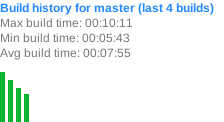](https://buildstats.info/github/chart/SteveGilham/altcode.dixon?branch=master)