https://github.com/stevemats/medium_stats
Allows you to easily view lifetime stats for your medium posts
https://github.com/stevemats/medium_stats
medium medium-article mediumstats statistics
Last synced: about 1 month ago
JSON representation
Allows you to easily view lifetime stats for your medium posts
- Host: GitHub
- URL: https://github.com/stevemats/medium_stats
- Owner: stevemats
- Created: 2022-01-20T07:24:38.000Z (over 4 years ago)
- Default Branch: main
- Last Pushed: 2022-01-20T09:43:52.000Z (over 4 years ago)
- Last Synced: 2025-02-24T08:14:11.938Z (over 1 year ago)
- Topics: medium, medium-article, mediumstats, statistics
- Language: JavaScript
- Homepage:
- Size: 1.95 KB
- Stars: 0
- Watchers: 1
- Forks: 0
- Open Issues: 0
-
Metadata Files:
- Readme: ReadMe.md
Awesome Lists containing this project
README
# Medium Stats
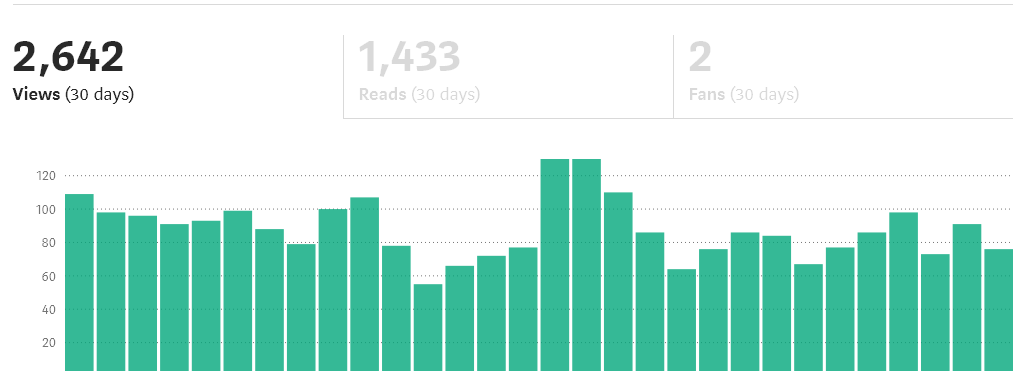
This is just a temporary quick solution of how to view your medium's lifetime stats rather than the current [medium](https://medium.com/) solution of displaying a month by month stats making it cumbersome for a writer to calculate all the stats from stories and fans received.
## Existing stats show only a month by month stat:
## This script assists writers to quickly view lifetime stats:

# Usage:
## Step 1 (Accessing Stats Page on user's Browser of Choice)
- All you need is a modern browser to start viewing your starts immediately:
### Chrome Browser Users
Open the starts page (https://medium.com/@username/stats) and type the below commands:
Mac Users: Command + Option + J ( ⌘ + ⌥ + J)
Linux and Windows Users: Control+Shift+J
### Firefox Browser Users
Open the starts page (https://medium.com/@username/stats) and type the below commands:
Mac: Command + Option + K ( ⌘ + ⌥ + K)
Linux and Windows: Control + Shift + K
___
## Step 2 (Getting total reads):
After following the previous step, now paste below script and hit enter to view your stats:
const totalTypes = {
VIEWS: 2,
READS: 3,
FANS: 5
};
const getTotal = tableColumn =>
[
...document.querySelectorAll(
`td:nth-child(${tableColumn}) > span.sortableTable-number`
)
]
.map(e => parseInt(e.getAttribute("title").replace(/,/g, ""), 10))
.reduce((a, b) => a + b, 0);
console.log({
totalViews: getTotal(totalTypes.VIEWS),
totalReads: getTotal(totalTypes.READS),
totalFans: getTotal(totalTypes.FANS)
});