https://github.com/steveoro/goggles_main
Main Goggles front-end UI, version 7 and onward
https://github.com/steveoro/goggles_main
docker docker-compose goggles rails rails6 sports swimming
Last synced: 10 months ago
JSON representation
Main Goggles front-end UI, version 7 and onward
- Host: GitHub
- URL: https://github.com/steveoro/goggles_main
- Owner: steveoro
- License: lgpl-3.0
- Created: 2021-01-27T10:27:36.000Z (over 5 years ago)
- Default Branch: main
- Last Pushed: 2025-01-04T17:45:27.000Z (over 1 year ago)
- Last Synced: 2025-01-14T11:20:52.640Z (over 1 year ago)
- Topics: docker, docker-compose, goggles, rails, rails6, sports, swimming
- Language: Ruby
- Homepage:
- Size: 9.61 MB
- Stars: 2
- Watchers: 2
- Forks: 1
- Open Issues: 0
-
Metadata Files:
- Readme: README.md
- Changelog: CHANGELOG.md
- Funding: .github/FUNDING.yml
- License: LICENSE
Awesome Lists containing this project
README
# Goggles Main
[](https://dl.circleci.com/status-badge/redirect/gh/steveoro/goggles_main/tree/main)
[](https://codeclimate.com/github/steveoro/goggles_main/maintainability)
[](https://codeclimate.com/github/steveoro/goggles_main/test_coverage)
[](https://codecov.io/gh/steveoro/goggles_main)
[](https://app.fossa.com/projects/git%2Bgithub.com%2Fsteveoro%2Fgoggles_main?ref=badge_shield)
Main client UI app for version 7 and onward.
## Wiki & HOW-TOs
- [Official Framework Wiki :link:](https://github.com/steveoro/goggles_db/wiki) (v. 7+)
- [API docs :link:](https://github.com/steveoro/goggles_api#goggles-api-readme)
## Requires
- Ruby 3.1.4
- Rails 6.1.7.1+
- MariaDb 10.6.12+ or any other MySql equivalent version
## Configuration
All framework app projects (except for the mountable engines) handle multiple configurations for execution, development & deployment.
You can use each project in the framework:
- as a full-blown, stand-alone, local installation (by cloning the source repo on `localhost`)
- as a service composed from individual containers (either by rebuilding the individual containers from scratch or by pulling the images from their DockerHub repository)
- in any other mixed way, be it the application running on `localhost` while accessing the DB inside a container or vice-versa.
## Quick-start as a running container
### Framework repositories already cloned on `localhost`
To use & bind together all 3 services (`db`, `api` & `app`) you can use one of the available docker-compose files after you've cloned the Main repo.
Cloning also `goggles_api` repo is not needed since you can just recreate the required folder structure to map to a local `master.key` for the credentials, as outlined in the next paragraph ("Nothing installed on `localhost` (except `docker`)").
Make sure you have a recovery DB dump somewhere (a test dump can be obtained by cloning `goggles_db` repo).
Copy the recovery DB dump (for instance, `test.sql.bz2`) to the shared dump folder of this project: `db/dump`.
If your goal is to use, for example, the `development` configuration, go with:
```bash
$> docker-compose -f docker-compose.dev.yml up
```
Leave the container up running and type in another console:
```bash
$> docker exec -it goggles-main.dev sh -c 'bundle exec rails db:rebuild from=test to=development'
```
Then point your browser to `http://127.0.0.1:8080/`.
Done! :+1:
### Nothing installed on `localhost` (except `docker`)
First thing first, you'll need to recreate this shared folder structure:
```
---+--- goggles_main --- config (<=| Main master.key)
| |
| +---------- db --- dump (<=| test.sql.bz2)
|
+--- goggles_api ---- config (<=| API master.key)
```
These are published as volumes inside the service containers for serializing and accessing local data.
A mirror `db/dump` subfolder for `goggles_api` is not needed unless you'd like to run DB management tasks from the `api` service rails console (instead of just using the main `app` service's console).
The `master.key` usually can be regenerated if missing, provided that the credentials are kept consistent among each app container by using `rails credentials:edit` & by running the rails task to update the settings.
Check out our [credentials Wiki page](https://github.com/steveoro/goggles_db/wiki/HOWTO-dev-Goggles_credentials) or [GogglesDb README on database setup](https://github.com/steveoro/goggles_db#database-setup) for more details.
Then, you'll need to run and connect all 3 services: `db`, `api` & `app`.
Refer to the dedicated [Wiki page](https://github.com/steveoro/goggles_db/wiki/HOWTO-dev-docker_usage_for_GogglesApi#how-to-docker-usage-with-gogglesapi-as-example) for details.
## More information
Check out our [Wiki :link:](https://github.com/steveoro/goggles_db/wiki) and the README files from each subproject for more information. In particular:
- [Suggested tools for development](https://github.com/steveoro/goggles_api#suggested-tools)
- [Repository credentials: management and creation](https://github.com/steveoro/goggles_db/wiki/HOWTO-dev-Goggles_credentials)
- [How to update the GogglesDb gem](https://github.com/steveoro/goggles_api#source-dependencies--how-to-update-gogglesdb)
- [DB setup](https://github.com/steveoro/goggles_db#database-setup)
- [How to run the test suite](https://github.com/steveoro/goggles_api#how-to-run-the-test-suite) (can be applied to `goggles_main` as well)
- [Dev workflow](https://github.com/steveoro/goggles_api#dev-workflow-for-contributors)
- [Getting started: GogglesAPI & container usage](https://github.com/steveoro/goggles_db/wiki/HOWTO-dev-docker_usage_for_GogglesApi#getting-started-setup-and-usage-as-a-composed-docker-service) (can be applied to `goggles_main` as well)
* * *
## Deployment
The build pipeline is configured for auto-deploy on each successful build.
Untagged changes will yield a `staging` deployment, while any tagged release (made from GitHub) will yield a `production` deployment.
See the [Wiki page about the build pipeline](https://github.com/steveoro/goggles_db/wiki/HOWTO-devops-build_pipeline_setup) for more details.
* * *
## Contributing
1. Clone the project.
2. Make a new custom branch for your changes, naming the branch accordingly (i.e. use prefixes like: `feature-`, `fix-`, `upgrade-`, ...).
3. When you think you're done, make sure you type `guard` (+`Enter`) and wait for the whole spec suite to end.
4. Make sure your branch is locally green (:green_heart:) before submitting the pull request.
5. Await the PR's review by the maintainers.
## License
The application is available as open source under the terms of the [LGPL-3.0 License](https://opensource.org/licenses/LGPL-3.0).
[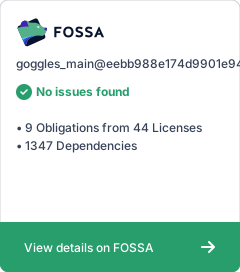](https://app.fossa.com/projects/git%2Bgithub.com%2Fsteveoro%2Fgoggles_main?ref=badge_large)
## Supporting
Check out the "sponsor" button at the top of the page.