https://github.com/stippie-dot/videocull
Scan a folder, skim thumbnails, keep or delete with a keypress. Built for large local video libraries.
https://github.com/stippie-dot/videocull
datahoarding electron ffmpeg keyboard-driven media-management offline react thumbnail typescript video video-library video-triage windows
Last synced: 2 months ago
JSON representation
Scan a folder, skim thumbnails, keep or delete with a keypress. Built for large local video libraries.
- Host: GitHub
- URL: https://github.com/stippie-dot/videocull
- Owner: stippie-dot
- License: agpl-3.0
- Created: 2026-04-02T10:13:51.000Z (3 months ago)
- Default Branch: main
- Last Pushed: 2026-04-24T22:10:42.000Z (2 months ago)
- Last Synced: 2026-04-25T00:27:07.016Z (2 months ago)
- Topics: datahoarding, electron, ffmpeg, keyboard-driven, media-management, offline, react, thumbnail, typescript, video, video-library, video-triage, windows
- Language: TypeScript
- Size: 19 MB
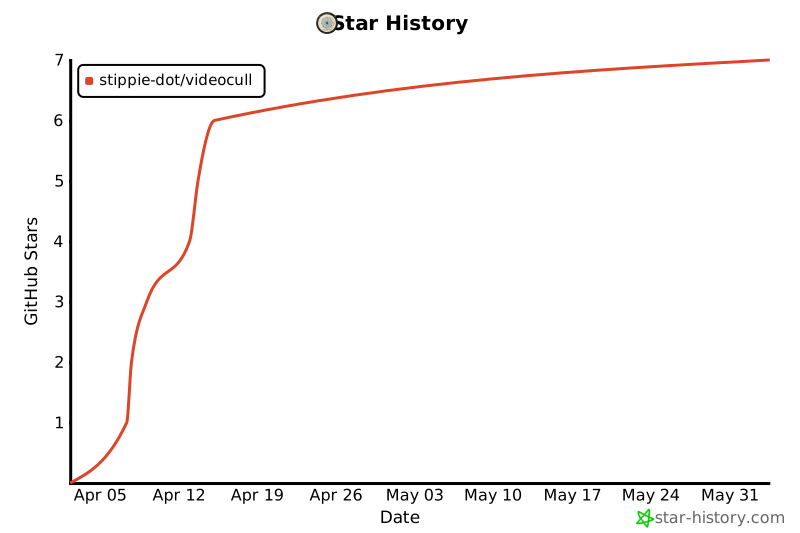
- Stars: 6
- Watchers: 0
- Forks: 1
- Open Issues: 0
-
Metadata Files:
- Readme: README.md
- License: LICENSE
Awesome Lists containing this project
README
# Video Cull
> Tear through a massive video library in minutes. No cloud. No account. Just you, your files, and a keyboard.
You've got a folder full of videos – dashcam clips, drone footage, years of random stuff you never sorted. Opening each one in VLC is not a workflow. Video Cull is.
Point it at a folder. It scans everything, generates thumbnail strips, and gives you a keyboard-driven interface to decide what stays and what goes. When thumbnails aren't enough, hit play and scrub through it right there. Mark, move on, repeat.
When you're done, one command sends everything marked for deletion to the Recycle Bin. Nothing is permanently gone until you say so.
---
## Screenshots
| Landing | Grid |
|---|---|
|  |  |
| Review Mode |
|---|
|  |
---
## Download
Grab the latest installer from the [Releases](https://github.com/stippie-dot/VideoCull/releases) page.
Installs for the current user – no admin rights needed. On first launch Windows may show a SmartScreen prompt since the app isn't code-signed yet; click "Run anyway" to proceed.
---
## Features
### Grid View
Every video gets a strip of thumbnails pulled from different points in the file. You know what you're looking at without opening anything.
- Adjustable card size (`Ctrl++` / `Ctrl+-`)
- Group by subfolder with per-folder totals
- Filter by status (All / Pending / Keep / Delete / Skipped) and file size
- Sort by name, size, duration, or date
- Batch selection with Keep, Delete, Skip, Reset, and Clear actions
- Per-folder Review button to scope review mode to one folder
- Drag and drop folder opening, multi-directory sessions
- Recent directories with timestamps, stale-entry auto-cleanup
- Privacy screen toggle (`Shift+Esc`)
### Review Mode
Fullscreen, one at a time, keyboard only.
- Thumbnail strip with dynamic aspect ratio – no black bars
- In-app player with scrubbing, metadata at a glance
- Undo any decision before you commit the final delete
- **Bookmarks** – press `B` while playing to drop a timestamped bookmark; persists across sessions, click to seek
- **Playback speed** – `[` / `]` steps through 0.5x – 2x; persists as you move between videos
### Thumbnail Generation
- **Configurable frame count** – 1, 2, 4, 6, or 9 thumbnails per video (default: 6)
- **Intro skip** – first frame offset by a configurable delay to avoid black fades (default: 3s)
- **Parallel processing** – RAM and CPU-aware auto-detect, or set manually (1–8 processes)
- **Cached** – already-processed videos are skipped on rescan
- **Hardware acceleration** – optional GPU decoding (beta)
### Cache
Progress lives in SQLite databases under `userData/video-cache`, mirroring your actual folder hierarchy on disk. One `.db` per folder.
- Three location modes: Centralised (default), Per-drive, Distributed (`.videocull` next to your files)
- Old flat-root DBs and legacy `.video-cull-cache.json` files are migrated automatically on first scan
- Status and bookmarks survive migration
### Export
Generate an HTML report from Settings or the app menu – scoped to all videos or filtered results, grouped by folder with separate Keep/Delete/Pending/Skipped sections.
---
## Keyboard Shortcuts
### Grid and General
| Shortcut | Action |
|----------|--------|
| `Ctrl + O` | Open directory |
| `F5` | Rescan |
| `Ctrl + Z` | Undo |
| `Ctrl + Backspace` | Send marked videos to Recycle Bin |
| `Ctrl + Shift + R` | Clear thumbnail cache |
| `Ctrl + E` | Reveal in Explorer |
| `Ctrl + +` / `Ctrl + -` | Zoom cards |
| `F11` | Toggle fullscreen |
| `?` | Keyboard shortcuts reference |
| `Shift + Esc` | Toggle privacy screen |
### Review Mode
| Shortcut | Action |
|----------|--------|
| `K` | Keep |
| `D` | Mark for deletion |
| `S` | Skip |
| `Z` | Undo |
| `Space` | Play / pause |
| `← / →` | Previous / next video (scrubs 5s when playing) |
| `Enter` | Play in-app |
| `Ctrl + Enter` | Open in external player |
| `B` | Drop bookmark |
| `[` / `]` | Playback speed down / up |
| `Esc` | Stop / exit review |
All review shortcuts are fully customizable in Settings.
---
## Settings
| Setting | Options | Default |
|---------|---------|---------|
| App mode | Minimal / Extended | Minimal |
| Cache location | Centralised / Per-drive / Distributed | Centralised |
| Thumbnails per video | 1, 2, 4, 6, 9 | 6 |
| Default card scale | 0.5x – 2.0x | 1.0x |
| Default sort | Name / Size / Date / Duration | Name |
| Group by folder | On / Off | On |
| Concurrent processing | Auto (RAM + CPU aware) / 1 / 2 / 3 / 4 / 8 | Auto |
| Limit FFmpeg to 1 thread per file | On / Off | On |
| Intro skip delay | 0 – 60 seconds | 3s |
| Hardware acceleration | On / Off | On |
| Auto updates | On / Off | On |
| Keybindings | Any key or combination | K / D / S / Z / Space |
---
## Supported Formats
Plays natively in-app: `.mp4` `.webm` `.mov` `.mkv` `.m4v`
Everything else (`.avi`, `.wmv`, `.flv`, `.ts`, `.mts`, etc.) opens in your default system player. FFmpeg generates thumbnails for anything it can decode.
---
## Building from Source
Requires Node.js 20+. FFmpeg and FFprobe are bundled.
```bash
git clone https://github.com/stippie-dot/VideoCull.git
cd VideoCull
npm install
npm run dev
```
| Command | Description |
|---------|-------------|
| `npm run dev` | Vite + Electron with hot reload |
| `npm run build` | Renderer-only production build |
| `npm run package` | Full build + Windows installer (NSIS) |
| `npm run rebuild` | Rebuild native modules (better-sqlite3) against Electron |
---
## Stack
[Electron](https://www.electronjs.org/) · [React](https://react.dev/) · [Video.js](https://videojs.com/) · [FFmpeg](https://ffmpeg.org/) · [better-sqlite3](https://github.com/WiseLibs/better-sqlite3) · [Zustand](https://github.com/pmndrs/zustand) · [TypeScript](https://www.typescriptlang.org/) · [Vite](https://vitejs.dev/)
---
## Star History
---
## License
[GNU Affero General Public License v3.0](LICENSE)