https://github.com/stla/shinyXYpad
An XY pad controller for Shiny.
https://github.com/stla/shinyXYpad
r shiny
Last synced: 3 months ago
JSON representation
An XY pad controller for Shiny.
- Host: GitHub
- URL: https://github.com/stla/shinyXYpad
- Owner: stla
- Created: 2019-05-21T08:22:06.000Z (about 7 years ago)
- Default Branch: master
- Last Pushed: 2022-09-26T14:23:56.000Z (over 3 years ago)
- Last Synced: 2025-12-09T16:38:07.998Z (6 months ago)
- Topics: r, shiny
- Language: JavaScript
- Size: 254 KB
- Stars: 6
- Watchers: 2
- Forks: 0
- Open Issues: 0
-
Metadata Files:
- Readme: README.md
Awesome Lists containing this project
- awesome-shiny-extensions - shinyXYpad - XY controller input widget for Shiny. (UI Components / Special Input)
README
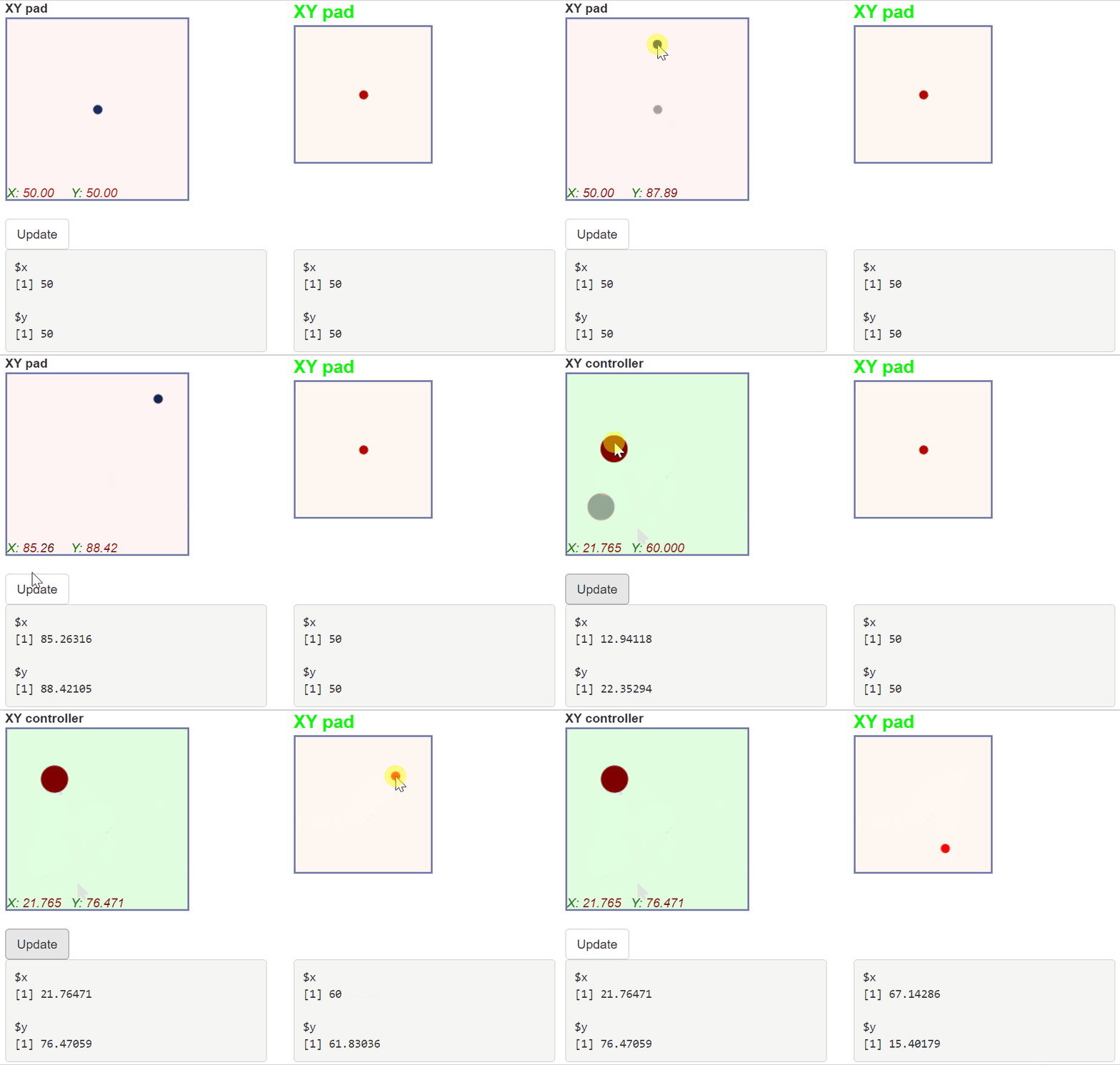
# shinyXYpad
An XY pad controller for Shiny.
```r
library(shiny)
library(shinyXYpad)
ui <- fluidPage(
tags$head(
tags$style(HTML("#xy2-xylabel {font-size: 20px; color: lime;}"))
),
fluidRow(
column(
3,
XYpadInput(
"xy1", label = "XY pad", pointRadius = 5,
x = "X", y = "Y",
coordsColor = "darkred", xyColor = "green",
xySize = 14, xyStyle = "oblique"
)
),
column(
3,
XYpadInput(
"xy2", label = "XY pad", pointColor = "red",
width = 150, height = 150,
onMove = TRUE, displayXY = FALSE, displayPrevious = FALSE
)
)
),
br(),
actionButton("update", "Update"),
br(),
fluidRow(
column(3, verbatimTextOutput("xy1value")),
column(3, verbatimTextOutput("xy2value"))
)
)
server <- function(input, output, session){
output[["xy1value"]] <- renderPrint({input[["xy1"]]})
output[["xy2value"]] <- renderPrint({input[["xy2"]]})
observeEvent(input[["update"]], {
updateXYpadInput(
session = session, inputId = "xy1", label = "XY controller",
value = list(x = 50, y = 50), ndecimals = 3,
bgColor = "rgba(100,255,100,0.2)",
pointColor = "maroon", pointRadius = 15
)
})
}
shinyApp(ui, server)
```