https://github.com/stoicsoft/server-compass-releases
Heroku & Vercel alternative for your own VPS. Docker deployments, GitHub Actions CI/CD, domain + SSL management, real-time monitoring, database admin, SSH terminal. Offline-first desktop app.
https://github.com/stoicsoft/server-compass-releases
deployment devops
Last synced: about 2 months ago
JSON representation
Heroku & Vercel alternative for your own VPS. Docker deployments, GitHub Actions CI/CD, domain + SSL management, real-time monitoring, database admin, SSH terminal. Offline-first desktop app.
- Host: GitHub
- URL: https://github.com/stoicsoft/server-compass-releases
- Owner: stoicsoft
- Created: 2025-11-07T05:00:15.000Z (8 months ago)
- Default Branch: main
- Last Pushed: 2026-04-11T08:29:32.000Z (3 months ago)
- Last Synced: 2026-04-11T10:29:04.287Z (3 months ago)
- Topics: deployment, devops
- Homepage: https://servercompass.app/
- Size: 8.79 KB
- Stars: 12
- Watchers: 0
- Forks: 3
- Open Issues: 0
-
Metadata Files:
- Readme: README.md
Awesome Lists containing this project
README
# Server Compass
### The Modern VPS Management Desktop App for Developers
[](https://github.com/stoicsoft/server-compass-releases/releases/latest)
[](https://github.com/stoicsoft/server-compass-releases/releases/latest)
[](https://github.com/stoicsoft/server-compass-releases/releases/latest)
[](https://servercompass.app)
---
**Server Compass** is a powerful, offline-first desktop application that transforms how developers manage Virtual Private Servers. Deploy Docker containers, configure domains with SSL, manage databases, schedule cron jobs, and monitor server health — all from a beautiful native interface.
> **No cloud account required.** Your servers, your data, your control.
---
## Why Server Compass?
| Traditional VPS Management | With Server Compass |
|---------------------------|---------------------|
| SSH into server manually | Visual dashboard for everything |
| Write docker-compose by hand | 100+ ready-to-deploy templates |
| Configure nginx/Traefik manually | One-click domain + SSL setup |
| Remember cron syntax | Visual cron scheduler |
| Check logs via terminal | Real-time log streaming in-app |
| No deployment history | Full deployment timeline with rollback |
---
## Key Features
### Deploy Apps in Minutes
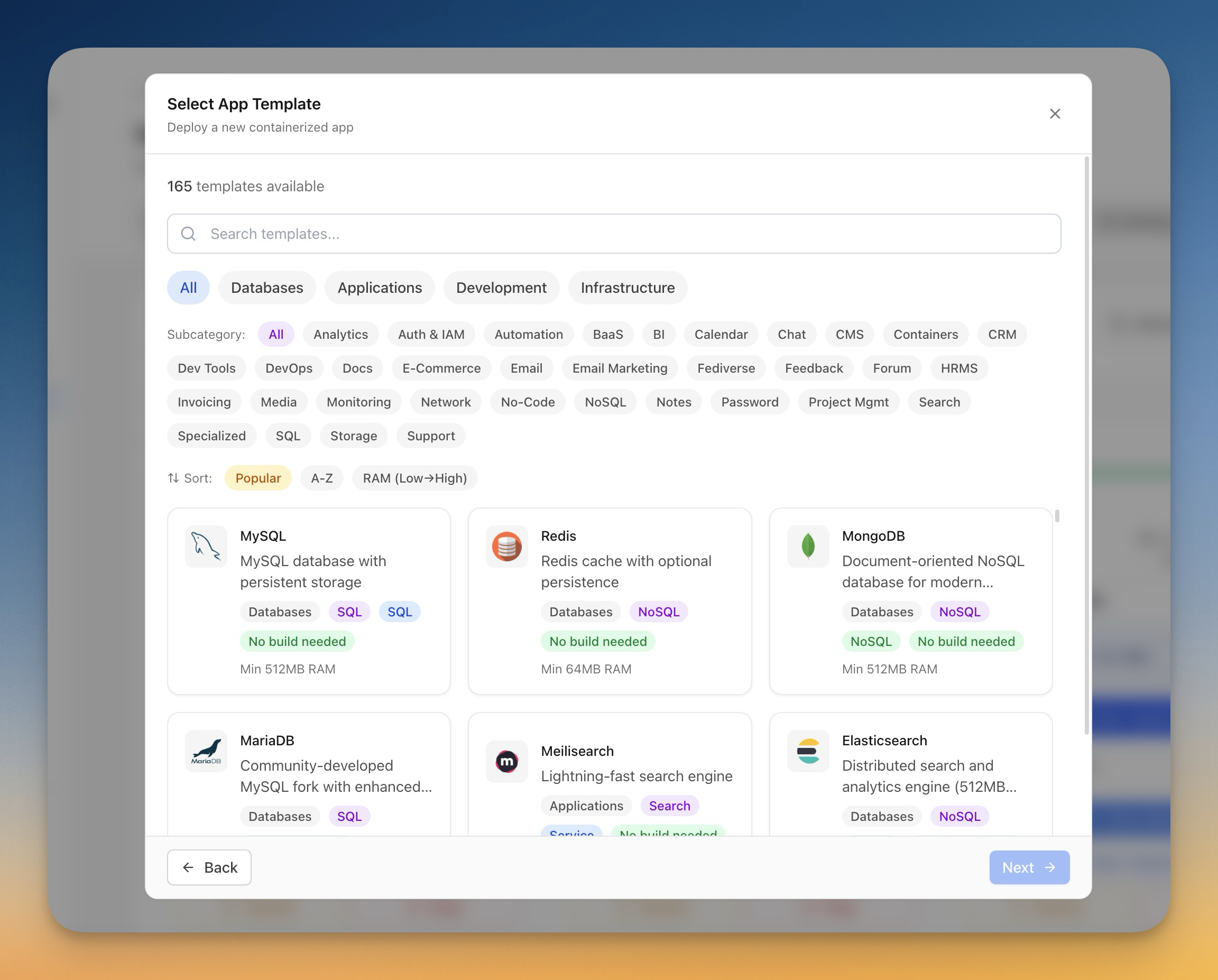
Deploy containerized applications using a guided wizard. Choose from **100+ pre-built templates** including WordPress, Ghost, Strapi, Supabase, PostgreSQL, MongoDB, Redis, and more — or deploy directly from your GitHub repository.
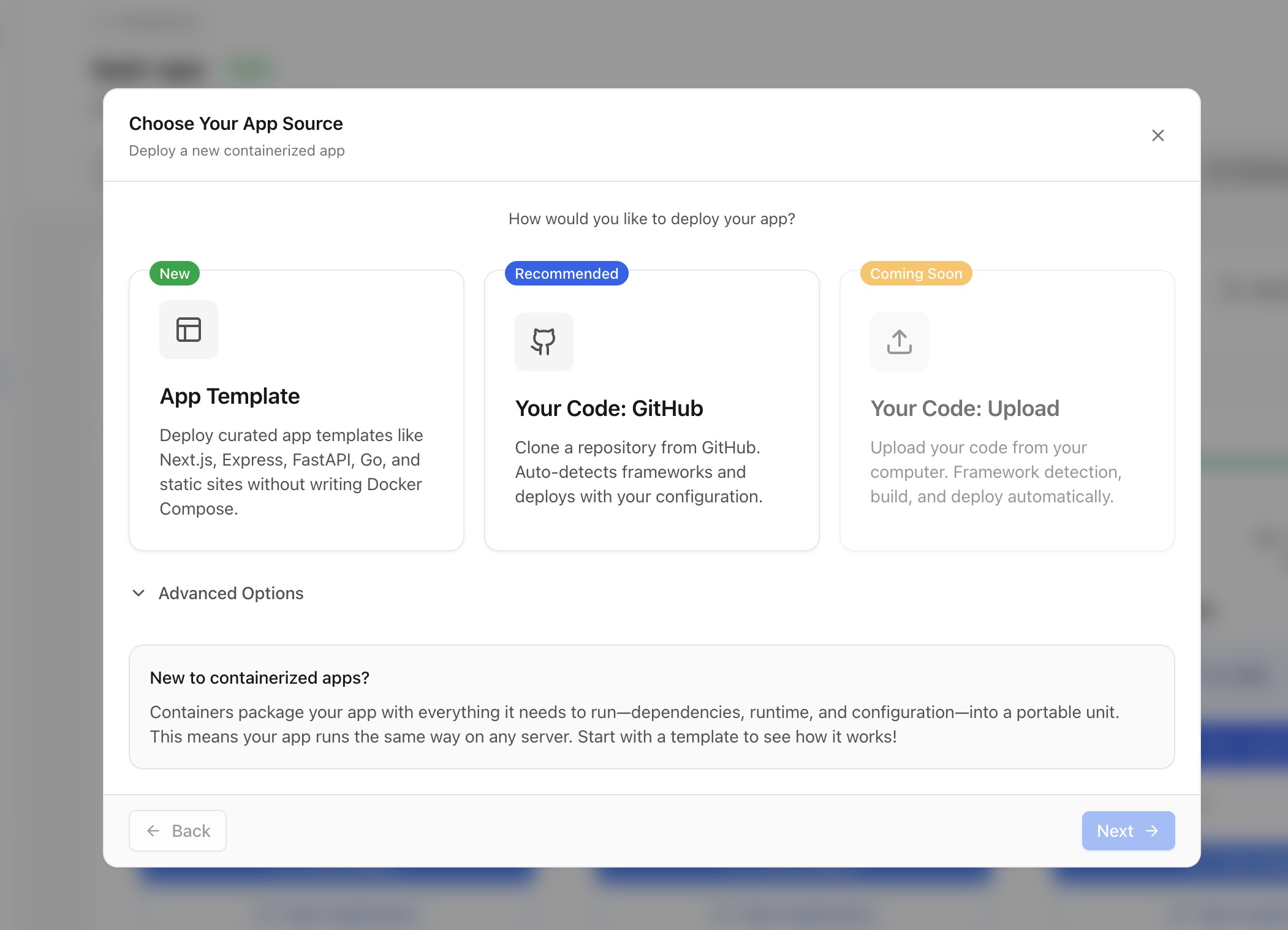
**Deployment Options:**
- **Template Deployment** — Choose from curated Docker templates
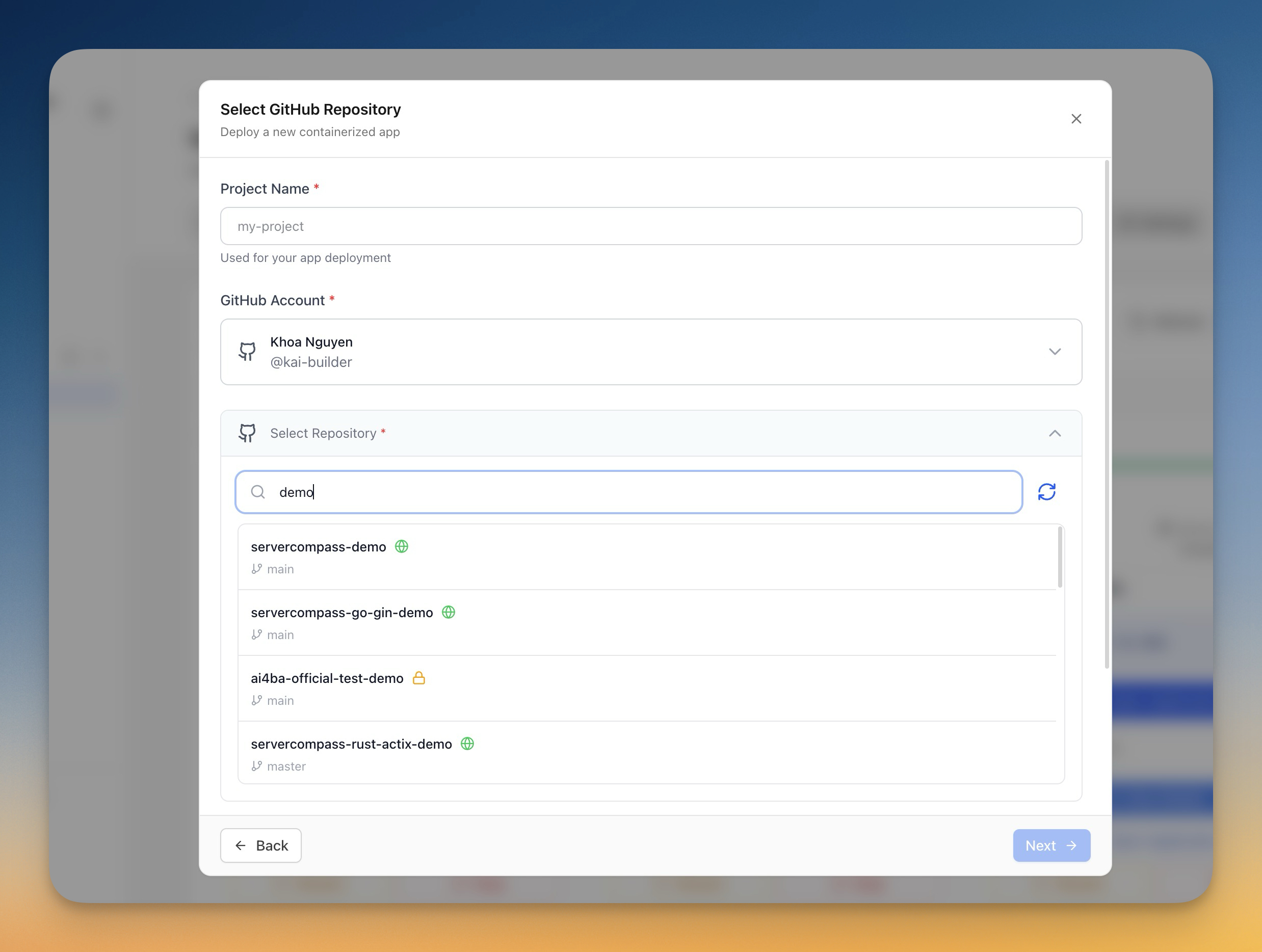
- **GitHub Repository** — Deploy from any branch with auto-detection
- **Docker Compose** — Upload or paste your own compose files
- **Container Registry** — Pull from Docker Hub, GHCR, GitLab Registry
---
### GitHub Actions CI/CD Integration
Build and deploy your applications using **GitHub Actions free CI minutes**. Server Compass generates production-ready Dockerfiles, commits workflow files, and deploys to your VPS — all with live build logs.

**CI/CD Features:**
- Auto-generated Dockerfiles for Next.js, Node.js, Python, Go
- 5-step guided deployment with real-time progress
- Resume mid-deployment — close and come back anytime
- Zero-downtime blue-green deployments
- Instant rollback to any previous version
---
### Domain & SSL Management
Add custom domains with automatic SSL certificates from Let's Encrypt. Built-in Traefik reverse proxy handles routing, HTTPS, and load balancing.
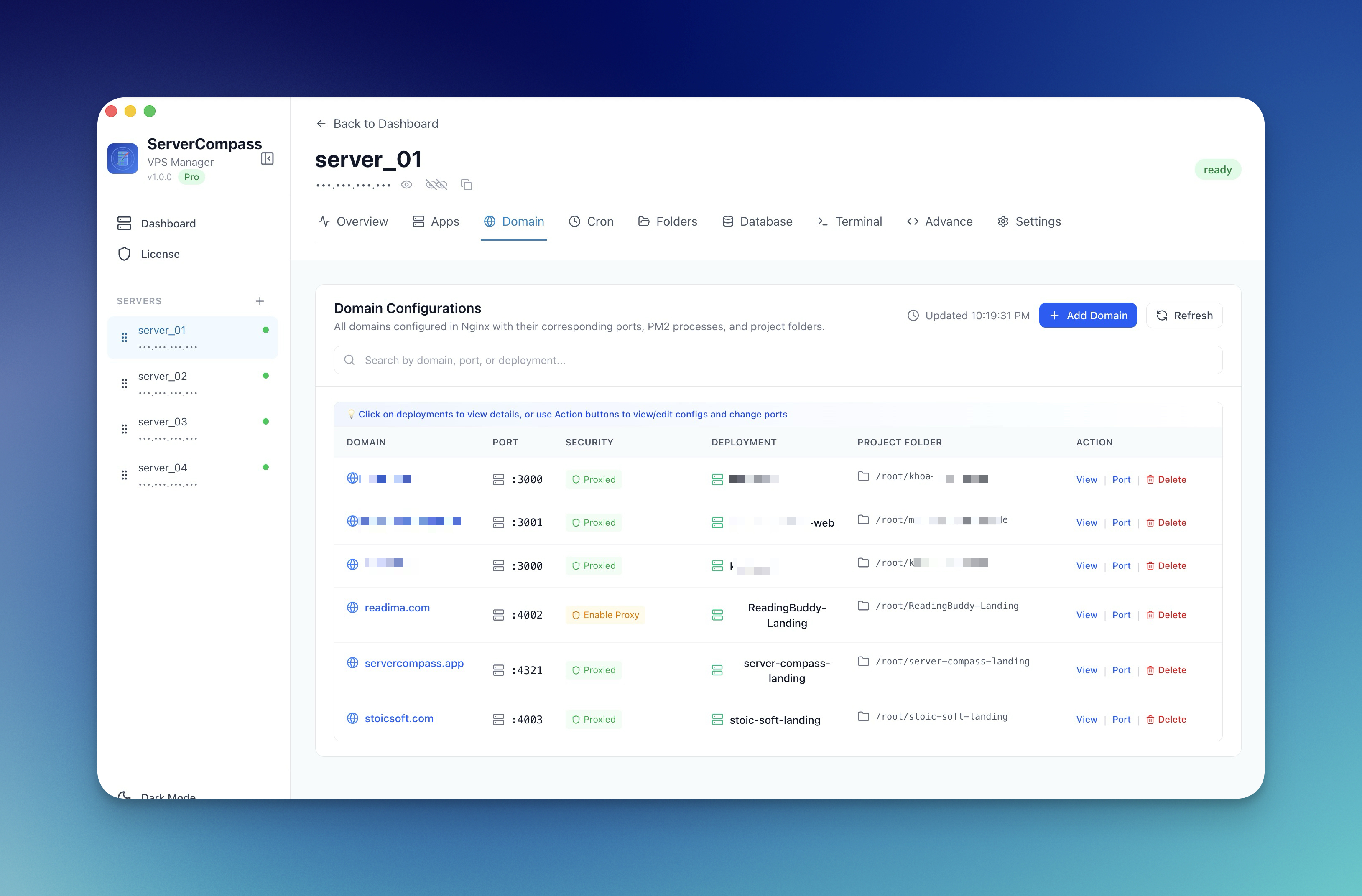
**Domain Features:**
- Automatic SSL certificate provisioning and renewal
- DNS verification with propagation checking
- WWW redirect configuration
- Security headers (HSTS, X-Frame-Options, CSP)
- Basic Auth and IP allowlisting
- Rate limiting per domain

---
### Real-Time Monitoring & Alerts
Install a lightweight monitoring agent and create custom alert rules. Get notified via Slack, Discord, email, or webhooks when CPU, memory, or disk crosses your thresholds.
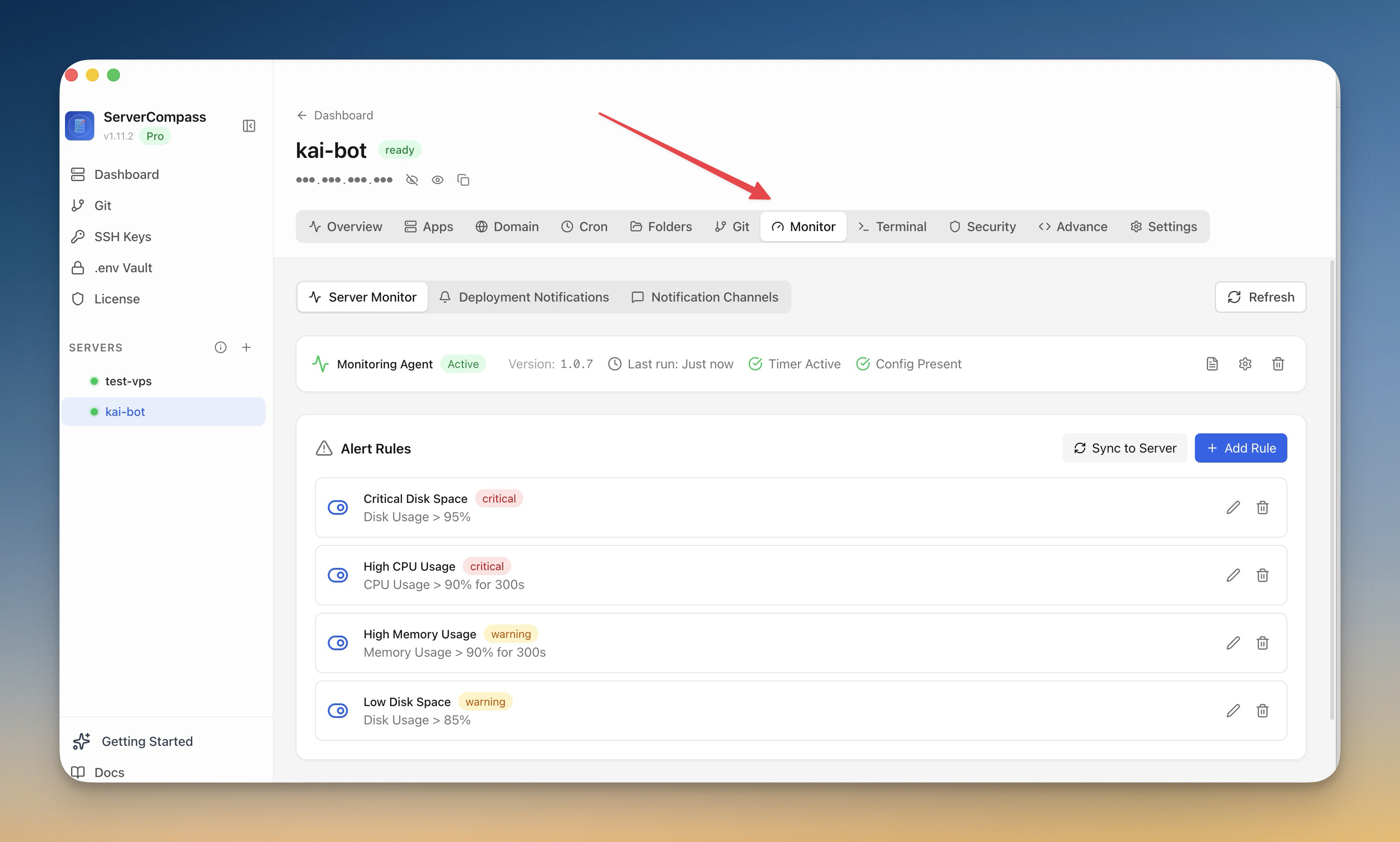
**Monitoring Features:**
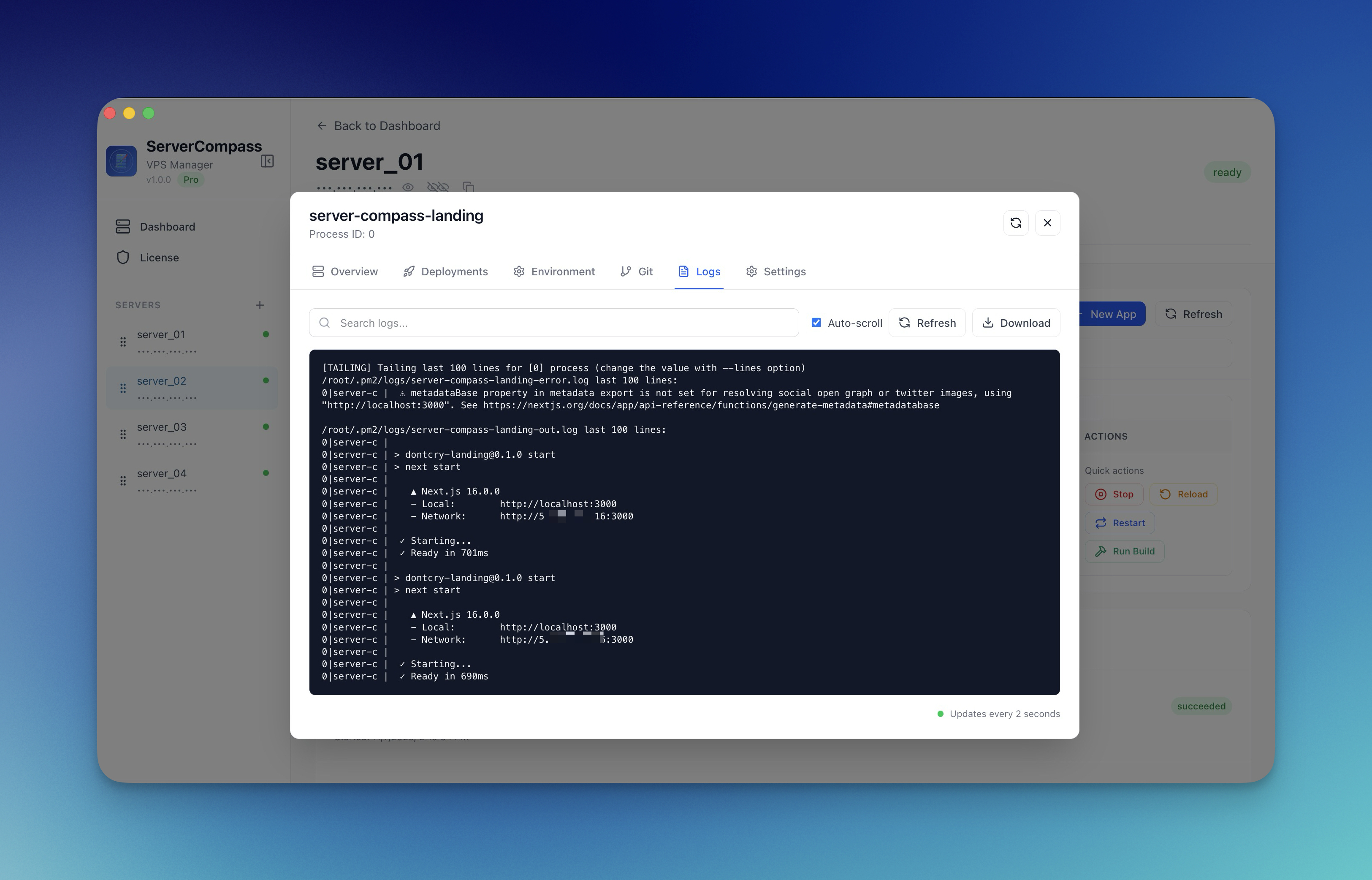
- CPU, RAM, and disk usage graphs
- Custom threshold-based alert rules
- Deployment success/failure notifications
- Real-time container health status
- Full SSH command audit logs
---
### Database Administration
Manage PostgreSQL, MySQL, MongoDB, Redis, Elasticsearch, and more with a built-in database admin interface. Run queries, browse tables, import/export data.

**Database Features:**
- SQL query editor with syntax highlighting
- NoSQL query editors (MongoDB, Elasticsearch, CouchDB, Cassandra)
- Table schema browser
- CSV import with column mapping
- Data export to CSV/JSON
- Connection credentials with copy buttons

---
### Interactive SSH Terminal
Full xterm-based SSH terminal with multi-tab support, command suggestions, and auto-correction. Pop out into a standalone window for long-running operations.

**Terminal Features:**
- Multi-tab terminal sessions
- Command auto-suggestions
- Typo auto-correction (sl → ls)
- Keyboard shortcuts for tab management
- Zoom controls (Cmd+/Cmd-)
- Persistent standalone window mode
)
---
### Visual File Browser
Navigate your server filesystem with list or tree view. Upload files and folders, download with progress tracking, edit files in-app with syntax highlighting.
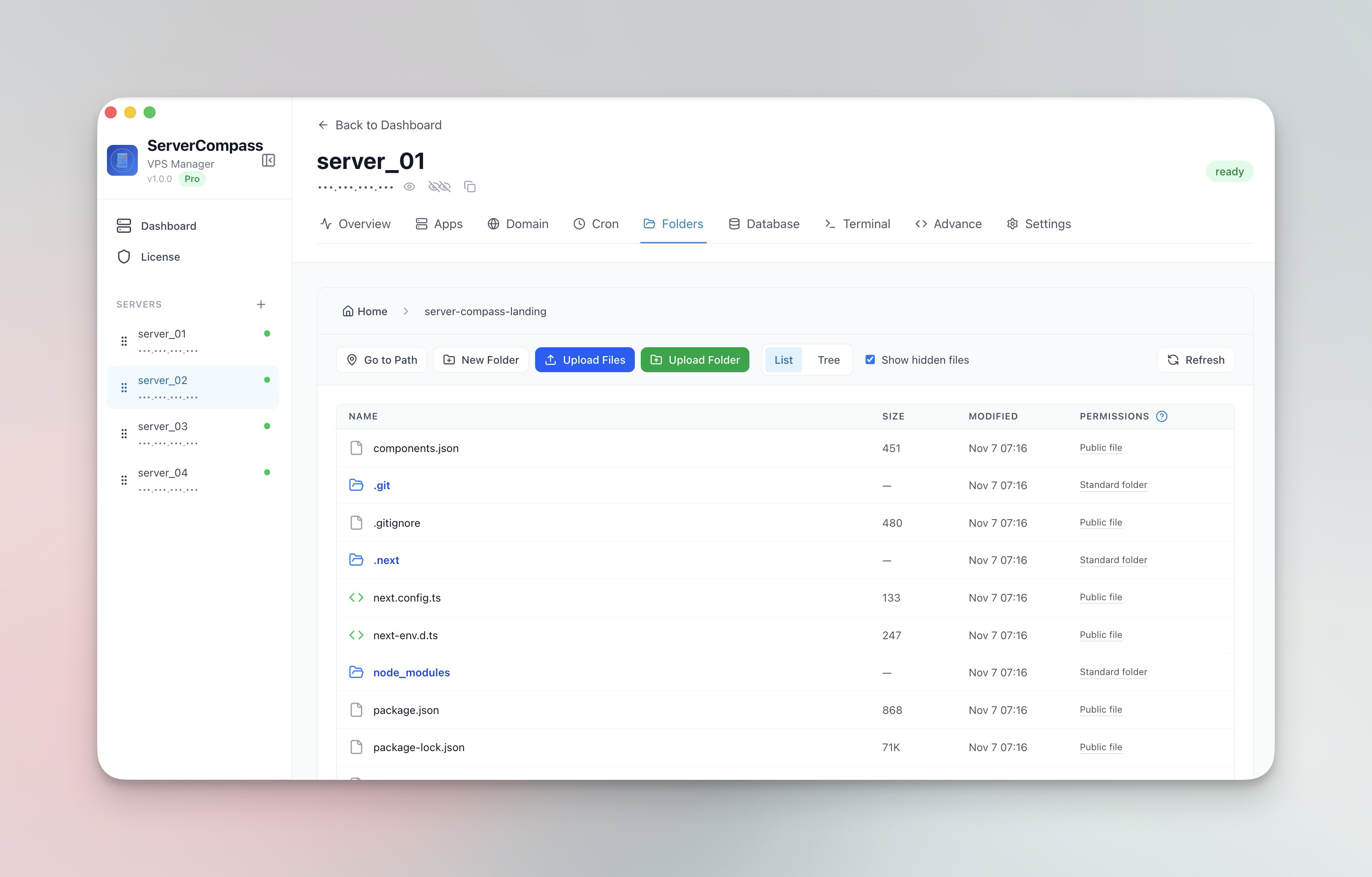
**File Features:**
- List and tree view modes
- Drag-and-drop file upload
- Folder upload with compression
- In-app file editor
- Create, rename, delete operations
- File download with progress
---
### Cron Job Scheduler
Create and manage scheduled tasks with a visual interface. Use pre-built templates for backups, cleanup, and health checks — or write custom commands.
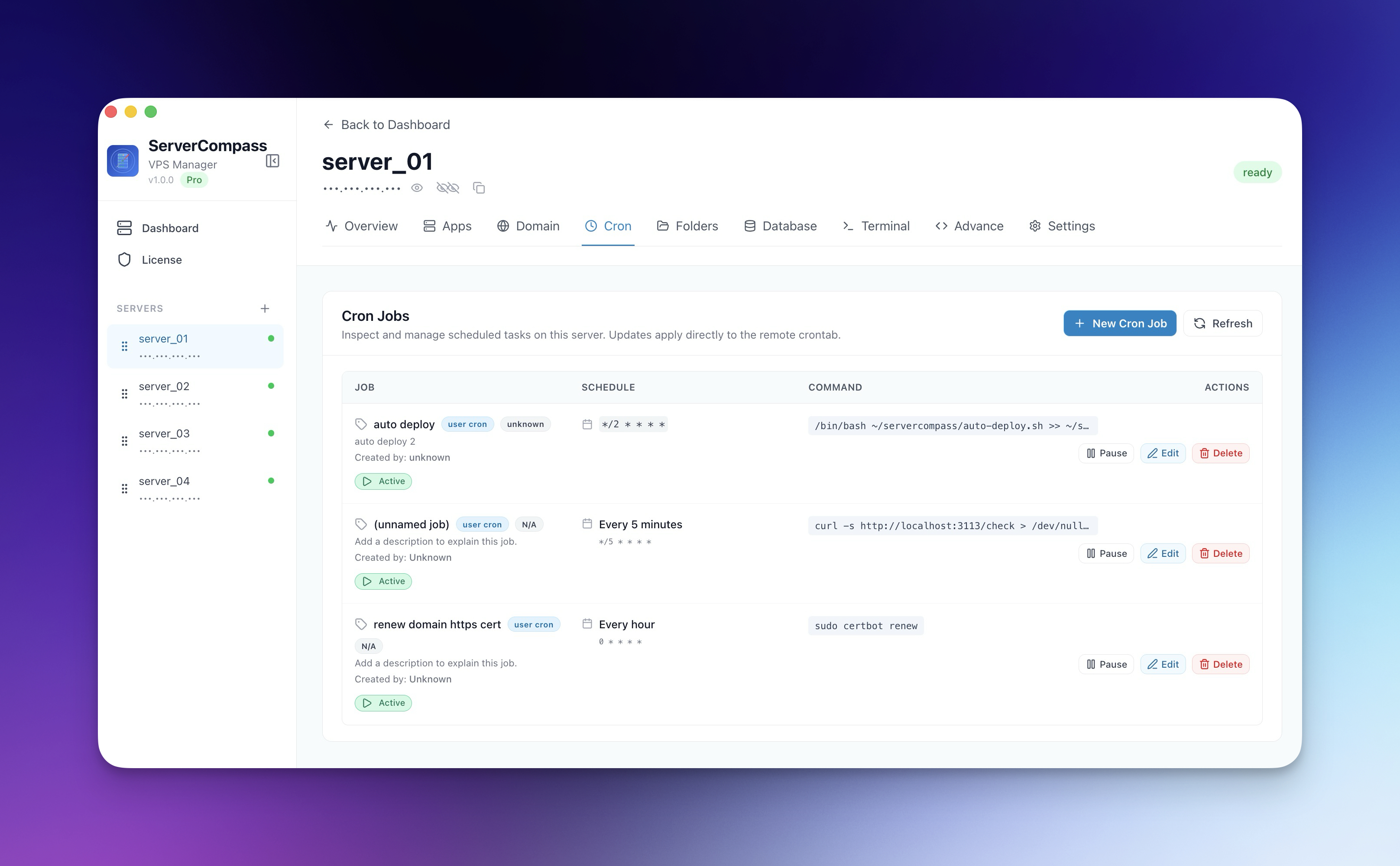
**Cron Features:**
- Visual schedule picker
- Pre-built job templates
- Execution logs and output tracking
- Enable/disable toggle
- JSON payload support for webhooks
- SSH command preview

---
### Security Hardening
Run security audits, configure Fail2Ban, manage UFW firewall rules, and apply SSH hardening — all from a visual interface.

**Security Features:**
- Security score dashboard (0-100)
- One-click Quick Harden
- Fail2Ban brute-force protection
- UFW firewall rule management
- SSH hardening (disable root, password auth)
- Server user management
- Automatic security updates

---
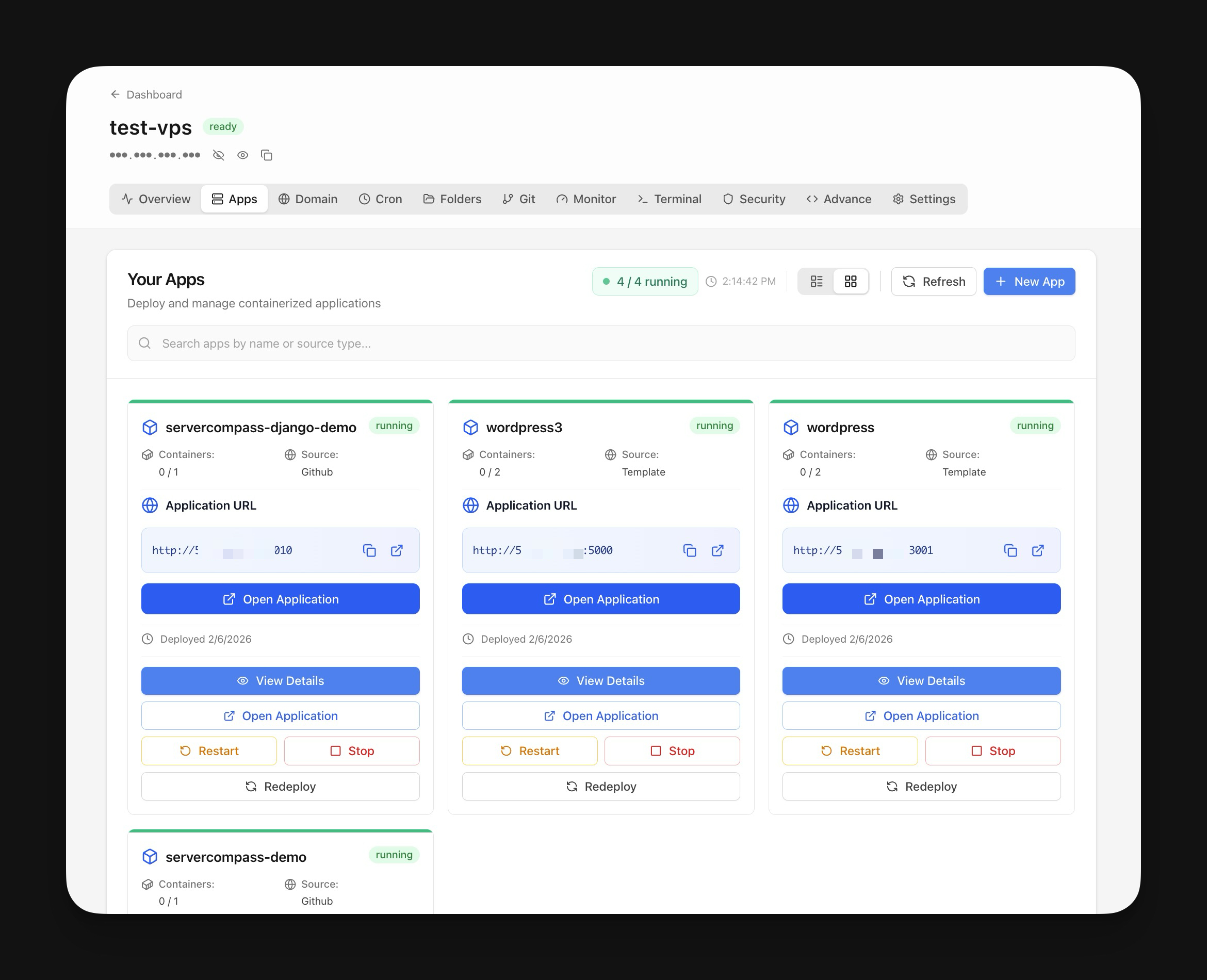
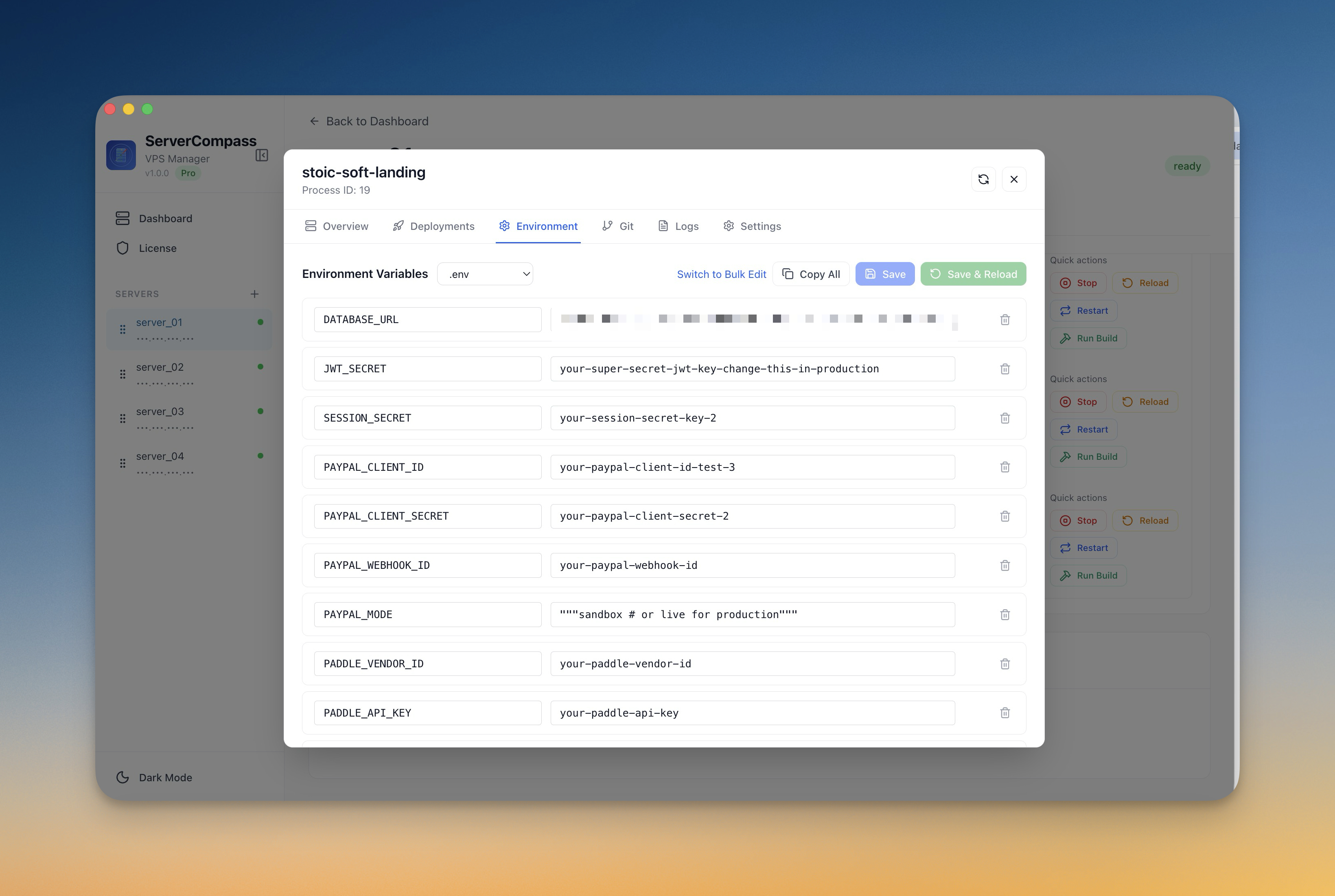
### App Management Dashboard
View all deployed applications with real-time status indicators. Toggle between grid and table views, start/stop containers, view deployment history.

**App Management Features:**
- Grid and table view modes
- Container health monitoring
- Deployment history timeline
- One-click start/stop/restart
- Unmanaged app detection
- Environment variable editor
---
### Multi-Server Support
Connect to unlimited VPS servers via SSH. Manage all your infrastructure from a single dashboard with easy server switching.

**Server Features:**
- Password and SSH key authentication
- Quick Connect script for easy onboarding
- Network interface viewer
- System package management
- Port conflict detection
- Hosts file editor
---
### GitHub OAuth & Multi-Account
Connect your GitHub account with one click. Link multiple accounts per server — personal and organization — and switch between them seamlessly.
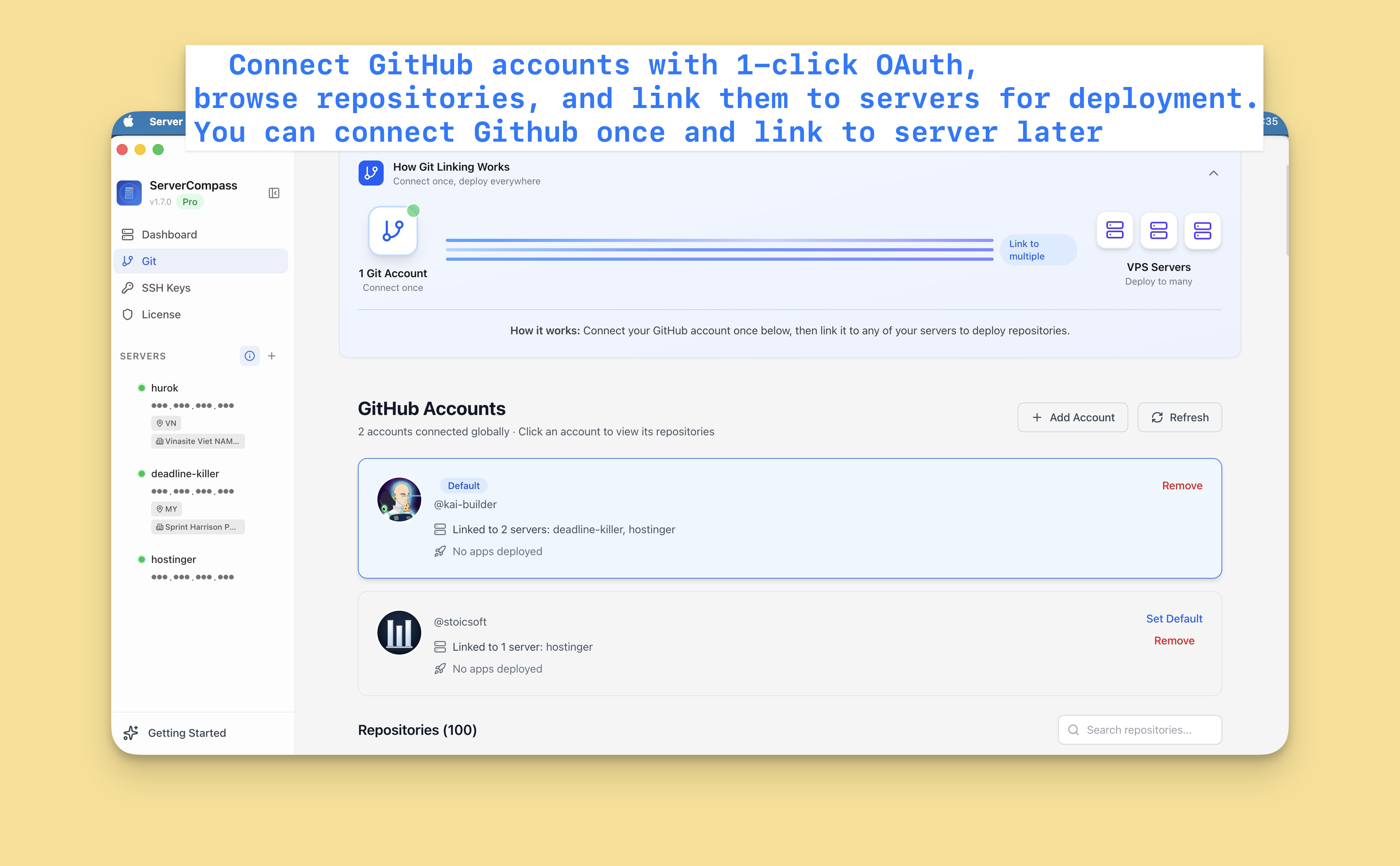
**GitHub Features:**
- 1-click OAuth connection
- Multi-account support
- Repository browser with search
- Branch selection for deployments
- Framework auto-detection
- SSH key management for Git
---
### Secret Vault
Store environment variables and secrets in an encrypted local vault. Organize into collections, import .env files, and inject secrets into deployments.
**Vault Features:**
- AES-256 encryption
- Collections with tags and descriptions
- Drag-and-drop .env import
- Export to .env format
- Search across all secrets
- Direct import to stacks
---
### Backup & Restore
Export encrypted backups of all your servers, settings, and configurations. Restore on a new machine or after a fresh install.
**Backup Features:**
- AES-256 password protection
- Full data export (servers, credentials, settings)
- Preview before restore
- Integrity verification with checksums
---
## 1-Click Install Apps
Deploy popular applications with a single click:
- **OpenClaw** — AI assistant with full management panel
- **Ollama** — Run local LLMs on your server
- **Tailscale** — Zero-config VPN mesh network
---
## Supported Platforms
| Platform | Architecture | Download |
|----------|--------------|----------|
| macOS | Intel (x64) | `.dmg` |
| macOS | Apple Silicon (arm64) | `.dmg` |
| Windows | x64 | `.exe` |
| Linux | x64 | `.AppImage`, `.deb` |
---
## System Requirements
- **macOS**: 10.15 (Catalina) or later
- **Windows**: Windows 10 or later
- **Linux**: Ubuntu 20.04+, Debian 11+, or equivalent
---
## Getting Started
1. **Download** Server Compass for your platform
2. **Add a Server** using Quick Connect or manual SSH credentials
3. **Deploy Your First App** from the template library or GitHub
4. **Add a Domain** with automatic SSL
📖 **Full Documentation**: [servercompass.app/docs](https://servercompass.app/docs)
---
## What's New in v1.12
### GitHub Actions Build & Deploy
Build apps with GitHub Actions free CI minutes. Auto-generated Dockerfiles, 5-step guided deployment, real-time build logs, and resume mid-deployment.
### OpenClaw AI Assistant Management
Full management panel with 8 sections: Devices, Models, Channels, Agents, Gateway, Skills & Plugins, Pairing & Recovery, and 1-Click Install.
### Zero-Downtime Deployments
Blue-green deployment strategy with automatic rollback on failure.
### Terminal Zoom
Zoom in/out with Cmd+/Cmd- or toolbar buttons. Each tab remembers its font size.
### Security Improvements
- Domain security headers configuration
- Rate limiting per domain
- IP allowlisting
- Basic Auth support
[View Full Changelog](https://github.com/stoicsoft/server-compass-releases/blob/main/CHANGELOG.md)
---
## FAQ
Is my server data stored in the cloud?
No. Server Compass is **offline-first**. All data is stored locally on your machine in an encrypted SQLite database. Your SSH credentials never leave your computer.
Which cloud providers are supported?
Server Compass works with **any VPS provider** — DigitalOcean, Linode, Vultr, Hetzner, AWS EC2, Google Cloud, Azure, OVH, Contabo, or your own bare-metal servers. If you can SSH into it, Server Compass can manage it.
Do I need Docker installed on my server?
Yes, Docker is required for deploying containerized applications. Server Compass can install Docker for you with one click if it's not already present.
Is there a subscription or account required?
Server Compass requires a license for full functionality. A free trial is available. No cloud account is required — the license is validated locally.
Can I deploy non-Docker applications?
Currently, Server Compass focuses on Docker-based deployments. You can still use the SSH terminal, file browser, cron scheduler, and security features for any server.
---
## Links
- **Website**: [servercompass.app](https://servercompass.app)
- **Documentation**: [servercompass.app/docs](https://servercompass.app/docs)
- **Changelog**: [CHANGELOG.md](https://github.com/stoicsoft/server-compass-releases/blob/main/CHANGELOG.md)
- **Support**: [GitHub Issues](https://github.com/stoicsoft/server-compass-releases/issues)
- **Discord**: [Join our community](https://discord.gg/servercompass)
---
## Keywords
VPS management, server management app, Docker deployment, SSH client, DevOps tools, self-hosted, container orchestration, Traefik reverse proxy, SSL certificates, Let's Encrypt, cron job scheduler, database management, PostgreSQL admin, MySQL admin, MongoDB admin, GitHub Actions CI/CD, zero-downtime deployment, server monitoring, security hardening, Fail2Ban, UFW firewall, Electron app, macOS server tools, Windows server tools, Linux server management, DigitalOcean alternative, Linode management, Vultr dashboard, Hetzner server, cloud VPS, bare metal server, SSH terminal, file browser, environment variables, Docker Compose, container registry, GHCR, GitLab registry, self-hosted PaaS, Coolify alternative, Dokku alternative, CapRover alternative
---
Navigate Your Server Infrastructure with Ease
servercompass.app