https://github.com/streamlabs/streamlabs-desktop-api-docs
API documentation + web-client example
https://github.com/streamlabs/streamlabs-desktop-api-docs
Last synced: about 1 year ago
JSON representation
API documentation + web-client example
- Host: GitHub
- URL: https://github.com/streamlabs/streamlabs-desktop-api-docs
- Owner: streamlabs
- Created: 2017-11-21T20:41:05.000Z (over 8 years ago)
- Default Branch: master
- Last Pushed: 2023-08-11T17:29:44.000Z (almost 3 years ago)
- Last Synced: 2025-06-26T03:12:37.757Z (about 1 year ago)
- Language: HTML
- Homepage: https://stream-labs.github.io/streamlabs-obs-api-docs/docs/index.html
- Size: 3.36 MB
- Stars: 43
- Watchers: 3
- Forks: 14
- Open Issues: 4
-
Metadata Files:
- Readme: README.md
Awesome Lists containing this project
README
# Streamlabs Desktop API documentation
[Streamlabs Desktop](https://github.com/stream-labs/streamlabs-obs) Has a local API for interacting with the application. You can use this API to speed up some UI actions or for writing drivers for any kind of remote controllers.
[GOTO DOCUMENTATION PAGES](https://stream-labs.github.io/streamlabs-desktop-api-docs/docs/index.html)
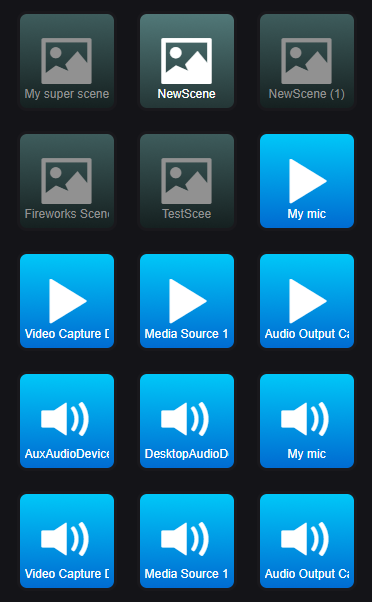
This repo also includes a simple web-interface for [Streamlabs Desktop](https://github.com/stream-labs/streamlabs-obs) that you can use as an example to start working with the API. This web-interface demonstrates some basic features like switching between scenes, show/hide, mute/unmute sources.
[Launch web-interface](https://stream-labs.github.io/streamlabs-desktop-api-docs)
# How to connect the web-application to Streamlabs Desktop
* Remote connections are disabled by default. To enable it go to `Settings->Remote Control` and click on the QR-Code and than on `show details`
* copy the token
* [Launch web-interface](https://stream-labs.github.io/streamlabs-desktop-api-docs)
* inset your token in the `token` field on the top of the page
* click the `connect` button
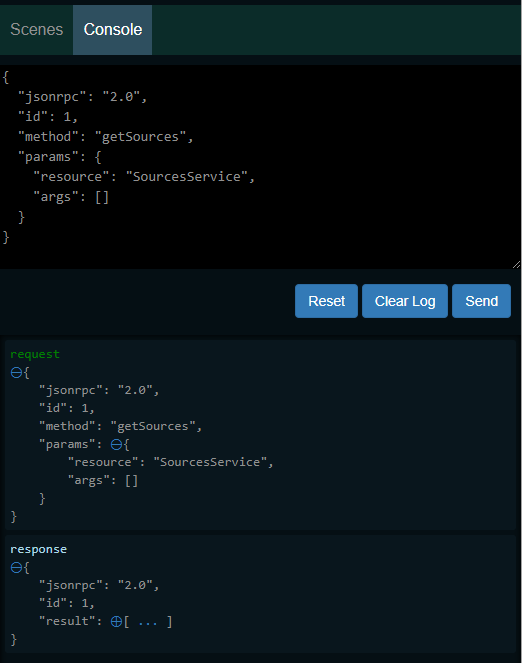
The web-interface also includes a simple console for testing direct API requests
# How to run this app on the local machine
* clone the repo
* install the web-interface application via `npm install`
* run `npm start` to start simple HTTP server
* open one of the suggested URLs in a browser