https://github.com/strongdm/leash
Leash by StrongDM - take your AI agents for a walk
https://github.com/strongdm/leash
agentic ai claude-code codex-cli container sandbox security
Last synced: 5 months ago
JSON representation
Leash by StrongDM - take your AI agents for a walk
- Host: GitHub
- URL: https://github.com/strongdm/leash
- Owner: strongdm
- License: apache-2.0
- Created: 2025-10-21T17:18:26.000Z (10 months ago)
- Default Branch: main
- Last Pushed: 2026-01-29T01:49:13.000Z (6 months ago)
- Last Synced: 2026-01-29T14:18:17.457Z (6 months ago)
- Topics: agentic, ai, claude-code, codex-cli, container, sandbox, security
- Language: Go
- Homepage: https://leash.strongdm.ai/
- Size: 927 KB
- Stars: 289
- Watchers: 5
- Forks: 14
- Open Issues: 2
-
Metadata Files:
- Readme: README.md
- License: LICENSE
Awesome Lists containing this project
- awesome-ai-security - leash - _Leash wraps AI coding agents in containers and monitors their activity._ (Defense & Security Controls / Agent Runtime Security & Sandboxing)
- awesome-agent-runtime-security - Leash
- awesome-codex-workflows - strongdm/leash - Runtime containment and policy layer for AI coding agents that makes Codex workflows safer by wrapping agents in monitored containers and enforcing Cedar policies in real time. (Workflow Infrastructure & Design)
README
# [Leash](https://leash.strongdm.ai/)
[](https://github.com/strongdm/leash/actions/workflows/tests.yml)
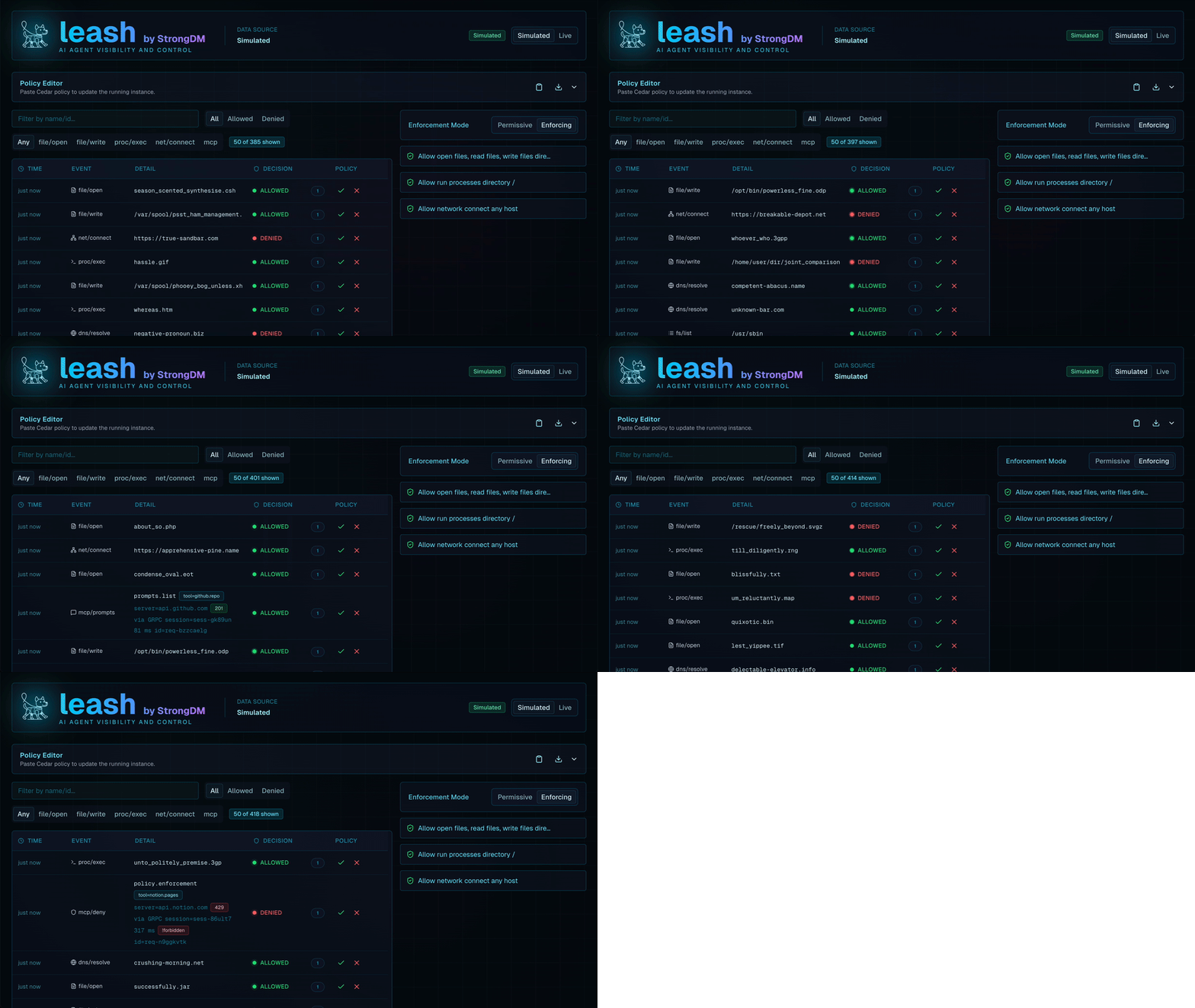
Leash wraps AI coding agents in containers and monitors their activity. You define policies in [Cedar](https://docs.cedarpolicy.com/); Leash enforces them instantly.
## Requirements
- Docker, Podman, or [OrbStack](https://orbstack.dev/)
- macOS or Linux (WSL, too!)
## Installation
Recommended method is via npm:
```bash
npm install -g @strongdm/leash
```
Alternative ways follow:
Download the latest pre-built release binary from the [releases](https://github.com/strongdm/leash/releases) page.
or if you're on macOS:
```bash
brew tap strongdm/tap
brew install --cask leash-app
```
**macOS Note 1:** This installs a helper app that enables experimental native mode on macOS and also installs the leash formula.
**macOS Note 2:** If you download Leash from the releases page, you'll need to run `xattr -d com.apple.quarantine leash` after extracting it
Refer to [MACOS.md](docs/MACOS.md) to learn more about the additional native macOS capabilities.
### Run your first Leash command
```bash
# Launch codex with the Control UI and pop open the web browser automatically
leash --open claude
leash --open codex
# Inspect available options
leash --help
```
AI agents `claude`, `codex`, `gemini`, `qwen`, and `opencode` are shipped in the default `coder` image.
On first use Leash will prompt to mount the host's coder-agent config directory (for example `~/.claude`) into the container.
Choose whether to remember that decision globally, for the current project, or just this once; persistent choices are stored at `~/.config/leash/config.toml`.
## Key Concepts
- **Full monitoring** captures every filesystem access and network connection initiated by the agent so Cedar policies and audit trails operate on complete telemetry.
- **Agent container** runs your command with the current directory bind-mounted, so tools see the same file tree they would on the host.
- **Leash container** monitors system calls, applies Cedar policies, and exposes the Control UI at http://localhost:18080 (use `--open` to launch it automatically).
- **Mount prompts** remember whether to forward host agent credentials (see [CONFIG.md](docs/CONFIG.md)).
- **Environment forwarding** maps common API keys automatically: `ANTHROPIC_API_KEY` for `claude`, `OPENAI_API_KEY` for `codex`, `GEMINI_API_KEY` for `gemini`, and `DASHSCOPE_API_KEY` for `qwen`.
## MCP Integration
Leash includes a Model Context Protocol (MCP) observer that inspects, records, and enforces MCP tool calls made by the agent. Requests flowing through supported MCP transports are correlated with filesystem and network telemetry, enabling Cedar policies to govern tool use alongside core runtime activity.
## Using Leash
### Images and Dependencies
- Keep the default `public.ecr.aws/s5i7k8t3/strongdm/coder` image for a ready-to-run AI tooling environment.
- Extend [Dockerfile.coder](Dockerfile.coder) with project packages, then point Leash at the new image.
- Reuse an existing project image by adding `ca-certificates` and configuring Leash to launch it.
Configure alternative images through TOML, CLI flags, or environment variables:
```toml
[leash]
codex = true
[projects."/absolute/path/to/project"]
target_image = "ghcr.io/example/dev:latest"
[projects."/absolute/path/to/project".volumes]
"~/devtools" = "/workspace/devtools:rw"
```
| Configure | Use | Notes |
|-------------------------|-----------------------------------------|-------------------------------------------------------|
| Target image | `target_image` in `config.toml`, | Defaults to `public.ecr.aws/s5i7k8t3/strongdm/coder`. |
| | `LEASH_TARGET_IMAGE`, or `--image` flag | |
| Target container base | `TARGET_CONTAINER` | Auto-sanitized from the current directory when unset. |
| Leash manager image | `--leash-image`, `LEASH_IMAGE` | Override when testing custom manager builds. |
| Cedar policy file | `--policy`, `LEASH_POLICY_FILE` | Mount a specific Cedar policy. |
| Control UI bind address | `--listen`, `LEASH_LISTEN` | Blank value binds to default 127.0.0.1:18080 |
| Extra bind mount | `-v src:dst[:ro]` | Repeatable for multiple mounts. |
| Environment variables | `-e KEY=value` | Forwarded into both containers. |
Run `./bin/leash --help` for a complete list of flags and environment variables.
See [CONFIG.md](docs/CONFIG.md) and [CUSTOM-DOCKER-IMAGES.md](docs/CUSTOM-DOCKER-IMAGES.md) for more information.
### Manual Volumes and Environment Variables
Choose your own project-specific mounts and set additional environment variables as needed:
```bash
leash -v ~/.myconfig:/root/.myconfig claude bash
leash -e MY_VAR=value codex bash
```
## Deep Dives
Dive deeper with [CEDAR.md](docs/design/CEDAR.md) for ready-to-adapt snippets.
- Telemetry details live in [TELEMETRY.md](docs/TELEMETRY.md).
## Troubleshooting & Next Steps
- Reset mount decisions or inspect config behavior with the tips in [CONFIG.md](docs/CONFIG.md#L1).
- Explore the development process in [DEVELOPMENT.md](docs/DEVELOPMENT.md) and [CONTRIBUTORS.md](CONTRIBUTORS.md).