https://github.com/struct78/iot-pool-temperature-sensor
A solution for checking your pool temperature without getting wet
https://github.com/struct78/iot-pool-temperature-sensor
arduino aws aws-api-gateway aws-cloudformation aws-ec2 aws-lambda aws-rds aws-s3 cdk cpp mysql react
Last synced: 3 months ago
JSON representation
A solution for checking your pool temperature without getting wet
- Host: GitHub
- URL: https://github.com/struct78/iot-pool-temperature-sensor
- Owner: struct78
- License: other
- Created: 2022-12-04T05:47:00.000Z (over 3 years ago)
- Default Branch: master
- Last Pushed: 2026-03-23T05:56:38.000Z (4 months ago)
- Last Synced: 2026-03-24T02:11:36.748Z (4 months ago)
- Topics: arduino, aws, aws-api-gateway, aws-cloudformation, aws-ec2, aws-lambda, aws-rds, aws-s3, cdk, cpp, mysql, react
- Language: TypeScript
- Homepage: https://canwegointhepool.com
- Size: 1.27 MB
- Stars: 0
- Watchers: 1
- Forks: 0
- Open Issues: 0
-
Metadata Files:
- Readme: README.md
Awesome Lists containing this project
README
# IOT Pool Temperature Sensor
[](https://sonarcloud.io/summary/new_code?id=struct78_iot-pool-temperature-sensor) [](https://sonarcloud.io/summary/new_code?id=struct78_iot-pool-temperature-sensor) [](https://sonarcloud.io/summary/new_code?id=struct78_iot-pool-temperature-sensor) [](https://sonarcloud.io/summary/new_code?id=struct78_iot-pool-temperature-sensor) [](https://sonarcloud.io/summary/new_code?id=struct78_iot-pool-temperature-sensor) [](https://sonarcloud.io/summary/new_code?id=struct78_iot-pool-temperature-sensor) [](https://sonarcloud.io/summary/new_code?id=struct78_iot-pool-temperature-sensor) [](https://sonarcloud.io/summary/new_code?id=struct78_iot-pool-temperature-sensor) [](https://sonarcloud.io/summary/new_code?id=struct78_iot-pool-temperature-sensor)
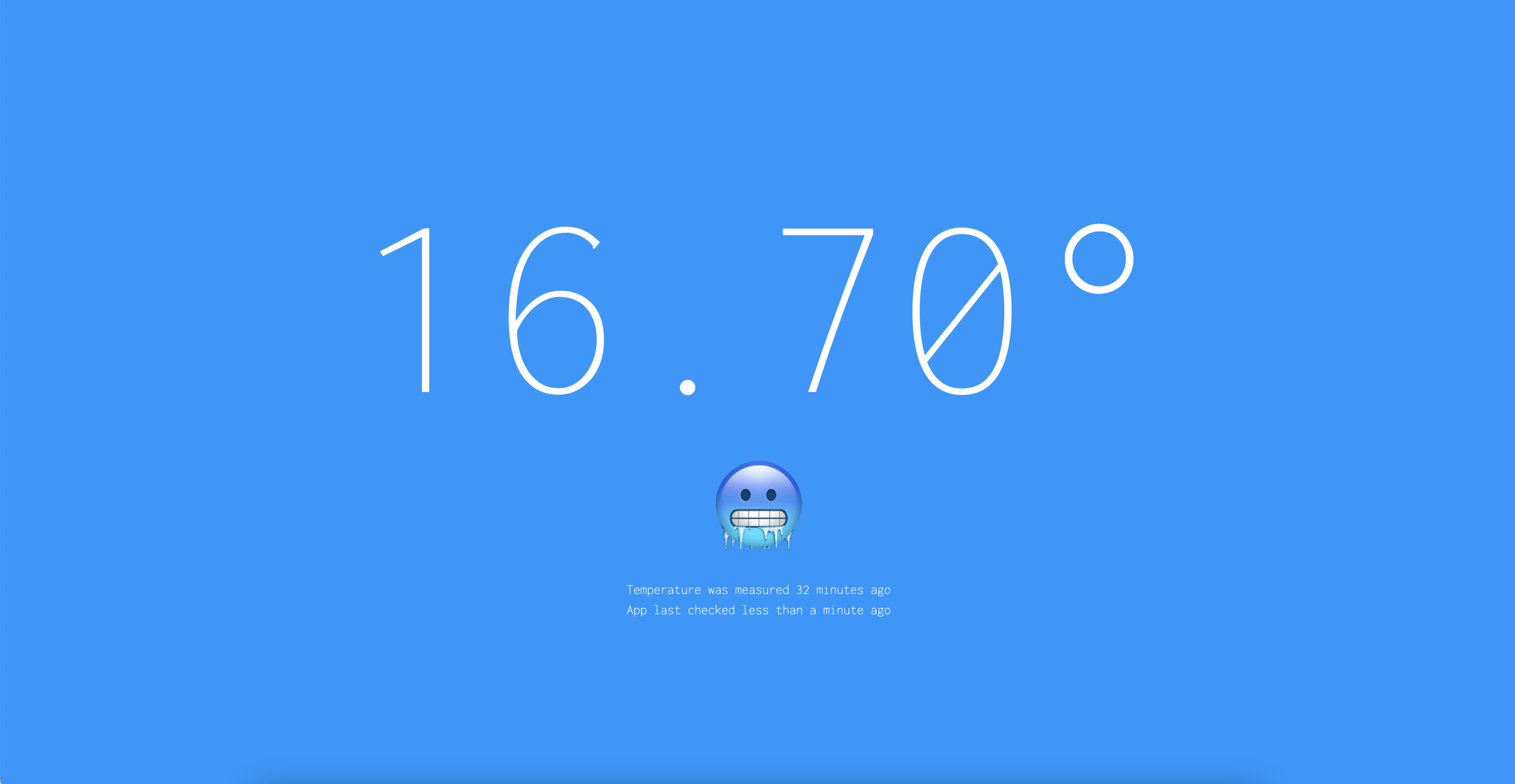
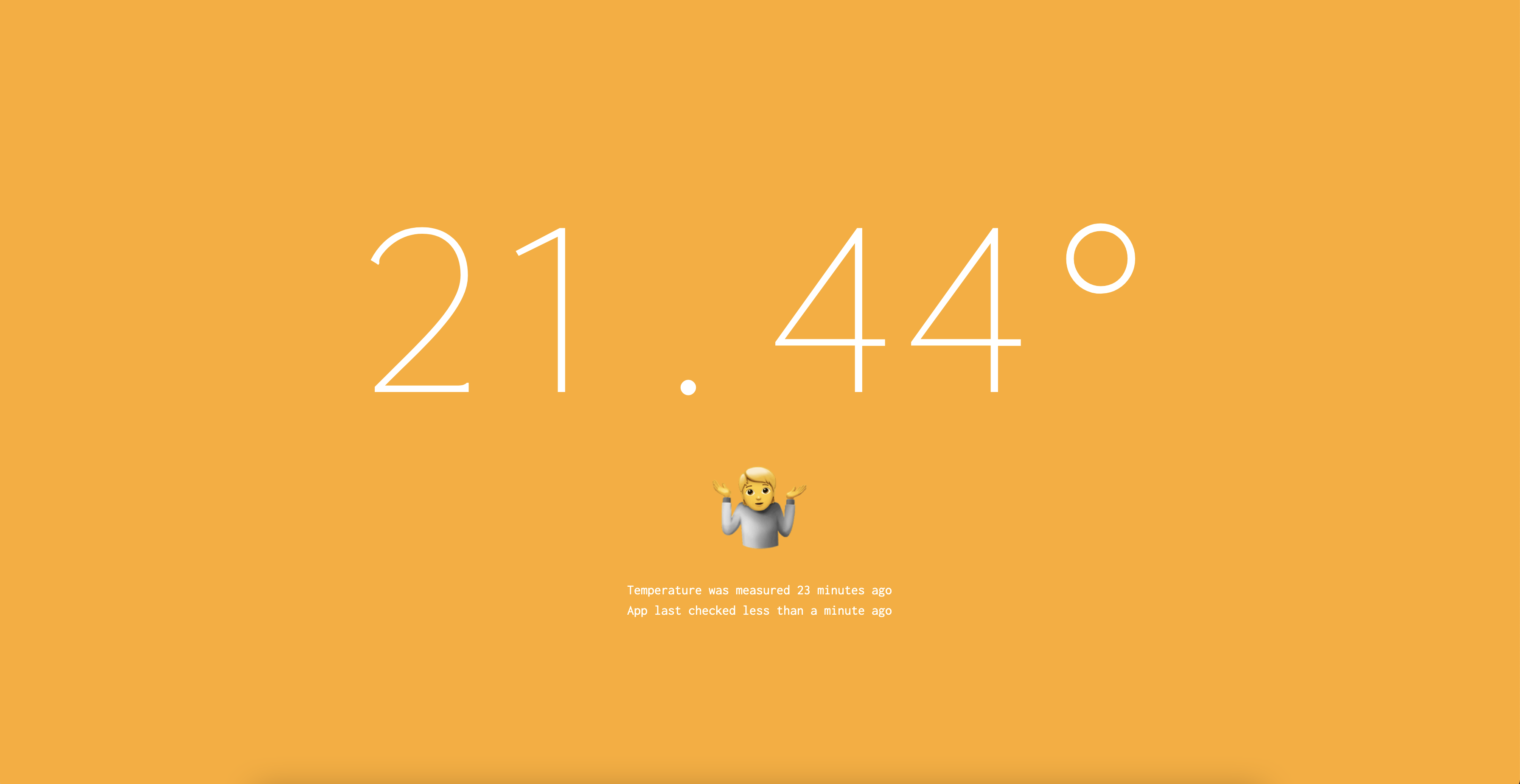
This project was inspired by my children, who kept asking to go outside to check if the pool was warm or not. Which prompted some questions:
1) How warm is warm enough for everyone?
2) How cold does the pool get in winter?
3) Why are you asking me? Check the website! [canwegointhepool.com](https://canwegointhepool.com)
#### Oh hell no
#### You can go in, I'm just going to watch
#### Woohoo! Let's go!

## How to install
The first step is to clone this repository, and update `config.json` with the domain name you want to use.
## Infrastructure
The platform is built on AWS, which collects temperature readings in a database and serves the web app. The CDK project includes:
- Route 53
- API Gateway w/ Lambda integrations (including API key for the write endpoint)
- DynamoDB
The web app is deployed using Vercel.
### Estimated Cost
The deployed AWS infrastructure, depending on your region(s) and usage, will cost about $1-2 per month.
### How to deploy & destroy
To install dependencies:
```bash
cd infrastructure
npm i
```
To deploy, first we need to build the app:
```bash
cd app
npm run build
cd ../infrastructure
```
Then run the deploy command:
```bash
npm run deploy
```
To destroy:
```bash
npm run destroy
```
## App
The web app is a simple Next.js site which pulls the latest temperature reading from the API Gateway.
To install dependencies:
```bash
cd app
npm i
```
To run:
```bash
npm run develop
```
To build:
```bash
npm run build
```
## Arduino
The code for the Arduino project is also included. You will need the following items for it to work:
| Item | Price |
-------|---------
[Arduino Uno Wifi Rev2](https://core-electronics.com.au/arduino-uno-wifi-rev2.html) | AUD$96.90
[ProtoShield + Mini Breadboard for Arduino](https://core-electronics.com.au/protoshield-mini-breadboard-for-arduino.html) | AUD$8.25
[Temperature Sensor - Waterproof (DS18B20)](https://core-electronics.com.au/temperature-sensor-waterproof-ds18b20.html) | AUD$21.13
[Flanged Weatherproof Enclosure With PG-7 Cable Glands](https://core-electronics.com.au/flanged-weatherproof-enclosure-with-pg-7-cable-glands.html) | AUD$28.10
[5mm Pitch 2-Pin Screw Terminal Block](https://core-electronics.com.au/2-pin-screw-terminal-block-5mm-pitch.html) | AUD$0.44
[POLOLU-2443 - Screw Terminal Block: 3-Pin, 5 mm Pitch, Top Entry](https://core-electronics.com.au/screw-terminal-block-3-pin-5-mm-pitch-top-entry-4-pack.html) | AUD$3.44
[Jumper wires](https://core-electronics.com.au/jumbo-jumper-wire-kit-for-solderless-breadboard-350-pcs.html) | AUD$27.50
----------------
Total Spend: AUD $185.76
### How to run
First create a `credentials.h` file.
```bash
cd arduino/iot-pool-temperature-sensor
cp credentials.h.example credentials.h
```
Update the credentials:
```c++
const char WIFI_SSID[] = "network";
const char WIFI_PASSWORD[] = "password";
const char API_GATEWAY_ENDPOINT[] = "api.{YOUR_DOMAIN}";
const int API_GATEWAY_PORT = 443;
const char API_KEY[] = "abc1234"; # Retrieve this value from Secrets Manager
```
Connect the Arduino to your computer via USB and then deploy via the Arduino IDE.
### Diagram
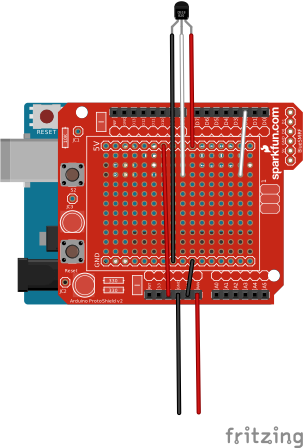
I've created a simple [Fritzing](https://fritzing.org) diagram which explains how to wire everything up: [Download Fritzing Diagram](https://raw.githubusercontent.com/struct78/iot-pool-temperature-sensor/master/arduino/diagram.fzz)
## Known Issues
There is a [known issue](https://github.com/arduino-libraries/WiFiNINA/issues/200) with the Arduino WiFi Rev2 and the WiFiNiNA library, whereby if you have multiple APs (wifi booster, range extenders, etc) with the same SSID, the board will often connect to the most distant AP. i.e. it is not smart enough to connect to the closest/strongest one, which leads to periodic drop outs.