https://github.com/sudhanplayz/neondark-theme
An eye-catching neon theme which powerup your code editor into awesome code editor!
https://github.com/sudhanplayz/neondark-theme
dark neon neondark theme violet-theme vsc-theme
Last synced: over 1 year ago
JSON representation
An eye-catching neon theme which powerup your code editor into awesome code editor!
- Host: GitHub
- URL: https://github.com/sudhanplayz/neondark-theme
- Owner: SudhanPlayz
- License: gpl-3.0
- Created: 2021-05-15T13:28:45.000Z (about 5 years ago)
- Default Branch: master
- Last Pushed: 2022-01-25T05:03:34.000Z (over 4 years ago)
- Last Synced: 2025-04-03T00:05:35.946Z (over 1 year ago)
- Topics: dark, neon, neondark, theme, violet-theme, vsc-theme
- Language: JavaScript
- Homepage: https://marketplace.visualstudio.com/items?itemName=Sudhan.neondark-theme
- Size: 319 KB
- Stars: 269
- Watchers: 2
- Forks: 7
- Open Issues: 0
-
Metadata Files:
- Readme: README.md
- License: LICENSE
Awesome Lists containing this project
README
Neon Dark - VSC Theme
An eye-catching neon theme which powerup your code editor into awesome code editor
Install »
Report Bug
·
Request Feature
Table of Contents
## About The Project
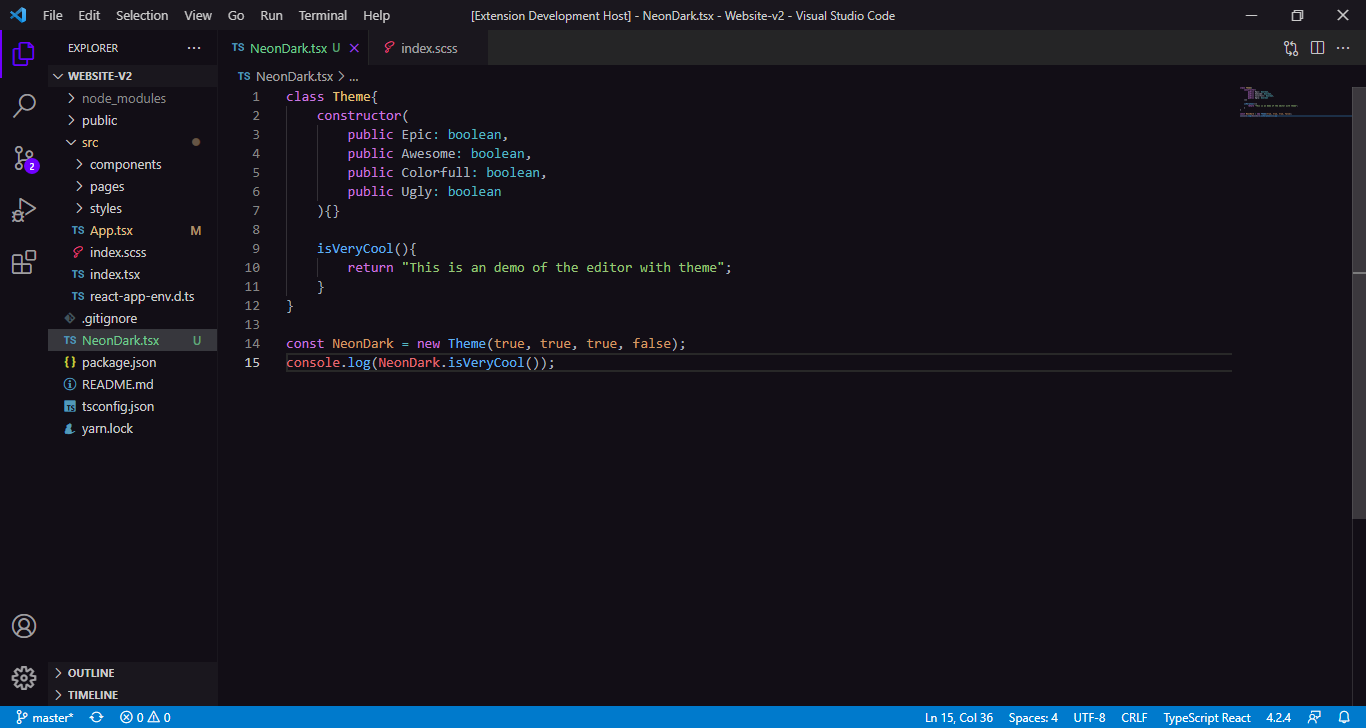
### Built With
- [VS Code](https://code.visualstudio.com)
## Getting Started
To get a local copy up and running follow these simple steps.
### Prerequisites
This is an example of how to list things you need to use the software and how to install them.
- Get vs code
- Internet to download ;-;
### Installation
Download and install it from [VSC Marketplace](https://marketplace.visualstudio.com/items?itemName=Sudhan.neondark-theme) <3
## Roadmap
See the [open issues](https://github.com/SudhanPlayz/NeonDark-Theme/issues) for a list of proposed features (and known issues).
## Contributing
Contributions are what make the open source community such an amazing place to be learn, inspire, and create. Any contributions you make are **greatly appreciated**.
1. Fork the Project
2. Create your Feature Branch (`git checkout -b feature/AmazingFeature`)
3. Commit your Changes (`git commit -m 'Add some AmazingFeature'`)
4. Push to the Branch (`git push origin feature/AmazingFeature`)
5. Open a Pull Request
## License
Distributed under the MIT License. See `LICENSE` for more information.