https://github.com/sudoeren/eckra
Supercharge your Git workflow with a TUI dashboard and AI-generated conventional commits.
https://github.com/sudoeren/eckra
ai antrophic automation cli commit commit-message commit-message-generator generative-ai git llm lm-studio node-js ollama openai terminal tui version-control
Last synced: about 2 months ago
JSON representation
Supercharge your Git workflow with a TUI dashboard and AI-generated conventional commits.
- Host: GitHub
- URL: https://github.com/sudoeren/eckra
- Owner: sudoeren
- License: mit
- Created: 2026-01-20T15:45:32.000Z (6 months ago)
- Default Branch: master
- Last Pushed: 2026-05-28T20:46:38.000Z (about 2 months ago)
- Last Synced: 2026-05-28T22:00:20.935Z (about 2 months ago)
- Topics: ai, antrophic, automation, cli, commit, commit-message, commit-message-generator, generative-ai, git, llm, lm-studio, node-js, ollama, openai, terminal, tui, version-control
- Language: JavaScript
- Homepage: https://www.npmjs.com/package/eckra
- Size: 809 KB
- Stars: 3
- Watchers: 0
- Forks: 0
- Open Issues: 0
-
Metadata Files:
- Readme: README.md
- Contributing: CONTRIBUTING.md
- License: LICENSE
Awesome Lists containing this project
README
# Eckra
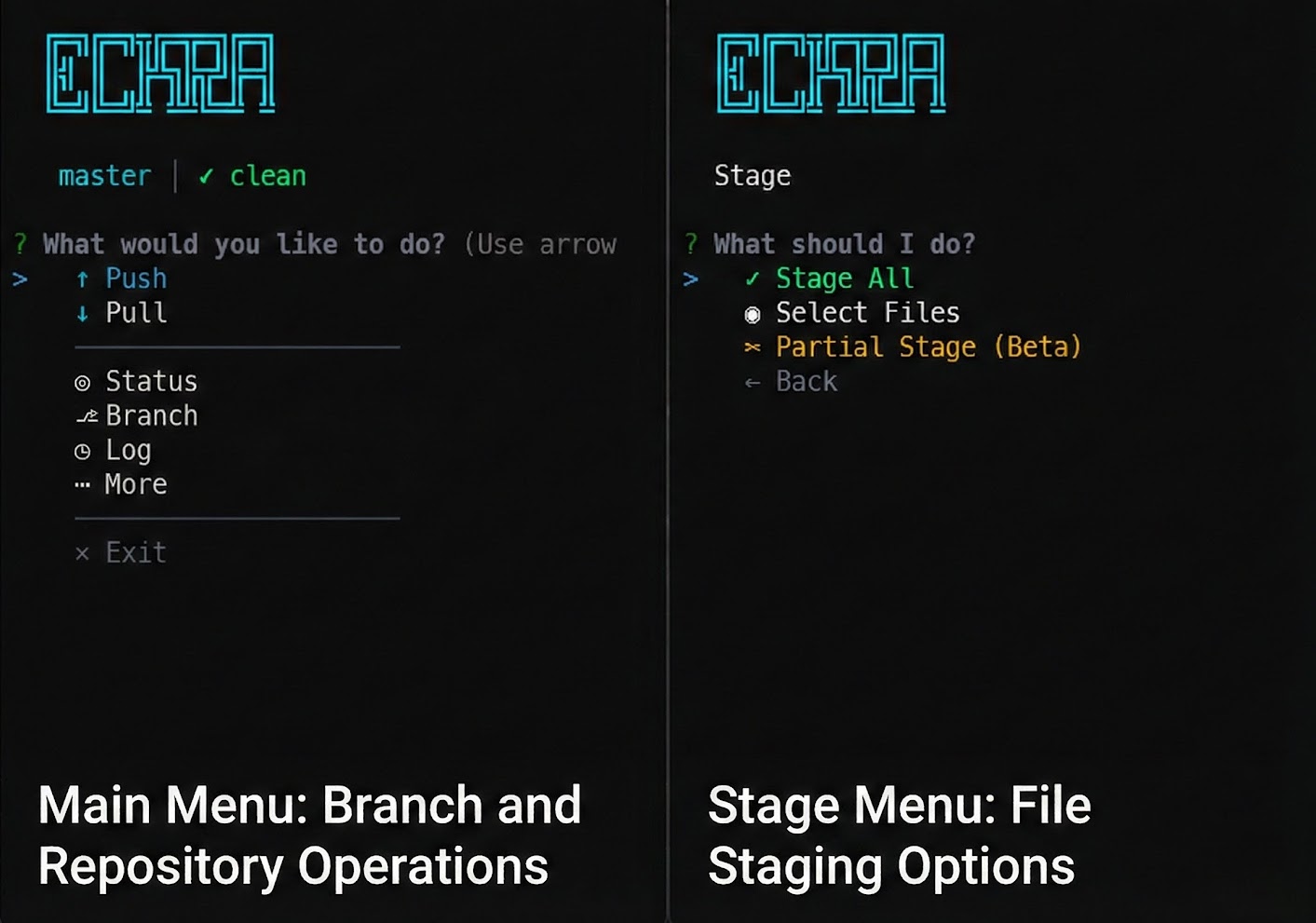
The AI-powered Git CLI that turns "working on stuff" into meaningful commits.


---
## 💡 Overview
**eckra** is an interactive Git management tool designed for developers who value both speed and clarity. It integrates with multiple AI providers to analyze your staged changes and suggest context-aware commit messages, ensuring your project history remains professional and descriptive without the manual overhead.
## 🚀 Key Features
- **🤖 AI-Powered Suggestions**: Automatically generates commit messages based on actual code diffs. Supports **LM Studio**, **OpenAI**, **Anthropic**, **Ollama**, **OpenRouter**, and **Google Gemini**.
- **📝 Select & Edit**: Pick an AI suggestion and refine it instantly to match your specific needs.
- **🔍 Staged Diff Review**: Inspect your changes in a beautiful, syntax-highlighted format directly before committing.
- **🎯 Interactive Dashboard**: A comprehensive menu system for staging files, managing branches, stashing changes, and syncing with remotes.
- **⚡ Built for Speed**: Zero-config required for standard Git operations. Fast, responsive, and intuitive.
## 📦 Installation
Install eckra globally using npm:
```bash
npm install -g eckra
```
## 🛠 Usage
Just type `eckra` in any Git repository to launch the interactive dashboard:
```bash
eckra
```
### Quick Commands
Skip the menu and jump straight into action:
| Command | Action |
| :------------- | :-------------------------------------------- |
| `eckra commit` | Start the AI-assisted commit flow |
| `eckra status` | Check repository status and staged files |
| `eckra push` | Sync local commits with the remote repository |
| `eckra easy` | Full workflow: Stage all, AI commit, and push |
| `eckra start` | Start the interactive dashboard |
## ⚙️ AI Configuration
eckra supports multiple AI providers. You can switch between them using the built-in settings menu (`Settings > Change Provider`).
### Supported Providers
| Provider | Type | Default Model |
| :---------------- | :-------------- | :--------------------------- |
| **LM Studio** | Local | — (user-configured) |
| **Ollama** | Local | `llama3` |
| **OpenAI** | Cloud (API Key) | `gpt-4o` |
| **Anthropic** | Cloud (API Key) | `claude-3-5-sonnet-20240620` |
| **OpenRouter** | Cloud (API Key) | `openai/gpt-4o` |
| **Google Gemini** | Cloud (API Key) | `gemini-2.0-flash` |
### Default Setup (LM Studio)
By default, eckra connects to **LM Studio**'s local server:
- **URL**: `http://localhost:1234`
- **Requirement**: Ensure LM Studio is running and the "Local Server" is started with a loaded model.
### Configuration
You can configure your provider in two ways:
1. **Interactive**: Run `eckra`, go to `More > Settings`, and select your provider and enter your credentials.
2. **Config file**: Edit `~/.eckra/config.json` directly:
```json
{
"aiProvider": "openrouter",
"openrouterApiKey": "sk-or-...",
"openrouterModel": "anthropic/claude-3.5-sonnet"
}
```
You can also create a `.eckrarc` file in your project root to override global settings per-repository.
## 🤝 Contributing
Contributions make the open-source community an amazing place to learn, inspire, and create. Any contributions you make are **greatly appreciated**.
Please see [CONTRIBUTING.md](CONTRIBUTING.md) for details on our code of conduct and the process for submitting pull requests.
## 📄 License
Distributed under the MIT License. See `LICENSE` for more information.