https://github.com/suhelkhan12/leetcode-stats-visualiser
Say goodbye to manual screenshots and static stats—generate dynamic and visually appealing LeetCode stats cards for your profile! This tool automates the process, creating beautiful, personalized stats cards that showcase your coding achievements in a sleek, professional design. Perfect for sharing your progress with anyone.
https://github.com/suhelkhan12/leetcode-stats-visualiser
Last synced: 10 months ago
JSON representation
Say goodbye to manual screenshots and static stats—generate dynamic and visually appealing LeetCode stats cards for your profile! This tool automates the process, creating beautiful, personalized stats cards that showcase your coding achievements in a sleek, professional design. Perfect for sharing your progress with anyone.
- Host: GitHub
- URL: https://github.com/suhelkhan12/leetcode-stats-visualiser
- Owner: Suhelkhan12
- Created: 2024-12-21T13:28:40.000Z (about 1 year ago)
- Default Branch: main
- Last Pushed: 2025-02-17T15:20:23.000Z (10 months ago)
- Last Synced: 2025-02-17T16:30:11.713Z (10 months ago)
- Language: TypeScript
- Homepage: https://leetinsight.vercel.app
- Size: 1.12 MB
- Stars: 0
- Watchers: 1
- Forks: 0
- Open Issues: 0
-
Metadata Files:
- Readme: README.md
Awesome Lists containing this project
README
# LeetCode Card Generator
LeetCode Card Generator is a web application built using Next.js, ShadCN UI, and LeetCode's GraphQL API. The app allows users to generate personalized cards displaying their LeetCode stats and progress, which they can share on social media or use as badges on platforms like GitHub.
## 🌟Features
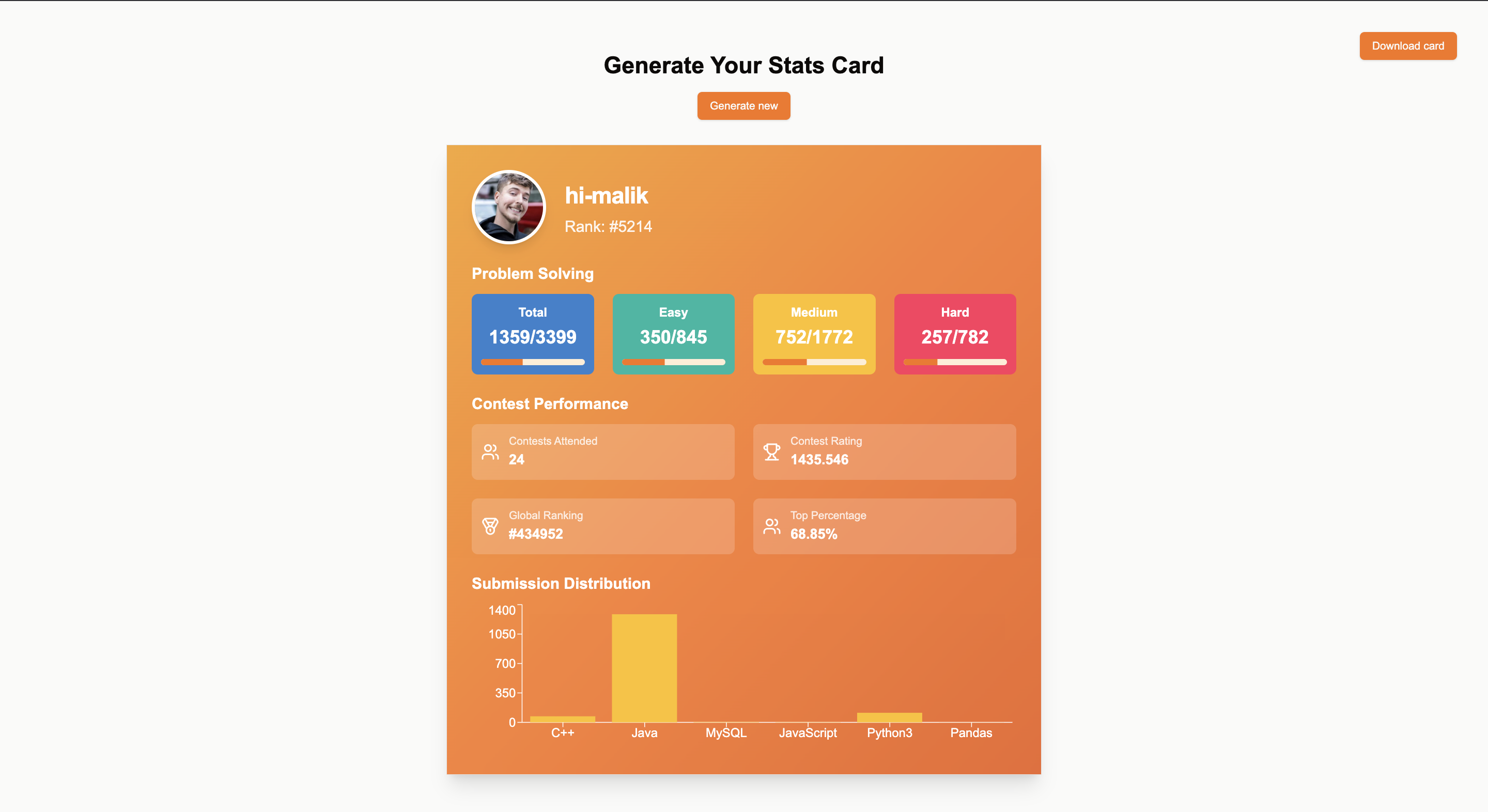
- **Real-Time Stats**: Fetch and display LeetCode user stats, including total problems solved, ranking, and streaks.
- **Customization**: Customize card appearance with themes, colors, and layout options.
- **Responsive Design**: Optimized for all screen sizes.
- **Shareable Links**: Generate a shareable link or downloadable image of the card.
- **SEO Optimized**: Fast and discoverable using Next.js.
## Tech Stack
- **Framework**: [Next.js](https://nextjs.org/)
- **UI Components**: [ShadCN UI](https://shadcn.dev/)
- **Data Source**: [LeetCode GraphQL API](https://leetcode.com/graphql)
- **Styling**: [Tailwind CSS](https://tailwindcss.com/)
- **Deployment**: [Vercel](https://vercel.com/)
## Getting Started
### Prerequisites
- Node.js (v18 or higher)
- npm or yarn
- A valid LeetCode account
### Installation
1. **Clone the Repository**:
```bash
git clone https://github.com/Suhelkhan12/Leetcode-stats-visualiser
cd leetcode-card-generator
```
2. **Install Dependencies**:
```bash
npm install
# or
yarn install
```
3. **Set Environment Variables**:
Create a `.env.local` file in the root directory and add the following:
```env
NEXT_PUBLIC_LEETCODE_API=https://leetcode.com/graphql
```
4. **Run the Development Server**:
```bash
npm run dev
# or
yarn dev
```
Visit [http://localhost:3000](http://localhost:3000) to view the app in development mode.
### Build for Production
To create an optimized production build:
```bash
npm run build
npm run start
```
## Usage
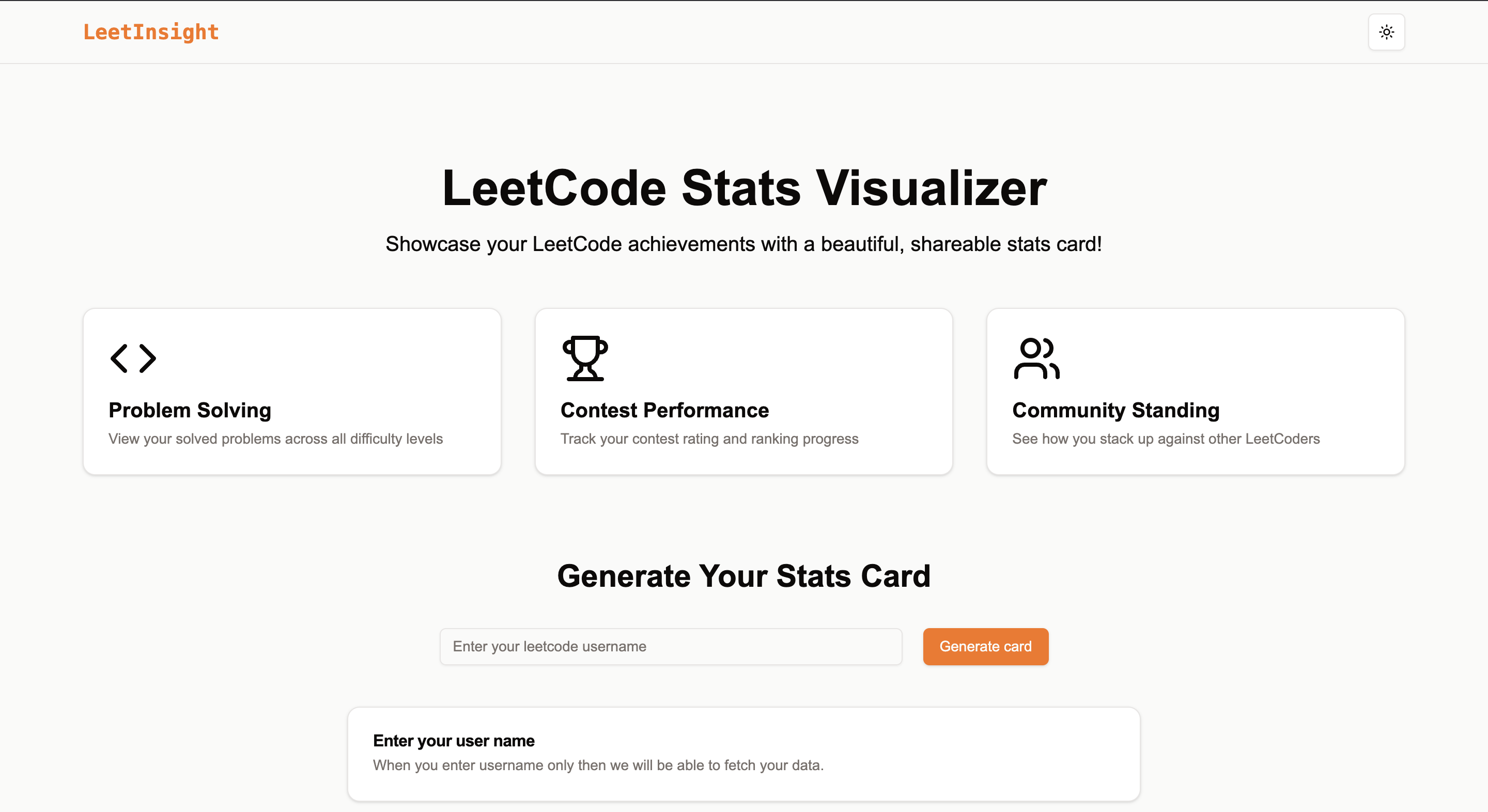
1. Enter your LeetCode username in the input field.
2. Customize your card using the available options.
3. Preview your card and copy the shareable link or download the image.
## Screenshots
### Home Page
### Generated Card Example
## API Integration
The app communicates with LeetCode's GraphQL API to fetch user data. Make sure the LeetCode API endpoint is accessible and functional. If you encounter issues, check your network and endpoint configuration.
## Deployment
The app is designed to be deployed on [Vercel](https://vercel.com/):
1. Push your code to a GitHub repository.
2. Connect your repository to Vercel.
3. Configure environment variables on Vercel.
4. Deploy the app with a single click.
## Acknowledgments
- [LeetCode](https://leetcode.com/) for the API
- [Next.js](https://nextjs.org/) and [ShadCN UI](https://shadcn.dev/) for the tech stack
- [Tailwind CSS](https://tailwindcss.com/) for styling
---
Feel free to explore the app and share your feedback! 🎉