https://github.com/sujalchoudhari/monofocus
MonoFocus is a theme that uses only white and its shades to create a distraction-free coding environment. The theme has a blue tint and can switch between light and dark modes.
https://github.com/sujalchoudhari/monofocus
monochrome themes vsce vscode-extension vscode-theme
Last synced: over 1 year ago
JSON representation
MonoFocus is a theme that uses only white and its shades to create a distraction-free coding environment. The theme has a blue tint and can switch between light and dark modes.
- Host: GitHub
- URL: https://github.com/sujalchoudhari/monofocus
- Owner: SujalChoudhari
- License: mit
- Created: 2023-11-04T16:21:39.000Z (over 2 years ago)
- Default Branch: main
- Last Pushed: 2023-11-04T16:36:13.000Z (over 2 years ago)
- Last Synced: 2025-01-26T05:17:34.140Z (over 1 year ago)
- Topics: monochrome, themes, vsce, vscode-extension, vscode-theme
- Homepage: https://marketplace.visualstudio.com/items?itemName=SujalVivekChoudhari.monofocus
- Size: 1.03 MB
- Stars: 0
- Watchers: 1
- Forks: 0
- Open Issues: 0
-
Metadata Files:
- Readme: README.md
- Changelog: CHANGELOG.md
- License: LICENSE
Awesome Lists containing this project
README
# MonoFocus Visual Studio Code Theme
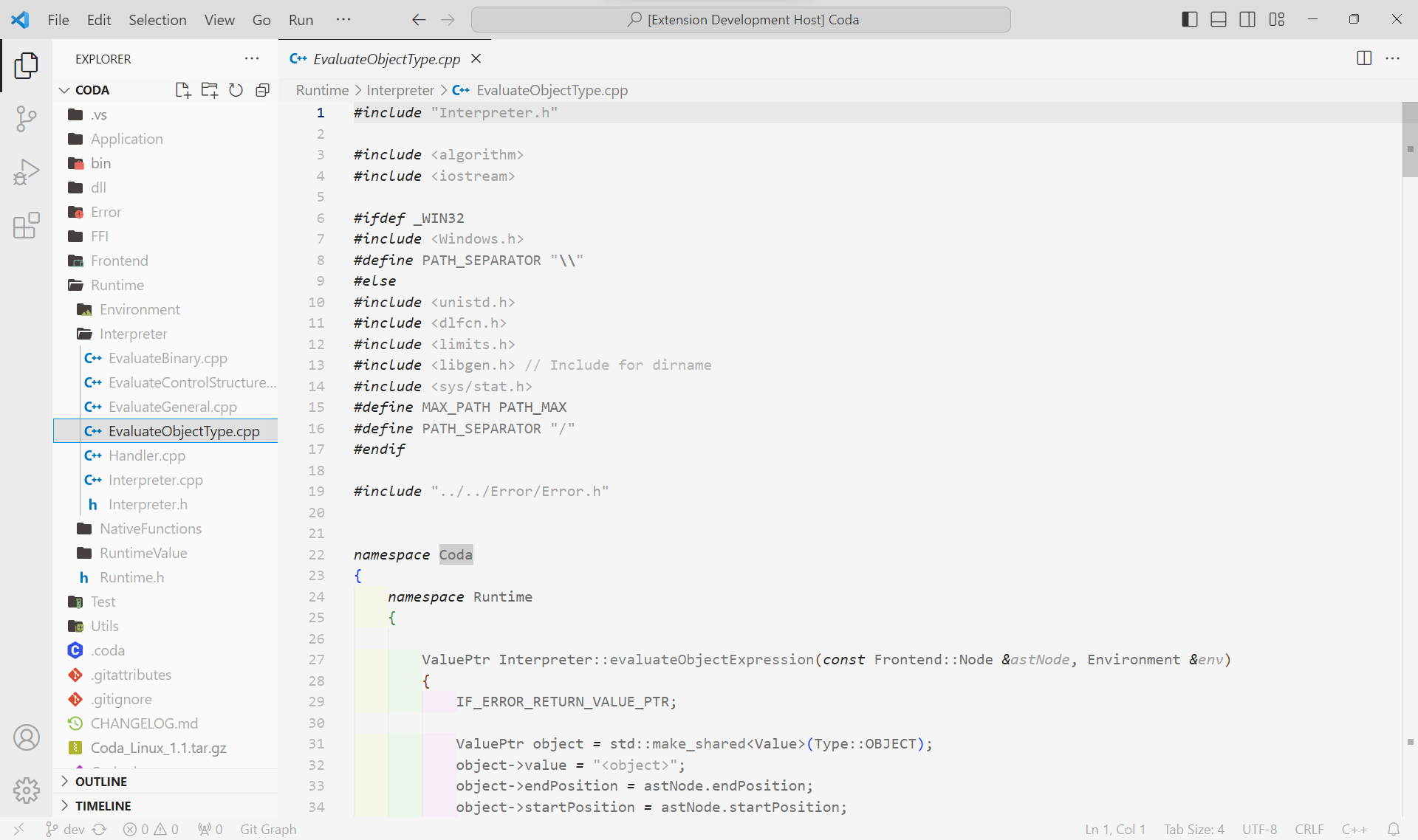
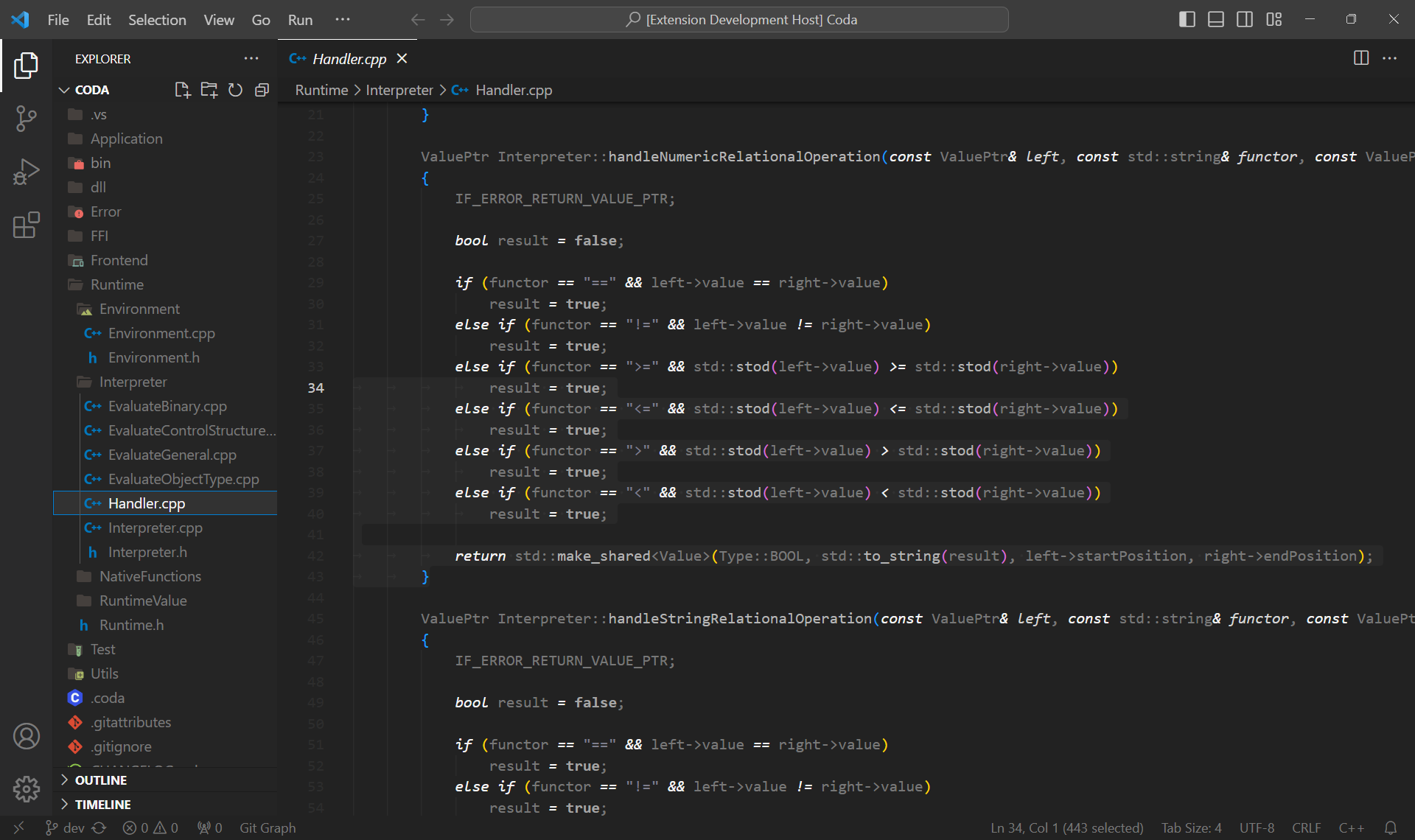
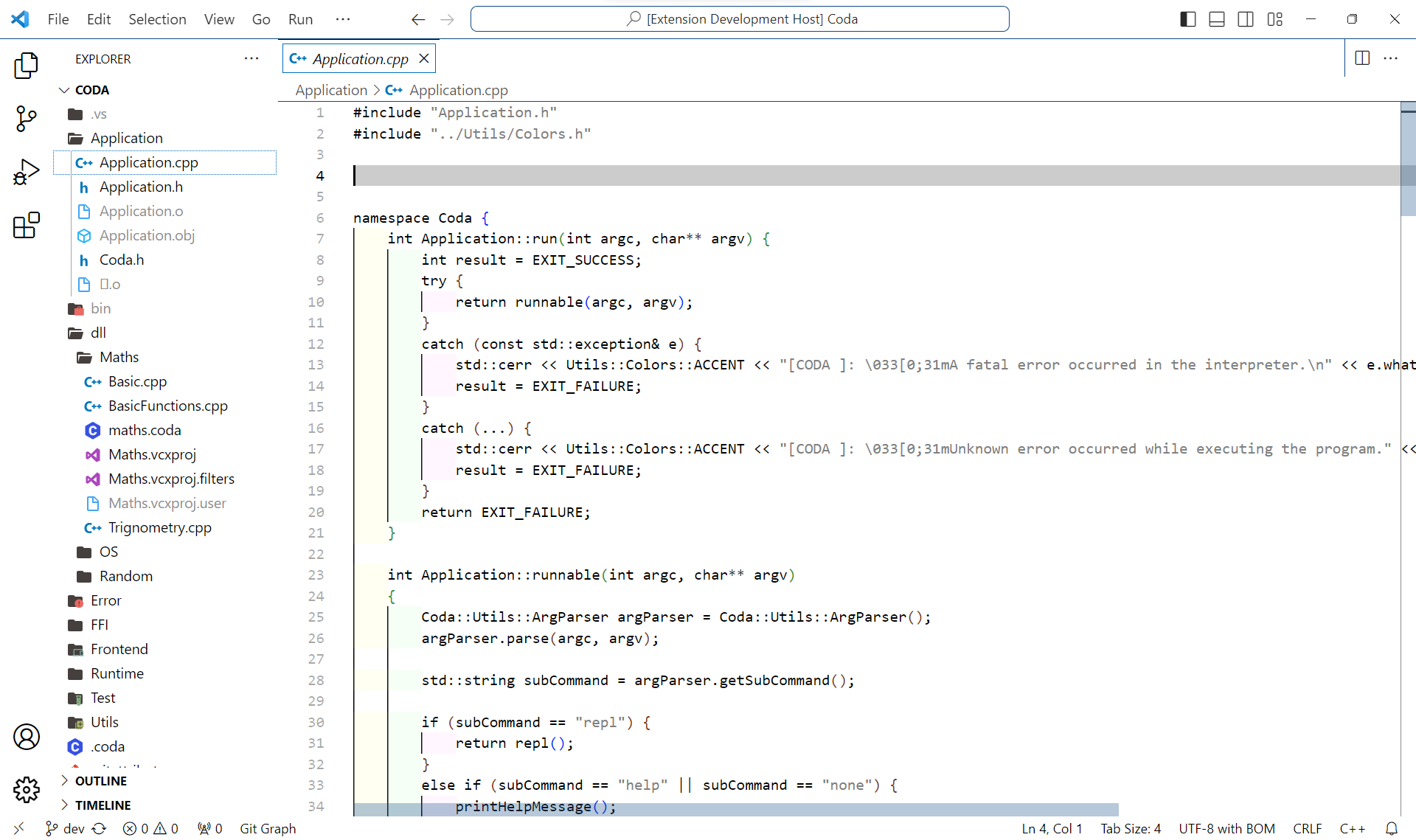
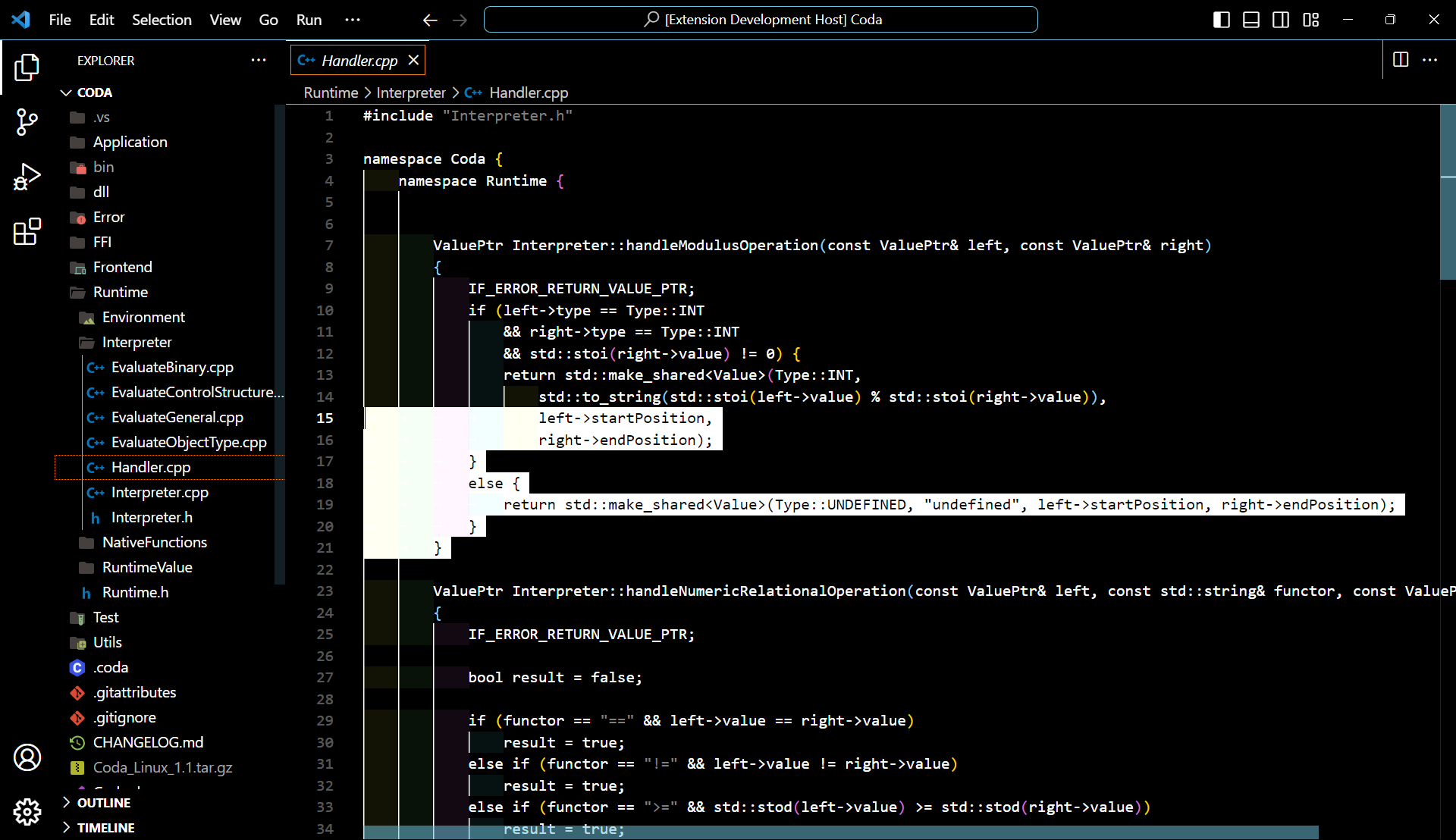
MonoFocus is a simple and distraction-free theme for Visual Studio Code that provides a clean and elegant coding environment. The theme focuses on using only white and its shades to maintain a minimalist aesthetic, allowing you to concentrate on your code without any visual distractions.
## Screenshots
### Light Mode
### Dark Mode
### High Contrast Light Mode
### High Contrast Dark Mode
## Installation
1. Open **Extensions** sidebar panel in Visual Studio Code.
2. Search for **MonoFocus** theme.
3. Click **Install** to install it.
4. Click **Reload** to reload your editor.
5. Navigate to **File > Preferences > Color Theme** and select **MonoFocus**.
## Feedback
If you have any suggestions or feedback, feel free to open an issue in the [GitHub repository](https://github.com/SujalChoudhari/MonoFocus). Contributions are also welcome!
## License
This project is licensed under the [MIT License](./LICENSE).