https://github.com/sultanayubi360/seekbarlibrary
customizable horizontal seek bar/progress bar library for android with multiple colors and segments to show multiple data.
https://github.com/sultanayubi360/seekbarlibrary
android kotlin library seekbar seekbar-horizontal seekbar-library
Last synced: 2 months ago
JSON representation
customizable horizontal seek bar/progress bar library for android with multiple colors and segments to show multiple data.
- Host: GitHub
- URL: https://github.com/sultanayubi360/seekbarlibrary
- Owner: SultanAyubi360
- Created: 2024-11-11T11:54:59.000Z (over 1 year ago)
- Default Branch: master
- Last Pushed: 2025-01-22T10:53:41.000Z (over 1 year ago)
- Last Synced: 2025-12-30T17:58:41.264Z (6 months ago)
- Topics: android, kotlin, library, seekbar, seekbar-horizontal, seekbar-library
- Language: Kotlin
- Homepage:
- Size: 193 KB
- Stars: 0
- Watchers: 1
- Forks: 0
- Open Issues: 0
-
Metadata Files:
- Readme: README.md
Awesome Lists containing this project
README
# customSeekBarAndroid
Custom seek bar/ progress bar with customizable multiple color on background.
[](https://jitpack.io/#SultanAyubi360/SeekbarLibrary/1.2)
 
## ✨ Live Demo
https://github.com/user-attachments/assets/bb3c671e-d6f9-44f9-a3e3-5eb387235e4a
## Usage
**For a working implementation of this project see the `app/` folder.**
### Step 1
Add this in your root build.gradle at the end of repositories
```
allprojects {
repositories {
maven { url 'https://jitpack.io' }
}
}
```
---
### Step 2
Add the dependency in your build.gradle.
# For groovy DSL
```
dependencies {
implementation 'com.github.SultanAyubi360:SeekbarLibrary:1.2'
}
```
# For Kotlin DSL
```
dependencies {
implementation ("com.github.SultanAyubi360:SeekbarLibrary:1.2")
}
```
---
### Step 3
Add the following xml to your layout file.You can use the custom view in following manner:
#### In XML:
```
Carview use to make seekbar/progress bar corner round by giving radius.
```
---
### Step 4
Reference the View in Kotlin code.
## CustomSeekBarView
* Kotlin
```kotlin
val customSeekBar = findViewById(R.id.seekBar) //Find View By Id
val customSeekBar = binding.seekBar // using binding
```
---
### Step 5
How to use and pass values in CustomSeekBarView.
* For showing multiple progess bars.
```kotlin
customSeekBar.configureSegments(
isMultipleCheck = true, // Set whether multiple segments should be checked
segmentCheckValue = 10, // Set the segment check value
totalEmployee = 100, // Set the total number of employees
presentEmployee = 50, // Set the number of present employees
absentEmployee = 20, // Set the number of absent employees
leaveEmployee = 15, // Set the number of employees on leave
lateEmployee = 15 // Set the number of late arrivals
)
```
* For showing single progess bar.
```kotlin
customSeekBar.configureSegments(
isMultipleCheck = false, // Set whether multiple segments should be checked
segmentCheckValue = 1, // Set the segment check value
totalEmployee = 50, // Set the total number of employees
presentEmployee = 50, // Set the number of present employees
absentEmployee = 0, // Set the number of absent employees
leaveEmployee = 0, // Set the number of employees on leave
lateEmployee = 0 // Set the number of late arrivals
)
isMultipleCheck means just show single progress and make other values 0 to not show.If any progress have zero value it will not show progress bar.
```
---
## ✨ Screenshots

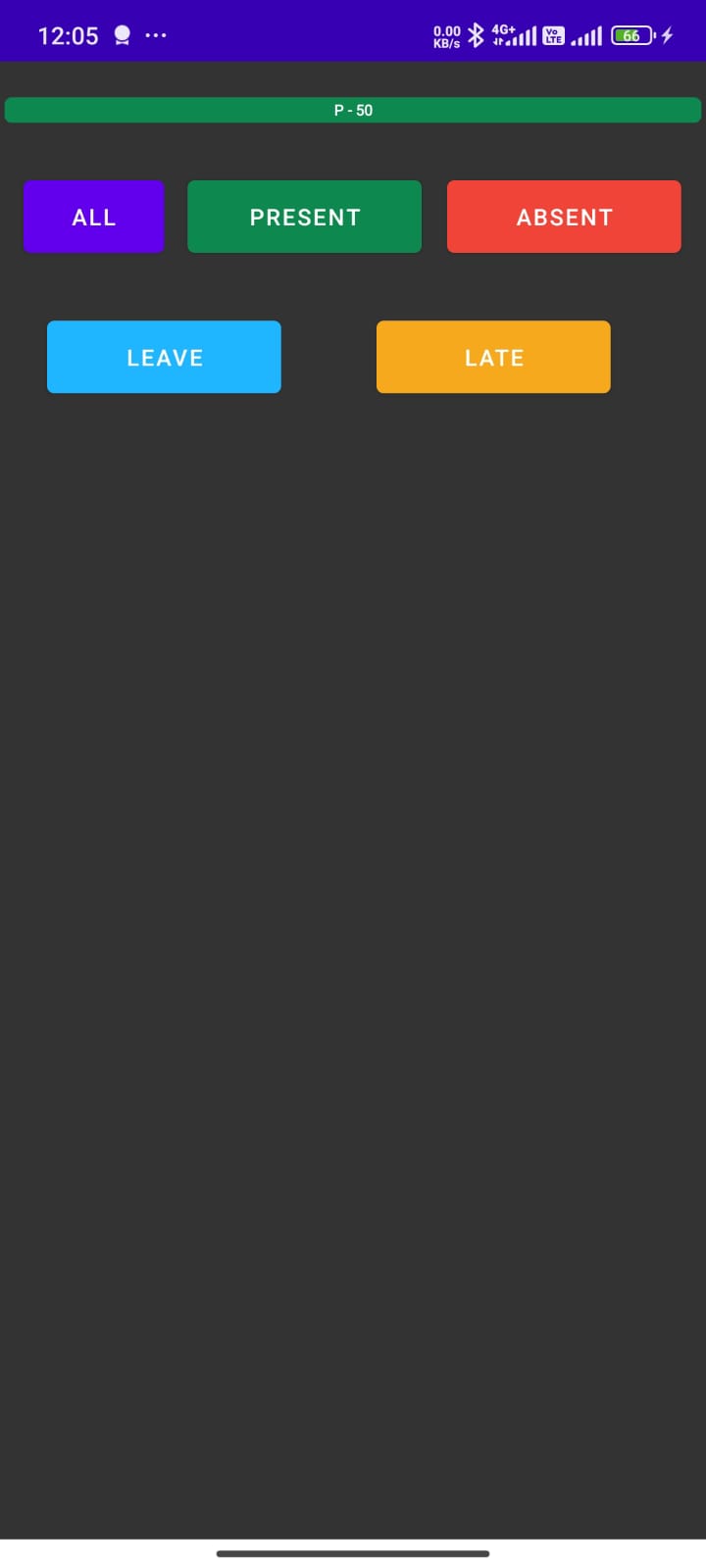


## OverView:
* **isMultipleCheck**: This is use for whether to show multiple progress bar just do true otherwise for single false.
* **segmentCheckValue**: If progress has value less then given segment it not show the value on progress so it not cut off.
* **presentEmployee**: show present employees using green color.
* **absentEmployee**: show absent employees using red color.
* **leaveEmployee**: show leave employees using sky bue color.
* **lateEmployee**: show late employees using yellow color.
## Reporting an issue
If you are going to report an issue, I will greatly appreciate you including some code which I can run to see the issue. By doing so you maximize the chance that I will fix the problem.
By the way, before reporting a problem, try replacing DiscreteScrollView with a RecyclerView. If the problem is still present, it's likely somewhere in your code.
## Find this library useful? :heart:
However, if you get some profit from this or just want to encourage me to continue creating stuff, there are few ways you can do it. :coffee: :hamburger: :fries: :apple:
Support it by joining stargazers to this. ⭐
Also, [follow me on GitHub](https://github.com/SultanAyubi360) for my next creations! 🤩