https://github.com/supsugam/react-native-text-watcher
Detects and Warns you unwrapped text strings in React Native projects.
https://github.com/supsugam/react-native-text-watcher
diagnostics extension javascript linter react react-native text-watcher typescript vscode-extension
Last synced: 3 months ago
JSON representation
Detects and Warns you unwrapped text strings in React Native projects.
- Host: GitHub
- URL: https://github.com/supsugam/react-native-text-watcher
- Owner: supSugam
- License: mit
- Created: 2024-05-17T14:15:00.000Z (about 2 years ago)
- Default Branch: master
- Last Pushed: 2025-03-18T13:47:43.000Z (over 1 year ago)
- Last Synced: 2026-04-03T10:01:51.114Z (3 months ago)
- Topics: diagnostics, extension, javascript, linter, react, react-native, text-watcher, typescript, vscode-extension
- Language: TypeScript
- Homepage: https://marketplace.visualstudio.com/items?itemName=supSugam.react-native-text-watcher
- Size: 4.58 MB
- Stars: 1
- Watchers: 1
- Forks: 6
- Open Issues: 0
-
Metadata Files:
- Readme: README.md
- Changelog: CHANGELOG.md
- License: LICENSE.md
Awesome Lists containing this project
README
# React Native Text Watcher
Welcome to the **React Native Text Watcher** extension! This extension helps you catch a common mistake in React Native development by providing warnings when text strings are not wrapped within a `` component.

## Features
- 📐 **Accurate JSX Parsing**: Precisely identifies JSX portions in your code.
- ⚠️ **Text Wrapping Warnings**: Get warnings when you don't wrap text strings within a `` component.
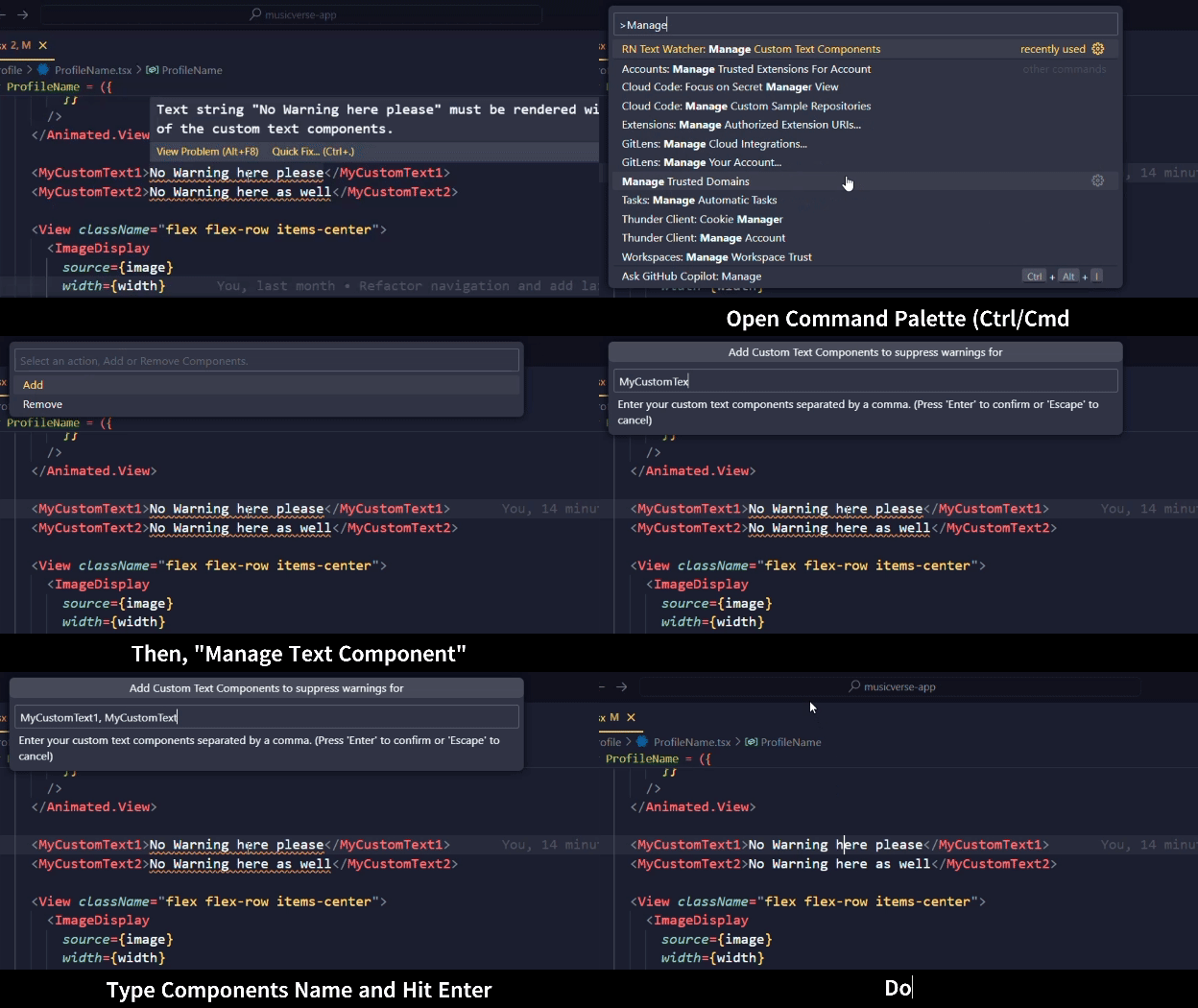
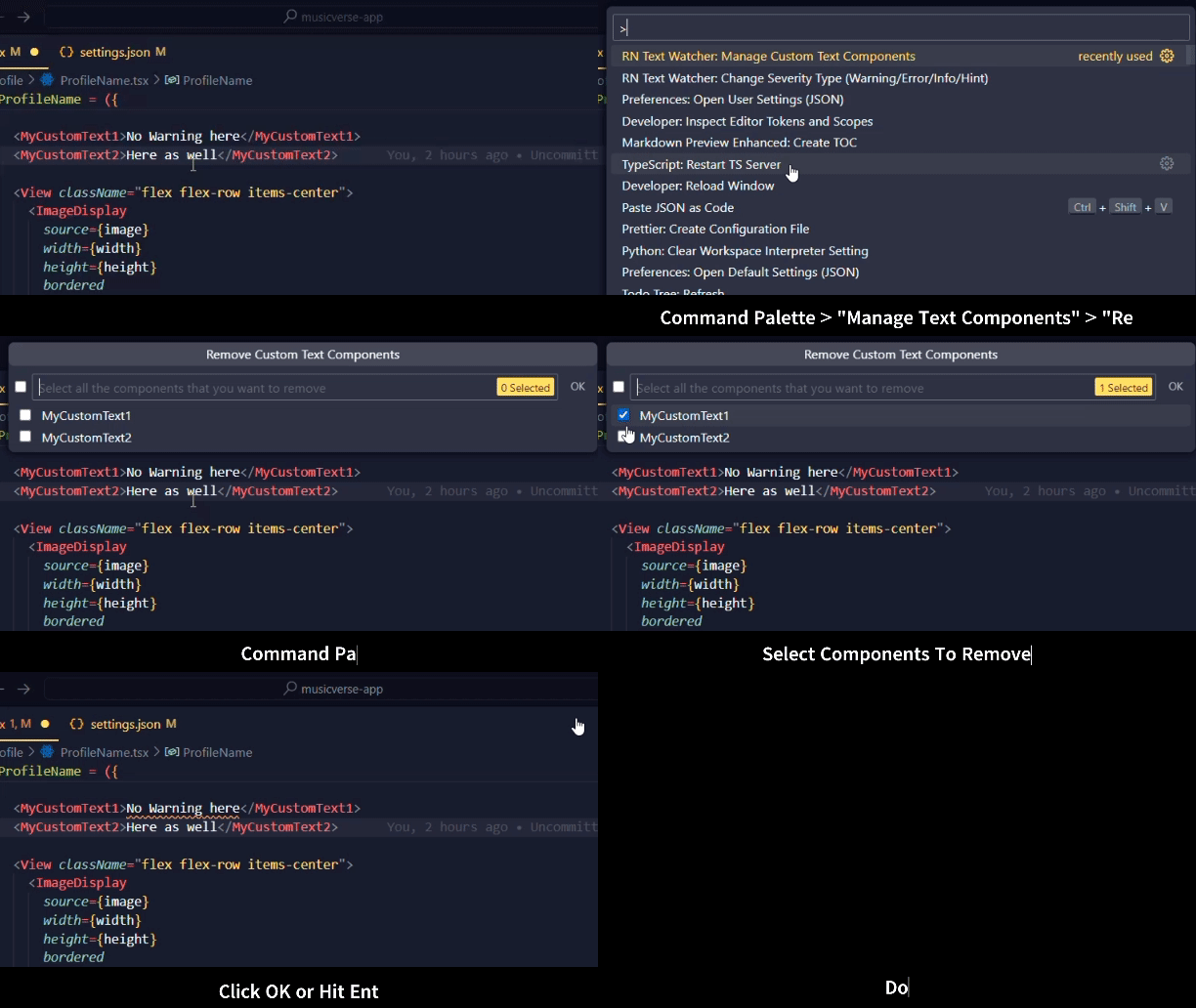
- 🛞 **Custom Text Components**: Supress warnings for your custom text components.
- 🔍 **Smart Detection**: Warns you in most cases except for function calls that return strings or string variables.
| Problem | Prevention to the Problem |
| :----------------------------------------------------------------------------------------------------------------------------------: | :---------------------------------------------------------------------------------------------------: |
|  |  |
|  |
| Adding Custom Text Components | Removing Custom Text Component |
| :-----------------------------------------------------------------------------------------------------------------------------------------------------------: | :--------------------------------------------------------------------------------------------------------------------------------------------------: |
|  |
|  |
|
| Change Severity (Warning) Type | Manual Configuration (.vscode/settings.json) |
| :----------------------------------------------------------------------------------------------------------------------------------------------------------: | :------------------------------------------------------------------------------------------------------------------------------------------------------: |
|  |
| 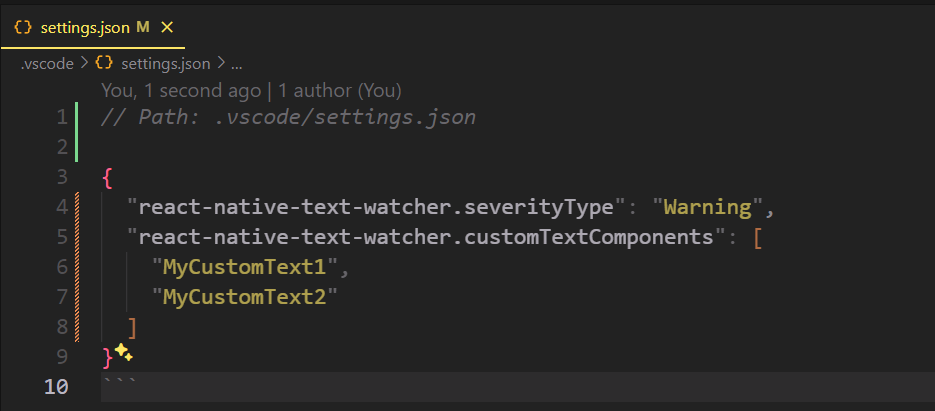 |
|
## Requirements
- A project with `react-native` in `package.json` dependencies.
- The extension activates only for `.tsx` and `.jsx` files.
- TypeScript Installed in your `node_modules`.
## Extension Options
This extension contributes the following settings:
- `reactNativeTextWatcher.enable`: Enable/disable this extension.
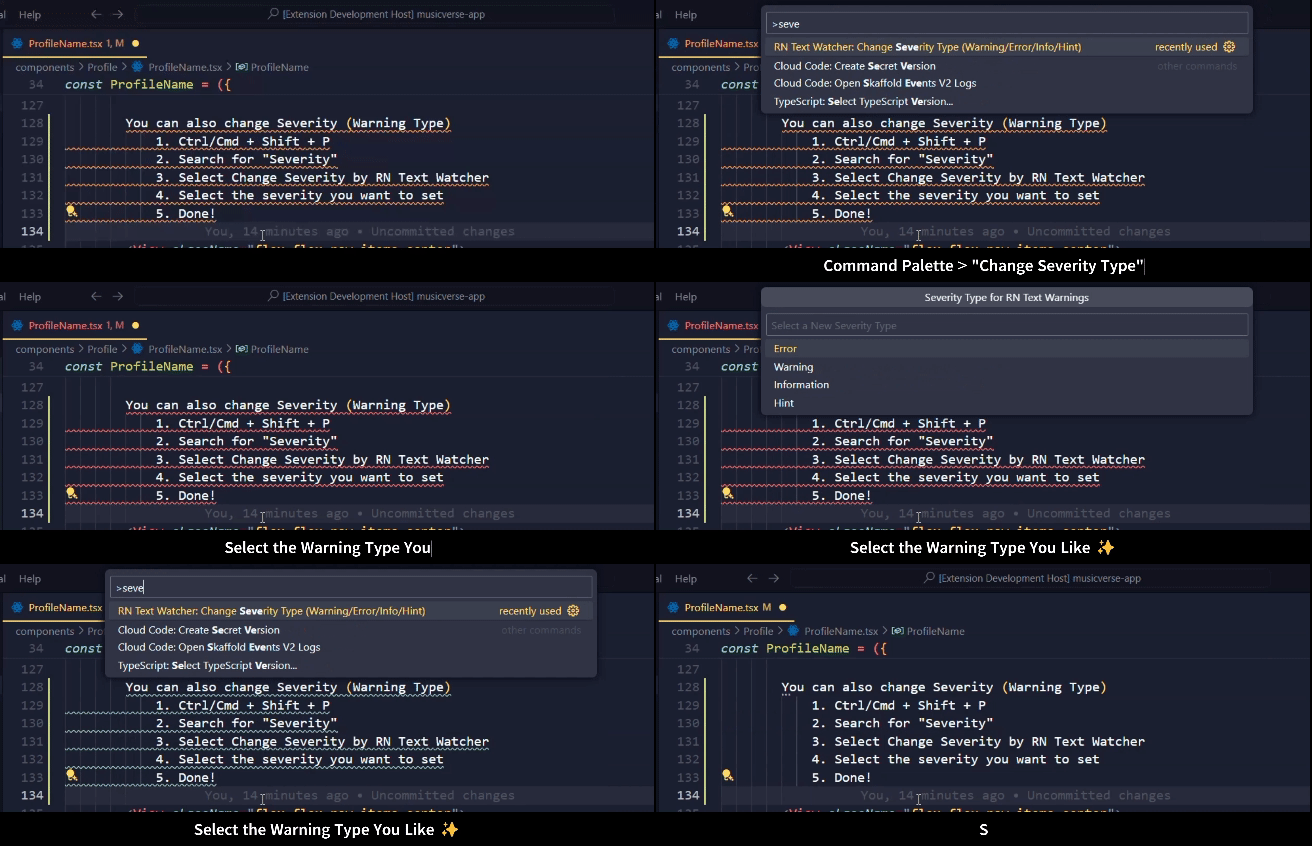
- `react-native-text.changeSeverityType`: Set the severity of the warnings: `Error`, `Warning`, `Information`, `Hint` (default: `Warning`).
- `react-native-text.manageTextComponents`: An array of Component Name that you want to supress text warnings for (default: `Text`).
## Known Issues
- Does not currently warn for function calls that return strings or string variables.
## Release Notes
### 1.0.3 [Latest]
- NEW: This version only works if you have TypeScript installed as `devDependencies`.
- Works on mono-repos, the extension will activate when for the first project folder that has `react-native` and `typescript`.
- Super Lightweight, Extension Size is not 782KiB Only, Reduced by 86.83% 🚀
### 1.0.2
- Fix: Issue with unwanted warn on conditional text string.
- Excluded unnecessary files from the extension (Reduced Size).
### 1.0.1
- Specify custom text components to supress text warnings for.
- Change severity type of warnings ie. `Error`, `Warning`, `Information`, `Hint`.
### 1.0.0
- Initial release of React Native Text Watcher.
- Improved JSX parsing accuracy.
- Enhanced warning messages.
## Future Plans
- 🚀 **Function Call Detection**: Introduce the ability to warn on function calls that return strings or string variables.
## Personal Note
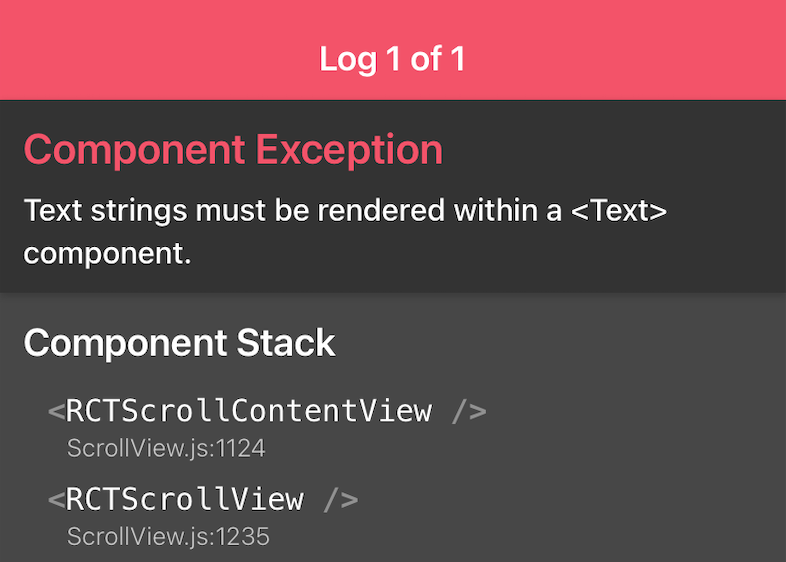
I am fairly new to React Native. I somehow managed to build a music app using React Native for my final year project. During that period, I often encountered this error: "Text strings must be rendered within a `` component."
It wasn't a serious error, but it was definitely annoying when I forgot to wrap a text with the `` component. That error screen with the red header was a constant source of frustration.
So, I came up with this small VS Code extension, **React Native Text Watcher**. It's not complete but offers a good enough solution to give you warnings in obvious cases.
I'm open to collaboration! If you have any ideas or improvements, feel free to contribute.
**Enjoy!** 🎉