https://github.com/surface-security/httpx
httpx fork specifically to work for Surface Security
https://github.com/surface-security/httpx
Last synced: over 1 year ago
JSON representation
httpx fork specifically to work for Surface Security
- Host: GitHub
- URL: https://github.com/surface-security/httpx
- Owner: surface-security
- License: mit
- Created: 2022-02-11T11:56:10.000Z (over 4 years ago)
- Default Branch: main
- Last Pushed: 2024-03-07T12:24:15.000Z (over 2 years ago)
- Last Synced: 2025-01-27T06:34:37.318Z (over 1 year ago)
- Language: Go
- Homepage:
- Size: 4.28 MB
- Stars: 0
- Watchers: 2
- Forks: 0
- Open Issues: 3
-
Metadata Files:
- Readme: README.md
- License: LICENSE.md
- Codeowners: CODEOWNERS
Awesome Lists containing this project
README





Features •
Installation •
Usage •
Running httpx •
Notes •
Join Discord
`httpx` is a fast and multi-purpose HTTP toolkit that allows running multiple probes using the [retryablehttp](https://github.com/projectdiscovery/retryablehttp-go) library. It is designed to maintain result reliability with an increased number of threads.
# Features
- Simple and modular code base making it easy to contribute.
- Fast And fully configurable flags to probe multiple elements.
- Supports multiple HTTP based probings.
- Smart auto fallback from https to http as default.
- Supports hosts, URLs and CIDR as input.
- Handles edge cases doing retries, backoffs etc for handling WAFs.
### Supported probes
| Probes | Default check | Probes | Default check |
|-----------------|---------------|----------------|---------------|
| URL | true | IP | true |
| Title | true | CNAME | true |
| Status Code | true | Raw HTTP | false |
| Content Length | true | HTTP2 | false |
| TLS Certificate | true | HTTP Pipeline | false |
| CSP Header | true | Virtual host | false |
| Line Count | true | Word Count | true |
| Location Header | true | CDN | false |
| Web Server | true | Paths | false |
| Web Socket | true | Ports | false |
| Response Time | true | Request Method | true |
| Favicon Hash | false | Probe Status | false |
| Body Hash | true | Header Hash | true |
| Redirect chain | false | URL Scheme | true |
| JARM Hash | false | ASN | false |
# Installation Instructions
`httpx` requires **go1.19** to install successfully. Run the following command to get the repo:
```sh
go install -v github.com/projectdiscovery/httpx/cmd/httpx@latest
```
# Usage
```sh
httpx -h
```
This will display help for the tool. Here are all the switches it supports.
```console
Usage:
./httpx [flags]
Flags:
INPUT:
-l, -list string input file containing list of hosts to process
-rr, -request string file containing raw request
-u, -target string[] input target host(s) to probe
PROBES:
-sc, -status-code display response status-code
-cl, -content-length display response content-length
-ct, -content-type display response content-type
-location display response redirect location
-favicon display mmh3 hash for '/favicon.ico' file
-hash string display response body hash (supported: md5,mmh3,simhash,sha1,sha256,sha512)
-jarm display jarm fingerprint hash
-rt, -response-time display response time
-lc, -line-count display response body line count
-wc, -word-count display response body word count
-title display page title
-server, -web-server display server name
-td, -tech-detect display technology in use based on wappalyzer dataset
-method display http request method
-websocket display server using websocket
-ip display host ip
-cname display host cname
-asn display host asn information
-cdn display cdn in use
-probe display probe status
MATCHERS:
-mc, -match-code string match response with specified status code (-mc 200,302)
-ml, -match-length string match response with specified content length (-ml 100,102)
-mlc, -match-line-count string match response body with specified line count (-mlc 423,532)
-mwc, -match-word-count string match response body with specified word count (-mwc 43,55)
-mfc, -match-favicon string[] match response with specified favicon hash (-mfc 1494302000)
-ms, -match-string string match response with specified string (case insensitive) (-ms admin)
-mr, -match-regex string match response with specified regex (-mr admin)
-mcdn, -match-cdn string[] match host with specified cdn provider (oracle, google, azure, cloudflare, cloudfront, fastly, incapsula, leaseweb, akamai, sucuri)
-mrt, -match-response-time string match response with specified response time in seconds (-mrt '< 1')
-mdc, -match-condition string match response with dsl expression condition
EXTRACTOR:
-er, -extract-regex string[] display response content with matched regex
-ep, -extract-preset string[] display response content matched by a pre-defined regex (url,ipv4,mail)
FILTERS:
-fc, -filter-code string filter response with specified status code (-fc 403,401)
-fl, -filter-length string filter response with specified content length (-fl 23,33)
-flc, -filter-line-count string filter response body with specified line count (-flc 423,532)
-fwc, -filter-word-count string filter response body with specified word count (-fwc 423,532)
-ffc, -filter-favicon string[] filter response with specified favicon hash (-mfc 1494302000)
-fs, -filter-string string filter response with specified string (-fs admin)
-fe, -filter-regex string filter response with specified regex (-fe admin)
-fcdn, -filter-cdn string[] filter host with specified cdn provider (oracle, google, azure, cloudflare, cloudfront, fastly, incapsula, leaseweb, akamai, sucuri)
-frt, -filter-response-time string filter response with specified response time in seconds (-frt '> 1')
-fdc, -filter-condition string filter response with dsl expression condition
RATE-LIMIT:
-t, -threads int number of threads to use (default 50)
-rl, -rate-limit int maximum requests to send per second (default 150)
-rlm, -rate-limit-minute int maximum number of requests to send per minute
MISCELLANEOUS:
-pa, -probe-all-ips probe all the ips associated with same host
-p, -ports string[] ports to probe (nmap syntax: eg http:1,2-10,11,https:80)
-path string path or list of paths to probe (comma-separated, file)
-tls-probe send http probes on the extracted TLS domains (dns_name)
-csp-probe send http probes on the extracted CSP domains
-tls-grab perform TLS(SSL) data grabbing
-pipeline probe and display server supporting HTTP1.1 pipeline
-http2 probe and display server supporting HTTP2
-vhost probe and display server supporting VHOST
-ldv, -list-dsl-variables list json output field keys name that support dsl matcher/filter
OUTPUT:
-o, -output string file to write output results
-sr, -store-response store http response to output directory
-srd, -store-response-dir string store http response to custom directory
-csv store output in csv format
-csvo, -csv-output-encoding string define output encoding
-json store output in JSONL(ines) format
-irr, -include-response include http request/response in JSON output (-json only)
-irrb, -include-response-base64 include base64 encoded http request/response in JSON output (-json only)
-include-chain include redirect http chain in JSON output (-json only)
-store-chain include http redirect chain in responses (-sr only)
CONFIGURATIONS:
-r, -resolvers string[] list of custom resolver (file or comma separated)
-allow string[] allowed list of IP/CIDR's to process (file or comma separated)
-deny string[] denied list of IP/CIDR's to process (file or comma separated)
-sni, -sni-name string custom TLS SNI name
-random-agent enable Random User-Agent to use (default true)
-H, -header string[] custom http headers to send with request
-http-proxy, -proxy string http proxy to use (eg http://127.0.0.1:8080)
-unsafe send raw requests skipping golang normalization
-resume resume scan using resume.cfg
-fr, -follow-redirects follow http redirects
-maxr, -max-redirects int max number of redirects to follow per host (default 10)
-fhr, -follow-host-redirects follow redirects on the same host
-vhost-input get a list of vhosts as input
-x string request methods to probe, use 'all' to probe all HTTP methods
-body string post body to include in http request
-s, -stream stream mode - start elaborating input targets without sorting
-sd, -skip-dedupe disable dedupe input items (only used with stream mode)
-ldp, -leave-default-ports leave default http/https ports in host header (eg. http://host:80 - https//host:443
-ztls use ztls library with autofallback to standard one for tls13
DEBUG:
-health-check, -hc run diagnostic check up
-debug display request/response content in cli
-debug-req display request content in cli
-debug-resp display response content in cli
-version display httpx version
-stats display scan statistic
-profile-mem string optional httpx memory profile dump file
-silent silent mode
-v, -verbose verbose mode
-si, -stats-interval int number of seconds to wait between showing a statistics update (default: 5)
-nc, -no-color disable colors in cli output
OPTIMIZATIONS:
-nf, -no-fallback display both probed protocol (HTTPS and HTTP)
-nfs, -no-fallback-scheme probe with protocol scheme specified in input
-maxhr, -max-host-error int max error count per host before skipping remaining path/s (default 30)
-ec, -exclude-cdn skip full port scans for CDNs (only checks for 80,443)
-retries int number of retries
-timeout int timeout in seconds (default 5)
-delay duration duration between each http request (eg: 200ms, 1s) (default -1ns)
-rsts, -response-size-to-save int max response size to save in bytes (default 2147483647)
-rstr, -response-size-to-read int max response size to read in bytes (default 2147483647)
```
# Running httpX
### URL Probe
This will run the tool against all the hosts and subdomains in `hosts.txt` and returns URLs running HTTP webserver.
```console
cat hosts.txt | httpx
__ __ __ _ __
/ /_ / /_/ /_____ | |/ /
/ __ \/ __/ __/ __ \| /
/ / / / /_/ /_/ /_/ / |
/_/ /_/\__/\__/ .___/_/|_| v1.1.1
/_/
projectdiscovery.io
[WRN] Use with caution. You are responsible for your actions
[WRN] Developers assume no liability and are not responsible for any misuse or damage.
https://mta-sts.managed.hackerone.com
https://mta-sts.hackerone.com
https://mta-sts.forwarding.hackerone.com
https://docs.hackerone.com
https://www.hackerone.com
https://resources.hackerone.com
https://api.hackerone.com
https://support.hackerone.com
```
### File Input
This will run the tool with the `-probe` flag against all the hosts in **hosts.txt** and return URLs with probed status.
```console
httpx -list hosts.txt -silent -probe
http://ns.hackerone.com [FAILED]
https://docs.hackerone.com [SUCCESS]
https://mta-sts.hackerone.com [SUCCESS]
https://mta-sts.managed.hackerone.com [SUCCESS]
http://email.hackerone.com [FAILED]
https://mta-sts.forwarding.hackerone.com [SUCCESS]
http://links.hackerone.com [FAILED]
https://api.hackerone.com [SUCCESS]
https://www.hackerone.com [SUCCESS]
http://events.hackerone.com [FAILED]
https://support.hackerone.com [SUCCESS]
https://gslink.hackerone.com [SUCCESS]
http://o1.email.hackerone.com [FAILED]
http://info.hackerone.com [FAILED]
https://resources.hackerone.com [SUCCESS]
http://o2.email.hackerone.com [FAILED]
http://o3.email.hackerone.com [FAILED]
http://go.hackerone.com [FAILED]
http://a.ns.hackerone.com [FAILED]
http://b.ns.hackerone.com [FAILED]
```
### CIDR Input
```console
echo 173.0.84.0/24 | httpx -silent
https://173.0.84.29
https://173.0.84.43
https://173.0.84.31
https://173.0.84.44
https://173.0.84.12
https://173.0.84.4
https://173.0.84.36
https://173.0.84.45
https://173.0.84.14
https://173.0.84.25
https://173.0.84.46
https://173.0.84.24
https://173.0.84.32
https://173.0.84.9
https://173.0.84.13
https://173.0.84.6
https://173.0.84.16
https://173.0.84.34
```
### AS Number Input
```console
echo AS14421 | httpx -silent
https://216.101.17.248
https://216.101.17.249
https://216.101.17.250
https://216.101.17.251
https://216.101.17.252
```
### Tool Chain
```console
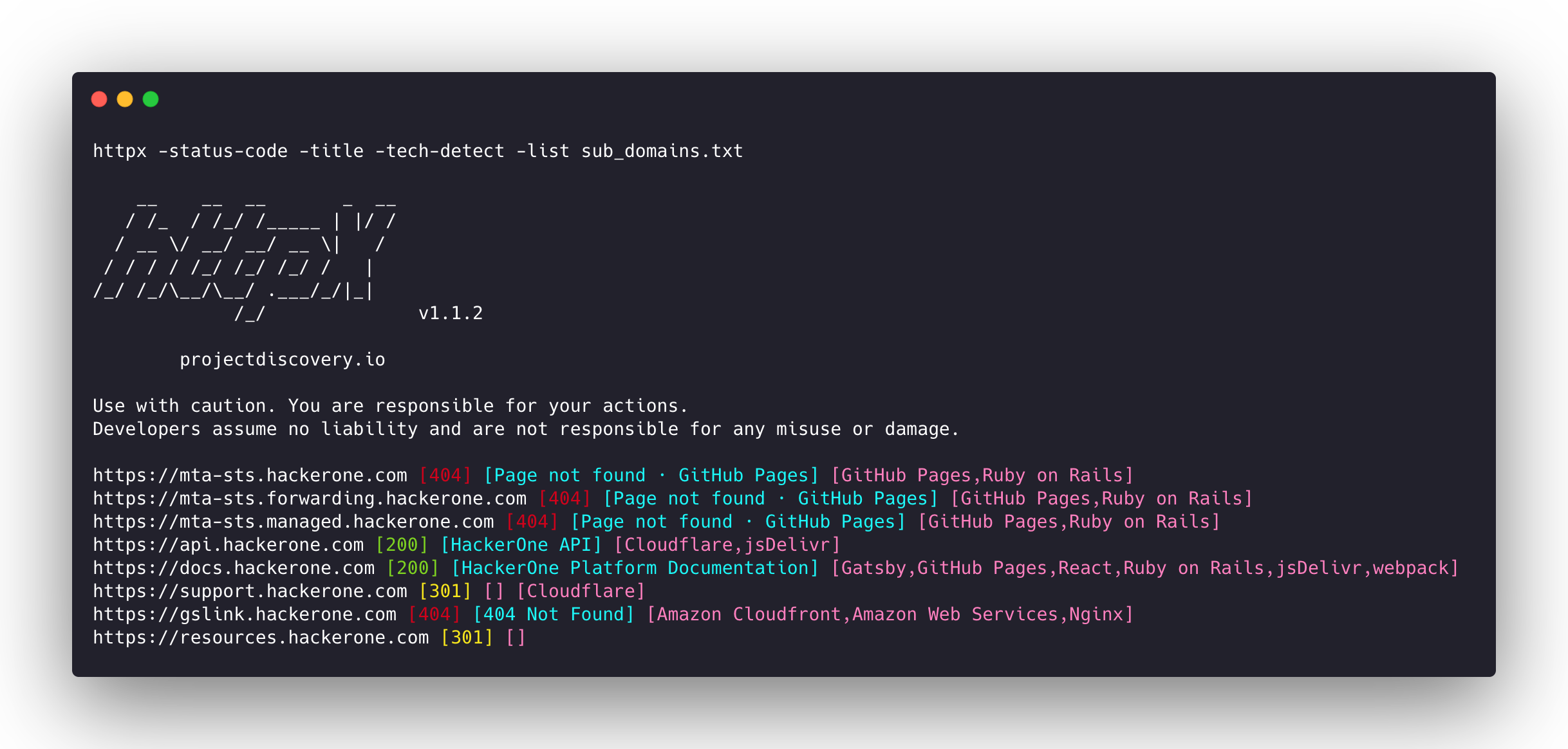
subfinder -d hackerone.com -silent| httpx -title -tech-detect -status-code
__ __ __ _ __
/ /_ / /_/ /_____ | |/ /
/ __ \/ __/ __/ __ \| /
/ / / / /_/ /_/ /_/ / |
/_/ /_/\__/\__/ .___/_/|_|
/_/ v1.1.1
projectdiscovery.io
Use with caution. You are responsible for your actions
Developers assume no liability and are not responsible for any misuse or damage.
https://mta-sts.managed.hackerone.com [404] [Page not found · GitHub Pages] [Varnish,GitHub Pages,Ruby on Rails]
https://mta-sts.hackerone.com [404] [Page not found · GitHub Pages] [Varnish,GitHub Pages,Ruby on Rails]
https://mta-sts.forwarding.hackerone.com [404] [Page not found · GitHub Pages] [GitHub Pages,Ruby on Rails,Varnish]
https://docs.hackerone.com [200] [HackerOne Platform Documentation] [Ruby on Rails,jsDelivr,Gatsby,React,webpack,Varnish,GitHub Pages]
https://support.hackerone.com [301,302,301,200] [HackerOne] [Cloudflare,Ruby on Rails,Ruby]
https://resources.hackerone.com [301,301,404] [Sorry, no Folders found.]
```
### Favicon Hash
```console
subfinder -d hackerone.com -silent | httpx -favicon
__ __ __ _ __
/ /_ / /_/ /_____ | |/ /
/ __ \/ __/ __/ __ \| /
/ / / / /_/ /_/ /_/ / |
/_/ /_/\__/\__/ .___/_/|_|
/_/ v1.1.5
projectdiscovery.io
Use with caution. You are responsible for your actions.
Developers assume no liability and are not responsible for any misuse or damage.
https://docs.hackerone.com/favicon.ico [595148549]
https://hackerone.com/favicon.ico [595148549]
https://mta-sts.managed.hackerone.com/favicon.ico [-1700323260]
https://mta-sts.forwarding.hackerone.com/favicon.ico [-1700323260]
https://support.hackerone.com/favicon.ico [-1279294674]
https://gslink.hackerone.com/favicon.ico [1506877856]
https://resources.hackerone.com/favicon.ico [-1840324437]
https://api.hackerone.com/favicon.ico [566218143]
https://mta-sts.hackerone.com/favicon.ico [-1700323260]
https://www.hackerone.com/favicon.ico [778073381]
```
### [JARM Fingerprint](https://github.com/salesforce/jarm)
```console
subfinder -d hackerone.com -silent | httpx -jarm
__ __ __ _ __
/ /_ / /_/ /_____ | |/ /
/ __ \/ __/ __/ __ \| /
/ / / / /_/ /_/ /_/ / |
/_/ /_/\__/\__/ .___/_/|_|
/_/ v1.2.1
projectdiscovery.io
Use with caution. You are responsible for your actions.
Developers assume no liability and are not responsible for any misuse or damage.
https://www.hackerone.com [29d3dd00029d29d00042d43d00041d5de67cc9954cc85372523050f20b5007]
https://mta-sts.hackerone.com [29d29d00029d29d00042d43d00041d2aa5ce6a70de7ba95aef77a77b00a0af]
https://mta-sts.managed.hackerone.com [29d29d00029d29d00042d43d00041d2aa5ce6a70de7ba95aef77a77b00a0af]
https://docs.hackerone.com [29d29d00029d29d00042d43d00041d2aa5ce6a70de7ba95aef77a77b00a0af]
https://support.hackerone.com [29d3dd00029d29d00029d3dd29d29d5a74e95248e58a6162e37847a24849f7]
https://api.hackerone.com [29d3dd00029d29d00042d43d00041d5de67cc9954cc85372523050f20b5007]
https://mta-sts.forwarding.hackerone.com [29d29d00029d29d00042d43d00041d2aa5ce6a70de7ba95aef77a77b00a0af]
https://resources.hackerone.com [2ad2ad0002ad2ad0002ad2ad2ad2ad043bfbd87c13813505a1b60adf4f6ff5]
```
### ASN Fingerprint
```console
subfinder -d hackerone.com -silent | httpx -asn
__ __ __ _ __
/ /_ / /_/ /_____ | |/ /
/ __ \/ __/ __/ __ \| /
/ / / / /_/ /_/ /_/ / |
/_/ /_/\__/\__/ .___/_/|_|
/_/ v1.2.1
projectdiscovery.io
Use with caution. You are responsible for your actions.
Developers assume no liability and are not responsible for any misuse or damage.
https://mta-sts.managed.hackerone.com [AS54113, FASTLY, US]
https://gslink.hackerone.com [AS16509, AMAZON-02, US]
https://www.hackerone.com [AS13335, CLOUDFLARENET, US]
https://mta-sts.forwarding.hackerone.com [AS54113, FASTLY, US]
https://resources.hackerone.com [AS16509, AMAZON-02, US]
https://support.hackerone.com [AS13335, CLOUDFLARENET, US]
https://mta-sts.hackerone.com [AS54113, FASTLY, US]
https://docs.hackerone.com [AS54113, FASTLY, US]
https://api.hackerone.com [AS13335, CLOUDFLARENET, US]
```
### File/Path Bruteforce
```console
httpx -l urls.txt -path /v1/api -sc
__ __ __ _ __
/ /_ / /_/ /_____ | |/ /
/ __ \/ __/ __/ __ \| /
/ / / / /_/ /_/ /_/ / |
/_/ /_/\__/\__/ .___/_/|_|
/_/ v1.1.5
projectdiscovery.io
Use with caution. You are responsible for your actions.
Developers assume no liability and are not responsible for any misuse or damage.
https://mta-sts.managed.hackerone.com/v1/api [404]
https://mta-sts.hackerone.com/v1/api [404]
https://mta-sts.forwarding.hackerone.com/v1/api [404]
https://docs.hackerone.com/v1/api [404]
https://api.hackerone.com/v1/api [401]
https://hackerone.com/v1/api [302]
https://support.hackerone.com/v1/api [404]
https://resources.hackerone.com/v1/api [301]
https://gslink.hackerone.com/v1/api [404]
http://www.hackerone.com/v1/api [301]
```
### Docker Run
```console
cat sub_domains.txt | docker run -i projectdiscovery/httpx
__ __ __ _ __
/ /_ / /_/ /_____ | |/ /
/ __ \/ __/ __/ __ \| /
/ / / / /_/ /_/ /_/ / |
/_/ /_/\__/\__/ .___/_/|_|
/_/ v1.1.2
projectdiscovery.io
Use with caution. You are responsible for your actions
Developers assume no liability and are not responsible for any misuse or damage.
https://mta-sts.forwarding.hackerone.com
https://mta-sts.hackerone.com
https://mta-sts.managed.hackerone.com
https://www.hackerone.com
https://api.hackerone.com
https://gslink.hackerone.com
https://resources.hackerone.com
https://docs.hackerone.com
https://support.hackerone.com
```
### Using `httpx` as a library
`httpx` can be used as a library by creating an instance of the `Option` struct and populating it with the same options that would be specified via CLI. Once validated, the struct should be passed to a runner instance (to be closed at the end of the program) and the `RunEnumeration` method should be called. Here follows a minimal example of how to do it:
```go
package main
import (
"log"
"github.com/projectdiscovery/goflags"
"github.com/projectdiscovery/gologger"
"github.com/projectdiscovery/gologger/levels"
"github.com/projectdiscovery/httpx/runner"
)
func main() {
gologger.DefaultLogger.SetMaxLevel(levels.LevelVerbose) // increase the verbosity (optional)
options := runner.Options{
Methods: "GET",
InputTargetHost: goflags.StringSlice{"scanme.sh", "projectdiscovery.io"},
//InputFile: "./targetDomains.txt", // path to file containing the target domains list
}
if err := options.ValidateOptions(); err != nil {
log.Fatal(err)
}
httpxRunner, err := runner.New(&options)
if err != nil {
log.Fatal(err)
}
defer httpxRunner.Close()
httpxRunner.RunEnumeration()
}
```
# Notes
- As default, `httpx` checks for **HTTPS** probe and fall-back to **HTTP** only if **HTTPS** is not reachable.
- The `-no-fallback` flag can be used to display both **HTTP** and **HTTPS** results
- Custom scheme for ports can be defined, for example `-ports http:443,http:80,https:8443`
- The following flags should be used for specific use cases instead of running them as default with other probes:
* `-favicon`,`-vhost`, `-http2`, `-pipeline`, `-ports`, `-csp-probe`, `-tls-probe`, `-path`
- When using the `-json` flag, all the default probe results are included in the JSON output.
- Custom resolver supports multiple protocol (**doh|tcp|udp**) in form of `protocol:resolver:port` (e.g. `udp:127.0.0.1:53`)
- Invalid custom resolvers/files are ignored.
# Acknowledgement
Probing feature is inspired by [@tomnomnom/httprobe](https://github.com/tomnomnom/httprobe) work ❤️
--------
`httpx` is made with 💙 by the [projectdiscovery](https://projectdiscovery.io) team and distributed under [MIT License](LICENSE.md).