https://github.com/suwansankaja/django-user-preferences
Full Stack Web App for User Profile Management
https://github.com/suwansankaja/django-user-preferences
django html javascript jinja-template python sqlite
Last synced: 3 months ago
JSON representation
Full Stack Web App for User Profile Management
- Host: GitHub
- URL: https://github.com/suwansankaja/django-user-preferences
- Owner: SuwanSankaja
- Created: 2025-02-01T14:57:58.000Z (over 1 year ago)
- Default Branch: main
- Last Pushed: 2025-03-01T13:53:12.000Z (over 1 year ago)
- Last Synced: 2025-08-16T12:58:58.091Z (11 months ago)
- Topics: django, html, javascript, jinja-template, python, sqlite
- Language: Python
- Homepage:
- Size: 691 KB
- Stars: 0
- Watchers: 1
- Forks: 0
- Open Issues: 0
-
Metadata Files:
- Readme: README.md
Awesome Lists containing this project
README
# 🚀 User Profile Management System
This project is a **Django-based User Profile Management System** that allows users to register, log in, update their profiles, and manage user-related data.
---
## 🎯 Features
✅ **User Authentication**: Sign-up, login, and logout functionality.
✅ **Profile Management**: Users can update their profile information, including profile pictures.
✅ **Admin Panel**: Built-in Django admin interface for user management.
✅ **Media Uploads**: Profile pictures and other media uploads supported.
✅ **Secure Authentication**: Password hashing and validation mechanisms.
✅ **Django Forms & Validation**: For secure and validated user input.
---
## ⚡ Installation Guide
### 📌 Prerequisites
Ensure you have the following installed:
- 🐍 Python (>=3.8)
- 📦 pip (Python package manager)
- 🌍 Virtual environment (`venv` or `virtualenv`)
- 📊 SQLite (Pre-installed with Django)
### 🛠️ Setup Steps
1️⃣ **Clone the Repository**
```sh
git clone https://github.com/SuwanSankaja/Django-User-Preferences.git
cd user_profile_project
```
2️⃣ **Create and Activate a Virtual Environment**
```sh
python -m venv venv
source venv/bin/activate # On macOS/Linux
venv\Scripts\activate # On Windows
```
3️⃣ **Install Dependencies**
```sh
pip install -r requirements.txt
```
4️⃣ **Apply Migrations**
```sh
python manage.py migrate
```
5️⃣ **Create a Superuser (Admin Access)**
```sh
python manage.py createsuperuser
```
6️⃣ **Run the Development Server**
```sh
python manage.py runserver
```
7️⃣ **Access the Application**
- 🌍 Main App: [`http://127.0.0.1:8000/`](http://127.0.0.1:8000/)
- 🔑 Admin Panel: [`http://127.0.0.1:8000/admin/`](http://127.0.0.1:8000/admin/)
---
## 🏗️ Project Structure
📂 **user_profile_project/**
├── 📂 `users/` - User management app
│ ├── 📂 `migrations/` - Database migrations
│ ├── 📂 `templates/` - HTML Templates for views
│ ├── 📂 `static/` - Static files (CSS, JS, images)
│ ├── 📄 `views.py` - View logic for users
│ ├── 📄 `models.py` - Database models
│ ├── 📄 `forms.py` - User forms for authentication
│ ├── 📄 `admin.py` - Django admin configurations
├── 📂 `media/` - Uploaded user media files
├── 📄 `db.sqlite3` - SQLite database file
├── 📄 `manage.py` - Django project manager
└── 📂 `user_profile_project/` - Main project configuration
---
## 🤝 Contribution Guidelines
1️⃣ **Fork the repository** and create a new branch.
2️⃣ Make your changes and ensure everything works.
3️⃣ Run the tests before committing.
4️⃣ Submit a pull request for review.
---
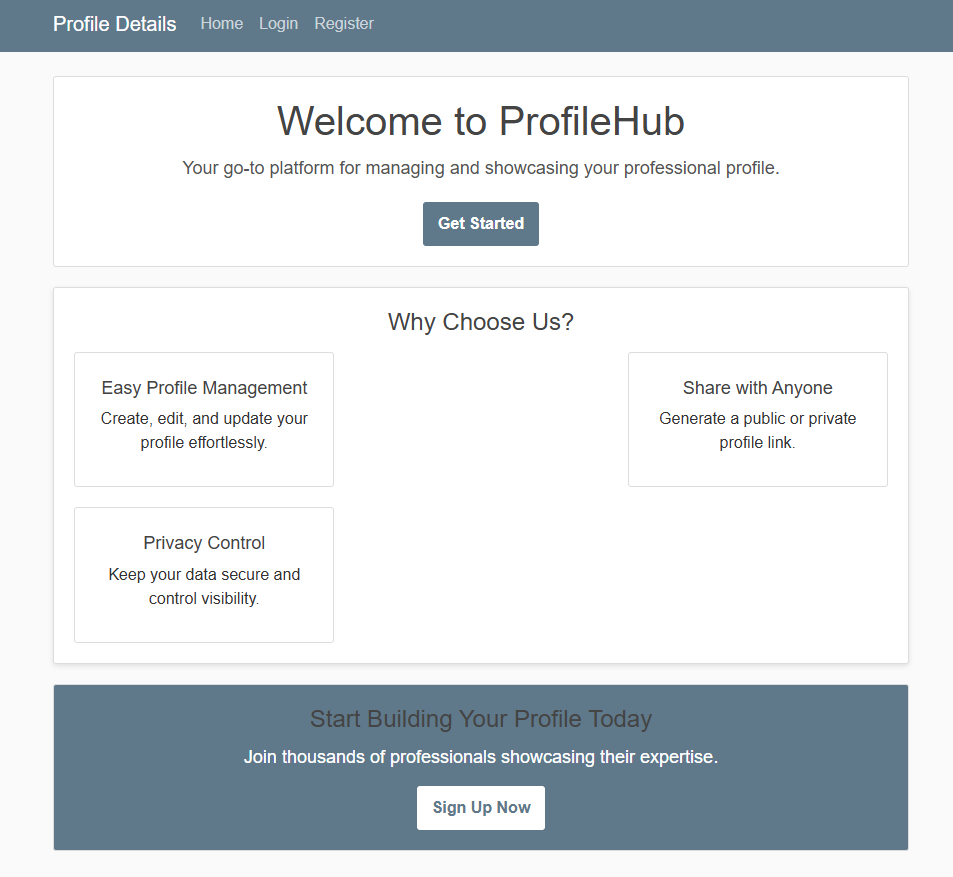
### Home Page
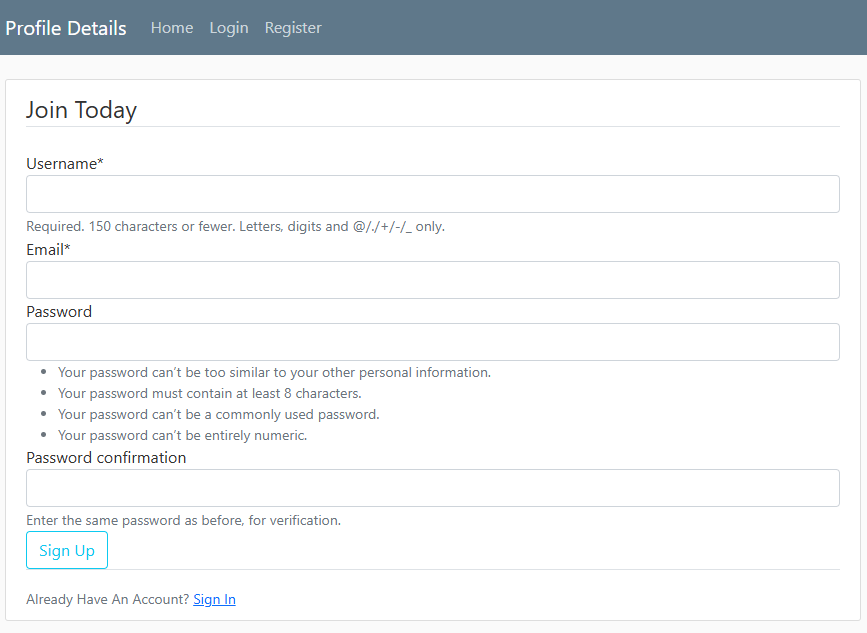
### Register Page
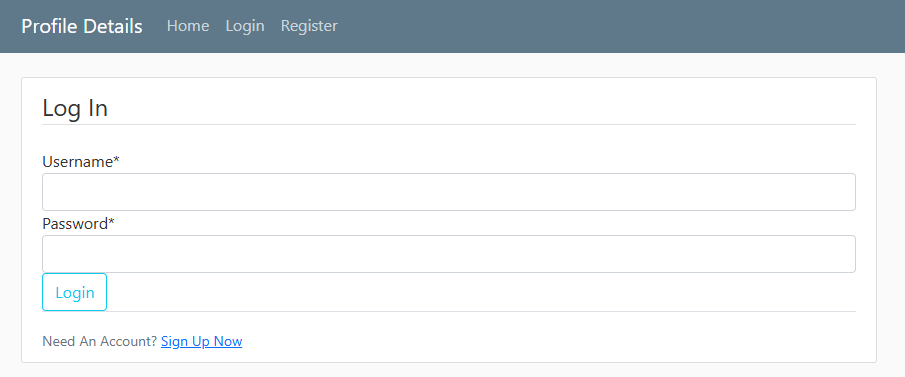
### Login Page
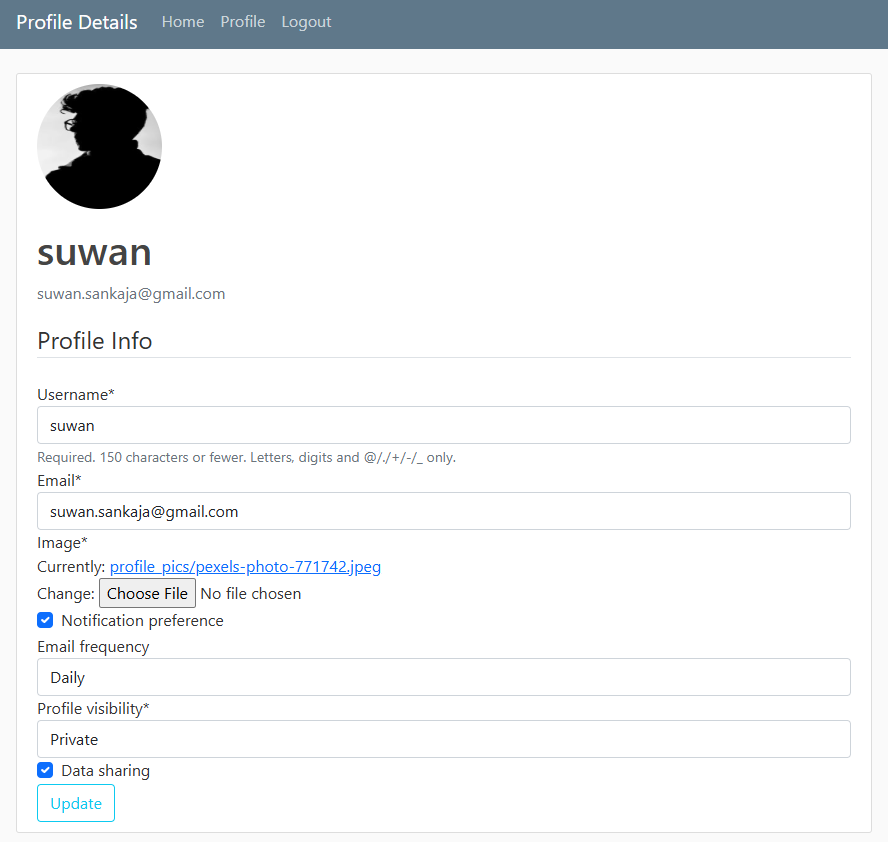
### User Preference Update Page