https://github.com/svandriel/sftp-deployer
A command-line tool for lightning-fast SFTP deployments.
https://github.com/svandriel/sftp-deployer
cli deploy nodejs sftp ssh upload uploader
Last synced: about 1 year ago
JSON representation
A command-line tool for lightning-fast SFTP deployments.
- Host: GitHub
- URL: https://github.com/svandriel/sftp-deployer
- Owner: svandriel
- License: mit
- Created: 2021-03-11T09:26:26.000Z (over 5 years ago)
- Default Branch: master
- Last Pushed: 2023-02-27T22:42:30.000Z (over 3 years ago)
- Last Synced: 2025-04-19T10:34:36.947Z (about 1 year ago)
- Topics: cli, deploy, nodejs, sftp, ssh, upload, uploader
- Language: TypeScript
- Homepage:
- Size: 1.69 MB
- Stars: 6
- Watchers: 2
- Forks: 3
- Open Issues: 1
-
Metadata Files:
- Readme: README.md
- License: LICENSE
Awesome Lists containing this project
README
# sftp-deployer
[](https://github.com/svandriel/sftp-deployer/actions/workflows/node.js.yml?query=branch%3Amaster)
[](https://www.npmjs.com/package/sftp-deployer)
A command-line tool for lightning-fast SFTP deployments.
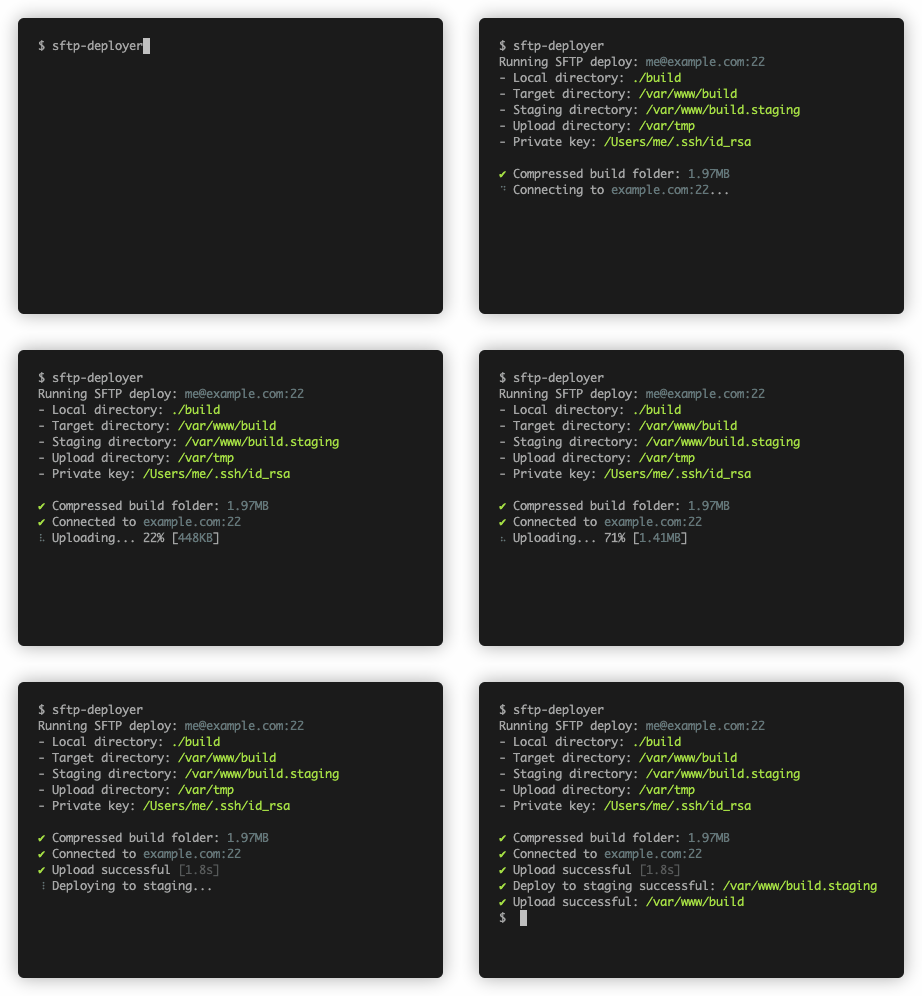
- Transfers a directory as a single compressed file
- Minimizes downtime of target directory with [blue/green deployment](https://en.wikipedia.org/wiki/Blue-green_deployment)
## Install
You need Node.JS to use `sftp-deployer`.
```
npm install -g sftp-deployer
```
## Usage
The following command uploads the contents of the `./build` directory to a remote SSH host, to `/var/www/build`:
```
sftp-deployer --host example.com \
--user bob \
--key private_key.pem \
--local ./build \
--target /var/www/build
```
Available options:
```
-V, --version output the version number
-c, --config configuration file to use (default: ".sftp.json")
-h, --host hostname to connect to
-p, --port SSH port to use (defaults to 22)
-u, --user the ssh username
-k, --key path to private key file, or private key itself
--password the password to the private key
-l, --local directory to upload
-t, --target target directory on remote host
-s, --staging staging directory on remote host
(defaults to the target directory + .staging)
-u, --upload upload directory on remote host
(default: "/var/tmp")
--help display help for command
```
## Using a configuration file
Each of the options listed above may also be specified in a configuration file called `.sftp.json`.
You may override this filename by using the `-c` option (see above).
For example:
```javascript
{
"host": "example.com",
"port": 1234, /* Optional, defaults to 22 */
"user": "bob"
"key": "private_key.pem"
"password": "super_secure", /* Optional, only needed if the key is encrypted */
"local": "./build",
"target": "/var/www/build",
"staging": "/var/www/incoming/uploads", /* Optional, defaults to target directory + .staging */
"upload": "/my/upload/dir" /* Optional, defaults to /var/tmp */
}
```
You may then simply invoke `sftp-deployer` and it will take its input from the `.sftp.json` file in the current working directory.
## Blue/green deployment
When a directory is uploaded but a target directory already exists, the following steps are taken to minimize downtime:
- Deploy new directory to a staging location
- Swap staging location and target location
This makes sure that the target directory is only down for a couple of milliseconds.