https://github.com/svar-widgets/react-menu
React menu component for adding navigation, action, or context menus.
https://github.com/svar-widgets/react-menu
action-menu context-menu context-menu-react menubar navigation-menu react react-component react-menu react-menubar reactjs reactjs-component
Last synced: 9 months ago
JSON representation
React menu component for adding navigation, action, or context menus.
- Host: GitHub
- URL: https://github.com/svar-widgets/react-menu
- Owner: svar-widgets
- License: mit
- Created: 2025-09-15T18:24:34.000Z (10 months ago)
- Default Branch: main
- Last Pushed: 2025-09-26T09:03:41.000Z (10 months ago)
- Last Synced: 2025-09-26T09:39:08.276Z (10 months ago)
- Topics: action-menu, context-menu, context-menu-react, menubar, navigation-menu, react, react-component, react-menu, react-menubar, reactjs, reactjs-component
- Language: JavaScript
- Homepage: https://svar.dev/react/core/
- Size: 71.3 KB
- Stars: 4
- Watchers: 0
- Forks: 0
- Open Issues: 0
-
Metadata Files:
- Readme: README.md
- License: license.txt
Awesome Lists containing this project
README
# SVAR React Menu
[](https://www.npmjs.com/package/@svar-ui/react-menu)
[](https://github.com/svar-widgets/react-menu/blob/main/license.txt)
[](https://www.npmjs.com/package/@svar-ui/react-menu)
[Documentation](https://docs.svar.dev/react/core/category/menu/) • [Demos](https://docs.svar.dev/react/core/samples-menu/#/action/willow)
**SVAR React Menu** is a flexible menu component for adding navigation and interaction menus to your React applications. The component is easy-to-customize, compatible with React 18 and 19, and complements [SVAR React Core](https://github.com/svar-widgets/react-core/) library.
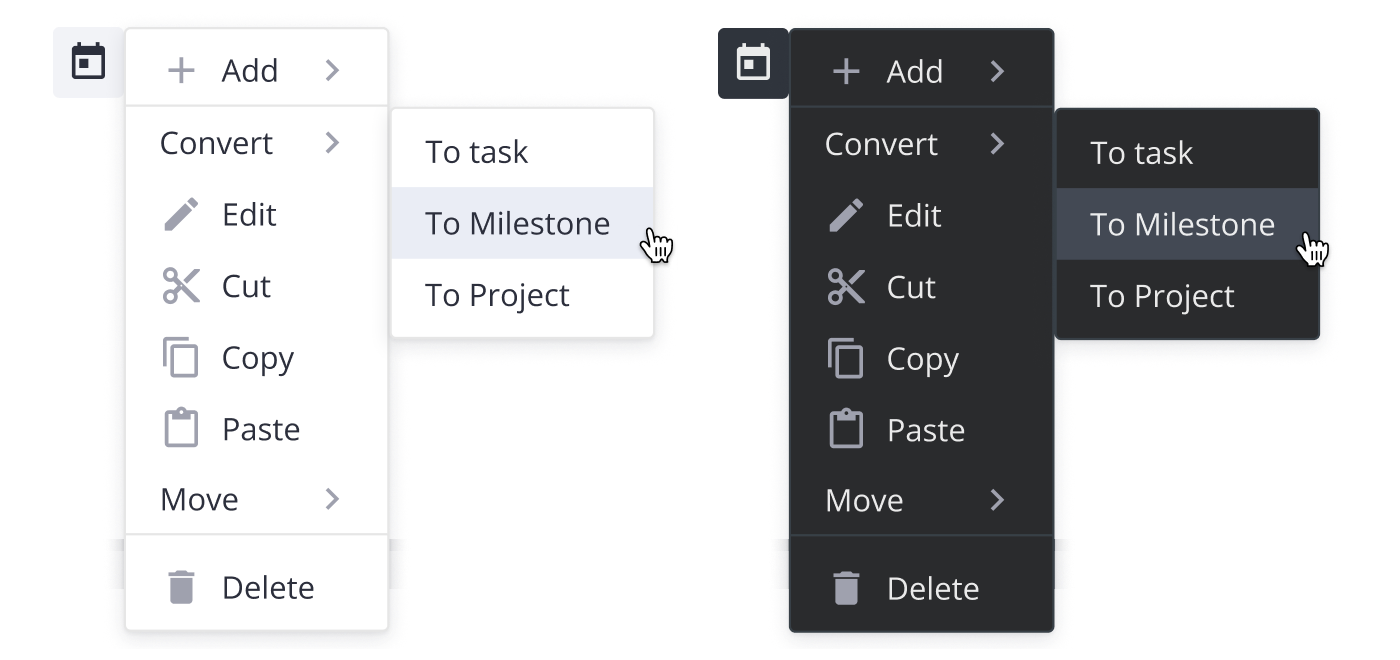
SVAR React Menu can be used as:
- Action Menu: Provides a compact list of actions (e.g. edit, delete, share.) that appears when a user clicks on a UI element.
- Basic Menu: A simple, hierarchical menu that displays options for navigation or actions.
- Context Menu: A right-click (or long-press) menu offering context-specific options for a selected element.
- DropDown Menu: A dropdown attached to buttons or other clickable elements, expanding on click.
- Menu Bar: A horizontal top-level menu providing access to grouped commands, with support for dropdowns and sub-menus.
### :hammer_and_wrench: How to Use
To use the widget, simply import the package and include the component in to .jsx file:
```jsx
import { Menu } from "@svar-ui/react-menu";
import "@svar-ui/react-menu/all.css";
function MyComponent(){
const options = [
{ id: 'add-task', text: 'Add', icon: 'wxi wxi-plus', data: [
{ id: 'add-task:child', text: 'Child task' },
{ id: 'add-task:above', text: 'Task above' },
{ id: 'add-task:below', text: 'Task below' },
] },
{ type: 'separator' },
{ id: 'edit-task', text: 'Edit', icon: 'wxi wxi-edit' },
];
return ();
}
```