https://github.com/svar-widgets/react-tasklist
Simple React to-do list component to add, edit, delete, and mark tasks as completed.
https://github.com/svar-widgets/react-tasklist
react react-component reactjs svar-ui task-list task-manager to-do-list
Last synced: 10 months ago
JSON representation
Simple React to-do list component to add, edit, delete, and mark tasks as completed.
- Host: GitHub
- URL: https://github.com/svar-widgets/react-tasklist
- Owner: svar-widgets
- License: mit
- Created: 2025-09-15T18:25:45.000Z (10 months ago)
- Default Branch: main
- Last Pushed: 2025-09-26T09:04:05.000Z (10 months ago)
- Last Synced: 2025-09-26T09:39:08.345Z (10 months ago)
- Topics: react, react-component, reactjs, svar-ui, task-list, task-manager, to-do-list
- Language: JavaScript
- Homepage: https://svar.dev/react/core/
- Size: 61.5 KB
- Stars: 7
- Watchers: 0
- Forks: 0
- Open Issues: 0
-
Metadata Files:
- Readme: README.md
- License: license.txt
Awesome Lists containing this project
README
# SVAR React Tasklist
[](https://www.npmjs.com/package/@svar-ui/react-tasklist)
[](https://github.com/svar-widgets/react-tasklist/blob/main/license.txt)
[](https://www.npmjs.com/package/@svar-ui/react-tasklist)
[Documentation](https://docs.svar.dev/react/core/tasklist/) • [Demos](https://docs.svar.dev/react/core/samples-tasklist/#/base/willow)
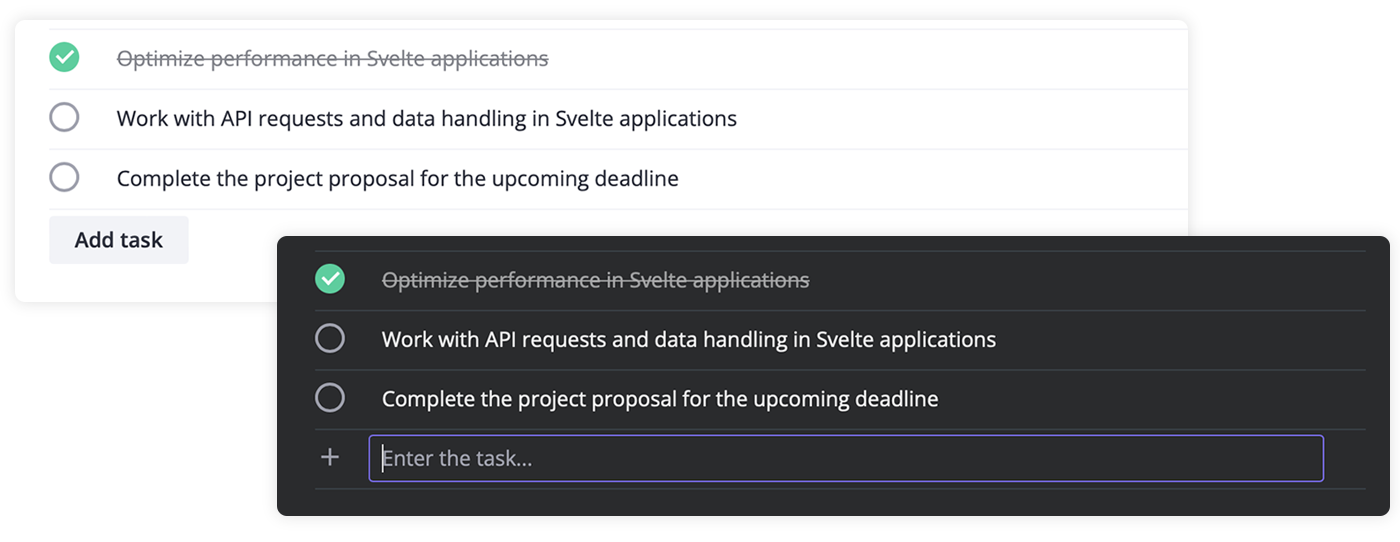
**SVAR React Tasklist** is a lightweight React component that helps you add simple, interactive to-do lists to your applications. It's compatible with React 18 and 19, and is a part of the [SVAR React Core](https://github.com/svar-widgets/react-core) widgets family.
With Tasklist, users can easily add, edit, delete, and mark tasks as completed. The component works fully on the client side and integrates smoothly with any backend or external data source (like REST APIs) to load and save tasks. It also provides flexible event handling, letting you track and respond to task additions, updates, or deletions.
### :hammer_and_wrench: How to Use
To use the task list, simply import the package and include the component in to .jsx file:
```jsx
import { Tasklist } from "@svar-ui/react-tasklist";
import "@svar-ui/react-tasklist/all.css";
function MyComponent(){
const data = [
{ id: 7, content: 'Optimize performance', status: 1 },
{ id: 8, content: 'Work with API requests', status: 0}
];
return ();
}
```