https://github.com/svar-widgets/vue-grid
Feature-rich Vue data grid component with sorting, filtering, in-cell editing, and virtualization
https://github.com/svar-widgets/vue-grid
data-grid data-table datagrid datagrid-component vue vue-data-grid vue-data-table vue-datagrid vue-datatable vue-grid vue-gridview vue3 vuejs vuejs3
Last synced: about 1 month ago
JSON representation
Feature-rich Vue data grid component with sorting, filtering, in-cell editing, and virtualization
- Host: GitHub
- URL: https://github.com/svar-widgets/vue-grid
- Owner: svar-widgets
- License: mit
- Created: 2026-04-17T09:26:09.000Z (3 months ago)
- Default Branch: main
- Last Pushed: 2026-06-03T14:21:36.000Z (about 2 months ago)
- Last Synced: 2026-06-03T16:11:57.496Z (about 2 months ago)
- Topics: data-grid, data-table, datagrid, datagrid-component, vue, vue-data-grid, vue-data-table, vue-datagrid, vue-datatable, vue-grid, vue-gridview, vue3, vuejs, vuejs3
- Language: Vue
- Homepage: https://svar.dev/vue/datagrid/
- Size: 150 KB
- Stars: 11
- Watchers: 0
- Forks: 1
- Open Issues: 0
-
Metadata Files:
- Readme: README.md
- License: license.txt
Awesome Lists containing this project
README
# SVAR Vue DataGrid | Vue Data Table
[Homepage](https://svar.dev/vue/datagrid/) • [Getting Started](https://docs.svar.dev/vue/grid/getting_started/) • [Demos](https://docs.svar.dev/vue/grid/samples/#/base/willow)
[](https://www.npmjs.com/package/@svar-ui/vue-grid)
[](https://github.com/svar-widgets/vue-grid/blob/main/license.txt)
[](https://www.npmjs.com/package/@svar-ui/vue-grid)
[](https://github.com/svar-widgets/vue-grid)
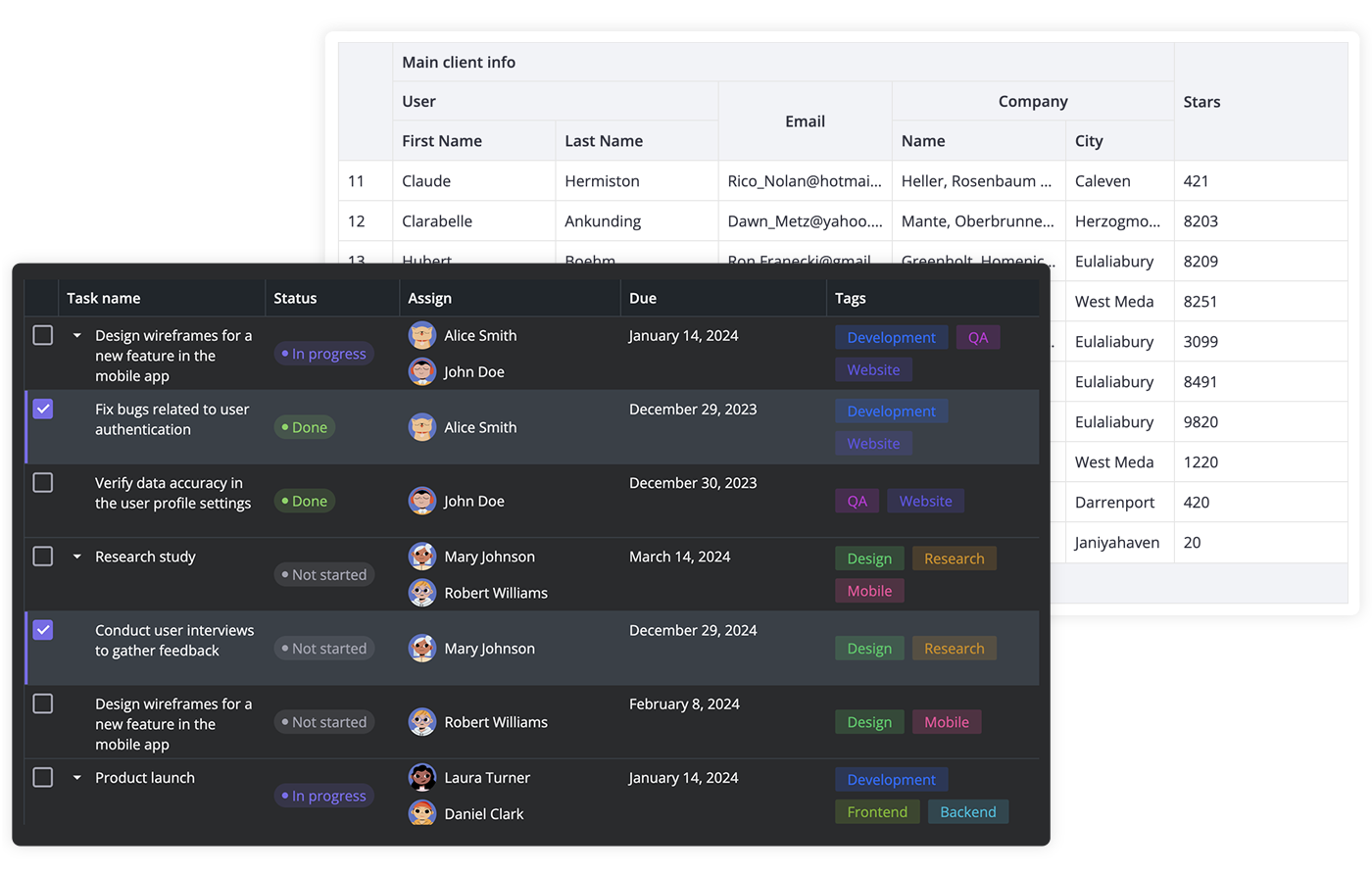
[SVAR Vue DataGrid](https://svar.dev/vue/datagrid/) is a high-performance Vue data grid component for building feature-rich, accessible data tables. It supports sorting, advanced filtering, paging, in-cell editing, and virtual scrolling out of the box. Comes with full TypeScript support and a flexible, developer-friendly API.
The data grid is fully compatible with Vue 3 and suitable for dashboards, admin panels, and data-heavy SaaS applications.
### :sparkles: Key Features
Here is a quick overview of what SVAR Vue DataGrid offers:
- High performance (virtual scrolling and dynamic loading)
- Pagination
- Sorting by multiple columns
- Advanced filtering (including natural language)
- In-cell editing (datepicker, combo, select, rich select, or custom editor)
- External editor for grid data
- Undo/redo
- Frozen columns
- Expandable/collapsible columns
- Custom HTML for cells
- Customizable tooltips for grid cells
- Row reordering with drag-and-drop
- Built-in context menu & toolbar
- Tree data
- Print support, export to CSV
- Keyboard navigation
- Accessibility: compatibility with [WAI-ARIA](https://www.w3.org/WAI/standards-guidelines/aria/) standard
- RestDataProvider for easy backend data binding
- Light and dark themes
[Check the demos](https://docs.svar.dev/vue/grid/samples/#/base/willow) to see how these features work.
### :hammer_and_wrench: How to Use
To use SVAR Vue DataGrid, simply import the package and include the component in your Vue file:
```vue
import { Grid } from "@svar-ui/vue-grid";
import "@svar-ui/vue-grid/all.css";
const data = [
{
id: 12,
name: "Alex Brown",
year: 1974,
},
];
const columns = [
{
id: "name",
header: "Title",
flexgrow: 1,
sort: true,
editor: "text",
},
{
id: "year",
header: "Year",
width: 100,
sort: true,
editor: "text",
},
];
```
For further instructions, see the detailed [getting started guide](https://docs.svar.dev/vue/grid/getting_started).
### How to Modify
Typically, you don't need to modify the code. However, if you wish to do so, follow these steps:
1. Run `yarn` to install dependencies. Note that this project is a monorepo using `yarn` workspaces, so npm will not work
2. Start the project in development mode with `yarn start`
### Run Tests
To run the test:
1. Start the test examples with:
```sh
yarn start:tests
```
2. In a separate console, run the end-to-end tests with:
```sh
yarn test:cypress
```
### Need Help?
Join our [community forum](https://forum.svar.dev) to get help or post feature requests.
### ⭐ Show Your Support
If SVAR Vue DataGrid helps your project, [give us a star on GitHub](https://github.com/svar-widgets/vue-grid)! It helps more developers discover this component and keeps our team motivated to ship new features.